Generate 90 Videos from a Single Product Link: Building a Bulk UGC Workflow

When it comes to matrix operations, the biggest pit I’ve fallen into wasn’t content quality but quantity. You’ve definitely experienced this: you have a dozen accounts, each posting at least 3–5 videos per day, which adds up to a demand of 50–60 videos a day. In the early days I assembled a three‑person team dedicated to shooting UGC videos; after a week of grinding we could only produce 20 videos, and the styles were inconsistent—some looked too much like ads, others stumbled over narration, and the editing required uniform color grading and subtitles, so post‑production ate up half the time. Later I changed my approach: stop shooting and generate in bulk with AI. Drop a product link in, and output 90 videos of varying lengths, characters, and narrative angles in less than an hour. This article walks through that workflow from start to finish.
Why Matrix Operations Need Bulk UGC Videos
The demand for video quantity in matrix accounts is rigid. I did the math: one account consumes an average of 5 videos per day, so 10 accounts need 50 videos per day, or 1,500 per month. In a traditional shooting model, what does that mean? At least two full‑time shooters plus an editor, venue rent, prop purchases, actor fees—easily burning two to three million yuan a month. Moreover, human output has limits—after three consecutive shooting days, performance drops, expressions become stiff, lines are mis‑delivered, and rework rates skyrocket.
More importantly, you have no idea which video will go viral. If you shoot only one version of a piece of material and the hook is wrong or the character isn’t appealing, that material is essentially wasted. I tried the same product with five different characters and three different lengths; a middle‑aged man explaining the benefits got 500 k views, while the other versions combined barely reached 20 k. Without bulk testing, I would never have discovered that direction. The core logic of matrix operations is: use quantity to increase probability, and use diversity to cover different audience preferences.
How a Single Product Link Becomes 90 Videos – Core Workflow Breakdown
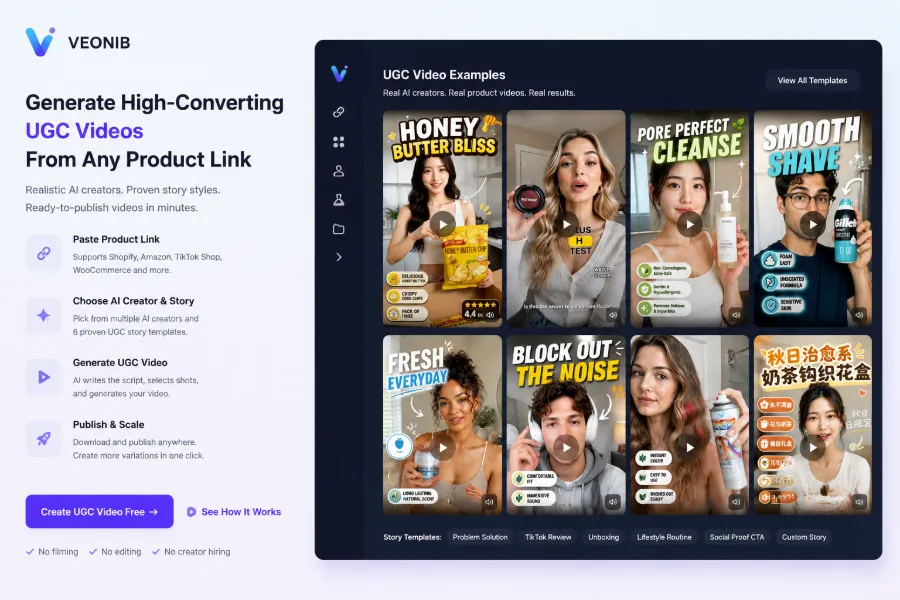
The input for this workflow is extremely simple: a single product link. Whether it’s Shopify, Amazon, or an independent site, just paste the link and the AI automatically parses the product title, selling points, price, and images. I was skeptical the first time I tried it—what could possibly be generated from just a link? The resulting scripts and storyboards captured the product’s core selling points perfectly.
I implemented this process with VEONIB. I selected six UGC story templates—Problem‑Solution, TikTok Review, Unboxing, Lifestyle, Social Proof, and Custom—each with its own narrative structure. Then I paired them with built‑in character avatars, or you can upload real photos. I maintained five fixed character avatars; each avatar paired with a different template, multiplied by three lengths (15 s, 20 s, 30 s) yields over 90 distinct videos in one go. The whole process takes about 40 minutes.
The source of the product link isn’t limited to Shopify; if you run an AliExpress business, you can also refer to this article on how to automatically turn AliExpress products into video ads. This idea of bulk‑producing from a single content source is fundamentally the same as turning a high‑traffic blog post into 30+ monetizable short videos—one input driving multiple outputs.
Key Steps to Build a Bulk UGC Workflow
After getting hands‑on, I found the bottleneck in bulk UGC isn’t generation speed but script diversity. For the same product, if you only change the character but keep the copy, viewers get fatigued after three videos. VEONIB’s built‑in character library and template collection already cover many combinations, but I still spent two weeks building my own script library—automatically generating different angles for each product: pain‑point entry, efficacy comparison, price advantage, usage scenarios. Five characters × six templates = 30 basic combos, multiplied by length creates even more.
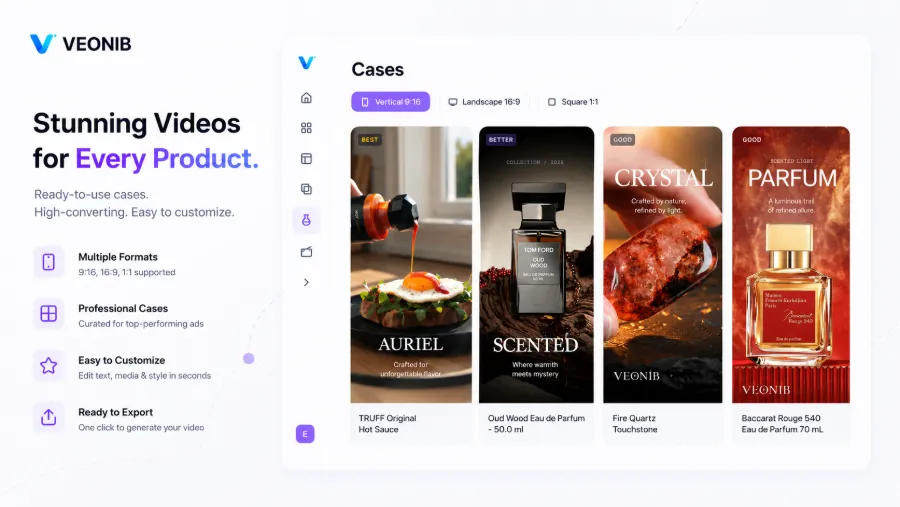
Character management is also crucial. I created a virtual character pool, each with a fixed name, age, and style tags. When generating, I randomly combine them or specify according to the target audience—e.g., for products aimed at mothers, prioritize high‑affinity female avatars. In terms of template strategy, Problem‑Solution and TikTok Review are good for testing phases, while Unboxing and Lifestyle suit scaling. When exporting in bulk, use a consistent naming convention like “ProductName_Template_Character_Length_Date”; otherwise, locating assets later becomes a nightmare. If you’re still comparing tools, check out this comparison of the 10 best e‑commerce AI video generators to quickly find the one that fits your scale.
Publishing, Managing, and Iterating Bulk Videos
Generating videos is only the first step; publishing and management are the real hurdles of matrix operations. The deepest pitfall I hit was that the same batch of videos posted simultaneously from multiple accounts was flagged as duplicate content and throttled. Later I switched to staggered publishing—Account A at 8 am, Account B at 12 pm, Account C at 7 pm, and tweaked each video before posting.
Deduplication is more important than video quality. After bulk generation, I use tools to crop frames, add filters, and adjust speed to reduce platform duplicate detection risk. Data‑driven iteration—reviewing weekly which templates, characters, and lengths perform best and then increasing their share in the next batch—keeps performance up. Watermarking in bulk saves about 90 % of manual effort; I use VEONIB’s batch text and logo watermark feature to apply a uniform watermark to all videos, protecting creative assets from theft.
FAQ
Q1: How long does it take to generate 90 videos at once?
From past the product link to exporting all videos, it’s about 40–50 minutes. With a stable network and no server queue, the generation time for 90 videos stays under an hour.
Q2: Won’t the videos look too repetitive?
It depends on how many templates and characters you use. Using only 2 templates and 3 characters will indeed feel repetitive. We recommend at least 5 characters × 6 templates, combined with varying lengths, to dramatically reduce the sense of duplication.
Q3: Can I use my own real‑person images?
Yes. You can upload real photos; the AI will generate a corresponding avatar and apply it across all video templates. I’ve uploaded team members’ photos, and the results look more authentic than the built‑in avatars.
Q4: Can the generated videos be posted directly to TikTok?
You can export MP4 files directly, but it’s advisable to first de‑duplicate—crop edges, adjust contrast, add filters—then post to different accounts to avoid the platform flagging them as duplicate content.
Q5: What if the product link becomes invalid?
An invalid link doesn’t affect already generated videos. If you need to regenerate, update the product link or manually upload a product screenshot as a substitute input.
Share Article


