Shopify Video Marketing: The Pitfalls I Hit and the Path I Found
You listed a product, spent three days polishing images, revised copy five times, but still no sales. Then you see a competitor’s product video shot casually on a phone, three million views, comments all asking for the link. I’ve been through exactly that. This article won’t waste time saying “video marketing is important”; it goes straight into how I went from not even knowing how to create a sequence in Premiere to producing an e‑commerce video with AI in 60 seconds, and the pitfalls you should avoid.
Why Video Marketing Is a Must‑Have for Shopify Sellers, Not an Elective
First, a set of numbers I ran myself. Last summer I A/B tested a Bluetooth headset in my store: half the traffic saw a static image‑and‑text detail page, the other half saw a detail page with a 15‑second video. After two weeks, the video group’s conversion rate was 64% higher, and the add‑to‑cart rate doubled. This isn’t a fluke—over 80% of shoppers say they prefer short videos to learn about a product rather than reading long specs and paragraphs.
Platforms also push video. Open TikTok, Instagram Reels, YouTube Shorts, and you’ll see that any content with a decent completion rate gets massive distribution. My same product video got 20 k plays in 24 h on Reels, but only 3 k in the same time on Shorts—showing that initial traffic allocation differs across platforms, but the common point is that video gets far more exposure weight than static images. Video brings not only higher click‑through rates but also longer on‑page dwell time, which directly contributes to SEO ranking signals for Shopify standalone sites.
So stop saying “my product photos are good enough.” The time window consumers spend on a video is much longer than on an image—your competitors are already converting in that window.
I Used to Pull My Hair Out Late at Night Editing, So Now I Just Paste a Link
At first I tried the “polish‑everything” route. I downloaded DaVinci Resolve, spent two days on tutorials, made the first video. The render came out with misaligned subtitles, background music drowning out the voice, and the main subject cut in half when I switched to 9:16. Redoing it cost three more days, and the results were still worse than a rough phone‑shot version later. That week I learned the first lesson: perfectionism is the biggest cost in video marketing.
The turning point was accidental. I discovered a tool that generates a finished video just by pasting a product link. The workflow is:
- Copy the Shopify product page URL
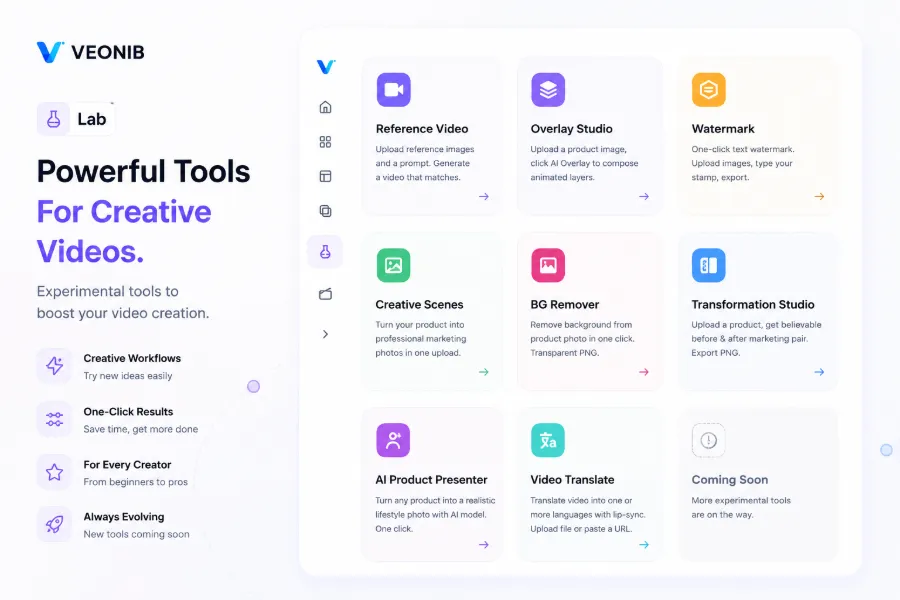
- Paste it into the input box on VEONIB
- Wait for AI to analyze images, description, and selling points
- Preview the AI‑generated storyboard and script
- Confirm and export the MP4
The whole process takes less than 60 seconds. The first export, I stared at the progress bar fearing it would freeze—but it finished in seconds. Then I kept the same link and tried different styles (brand, UGC, minimal), each completed within a minute. This isn’t saying AI video is better than manual polish; it’s that I can now finish a week’s worth of work in ten minutes.
From Product Link to Viral Video, What AI Is Doing Behind the Scenes
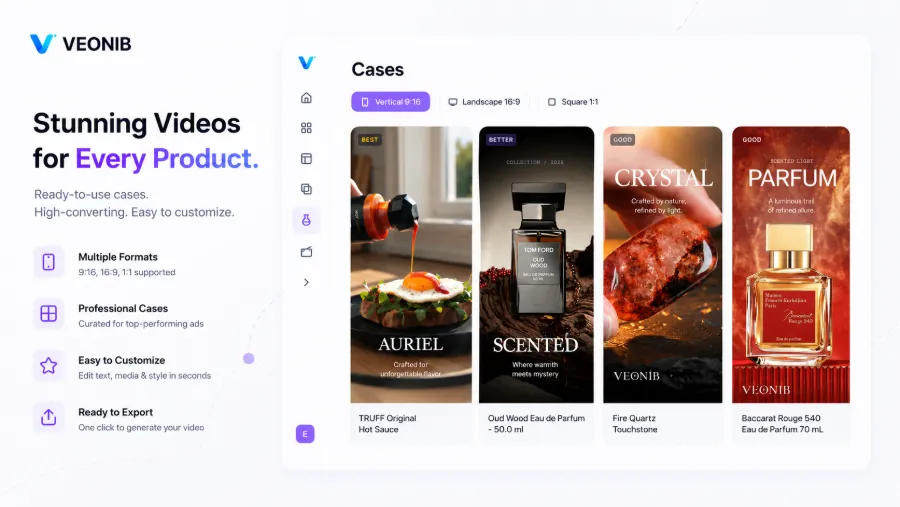
Many think AI‑generated video is just “plug‑in‑a‑template,” but the underlying logic is more detailed. After receiving the product link, the tool extracts the product image, title, price, feature list, and user reviews, then pulls keywords and selling points, automatically matching the most suitable hook copy. For example, if you sell noise‑cancelling headphones, AI detects entities like “noise‑cancelling,” “30‑hour battery,” “comfortable fit,” and creates three opening angles: one as “Metro commuter’s must‑have,” another as “Immersive gaming experience,” and a third as “Cost‑performance comparison.”
The storyboard builder also automatically arranges shots: product close‑up, usage scenario, model demo, closing CTA. These map to different video styles—brand style is clean and bright, UGC feels handheld and authentic, lifestyle leans on outdoor natural light. AI even adjusts background tones based on product color. Once I exported a gold watch video; AI chose a warm‑tone scene with late‑afternoon side backlighting, which even a half‑baked designer could appreciate as more pleasing than my own setup.
AI also supports voice‑overs in 30 languages and auto‑generated subtitles. This is a huge help for Shopify stores targeting global markets—you don’t need to hire voice actors. I produced English, French, and German versions of the same product in half an hour.
For conversion‑rate details, see this article How to Use AI Product Videos to Boost Amazon Conversion Rates, where I compiled my own data.
If you sell across platforms, e.g., AliExpress and Shopify, AI can also parse AliExpress links to generate videos, saving you manual re‑upload effort. I documented that workflow in Automatically Turn AliExpress Products into Video Ads.
After Publishing the Video, All I Do Is Watch the Numbers and Smile Silly
Video creation is just the first step; the real “set‑and‑forget” feeling comes from the iteration capability. For the same product, AI can instantly export 9:16, 1:1, and 16:9 versions for TikTok, Instagram, YouTube Shorts, and Facebook. Previously, each time I changed aspect ratio I had to re‑adjust subtitles and crop the subject—now it’s one click.
The key is the speed of A/B testing. Using VEONIB I quickly generated eight 15‑second videos with different hooks for a product, each with a distinct opening copy—some emphasizing price, others pain points, others usage scenarios. After three days, the version with the highest click‑through rate outperformed the others by three times. I fed that high‑performing script back into AI, which generated five more variants in half an hour. This is an unintuitive fact I discovered in practice: many think AI video tools are only for beginners, but the real advantage is how fast seasoned creators can iterate. A manual editor might produce a few new versions per week; AI lets you test dozens in a single day.
For cost‑efficiency at scale, I referenced this article Running a High‑Traffic Store with a $20/Month AI Tool, which does the math and shows it’s worthwhile.
If you want to try the “paste‑link‑and‑get‑video” workflow, this guide Automatically Turn Product Links into Short Video Ads is clear and ready to follow.
Frequently Asked Questions
Q1: I’m a cross‑border newcomer with no video experience—can I still do video marketing?
Yes, no editing software needed. Just a product link; AI handles the rest. I started from zero—my first video was generated by pasting a link, with no filming or editing skills.
Q2: Is the quality of AI‑generated video suitable for formal ad campaigns?
Yes. I’ve run Facebook and TikTok Sparks ads with it; the resolution is sufficient and platforms approve it. Note that AI video style leans toward native UGC feel, not blockbuster‑level polish. If your brand demands ultra‑high visual quality, you may still need a post‑production touch‑up.
Q3: I only run a Shopify standalone site—on which platforms should I post the video for maximum effect?
Start with Instagram Reels and TikTok; their algorithms are friendlier to new accounts. YouTube Shorts has more volatile initial traffic. My approach is to post the same video on all three, then double on the platform with the highest conversion rate.
Q4: How many video versions should a product have for testing?
At least three different hooks. I usually create 5‑8 in the first round, run 24 h to see click‑through and completion rates, pick the top two, then iterate five more variations. AI can generate multiple versions at once, making the workload minimal.
Q5: Can video generation really be done in under 60 seconds?
I’ve tested many times; from pasting the link to receiving the final MP4, most cases take 45‑50 seconds. Generating multiple styles takes a bit longer, but everything stays under a minute. Traditional workflows can’t match that speed.
Share Article


