Multi-Account Matrix + AI Video Production: How One Person Can Build a Content Team

A single person maintains three to five accounts at the same time and still edits videos in the early hours of the morning—a situation many operators have experienced. The accounts are opened, content calendars are set, but after two weeks the update frequency drops, three accounts become two, and finally only one remains barely afloat. Most people blame the problem on a lack of creative ideas, but the real bottleneck is not inspiration—it’s capacity. One person simply cannot produce enough videos to keep the update rhythm of every account in the matrix fed.
When you view a multi‑account matrix as a decomposable production system, the problem becomes much clearer. In traditional editing workflows, the four stages—素材, the, storyboard, final cut—each consume a lot of time. A 30‑second finished video often takes 3–5 hours, essentially filling a whole day’s effort for a single person. Capacity can’t keep up with the number of accounts, and the matrix collapses. This article won’t discuss slogans; it will explain how to break down the process, compress labor hours, and where the pitfalls lie.
One Person’s Content Team: The Bottleneck Is Not Creativity but Capacity
When operators face a multi‑account matrix, the first thing that collapses is usually the schedule. Suppose you have three accounts—TikTok, Reels, and Shorts—each needing two updates per day, for a total of six videos daily. Using a traditional editing workflow, a 30‑second video from sourcing material to export takes 3–5 hours; six videos require 18–30 hours—already exceeding what one person can work in a day.
Thus, the root cause of matrix failure has never been “can’t think of topics,” but “can’t finish the videos.” Many operators habitually focus on one account first, then copy the process to a second once it runs smoothly. That approach isn’t wrong, but it hides a fact: the matrix’s capacity requirement is not a linear sum but a multiplicative increase. When you have a single account you can make up gaps by staying up late; when you have three to five accounts updating simultaneously, staying up late still won’t fill the gap.
In traditional workflows, the most time‑consuming parts are not the editing itself but material acquisition and storyboard planning. Sourcing material means browsing libraries, checking copyrights, handling resolutions; storyboarding requires visualizing each frame. These steps heavily depend on the operator’s state of mind—good mood yields two videos per hour, a bad mood may take half a day for one. Unstable capacity means the matrix’s update frequency can’t be guaranteed.
Breaking the Multi‑Account Matrix into a Sustainable Production Flow
To solve the capacity issue, the first step is to turn matrix operations from “working by feel” into a fixed procedure. After splitting the five steps—topic selection, material, script, final cut, distribution—each can be independently optimized.
Material reuse is the key to matrix survival. The same product can be presented from different angles across accounts: one account does an unboxing review, another shows a lifestyle scenario, another offers a price comparison. The material pool is shared, but the presentation style differs, allowing you to control collection costs while avoiding identical content across accounts. In practice, de‑duplicating material is more troublesome than it sounds; the same clip with a different filter or subtitle may still be flagged as duplicate by the platform.
Once the process is codified into fixed steps, a single person’s capacity improves noticeably. In the matrix, each account needs two updates per day; a single person can directly produce about 6–8 videos per day, and the short must be filled by the process. Standardization means each step has clear inputs and outputs, eliminating the need to rethink everything each time, and the average labor time per video can be compressed. You can combine this with the workflow of “batch‑generating UGC content from product links” (https://veonib.com/blogs/generate-ugc-video-with-product-link-one-click-veonib-saves-shooting-editing) to understand how tools handle material collection and scripting, leaving the human only to review and distribute.
Another benefit of a procedural flow is that it doesn’t depend on mood. When you’re in a good state, you can produce extra videos and stash them; when you’re in a bad state, you can still follow the steps to achieve the minimum output. For a solo operator, a stable lower bound is more valuable than occasional peaks. The cost of tool combos is also low; many low‑cost e‑commerce AI tool suites are already available (https://seonib.com/c/landing-pages/growth/month-ai-stack-run-a-high-volume-e-commerce-store-for-less-than-a-netflix-subscription/month-ai-stack-run-a-high-volume-e-commerce-store-for-less-than-a-netflix-subscription), which a single person can easily afford.
How AI Video Production Helps a Solo Operator Keep Up with the Matrix Rhythm
After the workflow is broken down, the remaining question is how to shrink the labor time for each video from hours to minutes. AI video production solves exactly this step: an automated path from product link to final video. AI automatically analyzes selling points, writes scripts, arranges storyboards, and generates visuals; the human only needs to paste the link, select a template, and wait for export.
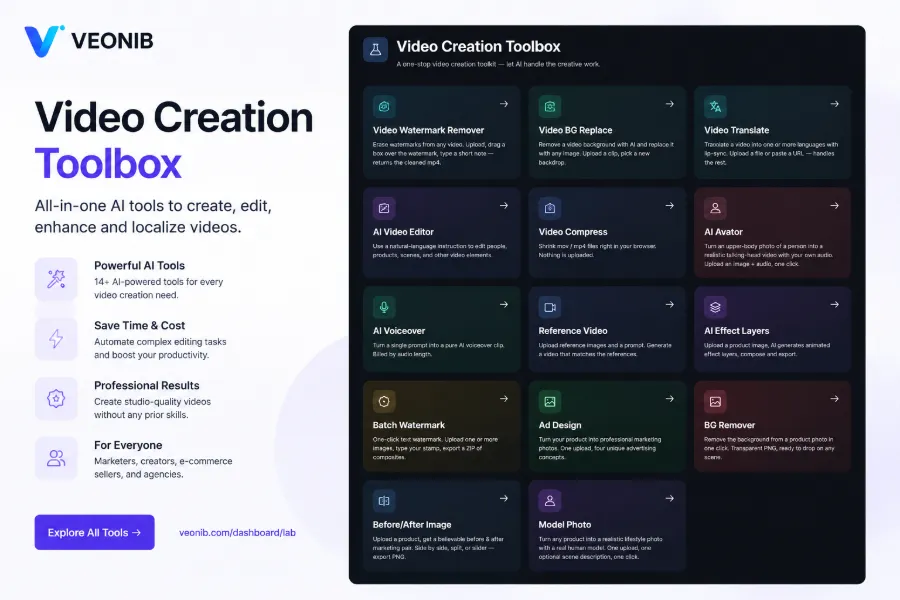
Take tools like VEONIB as an example. Paste a Shopify or Amazon product link, and the AI parses product images, descriptions, and features, automatically generates a script and storyboard, then outputs the final video. The entire process takes about 60 seconds per video, roughly ten times faster than traditional editing. For a solo operator, this is direct: what used to require working until dawn for six videos can now cover updates for more accounts within the same time frame.
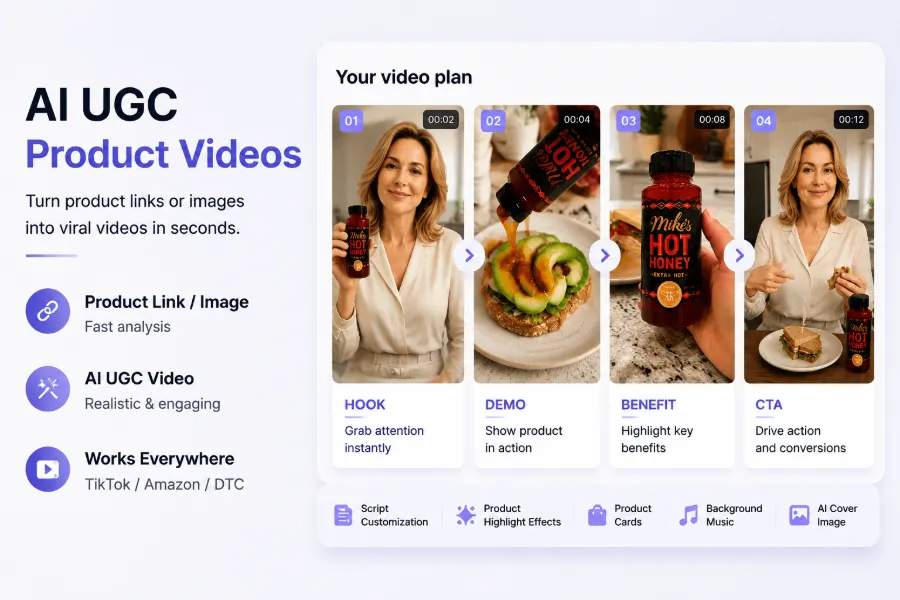
Multiple‑style templates are the key to differentiating accounts. Different templates—brand, lifestyle, UGC—allow the same product to appear with completely different tones on different accounts. For example, a TikTok Shop account suits a UGC style that emphasizes authenticity and “grass‑planting” vibe; a brand account fits a Studio or Luxury style that stresses texture and tone. Switching templates costs virtually nothing, yet the accounts retain distinct identities. See the case study “One‑click ad video generation from product link” for concrete steps (https://veonib.com/s/niches/veonib-paste-a-product-url-get-a-tiktok-ad-video-in-60-seconds).
However, “fast production” does not equal “ready to run ads.” A 60‑second generated video still needs human verification of visual quality, narration naturalness, and subtitle accuracy. AI‑generated scripts occasionally misstate selling points, and visuals may contain flaws. This boundary must be clear: AI video production solves the capacity problem, not the quality‑control problem.
| Stage | Traditional Method | AI Production Flow |
|---|---|---|
| Material acquisition | Browse libraries, check copyrights, 1–2 hours | Paste product link, auto‑parse, ~1 minute |
| Script | Manual writing and revisions, 30–60 minutes | AI auto‑generate, ~10 seconds |
| Storyboard | Frame‑by‑frame planning, >1 hour | AI auto‑layout, ~10 seconds |
| Final cut | Editing, color grading, music, 2–3 hours | AI generate & export, ~60 seconds |
| Delivery | Manual export to multiple platform formats | One‑click MP4 export |
AI video production is still evolving rapidly; keep an eye on the “AI video trend starting from product links” (https://telegra.ph/The-Future-of-AI-Video-Starts-with-a-Product-URL-07-11). Tools are only part of the capacity solution; the process and quality inspection are where a solo team truly needs to focus.
Managing the Rhythm of Multiple Accounts: New Pitfalls After Bulk Production
When output increases, new problems appear. Bulk‑generated AI material, when directly deployed, can cause first‑round approval rates on some platforms to drop by 20–30 %. The main reasons are material duplication and watermarks: generating many videos for the same product leads to high visual similarity, which platforms flag as duplicate content; supplier‑provided raw material may still contain watermarks or logos, leading to rejections.
This pitfall has been experienced firsthand. Within 1–2 weeks of bulk deployment, we started receiving rejection notices, and the ad account’s trust score suffered. Investigation revealed the issue lay in the material reuse stage— the same batch of raw footage was used repeatedly across accounts, and the platform’s risk system quickly caught it. The solution is pre‑cleaning: de‑duplicate material before generation, standardize the narrative, and filter out any watermarked raw files. Follow the workflow in “Supplier material watermark removal and ad approval processing” (https://veonib.com/s/tools/the-supplier-footage-clean-room-removing-watermarks-rebuilding-trust-and-passing-ad-review-on-the-first-try) to perform cleaning before generation rather than after deployment.
Typical warning signs before an account is throttled include sudden drops in views, abnormal interaction rates, and new content not entering recommendation pools. When these signals appear, stop bulk deployment, check material duplication, and avoid scaling further. VEONIB‑generated videos maintain stable approval rates, but only if the input material is clean and the script tone is consistent—this prerequisite cannot be skipped.
Human review of sampled frames and script checks is the final quality‑control line for a solo team. After each video is exported, sample 2–3 frames to verify visual defects, subtitle accuracy, and clear product display. At the script level, confirm that selling points are not exaggerated and comply with platform ad policies. This checklist may seem tedious, but it defines the true lower bound of solo capacity—no matter how fast production is, without proper QC, the spend is wasted.
FAQ
How many updates per day should a solo operator maintain across multiple accounts?
With three accounts, 1–2 updates per account per day is reasonable, totaling 3–6 videos. Below this, account weight and recommendation frequency won’t improve; above this, a solo operator’s QC can’t keep up, and quality will drop, hurting performance.
Can AI‑generated videos be used directly for ad placement?
Yes, but they must first pass a quality check. Verify subtitle accuracy, visual defects, and script compliance. Deploying without review will noticeably lower first‑round approval rates, waste budget, and damage account trust.
Do different accounts in a matrix need to be completely differentiated in content?
Complete differentiation isn’t required, but there should be clear distinctions. The material pool can be shared, but presentation styles must differ—for example, one account uses UGC “grass‑planting,” another showcases brand presentation. Completely identical content will be flagged as reposted, leading to throttling and rejection.
When reusing bulk‑produced material across accounts, how can I reduce the risk of throttling or rejection?
De‑duplicate material before generation, filter out watermarked or highly similar raw files. Switch templates and presentation angles between accounts to avoid excessive visual similarity. After bulk deployment, closely monitor approval rates and view data; pause and investigate immediately if anomalies appear.
What are the minimum quality‑control checks a solo team should perform before delivering a video?
Sample frame inspection for visual quality, confirm subtitles match narration, verify product display clarity, and ensure script selling points are not exaggerated or non‑compliant. Completing these five checks takes about 2–3 minutes per video but saves the cost of later rejections and throttling.
Share Article


