Storefront Video Library Empty? Content Operations Checklist for TikTok Shop Window and Instagram Shop

Open the store backend, the link is attached, product images are uploaded, but the video library section is still empty. This scenario is all too common among cross‑border sellers. Many think that simply adding products to the shop window completes content creation, yet TikTok Shop Window and Instagram Shop conversions stay low, data look bad, and the cause is unclear.
The problem often lies in an overlooked spot: the video content logic of the two platforms is completely different. TikTok Shop Window leans toward discovery and entertainment; video is the entry point for algorithmic recommendation. Instagram Shop focuses on aesthetics and lifestyle; users first look at the content on the homepage before deciding to follow or purchase. A single set of assets cannot serve both platforms effectively. Below is a platform‑by‑platform content operations checklist.
Why the Video Library Can’t Be Empty: Each Platform’s Traffic Logic
TikTok Shop Window videos are the gateway for algorithmic recommendation. Without video, a product loses the chance to enter the recommendation traffic pool. TikTok’s recommendation mechanism relies on completion rate, interaction rate, and conversion signals, and video is the main carrier of these signals. Product cards with video have about three times the click‑through rate of pure images, a gap that’s especially noticeable during the cold‑start phase.
Instagram Shop works differently. Its traffic is more relationship‑based—users follow your account and view your content before they can reach the shop page. Video here serves a decorative and trust‑building function. Brand pages on Instagram that include Reels see noticeably longer dwell times; users judge whether a shop is reliable and products are genuine through video.
The two platforms’ differences can be summarized as: TikTok favors discovery traffic—users get to know you by scrolling content; Instagram favors relationship traffic—users first approve the content before trusting you. An empty video library means giving up both entry points at once.
Where the Checklist Comes From: Reusable Video Types by Platform
First list the requirements per platform, then compare them with the assets you already have.
Video types needed for TikTok Shop Window
- Unboxing videos showing the full process from packaging to use
- Problem‑solving videos that directly demonstrate the pain points the product addresses
- Social proof using comments, sales numbers, or user feedback as endorsements
- UGC‑style spoken‑over videos that mimic real user experiences
Video types needed for Instagram Shop
- Lifestyle scenario videos that place the product in real‑world usage environments
- Dynamic product still‑life showcases that highlight material, detail, and design
- Short brand story videos that explain why the brand exists
The differences between the two video types go beyond content; they also involve pacing. The first two seconds of a TikTok video (the hook) determine more than 60 % of the completion rate, so the start must be immediate. Instagram Reels under 15 seconds have the highest interaction rates; pacing can be slower, and visual aesthetics take priority. Caption styles differ too—TikTok captions are large and eye‑catching, while Instagram captions are more restrained and integrated into the visuals.
| Platform | Recommended Length | Content Style | Common Video Types | Core Goal |
|---|---|---|---|---|
| TikTok Shop Window | 15‑30 seconds | Discovery, entertainment, strong hook | Unboxing, problem‑solving, social proof, UGC spoken‑over | Enter recommendation pool, gain exposure |
| Instagram Shop | ≤ 15 seconds | Aesthetic, lifestyle, vibe | Lifestyle scenes, dynamic still‑life, brand story | Build trust, increase dwell time |
Cross‑check this list with your own library to see which category is missing. If you’re unsure how to create UGC‑style content, refer to the third‑party tool’s UGC video creation reference page for ready‑made formats.
Real‑World Issue of Bulk Production: Maintaining Update Frequency Without Shooting Resources
The checklist is ready, but the next realistic question is: small‑to‑medium sellers lack models, studios, and editors—how do videos get made?
Many people’s first reaction is to give up, thinking that without real‑shoot conditions you can’t produce videos. In reality, the existing assets on a product page can support most of the content—main images, detail‑page copy, bullet‑point lists—all of which can be transformed into video material. The challenge lies in the time cost of conversion.
Traditional editing of a 15‑second product video averages 2‑4 hours, while the window for online conversion of a video is often only a few days. By the time you finish editing, the traffic peak may have passed. This tension is especially acute for sellers with large catalogs; many SKUs each need a video, and manual work can’t keep up.
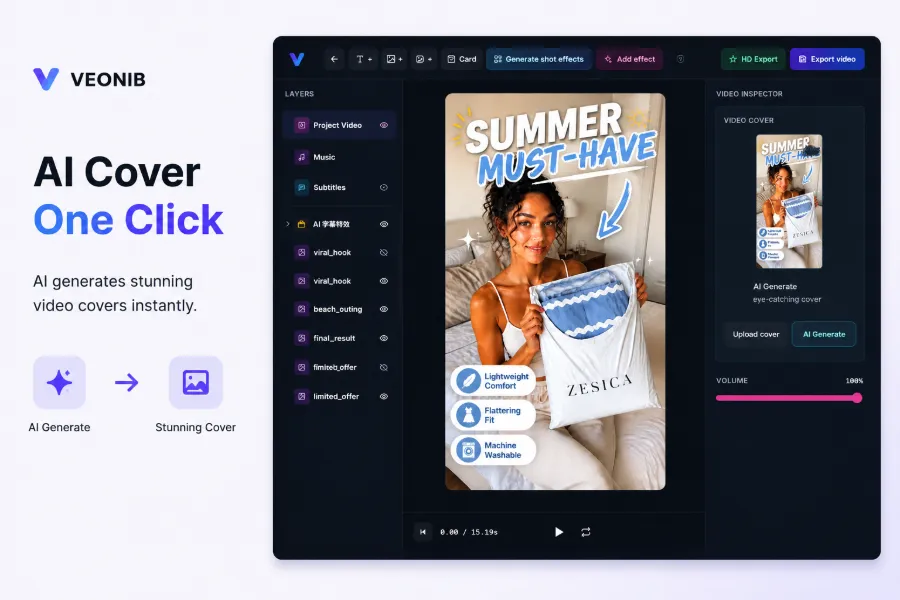
If you don’t want to invest in real shoots, try generating videos directly from product links. Tools like VEONIB automatically break down images, copy, and bullet points from a product link into scripts and storyboards, then generate the final video. They don’t solve the creative problem; they compress the 2‑4‑hour editing process into under a minute, allowing you to keep pace with platform rhythms. A complete method for producing TikTok ad assets without filming is available for reference.
When budgets are tight, you can also explore low‑cost video marketing tactics; catalog sellers usually don’t need high‑budget production from the start.
Hidden Costs of Video Maintenance and Updates: Don’t Let the Library Become a Zombie Archive
A video library isn’t a one‑time build that ends after launch. If you set it and forget it, months later the content will be outdated and conversions will drop.
Platform algorithms evolve, seasonal promotions change, inventory and selling points get updated. On average, a store needs to rotate video content every 6‑8 weeks to keep the account active. This frequency means the video library is a continuously operated asset, not a one‑off material pile.
One seller spent two full weeks meticulously producing 10 high‑quality videos, only to discover that because they didn’t consider platform differences, the TikTok‑style videos were posted directly to Instagram Shop, resulting in absurdly low interaction rates. All videos had to be recreated. The two‑week investment went to waste—not because of video quality, but because platform adaptation was ignored.
Another hidden cost during bulk updates is repetitive work: re‑uploading, re‑captioning, changing thumbnails. These seemingly minor tasks accumulate and become time‑consuming. Especially when bullet points change, video content must be synchronized with product data, often taking more time than the initial creation.
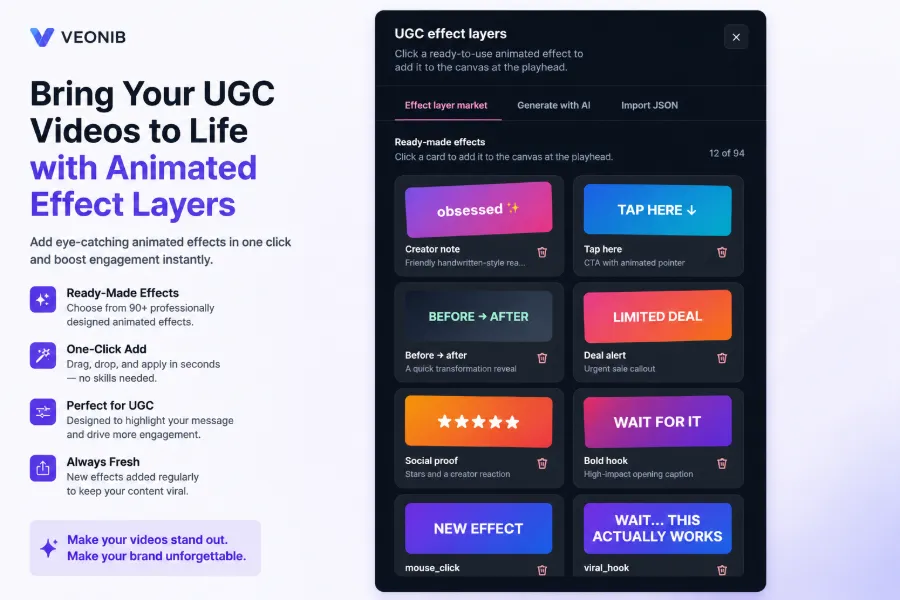
During promotion periods, you need to batch‑add tags and CTA elements to videos; daily maintenance also involves handling watermark removal to prevent content theft. These can be solved with batch‑processing tools. VEONIB can reduce some repetitive actions in bulk‑update scenarios, but publishing and data tracking still require human oversight.
From Product Links to a Sustainable Content Rhythm: An Actionable Operating Loop
String the previous sections together into a practical monthly rhythm:
- At the start of the month, list new products, break down video requirements per platform, generate videos in bulk, schedule uploads, and review data weekly for adjustments.
- 8‑12 videos per month are enough to keep TikTok Shop Window and Instagram Shop minimally active; focus on stability rather than volume.
The key to a process is making video production a routine, not a last‑minute scramble. The workflow for bulk‑generating videos from product URLs can follow existing case studies. Extending the toolchain to integrate with official platform APIs helps align the publishing pipeline.
Automation tools only address the production stage. Publishing, data review, and content calendar maintenance still need human execution. The essence of video library operation is content rhythm management; consistent update frequency is more important than execution speed. Assets and product data must stay linked—when a selling point changes, the video must be iterated accordingly. This synchronization mindset is what prevents the library from becoming a zombie archive.
FAQ
Can the same set of assets be used for TikTok Shop Window and Instagram Shop videos?
Not recommended. The two platforms have different traffic logics: TikTok favors discovery and needs a strong hook and fast pacing; Instagram favors relationships and places higher value on aesthetics and atmosphere. Using the same assets will likely yield decent results on one platform and almost no interaction on the other.
If I have no filming team, does the video library have to stay empty?
No. Main images, detail‑page copy, and bullet‑point lists on a product page can be transformed into video assets. Using a tool to generate videos directly from product links can compress the production time to about a minute per video. While the footage won’t have the feel of a real shoot, it maintains update frequency and content coverage.
How often should videos be updated?
Generally, rotate video content every 6‑8 weeks to keep the account active. Following a monthly rhythm, 8‑12 videos per month are sufficient to cover the basic needs of TikTok Shop Window and Instagram Shop. The key is stable, regular updates rather than occasional spikes.
Are video thumbnails important? Can I just use product images?
Thumbnails directly affect click‑through rates and are as important as the video itself. You can use product images, but it’s best to enhance them—add selling‑point text, promotional tags, or CTA elements—to make the thumbnail stand out in the feed. Plain product images without any design are easily ignored.
Share Article


