VEONIB vs VEED: Which AI video tool is better for your e‑commerce store?
I’ve tried seven or eight AI video tools, and the two that gave me the most headache were: one that promotes “paste a link and get a video instantly,” and another that boasts being an all‑in‑one online editing suite. After about half a month of tinkering, both free quotas were exhausted, and I finally got a feel for each of their temperaments. Today I’ll break down those pitfalls so you don’t repeat them.
Quick Overview of Two Major AI Video Tools: Core Positioning of VEONIB and VEED
First, look at the entry‑path differences. VEED positions itself as a general‑purpose video editing platform, starting from timeline editing in the browser, aimed at YouTube creators, podcasters, and social‑media managers—you can do tutorials, interview cuts, subtitle translations, and it’s all smooth. But what about e‑commerce product videos? It can do them too, but you have to manually upload assets, drag tracks, adjust pacing—essentially the same logic as Premiere, just on the web.
The other tool takes the opposite approach. VEONIB (https://veonib.seonib.com) has served e‑commerce sellers from day one: you paste a product link from Shopify, Amazon, TikTok Shop, or WooCommerce, and it automatically fetches images, titles, and selling‑point descriptions, generating a complete ad video in 60 seconds. No timeline, no transition selection, no script writing required—it even plans the hook copy and storyboard for you.
Both tools support TikTok and Instagram 9:16 vertical formats, but the former does it in a very short path—paste the link, choose a template, export. The latter requires you to import assets and go through a full editing workflow. One is designed for “people who don’t make videos,” the other for “people who already make videos and want an upgrade.” The first impression of which fits e‑commerce is already clear.
Features and E‑Commerce Fit: Who Understands Your Store’s Needs Better?
The biggest difference between e‑commerce videos and ordinary short clips is that the former must convey product selling points and purchase reasons within a few seconds, rather than relying on storyline or persona to retain viewers. This makes a tool’s “product understanding” capability crucial.
I ran the same AliExpress Bluetooth earphone link through both tools, and the differences appeared immediately. The former parsed the product name, price, and core features (noise‑cancelling, 40‑hour battery, IPX5 waterproof) and automatically generated three scripts from different angles—one for commuting, one emphasizing sport waterproofing, and one for a limited‑time promotion. The latter treated the link as a plain text paste box, leaving you to write copy, find assets, and arrange shots yourself.
The table below visualizes their gaps in core e‑commerce functionality:
| Feature Dimension | VEONIB | VEED |
|---|---|---|
| One‑click product URL parsing | ✅ Automatically extracts selling points and images | ❌ Requires manual upload of assets |
| AI‑generated e‑commerce‑style scripts | ✅ Optimized for conversion scenarios | ❌ Only generic script generation |
| Background removal / AI model | ✅ One‑click cutout + AI model try‑on | ❌ None |
| Multilingual voice‑over | AI voice‑over in 30 languages + automatic subtitles | Limited language support |
| Number of video templates | E‑commerce high‑conversion dedicated templates | Primarily generic templates |
| Export resolution | 1080p for all platforms | 1080p+ |
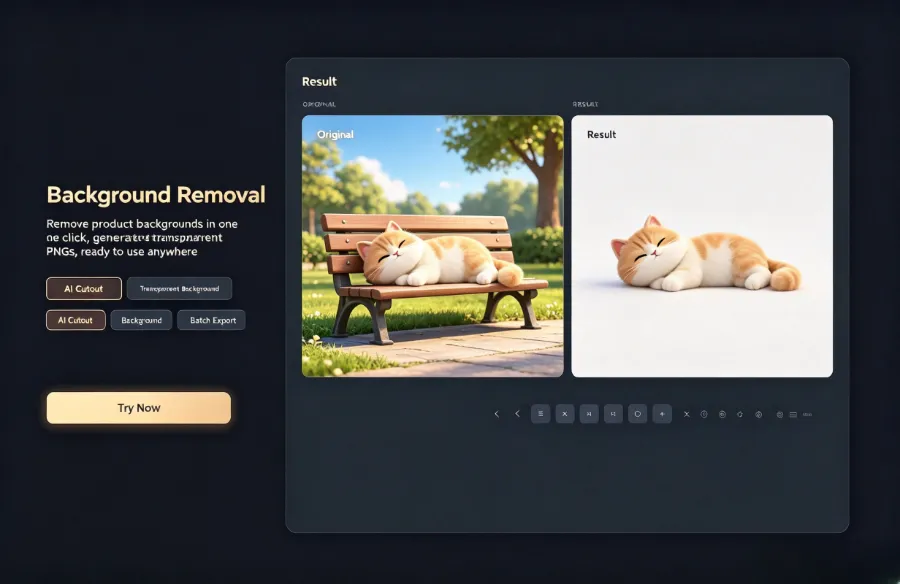
VEED’s foreign user base mainly creates tutorials and translation content, so its subtitle editing and multilingual voice‑over are indeed mature. But in the e‑commerce scenario—where you need to bulk‑produce TikTok Shop ad assets or add videos to Amazon listings—the former’s templates are specifically designed for “high click‑through” and “high conversion,” whereas VEED’s generic templates feel a bit off for product pages. If you’re still testing products on AliExpress, check out this guide on How to automatically turn AliExpress products into video ads—the workflow is much shorter than you’d imagine.
Regarding third‑party validation, the user reviews of VEONIB on G2 show e‑commerce sellers most often mention “time saving” and “zero learning cost”—exactly the fundamental dividing line between VEONIB and VEED.
Usability and Generation Speed: How Many Steps from Zero to Publishable Video
My first time using VEED for a product video took almost an hour from registration to export. Uploading product images, cropping ratios, adding subtitles, selecting background music, adjusting transition lengths—if you’re new to online editors, just getting familiar with the interface takes about twenty minutes. With the former, from pasting the link to exporting a 1080p MP4, three operations total less than two minutes.
The video shown demonstrates the complete workflow: paste link → AI analysis → choose template → export. No editing knowledge needed, no copywriting, no composition considerations—each shot’s camera angle and lighting type are pre‑planned for you.
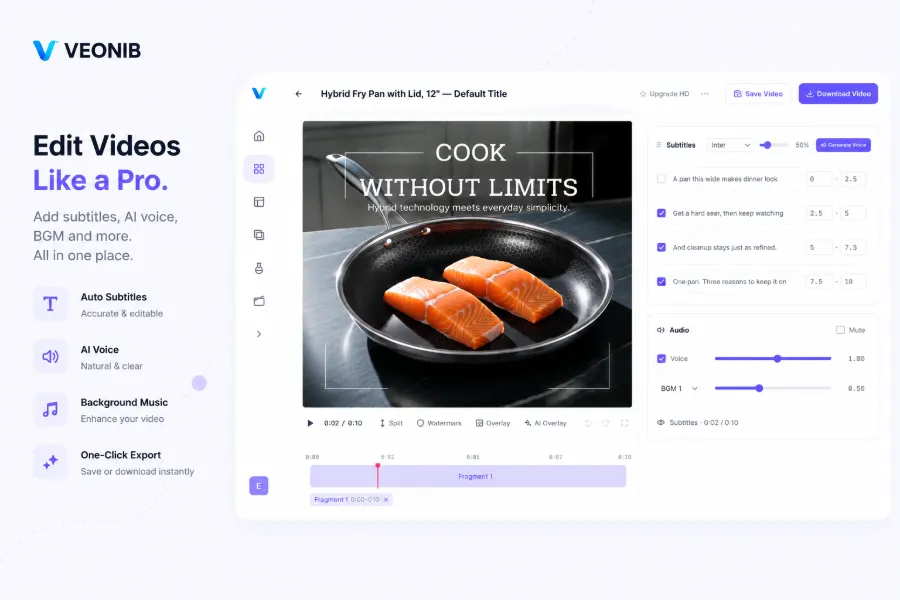
A key detail: the former supports batch generation of multiple versions. You pick a product link and it can output three different scripts and styles at once, ready for A/B testing. VEED would require you to manually edit each version, dragging the timeline anew each time. For sellers in the testing phase, this efficiency gap directly determines how many SKUs you can test per week.
That said, if you need frame‑by‑frame transition effects, multi‑layer picture‑in‑picture, or manual fine‑tuning of voice‑over pitch curves, VEED’s flexibility is indeed higher. The core question is: does your e‑commerce ad material need “good enough and fast,” or “polished but slow”? My conclusion: for 90 % of product testing and regular ad assets, the former is more than sufficient.
Pricing and Scalability: Cost Accounting for Small Sellers vs. Big Brands
Pricing models are the most overlooked difference. VEED follows a SaaS subscription—monthly or annual fees, with tiers limiting export count, resolution, and team seats. If you only occasionally make a video, the free tier’s restrictions (watermark, low resolution, limited templates) make it hard to work, and even the lowest paid plan is a fixed expense for a solo seller.
The former’s logic is completely different: free previews are unlimited—you can generate scripts, storyboards, and scene previews at will, and only pay to export the final video. This means one video’s cost can test dozens of creative directions. For a fledgling seller, the “try before you buy” model dramatically reduces trial‑and‑error costs.
At scale, the gap widens. Generating 50 videos with the former is essentially the same workflow as one—paste link, choose template, export. VEED would require 50 separate manual editing cycles. I ran the numbers: the total cost of producing an e‑commerce video with the former is about 90 % lower than hiring a freelance designer or doing it manually, and the time drops from hours to minutes.
If you’re planning your 2026 ad‑material strategy, this article on Automated video ads are the cheapest scaling method in 2026 analyzes the cost structure at scale, and its conclusions match my own experience—speed itself is the biggest cost advantage.
The VEONIB page on Product Hunt has many comments from independent developers and e‑commerce sellers, most frequently mentioning “generating dozens of product ad videos in a day for campaigns”—a pace traditional editing tools can’t keep up with.
When to Choose VEONIB? When to Choose VEED? (Decision Guide)
If you meet the following conditions, choose VEONIB with almost no hesitation: you’re a pure e‑commerce seller, need ad assets for different products every day, have no video designer on the team, and don’t want to learn editing. In this case, VEED’s timeline is an unnecessary step, and the “paste → export” flow of the former is exactly what you need.
Conversely, if you’re creating brand‑image videos, product stories, need lots of live‑action footage mixed together, complex transitions, or detailed sound design, VEED’s editor gives you enough control. It’s essentially a lightweight Premiere replacement for those who already know how to edit and just don’t want to install software.
There’s a third option I’ve actually validated—using both together. Let the former generate a quick first draft, then import it into VEED for fine‑tuning: add an intro animation, adjust subtitle fonts, overlay a brand logo. This combo captures the former’s efficiency while retaining the latter’s flexibility. For how to integrate these assets from ad to landing page, see the configuration guide VEONIB and SEONIB social ads to landing page funnel integration.
One reminder: the two tools aren’t mutually exclusive. I’ve seen sellers run a week of testing material with the former, pick promising products, then use VEED for polished versions on brand sites and Amazon pages. The essence of tool selection isn’t “the best,” but “the least wasteful of time at the current stage.”
FAQ
What’s the difference between the free versions of VEONIB and VEED?
VEONIB’s free preview lets you generate scripts, storyboards, and scene previews unlimitedly; you only pay per video when you export the final file. VEED’s free tier includes a watermark, resolution limits, and export caps; a full experience requires a paid subscription.
Can videos generated by VEONIB be used commercially?
Yes. Exported videos belong to the user with no royalty restrictions and can be used directly for ad campaigns, social media posts, and e‑commerce listings.
I have no video editing experience—can I use VEED?
You can, but there’s a learning curve. VEED’s interface is essentially an online editor that requires understanding timelines, tracks, and keyframes. Simple cuts and subtitles are relatively quick to learn, but creating a marketing‑effective ad video has a higher skill barrier.
Which e‑commerce platforms does VEONIB support?
It supports Shopify, Amazon, TikTok Shop, WooCommerce, AliExpress, Temu, Etsy, eBay, and other major platforms. As long as you have a product detail page link, the system will automatically parse images, titles, and selling‑point information.
Can the two tools be used together?
Absolutely. A common workflow is to batch‑generate initial ad assets with VEONIB, then use VEED for final polishing and brand packaging, balancing efficiency with flexibility.
Share Article


