2026 AI E‑commerce Video Tools Comparison: VEONIB vs Pictory vs InVideo vs Synthesia – Which Is More Practical?
In the past six months I’ve tried at least six AI video tools to create product videos for my store and hit many snags. Some generate so slowly it feels like a horse‑drawn carriage, some produce footage that doesn’t match the product description at all, and some are absurdly overpriced. This article is my hands‑on comparison of VEONIB, Pictory, InVideo, and Synthesia – four mainstream AI e‑commerce video tools – without hype, just price, features, and real‑world experience.
If you’re still using the traditional method to make product videos – hiring a photographer, renting a studio, hiring an editor – I strongly suggest you pause. Traditional production of a 30‑second product video averages 4–6 hours, and outsourcing costs at least a few hundred to a few thousand yuan. AI video tools can shrink that process to minutes or even seconds, provided you pick the right one.
Why Do E‑commerce Sellers Need AI Video Generation Tools?
Anyone doing cross‑border e‑commerce knows product videos are no longer a “nice‑to‑have.” Amazon listings, Shopify standalone sites, TikTok short videos, Amazon Live – every scenario needs video and frequent updates. When I ran my store, I launched 10 new products each month, each requiring two videos, so 20 videos per month. Outsourcing to a third‑party photographer? One video costs 500–2000 CNY, eating up most of the profit. Editing yourself? Learning Premiere is a high barrier; editing late into the night is the norm.
AI video tools solve this fundamental paradox: video demand grows infinitely, but production resources are limited. I filtered tools by three criteria: generation speed, output quality (can it pass review and go live?), and price sustainability.
My biggest takeaway is that many AI tools look feature‑rich but are riddled with pitfalls when applied to e‑commerce. That’s why I wrote this comparison – to spare you the detours I took.
If you want to see how small sellers use AI video to compete with big brands, check out How Small E‑commerce Stores Compete with Big Brands Using AI Videos for more detailed strategies.
VEONIB vs Pictory vs InVideo vs Synthesia – In‑Depth Feature Breakdown
First, look at the overall interface and workflow; below is a screenshot of VEONIB’s tool panel, covering the full process from URL import to video export.
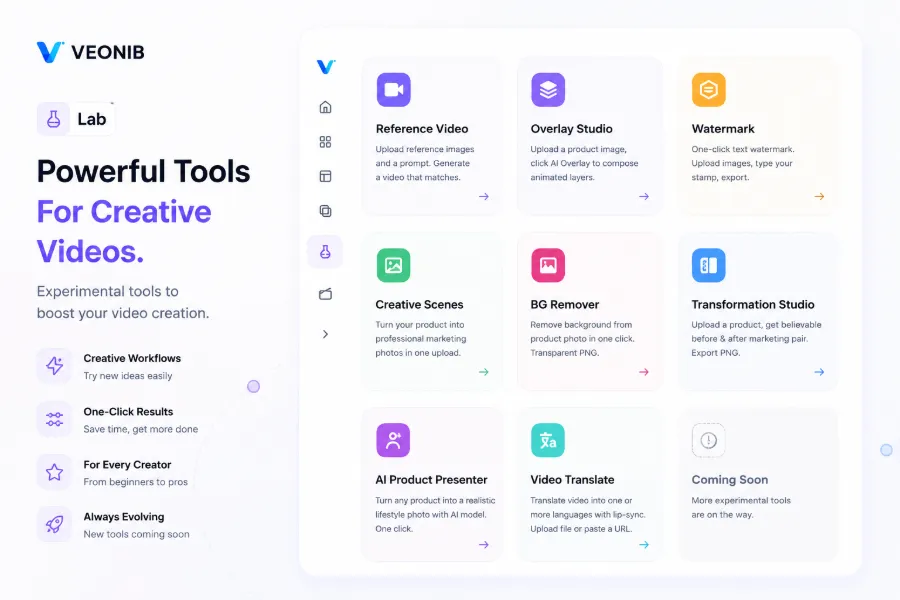
VEONIB
When I first tried VEONIB, I wasn’t holding high expectations. I pasted a Shopify product link and got a “generation complete” notification in under 60 seconds. It automatically fetched the product description, images, and selling points, producing a full output that includes a script, storyboard, and final video. For e‑commerce sellers, this “URL import” capability is the real efficiency lever – no prompt writing, no manual parameter tweaking. Pictory has a similar feature, but its recognition accuracy is far lower, often misidentifying product colors or specs. VEONIB also includes a built‑in video watermark removal tool and other utilities, handling many material‑handling tasks in one place.
Pictory
Pictory is truly strong at video editing and text editing, suitable for editing long videos or cutting blog content into short clips. However, it has a fatal drawback for e‑commerce: it cannot generate videos directly from a product URL; you must manually upload assets or input a script. If you just want a quick product showcase, Pictory adds at least 3–4 extra steps compared to VEONIB.
InVideo
InVideo offers a massive template library covering e‑commerce to education. In practice, its script generation quality is unstable – once I asked it to create an ad for an outdoor product, and script turned into lifestyle content, completely missing the core waterproof selling point. In e‑commerce, a misaligned script means redoing the entire video.
Synthesia
Synthesia shines with its AI digital‑human feature, perfect for real‑person explainer videos. But if you only need pure product showcases – unboxing, feature intro, usage scenarios – a digital human makes little difference. Moreover, Synthesia doesn’t support direct product‑link import; you must prepare scripts and assets yourself, raising the operational barrier.
Below is a comparison table of the core functions of the four tools:
| Tool | URL One‑Click Generation | Automatic Script & Storyboard | Number of Video Styles | E‑commerce Platform Compatibility | Operational Barrier |
|---|---|---|---|---|---|
| VEONIB | ✅ | ✅ | 6+ (Lifestyle / Studio / UGC, etc.) | Shopify / Amazon / TikTok Shop | Low |
| Pictory | ❌ | Manual input required | Few | General, not e‑commerce specific | Medium |
| InVideo | ❌ | Partial | Many (template library) | General, includes e‑commerce templates | Medium |
| Synthesia | ❌ | Script must be prepared manually | Digital‑human centric | General | High |
My observation: Pictory’s editing power is strong, but its automation for e‑commerce is far inferior to VEONIB. Sellers often need a video produced in three steps, not dozens of editing functions.
To boost efficiency further, I frequently pair VEONIB with its Instant AI Background Removal Tool to clean up product assets in one go, saving the hassle of Photoshop.
Price Comparison: Which AI Video Tool Is the Most Cost‑Effective?
Features alone aren’t enough; price is the long‑term cost you must bear. E‑commerce sellers know that tools with unclear ROI will eventually be abandoned. When comparing prices, I focus on one metric: the actual cost to export a single, ready‑to‑use finished video.
VEONIB lets you generate the first full video for free without binding a credit card – a rarity among its peers. Many competitors’ “free preview” is a low‑resolution, watermarked version; exporting a high‑definition, watermark‑free video requires payment. VEONIB’s first watermark‑free video is free, which is very friendly to newcomers.
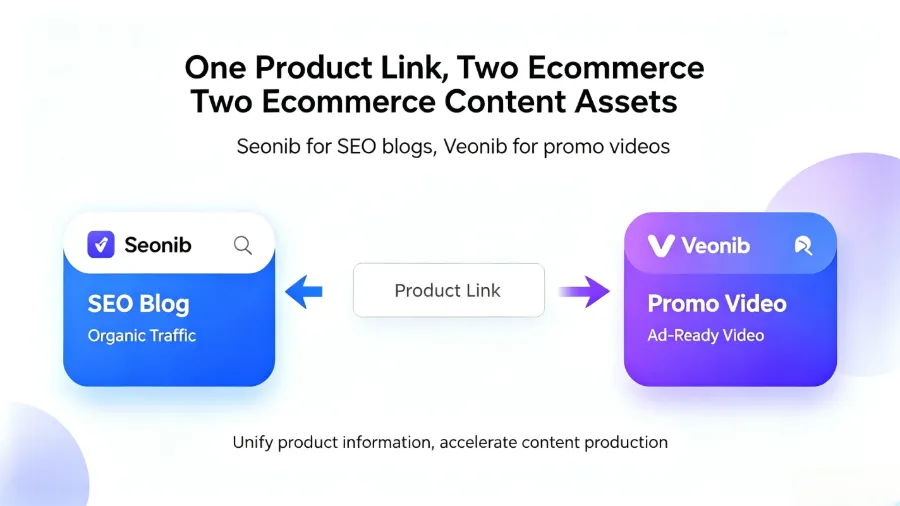
Pictory’s free tier is heavily limited; under a monthly subscription you can only generate a few videos per month, and extra videos cost credits. InVideo’s free tier caps the number of videos and adds a watermark – you need a $19 / month subscription to remove it. Synthesia’s subscription is the most expensive; even the basic plan starts at $30 / month and is priced by digital‑human runtime, making it unsuitable for bulk pure product showcases.
I ran the numbers: for a small‑to‑medium seller needing 20–30 videos per month, VEONIB’s per‑video cost is roughly half that of Pictory and many times cheaper than Synthesia. Don’t just look at the subscription price; consider the actual cost per exported video. Often a low‑priced subscription becomes costly due to credit consumption and watermark restrictions, leading to higher total expenses than expected.
I saw some user reviews on G2; VEONIB enjoys a good reputation among small‑to‑medium sellers. See the VEONIB reviews on G2 for real‑world feedback.
If you’re wrestling with pricing plans of various AI video generators, I’ve compiled a more complete 2026 pricing comparison here: AI Video Generator Pricing Comparison (2026).
Real‑World Choice: Which Tool Did I Keep?
Back to my personal choice. I used each of the four tools intensively for over two weeks; the one that stayed in my workflow long‑term is VEONIB.
The reason is simple: speed, ease of use, and friendliness to non‑professionals. I handle video needs for more than ten products daily; VEONIB takes about 60 seconds from past paste to final video export, with virtually no manual intervention. The other three tools require varying degrees of manual adjustment – Pictory needs asset upload and script writing, InVideo requires fixing AI‑generated script deviations, Synthesia needs teleprompter and digital‑human setup.
I want to share a failure story. Using InVideo for a kitchen appliance video, the AI‑generated script focused on “appearance design” and ignored the core selling point “5‑minute rapid defrost.” I didn’t double‑check before submitting, and the exported video spent the whole time talking about looks, completely mismatched with my product page. I then spent nearly 15 minutes re‑entering the script, adjusting the storyboard, and re‑generating – a single failure caused a total time loss that made me abandon InVideo as a primary tool.
By contrast, VEONIB parses product links more accurately, automatically extracting title, description, specs, and keywords, then generating a script and visuals aligned with the selling points. When a generation fails, the average time to redo is about 2 minutes, much lower re cost.
Synthesia is better suited for real‑person explainer videos – training, courses, product pitch presentations. Pure product showcase videos – unboxing, feature demos, comparison tests – are far more efficiently handled by VEONIB.
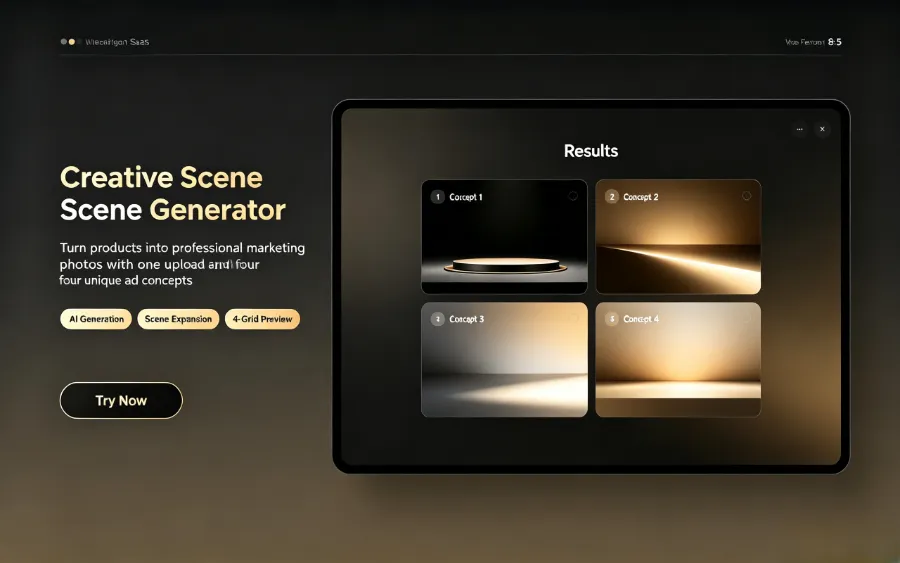
I also pair VEONIB with its Studio‑Grade AI Commercial Photography tool, generating different‑style creative scene images from the same product assets and then turning them into videos, dramatically boosting overall efficiency.
My final recommendation: If you only need pure product showcase videos and need to output large volumes daily – choose VEONIB. If your brand videos require more creative editing and editing features, keep a Pictory license as a supplement. If you need real‑person on‑camera content, consider Synthesia. Don’t try to make one tool cover every need; the core tension in e‑commerce video is “output efficiency,” not “feature count.”
FAQ
Does VEONIB support platforms other than Shopify and Amazon?
Yes. It works with WooCommerce, TikTok Shop, and most major e‑commerce sites. Just paste the product link and the AI will parse the page to generate a video.
Can Pictory generate long videos directly from a URL?
No. Pictory does not support direct product‑link video generation; you must manually upload raw assets or input a script. Its strength lies in video editing and text editing, not automated e‑commerce video creation.
Does the free version of InVideo add a watermark to generated videos?
Yes. Free‑tier videos include an InVideo watermark; removing it requires upgrading to a paid plan. Paid plans start at $19 / month, and actual cost depends on usage credits and video length.
What’s the difference between VEONIB’s UGC style and traditional templates?
VEONIB’s UGC style is trained on real user‑generated content, delivering a more natural, “real‑person” look that fits TikTok and Reels traffic logic. Traditional templates lean toward polished advertising aesthetics, which can feel less authentic.
Which of the four tools is best for a beginner seller with no prior experience?
VEONIB. Beginners need no editing knowledge – just paste a link and get a video. Pictory and InVideo require some editing understanding, and Synthesia has a learning curve for digital‑human setup and scripting.
Share Article


