VEONIB vs Free AI Video Tools: The Hidden Gaps You Didn't Expect
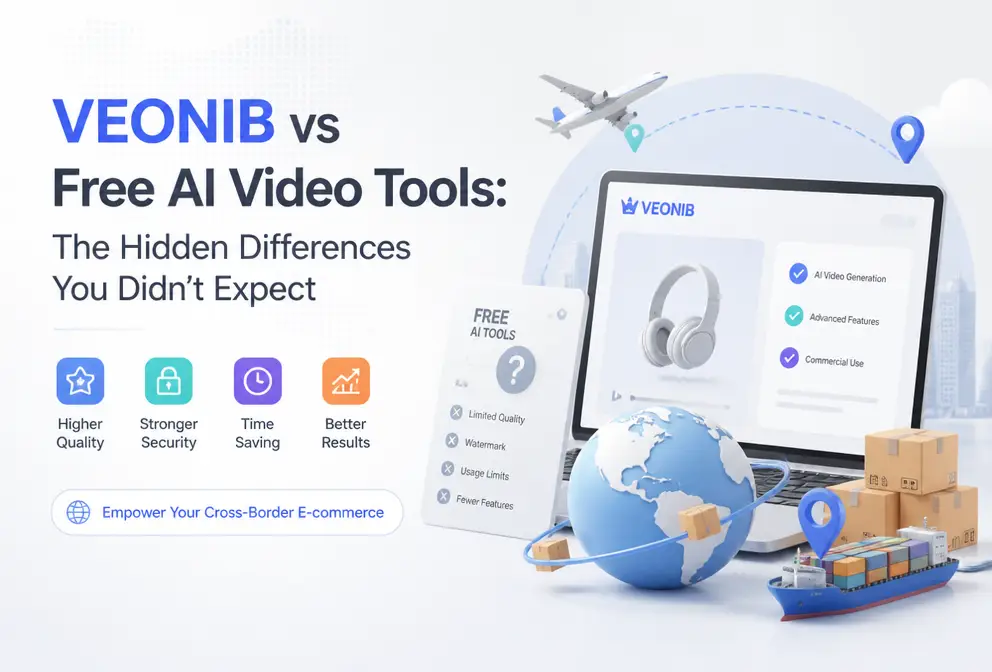
I spent an entire afternoon toggling between several free AI video tools, and the resulting videos were either pixelated to the point of being unreadable or sounded like a robot reading a manual. When it comes to creating e‑commerce videos, we always think “free” is the best deal, but what hidden costs lie behind the free label is what this article aims to uncover—let’s discuss the real differences between paid and free tools in material quality, production speed, and daily output capacity.
Have you tried free tools? I have, more than once. In early 2024, I tried to batch‑generate product showcase videos with a popular free tool, cranking out ten videos in one go. Only two of them were actually usable. The rest either froze halfway through rendering or suffered visible jagged compression. Even worse, the usable videos carried watermarks, and manually removing those watermarks took nearly another whole afternoon. In short, free tools saved money but not time—does your time really have no value?
The Hidden Cost of Free AI Video Tools—Is Your Time Really Worthless?
The biggest selling point of free AI video tools is “free,” but anyone who’s used them knows there’s usually an unspoken disclaimer: “Expect multiple revisions.” When using CapCut Online or Canva’s built‑in AI video feature, you eagerly input your copy, wait three to five minutes for the video, and then find the composition off or the subtitles out of sync with the lip‑movement. One revision, another three‑four minutes; another revision, another water‑mark removal. On average, a video generated with a free tool can take more than an hour of back‑and‑forth.
In contrast, paid tools operate on a “one‑click, one‑shot” logic—ideally you just paste a link and get the final result within 60 seconds. My real experience: a free tool takes 30‑45 minutes per video to reach a usable product, not counting the anxiety of staring at the progress bar; a paid tool often requires just a button press, a coffee break, and the video is already rendered.
What’s really at play here is a frequently overlooked cost—attention cost. With a free tool you can’t look away from the screen because you’re not sure if it will crash or output a mess. You’re glued to your chair, unable to parallelize other tasks. Paid tools provide pre‑rendered quality guarantees, so after you hit generate you can turn around to review other orders, reply to customer messages, or handle multiple video requests simultaneously.
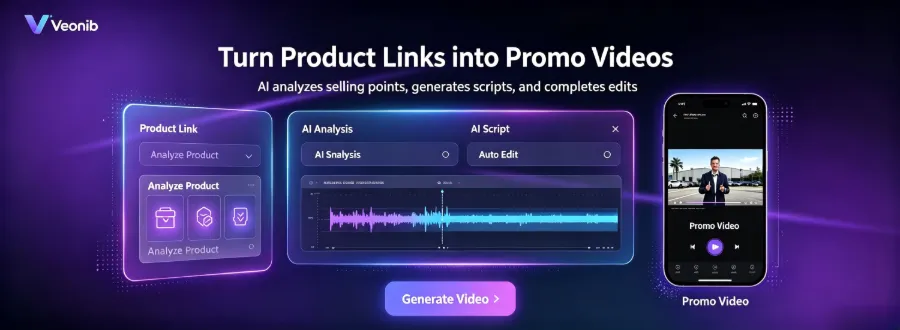
If you want a deeper dive into the mainstream AI video generators in the industry, check out this Best E‑commerce AI Video Generator Review Guide, which lists the pros, cons, and suitable scenarios for each tool.
Also, if you’re considering replacing the traditional video production workflow with AI, this article on How to Automate the Entire Marketing and Video Production Pipeline with AI is worth a few minutes; you’ll likely find many resonances with the pitfalls you’ve already encountered.
Material Quality Comparison—Free Is Makes‑Do, Paid Is Professional
Videos generated by free tools may look acceptable when played locally, but the moment you upload them to TikTok or an Amazon product page, the problems surface. Platforms automatically compress videos; free‑tool outputs already have unstable resolution, so after the platform’s second‑level compression you see visible noise, blurry product edges, and even color temperature shifts. I uploaded several free‑tool videos to TikTok Shop; after running them, the click‑through rate was almost 30% lower than comparable paid‑tool material.
Paid tools provide a clear “pre‑rendered quality guarantee.” They typically output 1080p or even 4K assets, already optimized during rendering, so after platform compression the footage remains usable. For example, VEONIB automatically adapts the generated video to each platform’s specifications—TikTok vertical 9:16, Amazon listing standard horizontal, Shopify video thumbnail format—through preset options, eliminating the need for manual adjustments.
Industry data shows that high‑quality assets boost ad conversion rates by 15%–30%. Imagine a user scrolling through TikTok; if your product video is blurry in the first frame, they won’t stop to watch the rest.
| Dimension | Free Tool | Paid Professional Tool |
|---|---|---|
| Video clarity | Below 720p, noisy after compression | 1080p/4K, still usable after second‑level compression |
| Rendering time | 3‑15 minutes (often requires repeated edits) | 30‑60 seconds, one‑click output |
| Style options | Fixed templates, limited flexibility | Luxury, UGC, Studio, Minimal, etc. |
| Watermark | Usually mandatory | No watermark, ready for deployment |
| Platform adaptation | Requires manual aspect‑ratio and length adjustments | Automatic adaptation to each platform’s specs |
If you want a side‑by‑side comparison of multiple tools, this 2026 Top 10 E‑commerce AI Video Generators Comparison should save you a lot of research time.
Production Capacity Gap—From “Manual Tinkering” to “Paste‑and‑Go”
Anyone in e‑commerce knows that a single product launch can involve dozens of SKUs, each needing at least one video. With a free tool you have to manually download, remove watermarks, adjust aspect ratios, and re‑export—just running through that workflow once can consume half a day.
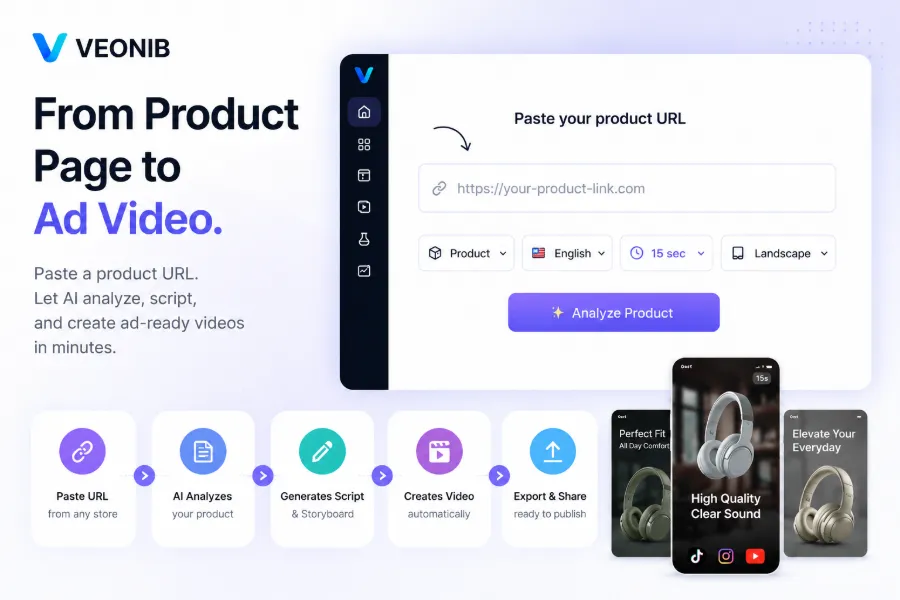
What truly changes the work rhythm is the “paste‑and‑go” automation capability. Take VEONIB as an example: its core workflow is simply pasting a product link. The AI automatically analyzes product images, descriptions, and selling points, generates a script, storyboard, and scene plan, and finally outputs a finished video. No editing software, no prompt engineering, no parameter tweaking required. I submitted three different Shopify product links simultaneously, and all three videos were ready in under five minutes—something unimaginable in the manual‑editing era.
However, many overlook a key issue: free tools are not only slow, they also lack batch processing. You submit one task, wait for the result, download, then submit the next. Each step is isolated; you can’t string the whole workflow into a pipeline. Paid tools typically offer a “pipeline” job—once you input a task, the AI handles all intermediate steps automatically, and you just click export.
If you want to optimize your workflow further, explore how to Clone Winning Ad Formats and Turn Others’ Good Ideas into Your Own; this feature is especially handy for mass‑producing similar videos.
Which Solution Fits You? Free, Trial, or Subscription?
Not everyone needs to jump to a paid plan immediately. My recommendation is a staged evaluation:
If you’re only testing product direction or market response, free tools can be sufficient. But be aware of a hidden cost: low‑resolution, watermarked assets will need to be re‑produced once you decide to go live—essentially doing the work twice, which ends up being more expensive.
If you’ve already confirmed your product line and channels, go straight to a trial or entry‑level subscription of a paid tool. Most mainstream paid tools offer free previews or a first video for free, allowing you to test speed and quality before committing. VEONIB’s Starter plan has a very low monthly fee, perfect for sellers just starting out; the Growth plan adds more video credits and advanced styles; agencies managing multiple clients can opt for the Agency plan.
It’s worth noting that the watermark and low‑resolution re‑production cost of free tools is often the hidden expense many new sellers don’t realize. You think you’re saving on subscription fees, but you end up spending equal or more money and time on repeated edits, re‑rendering, and quality fixes.
FAQ
Are free AI video tools truly free?
Basic registration and core features are free, but they usually impose usage limits, output resolution caps (max 720p), and mandatory platform watermarks. To remove watermarks or access high‑definition rendering, you’ll eventually need to pay.
What’s the biggest advantage of paid tools over free ones?
The core advantage is “one‑click, one‑shot” efficiency and consistent visual quality. Paid tools can complete the entire analysis‑to‑render pipeline in under 60 seconds, delivering uniform results that retain usable quality even after platform compression. Free tools often require repeated tweaks, and the final quality suffers significantly when deployed.
Can videos generated by free tools be used for frontline ad campaigns?
They can, but with clear limits. Free tools’ 720p output tends to develop noise and jagged edges after TikTok, Meta, etc., compress the footage, hurting user experience and click‑through rates. If your ad budget is tiny, you might squeeze an A/B test, but for sustained campaigns, high‑definition assets are recommended.
Should a newcomer to e‑commerce start with free tools or go straight to paid?
Start with free tools for a week to test product direction and content tone. Once you see stable click‑through feedback, upgrade to a paid tool. Early on you don’t need a large upfront investment, but you should reserve a budget for later upgrades—once you start batch‑producing videos, the time cost of free tools escalates quickly.
Can I use the same script to generate multiple different videos at once?
Paid tools usually support batch operations; you paste multiple product links, and the AI generates videos with different styles or angles based on the same script logic. Free tools generally only support single‑item generation, so you’d have to repeat the entire process for each video.
Share Article


