From Product Link to Deployable Ad in 60 Seconds: A Complete AI Automated Workflow
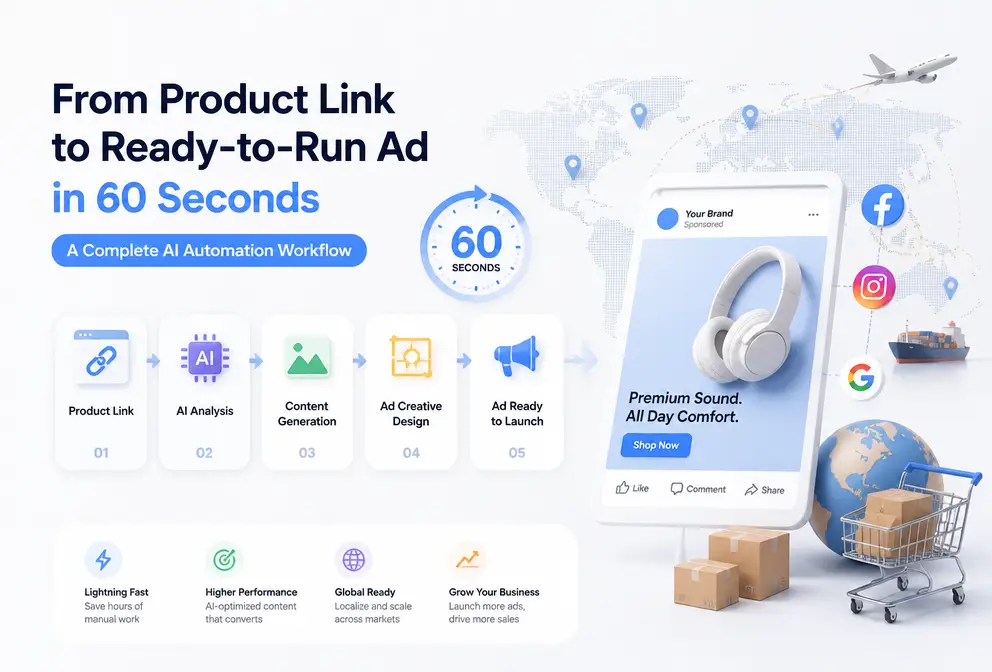
We used to think that manually creating ad videos was the only way. Open Premiere, drag and drop assets, align the timeline, export, then discover the result is wrong and start over. One video can take half a day or even several days, and the ad runs out of steam after just two days of exposure.
It wasn’t until we were forced to face a reality: TikTok and Instagram algorithms don’t wait for anyone. According to the Shopify 2025‑2026 e‑commerce trend report, brands that test more than 10 ad creatives per week achieve a ROAS 2.4 times higher than brands testing fewer than 3. When the number reaches 25 per week, the multiplier climbs to 3.1 times. This means that if your creative output can’t keep up with the algorithm’s pace, the ROAS ceiling is nailed down. No matter how skilled you are, manual production can’t sustain that volume.
So we started seriously looking for another possibility: paste a product link and generate a ready‑to‑run video in 60 seconds. Not a proof‑of‑concept, not a rough cut, but a fully automated, data‑driven, render‑and‑exportable ad. What you need is a complete, reproducible automated pipeline.
Why You Need a 60‑Second Creative Pipeline
You’ve surely seen this scenario: an ad runs for two weeks, ROAS drops from 2.5 to 1.8, CPM climbs from $15 to $30. You open the agency’s chat log and discover the last delivered asset is still in transit, with a schedule showing another week before the video is ready. This isn’t just your problem; it’s a structural flaw in cross‑border e‑commerce ad creative production.
Traditional production cost structures have become out of sync with algorithmic speed. Agencies charge $1,500‑$3,000 per asset with a 2‑6‑week delivery cycle. Freelancers charge $500‑$1,000 per asset, 5‑14 days. Even the DIY solutions we tried—ChatGPT script writing + CapCut manual editing—still require 4‑8 hours of hands‑on work per asset. When the algorithm demands 10 new creatives per week, these approaches hit a hard capacity ceiling instantly.
Our initial understanding of automation was “saving time.” In reality, the core of this race has never been about efficiency, but about creative volume. When your competitors output 20 assets per week and you can only produce 3, the algorithm allocates a completely different exposure tier to you. Automation isn’t about doing it faster; it’s about turning “impossible” into “possible.”
Abandon the “perfection” standard for every video and accept an counter‑intuitive fact: UGC feel—rough visuals, spoken‑language style, phone‑shot texture—is more effective than polished production. Meta research shows that UGC‑style ads have a click‑through rate four times higher than refined brand ads. You don’t need to shoot like Apple; you need to speak like your customers.
5‑Step Automated Pipeline Breakdown
The entire pipeline takes 60 seconds. This is what VEONIB delivers—a complete, end‑to‑end automated factory that turns a URL into a video in under a minute. No editing, no manual input, no software learning required.
Before we dive deeper, read this article about stopping the use of five AI tools to make a single product video to understand why you need an integrated pipeline rather than hopping between tools.
Step 1: Data Collection (≈5 seconds)
Paste the product URL—just one action. The AI automatically reads page data—title, images, price, reviews, core selling points, brand tone—no manual input.
Supports Shopify, Amazon, TikTok Shop, WooCommerce, Temu, AliExpress, Etsy, eBay. No matter which platform your supply chain lives on, a single product‑page link is enough. See a full case study converting a baby‑care product link into an ad to intuitively experience the URL‑to‑final‑video process.
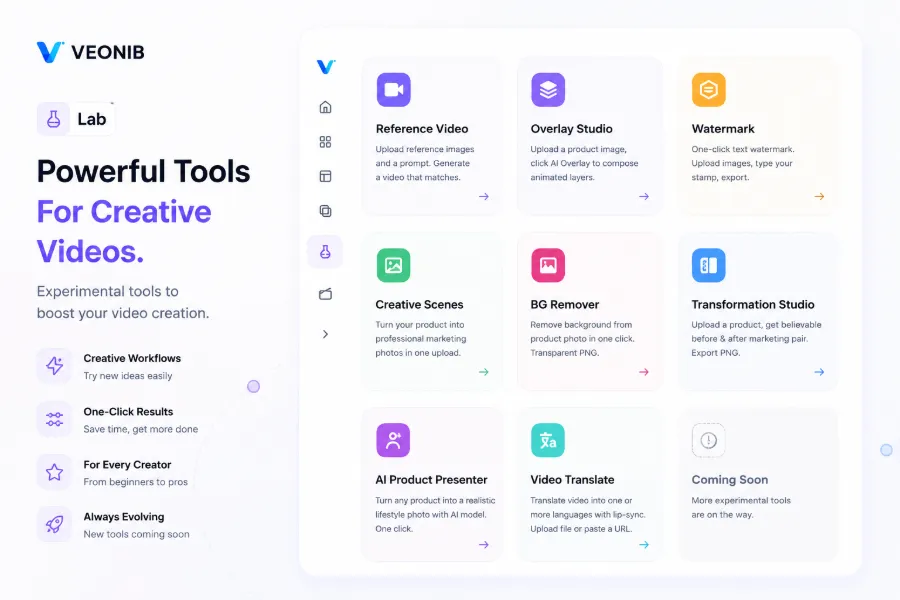
Step 2: Hook Generation (≈5 seconds)
Based on product data, the AI automatically creates more than 10 “stop‑scroll” hooks covering six angles: pain‑point, curiosity, testimonial, data‑driven, counter‑intuitive, and scenario. TikTok data shows that 63 % of ad performance depends on the first 2 seconds. Hooks are the starting point.
We recommend testing each hook with a $5‑$10 budget; winners emerge within 24 hours. Don’t skip this step and render a full video—first find the hook that stops people, then launch.
Step 3: Script & Storyboard (≈10 seconds)
The AI generates a complete ad script for the winning hook—15‑, 30‑, and 60‑second versions. The script follows the conversion framework: hook → pain point → solution → testimonial → CTA. It also produces frame‑by‑frame storyboard visualizations, showing composition and scene order for each frame. You can freely edit the script and storyboard before rendering.
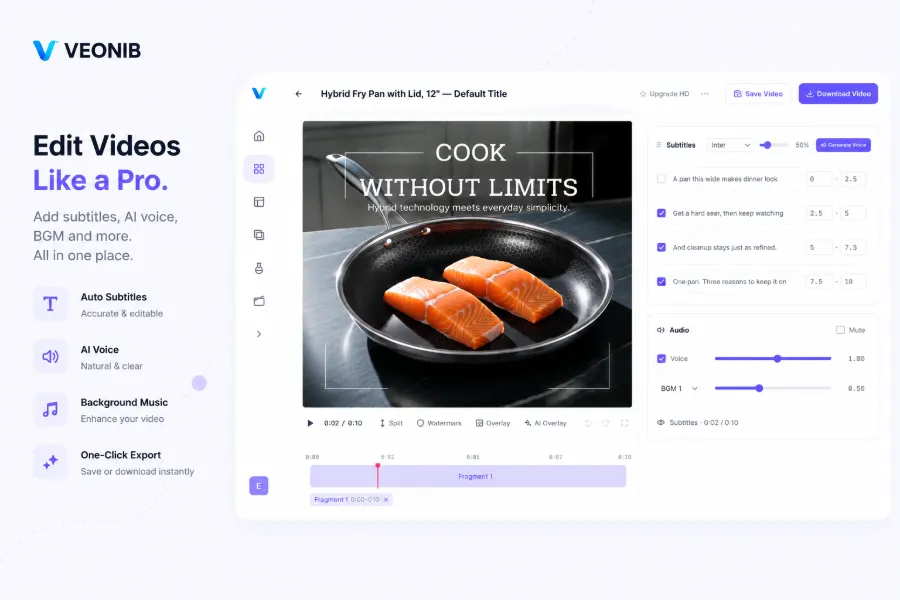
Step 4: Voice‑over & Subtitles (≈15 seconds)
AI voice‑over supports 30 languages. Use an energetic tone for impulse‑buy items and an authoritative tone for high‑ticket products. Save $150‑$500 per ad on voice‑over fees. The platform also auto‑generates native subtitles—bold centered for TikTok, clean bottom‑aligned for Instagram. Meta research shows that 85 % of social videos are watched muted; subtitles are not a luxury but a necessity.
There’s a widely missed opportunity: multilingual strategy. Most people treat AI voice‑over as a translation tool, but using different accents and tones for different markets—playful for Southeast Asia, steady for Europe—can dramatically boost regional conversion rates. This hidden value is almost impossible to scale manually.
Step 5: Render & Export (≈20 seconds)
One‑click render. The system automatically outputs three formats: 9:16 vertical (TikTok, Reels, Shorts), 1:1 square (Instagram feed), 16:9 horizontal (YouTube). Download and upload directly to TikTok Ads or Meta Ads Manager, set budget and audience, and start delivering. If you need to merge multiple videos, use the MP4 Merge Tool for quick concatenation.
Automation vs. Manual Workflow Comparison
A single table shows the gap across eight stages:
| Workflow Step | Manual | ChatGPT + CapCut | Our Pipeline |
|---|---|---|---|
| Product data collection | Manual copy‑paste (10 min) | Manual entry (5 min) | Paste URL (5 sec) |
| Hook generation | Brainstorm (30 min) | ChatGPT prompts (15 min) | AI auto‑generates 10 (5 sec) |
| Script writing | Copywriting (1‑2 h) | ChatGPT generate + manual edit (30 min) | AI auto‑generate (5 sec) |
| Storyboard design | Requires design skill (1‑2 h) | ChatGPT description (20 min) | AI frame‑by‑frame build (5 sec) |
| Voice‑over | $150‑$500 per asset, 2‑5 days wait | Requires recording gear or purchase (1 h) | AI 30‑language (10 sec) |
| Subtitles | Manual addition (30 min) | CapCut manual generate & adjust (15 min) | Auto‑fit (5 sec) |
| Video rendering | Premiere edit (2‑4 h) | CapCut manual edit (2‑4 h) | One‑click render (20 sec) |
| Format adaptation | Manual cropping three times (30 min) | Manual export three times (20 min) | Automatic three formats (0 sec) |
| Total | 4‑8 h | 3‑6 h | ≈60 seconds |
How to Use This Pipeline for Maximum ROI
Automation solves the volume problem, but media strategy still requires human judgment. Here are four proven tactics:
Strategy 1: Hook‑First, Test Hooks Before Full Videos
Don’t render a full video for every product. Use the 10‑20 hooks generated in step 2, run a $5‑$10 text‑overlay test for each, and only upgrade the best‑performing hooks to full videos. This can cut the cost per winning ad by 40‑60 %.
You can use VEONIB’s hook‑testing feature to cheaply filter winners. If you’re comparing tool costs, see this AI Video Generator Pricing Comparison 2026.
Strategy 2: Refresh Creative Weekly
TikTok recommends refreshing creative every 7 days. With the pipeline, spend 5 minutes each Monday generating 10 new hooks for your best‑performing products. If you don’t refresh, CPM climbs week over week and ROAS drops. We’ve seen a client who didn’t change material for three weeks see CPM rise from $12 to $34 and conversion rate halve. Creative fatigue is the fastest hidden ROI killer for e‑commerce ads.
Strategy 3: Authenticity Wins
As mentioned earlier, UGC‑style ads have a click‑through rate four times higher than polished brand ads. The pipeline’s output naturally feels like UGC—spoken‑language voice‑over, rapid cuts, native subtitles. Don’t use AI to generate a “four‑star” ad; generate a video that “you could shoot on your phone”. If you want to upgrade visual assets, check out the Virtual AI Fashion Model Tool to turn flat lays into realistic lifestyle shots.
Strategy 4: Multi‑Platform Explosion
One pipeline run automatically exports three formats, covering TikTok, Instagram, and YouTube with the same product. Revenue can be 2‑3 times that of a single‑platform seller. Don’t focus on just one platform; your product may go viral on TikTok while generating stable long‑tail returns on YouTube.
A cautionary failure case: We saw a seller who, in the second month, relied entirely on hook testing but ignored script quality and brand tone. All videos looked identical—same rhythm, same pacing, same structure. Although output frequency was high, CPM rose instead of falling, and the audience became immune. Automation cuts cost and increases speed, but strategy still needs human input. True ROI requires balancing “hook testing” with “script polishing.” Don’t let automation become a canned‑goods factory.
FAQ
Does this pipeline really take only 60 seconds?
Yes. The typical timing for the five steps is: paste URL (5 sec) + hook generation (5 sec) + script & storyboard (10 sec) + voice‑over & subtitles (15 sec) + render & export (20 sec) ≈ 55 seconds. Editing the script or switching voice‑over language adds a few minutes, but the core automated flow itself is 60 seconds.
Can I edit the script, storyboard, or voice‑over before rendering?
Absolutely. Each step can be freely edited before rendering—swap hooks, tweak the script, adjust storyboard order, change voice‑over language. You retain full creative control. If you choose not to edit, the direct‑render output already meets launch standards.
Is it free? How does it differ from ChatGPT + CapCut?
Previewing is completely free—unlimited hook, script, storyboard, and frame generation without a credit card. You only pay when you export the final rendered video. The key difference: ChatGPT only writes text, CapCut requires manual editing. Our pipeline goes from URL to rendered video in one seamless step.
Which platforms’ product links are supported?
Shopify, Amazon, TikTok Shop, WooCommerce, Temu, AliExpress, Etsy, eBay. Any product URL works; the AI automatically reads the page and extracts product data.
How many ad assets can be produced per month?
VEONIB is built for high volume. The benchmark is 100 assets per product per month. At 60 seconds each, generating 200 assets takes about 3 hours 20 minutes, whereas manual production of the same quantity would require 800‑1,600 hours.
Share Article


