How Clothing Brands Can Use AI to Turn Static Model Images into Runway-Style Video Ads
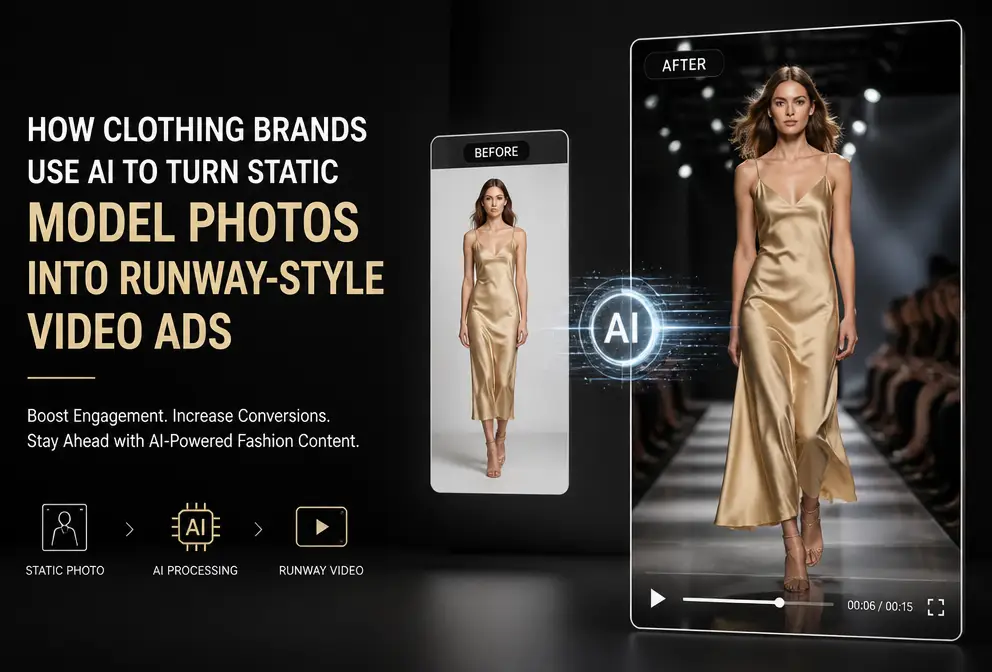
The visual competition in fashion e‑commerce has reached the pixel level. Every season change requires dozens of short videos produced in a short time to run on TikTok, Instagram Reels, and Facebook ads. Real‑life shoots? Models cost a few thousand yuan per day, plus venue, lighting, and post‑production— a 15‑second runway video can easily run into four‑figure costs. Even worse is the timeline—from planning to delivery takes at least a week, and by the time the video is ready, the hot item may already be sold out.
So many sellers now just run static model images in feed ads, but the click‑through rate (CTR) stays low. Then they tried a trick: turn the static image into a short video with picture‑in‑picture (PIP) and overlay animations in a runway style, and the results were immediate. The key is that the whole process needs no camera or editing software; with AI tools and templates, a 15‑second runway ad can be done in 60 seconds. Below is a step‑by‑step breakdown.
Pain Points of Fashion Category Video Ads: Visual Competition and Update Frequency
Fashion relies heavily on visual impact. Users scrolling through a feed will swipe past a static model image in less than a second—unless the composition is exceptionally clever and the lighting is high‑end. Most small‑to‑mid‑size sellers don’t have dedicated photographers; product images are just white‑background studio shots or simple flat lays, which struggle to capture attention in TikTok and Instagram Reels feeds.
A well‑known statistic: according to Shopify’s public data, video ad assets in fashion e‑commerce have a CTR more than 30 % higher than static images. The problem is the high launch frequency—a shop releases dozens of new items each month, and each item needs 3–5 video versions for A/B testing. Relying on real shoots, a small team can’t keep up.
Traditional outsourced shooting bills are straightforward: model fees, venue rental, post‑production. A runway video costs at least ¥800–¥1,500. Changing the script means re‑shooting, making iteration costs prohibitive. Many sellers try once and give up, reverting to static images.
This conflict is a workflow issue, not a technology issue. If you can skip the “shooting” step and generate videos directly from product images, efficiency changes dramatically. For a practical guide on bypassing shooting, see: Create TikTok Shop Ads Without Shooting Any Video. It explains how to turn existing product assets into TikTok ads.
Picture‑in‑Picture and Overlay Animations: Core Technique to “Animate” Static Model Images
A “runway feel” essentially creates the illusion of dynamic space from a static picture. Traditional runway videos follow a storyboard: model walks from far to near, camera circles, close‑ups of garment details, then a turn to show the back—which requires real shooting. Using PIP and overlay animations, a few static images can simulate the same rhythm.
The workflow is as follows:
- Take a clear full‑body model image (resolution at least 1200 px; otherwise fabric texture will blur when scaled) and set it as the background layer. Add a key‑frame animation that zooms and pans, making the model walk slowly from the left edge to the center.
- Overlay a small PIP window near the top to showcase garment details—collar embroidery, fabric texture, waist cut—for 2–3 seconds before automatically switching.
- Add dynamic overlay assets: falling glitter, flickering light, or a semi‑transparent fabric overlay to increase depth. Each scene lasts 2–4 seconds; 3–5 scene switches compose a 15‑second runway ad.
No After Effects or Premiere is needed. Most AI video tools already include animation templates; you just pick a “runway” or “product showcase” template, upload the image, and the tool automatically adds zoom, pan, PIP, and overlays. For a detailed tutorial on generating TikTok/Instagram ads from product pages, see: Create TikTok and Instagram Ads from Product Pages.
An non‑obvious finding: runway effects don’t suit every fashion style. Casual wear like T‑shirts and hoodies look forced with runway PIP; users prefer flat‑lay or contextual shots (e.g., a model in a café or street). Suits, formal dresses, and coats—which emphasize silhouette and texture—benefit most from runway + PIP because consumers need to see tailoring and drape.
One‑Click AI Generation of Fashion Runway Ads: From Link to Video in 60 Seconds
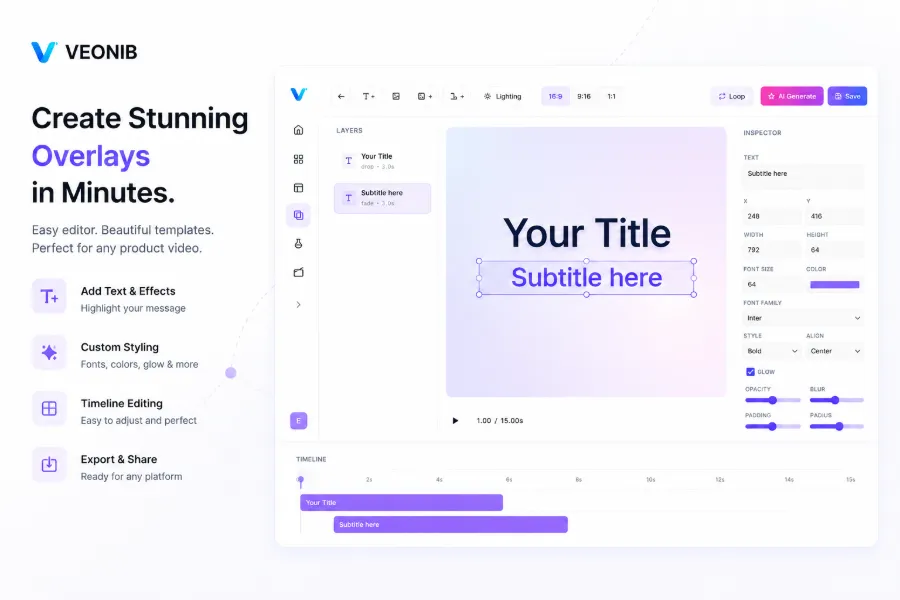
Manually assembling animations works but becomes tedious after a few items. A more efficient method is full‑automation with an AI tool. Using VEONIB as an example, you can paste a product URL—from Shopify, Amazon, TikTok Shop, or WooCommerce—and the system parses product info, generates hook copy, script, storyboard, then applies a runway‑style dynamic template, outputting a 9:16 short video.
The process is short: paste the link, click “Generate Preview,” the system returns multiple script variants and storyboard thumbnails; pick the one you like, then click “Render.” The whole operation finishes in 60 seconds, producing over 100 variants per link (different opening hooks, scene orders, voice‑over languages). This scales A/B testing for fashion brands dramatically.
The tool automatically handles animation parameters—zoom speed, hold time, overlay opacity—so manual tweaking is rarely needed. Its logic: if the uploaded image is a fashion product, it matches a “runway” template, treats the main image as the starting frame, extracts selling points from the product page for narration, and allocates scene duration based on copy length.
A candid caveat: AI‑generated runway visuals are smooth, but they can’t fully replicate the realism of fabric texture—wrinkles, silk sheen, knit details—especially for high‑price items like cashmere coats or silk dresses, where scaling sometimes blurs texture. My recommendation: use AI videos for initial A/B testing, identify the best‑performing copy and scene combo, then invest in a professionally shot, polished version for the winning item. This avoids missing the launch window while saving on non‑viral items. A similar testing logic is discussed in Boost Amazon Conversion with AI Product Videos.
Real‑World Example: How a Fashion Brand Raised Ad ROI with AI Video
At the end of last year I helped a fast‑fashion women’s apparel client adopt this workflow. They launch 80–100 new styles each quarter. Previously they outsourced to an editing team; a 15‑second runway video cost ¥1,200 on average and took 2–3 days to produce—far too slow for TikTok Shop’s daily update rhythm.
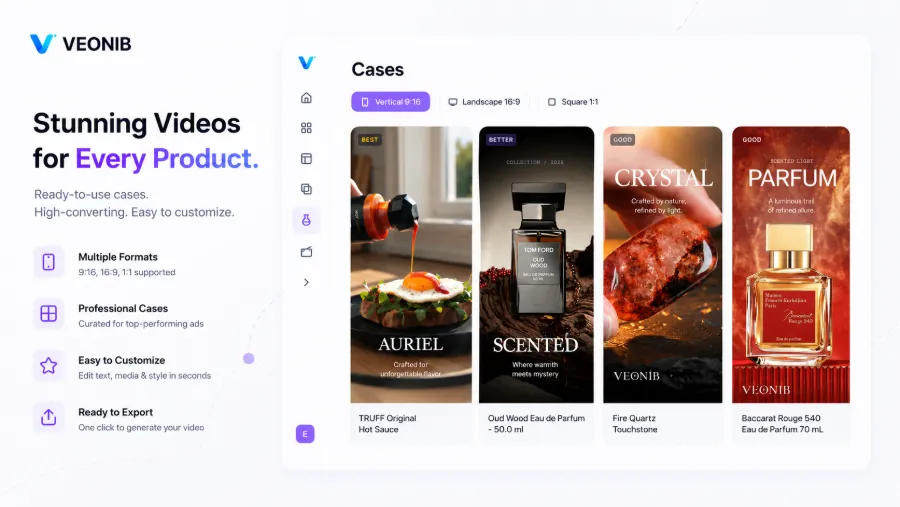
Switching to AI, the process became simple: paste each Shopify product link into VEONIB, select the “Fashion Runway” template, the system auto‑generates five script variants; pick the preview you like and export. From link paste to video download: 60 seconds. Fine‑tune a keyword in the copy (e.g., change “elegant” to “premium feel”) and re‑render—under two minutes. One style can yield 5–6 different videos in ten minutes. Cost dropped from ¥1,200 to about ¥100 per video (pay‑as‑you‑go AI rendering), a >90 % reduction.
Performance comparison after launch is clear: static model images on Facebook ads yielded CTR around 0.8 %–1.2 %. After switching to AI‑generated runway videos, testing 15 styles raised average CTR to ~1.6 %, with top performers reaching 2.1 %. CPC dropped about 25 % because higher engagement earned better quality scores. This assumes the source product images are clear; low‑resolution thumbnails become blurry when upscaled, resulting in worse performance than static images.
The workflow is fully replicable for any apparel category—women’s, men’s, or kids’—as long as you have clean model images. The runway template will work out of the box. For deeper insight into the tool’s logic, see this external article: How E‑commerce Brands Can Turn Any Product URL into a Marketing Video in Minutes.
FAQ
Q: How many product images are needed for a runway video?
One full‑body front view is the minimum. Adding a back view and a close‑up detail shot enriches the scene. Even a single image can produce a video, though with fewer visual changes.
Q: Can AI‑generated videos be used directly in ad campaigns?
Yes. TikTok, Instagram Reels, and Facebook ads accept AI‑generated videos as long as they don’t contain false claims. Export and upload to the ad manager.
Q: Which aspect ratios and formats are supported?
Common 9:16 (TikTok, Reels, Shorts), 1:1 (Facebook feed), and 16:9 (YouTube). Export is MP4 at 1080p.
Q: Can non‑designers operate these animations?
No manual animation tweaking is required. The AI tool includes built‑in runway templates that automatically handle zoom, pan, PIP, and overlays. The only decision is selecting the preferred preview version.
Q: How many different versions can one clothing link generate?
Theoretically unlimited. The system creates multiple hook scripts and storyboard combos based on product data. In practice, a single link can produce over 100 variants, enough for a week’s worth of A/B testing.
Share Article


