Product Link Turns into AI Marketing Video in Seconds: A Cross‑Border Seller’s Practical Workflow
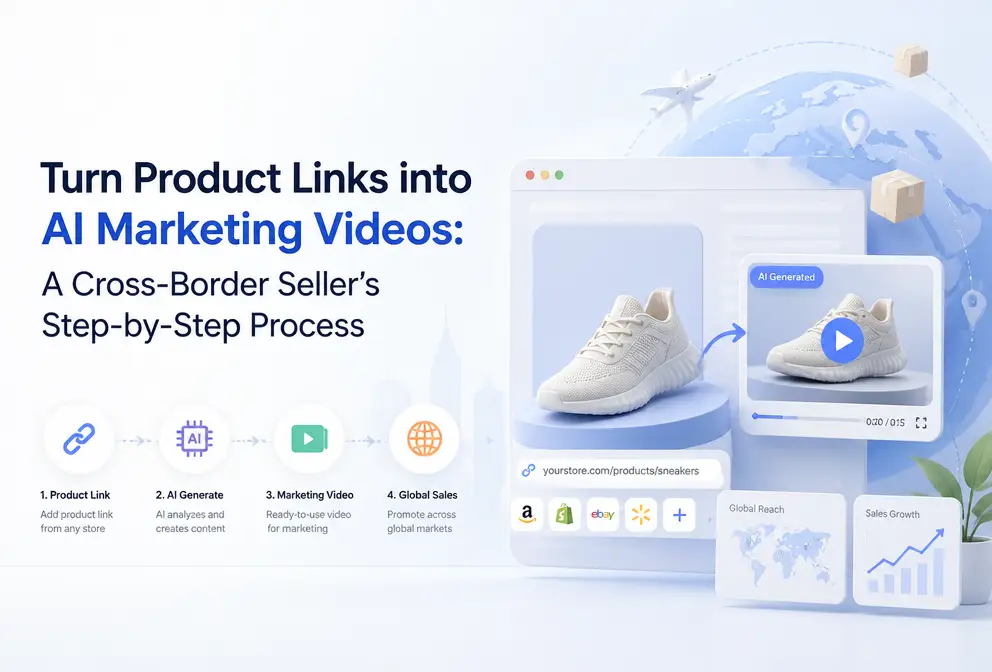
Every time I launch a new product, filming and editing a video takes half a day. Lighting, set design, voice‑over, post‑production—if any step goes wrong, you have to start over. Outsourcing a single ad clip takes at least two days, with quotes ranging from a few hundred to over a thousand dollars. Later I discovered that by simply pasting the product link into an AI tool, it can automatically analyze the product information, write a script, plan the storyboard, and export a finished video. Today I’ll break down this process—from a URL to a ready‑to‑publish ad clip, and what actually happens in between.
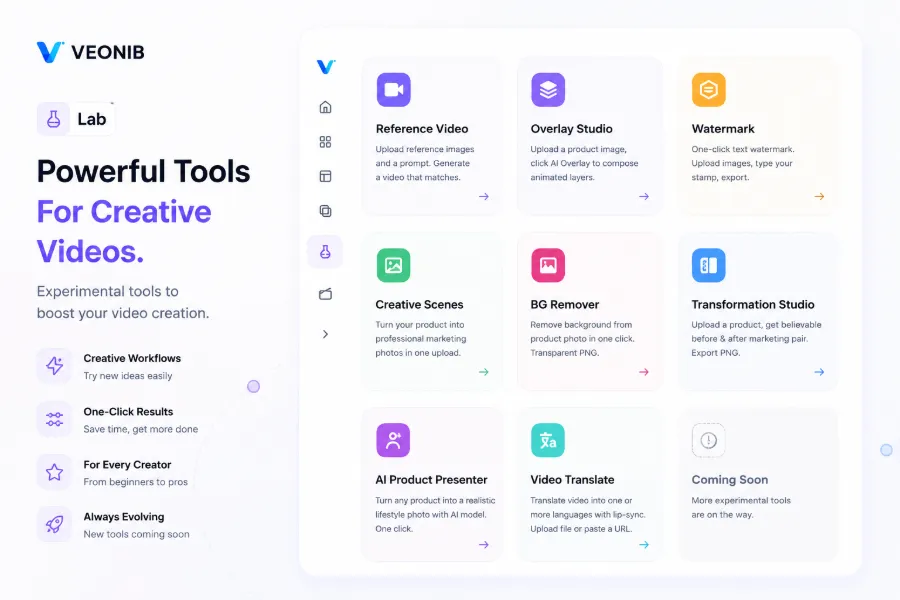
Why I Choose to Generate Video from a Link Instead of Filming Myself
Anyone in cross‑border e‑commerce knows that video is the key to conversion. But traditional production is too slow: find the product, write a script, rent a location or set up a simple studio, then shoot, edit, color‑grade, add subtitles, and music. A full cycle usually takes two to three days. Even more painful is that the same product must be adapted for TikTok, Shopify, Amazon, Facebook, and other platforms, each with its own size and pacing requirements—essentially re‑editing for every channel.
When I first tried VEONIB, I wasn’t very hopeful. I copied a Shopify product link and pasted it in; within seconds I saw a script and storyboard preview. The AI parsed the product title, description, and images, and even extracted the selling points automatically. At that moment I realized that the barrier to video production had been lowered to a place I never imagined—no filming, no editing, and not even having to think about script structure.
Traditional production takes 2–3 days; this tool can generate a raw asset in 60 seconds. The initial version isn’t always perfect, but it gives me a modifiable starting point instead of building a team from scratch. If you’re also interested in creating ads without filming, check out this guide on How to Make TikTok Shop Ads Without Shooting Any Video, which provides more concrete scenarios.
Practical Steps: From Copying a Link to Exporting a Video
This video fully demonstrates the process of pasting a link into the AI to generate a UGC video, which is basically the workflow I use every day. Below is the breakdown into four steps:
Step 1: Copy any e‑commerce product page URL. I usually work with Shopify and Amazon, and occasionally pull links from TikTok Shop. Even some independent‑store product pages can be parsed as long as the page structure isn’t too chaotic.
Step 2: Paste into VEONIB. The AI automatically fetches product images, title, description, price, and selling points. I was most surprised that it can recognize the main subject in images—e.g., it can tell a kitchen utensil is a pot or a knife, and can distinguish a model‑shot clothing image from a flat‑lay. For complex products with many variants, the product category description needs to be clearer, otherwise the generated scenes may be a bit off.
Step 3: AI generates multiple script variants and a complete storyboard. I usually generate 5–10 scripts at once, pick the most appealing one, and manually tweak the opening hook. Early on, the AI’s scripts were template‑like, always “Introducing [product] – the ultimate solution for…”. Later I found that adjusting the product keywords and style options—choosing “UGC” instead of “Brand”—made the scripts instantly more natural. The storyboard updates simultaneously, with previews of composition, camera angles, and copy for each scene.
Step 4: Choose a video style and export MP4 with one click. Options include brand, lifestyle, minimalist, UGC, etc. I usually export a 9:16 vertical version first; if the preview looks good, I switch to other ratios. The whole process requires no manual editing or graphic design. If you want to learn how to quickly generate a large amount of ad material on Shopify, see this Quick Guide to Generating AI Video Ads for Shopify Products.
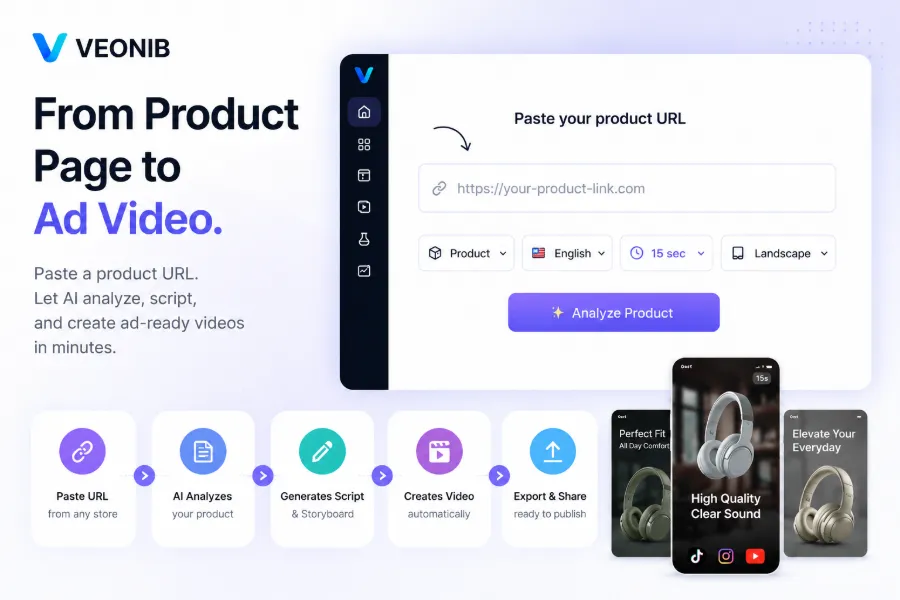
An average of 60 seconds per finished video means I can finish all the new product videos for the day during my lunch break.
What Can I Still Adjust After Generation?
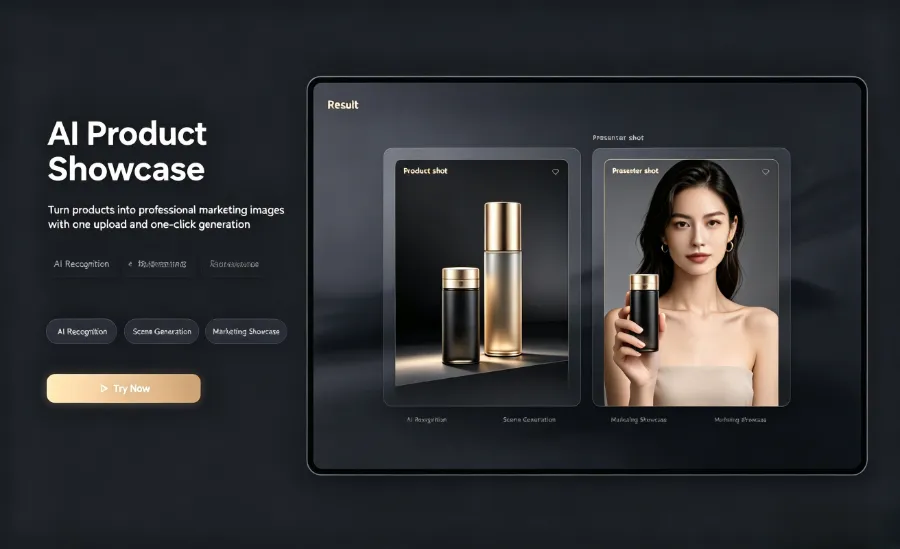
Many people think AI‑generated content is final and unchangeable. In fact, there are many adjustable aspects, and the cost of tweaking is low.
One‑click aspect ratio switching. TikTok uses 9:16, Instagram Feed 1:1, YouTube Shorts 9:16, while the main YouTube channel prefers 16:9. Just select the desired ratio before export—no manual cropping needed.
Script copy edits. You can manually rewrite any line. After editing, the AI syncs the subtitles and voice‑over script in the storyboard. I often replace the opening hook with a more direct question or a counter‑intuitive statement, which noticeably improves conversion over the default phrasing.
Voice‑over language and automatic subtitles. Supports 30 languages; I’ve tried English, Chinese, Japanese, Korean, French, German, and Spanish, all sounding fairly natural. Subtitles are generated automatically, matching the voice‑over language. For multilingual sites, a single product link can produce videos in different languages, saving the cost of hiring translators and voice actors.
Scene order and background music. You can drag‑and‑drop to reorder scenes or replace any unsatisfactory shot directly. There are several music options; I usually pick a light‑hearted pop style that suits fast‑moving consumer goods. If you’re interested in this direction, read about the Future of AI Video Starting from Product Links for industry background.
Preview before exporting avoids wasted rendering time. I’ve hit a few snags—after export I discovered a typo or a voice‑over tone issue and had to regenerate. So now I always preview the script and storyboard first, confirm everything looks right, then click export.
What Real‑World Problems Does This Workflow Solve?
Now that the steps are covered, let’s talk about actual results.
Doubling the speed of new product launches. Previously, launching a new product required filming from scratch. Now, paste the link and get a video in 60 seconds, ready to drop into the ad platform for testing. If the result isn’t good, switch style and regenerate; I can run three iterations within ten minutes.
A/B testing multiple versions becomes feasible. For the same product, I’ve generated five different script‑style versions—UGC narration, brand showcase, minimalist lifestyle scenes. The conversion rates varied dramatically across styles. UGC performed best on TikTok, while brand style was more stable on Facebook. Multi‑style testing is far easier than blindly applying a template and finding a breakout asset. This is something I hadn’t anticipated.
Revitalizing old products at almost zero cost. Some items have been on the market for half a year; I simply reuse the original link to generate a fresh video, instantly expanding the asset library. No new filming or models needed; just change the style and copy for a new ad.
No more hassle with multi‑platform distribution. Generate multiple aspect‑ratio videos at once and download the appropriate size. No manual cropping or subtitle repositioning, saving a lot of repetitive work.
Specific case study. I once helped a high‑end kitchenware seller; a single pot link produced over a dozen different scene videos—close‑ups of cooking, tabletop displays, review narration, etc. The ad tests yielded solid ROI. More details are in this case study on How to Break Down High‑End Kitchenware Products into High‑Conversion Ads.
Honestly, this workflow isn’t universal. Complex products need clearer descriptions to generate accurate scenes. AI scripts occasionally drift and need manual correction. But overall, it solves my biggest pain points—time and cost. A single product can theoretically generate hundreds of ad variants, perfect for large‑scale campaigns, something that was unimaginable before.
FAQ
Q1: Do I need to write a script myself to generate a video?
No. The AI automatically creates multiple script variants from the product link. If you’re unhappy with a version, you can edit it manually, and the storyboard and voice‑over will update accordingly.
Q2: Can the generated videos be used for commercial advertising?
Yes. The exported videos belong to you, have no copyright issues, and can be directly uploaded to TikTok, Facebook, Instagram, and other ad platforms.
Q3: Do I need any video‑editing skills?
Not at all. From pasting the link to exporting the video, you never touch any editing software. Just choose the script and style you like; the AI handles the rest.
Q4: Can I generate videos in different languages?
Yes. Supports AI voice‑over and automatic subtitles in 30 languages. The same product assets can be switched to any supported language with one click, ideal for sellers targeting multiple countries.
Q5: Which e‑commerce platforms are supported?
Major platforms are covered, including Shopify, Amazon, TikTok Shop, WooCommerce, Temu, AliExpress, etc. Most independent‑store product pages also parse correctly.
Share Article


