Generate UGC Videos with One Click Using a Product Link: How VEONIB Saves You From Shooting and Editing
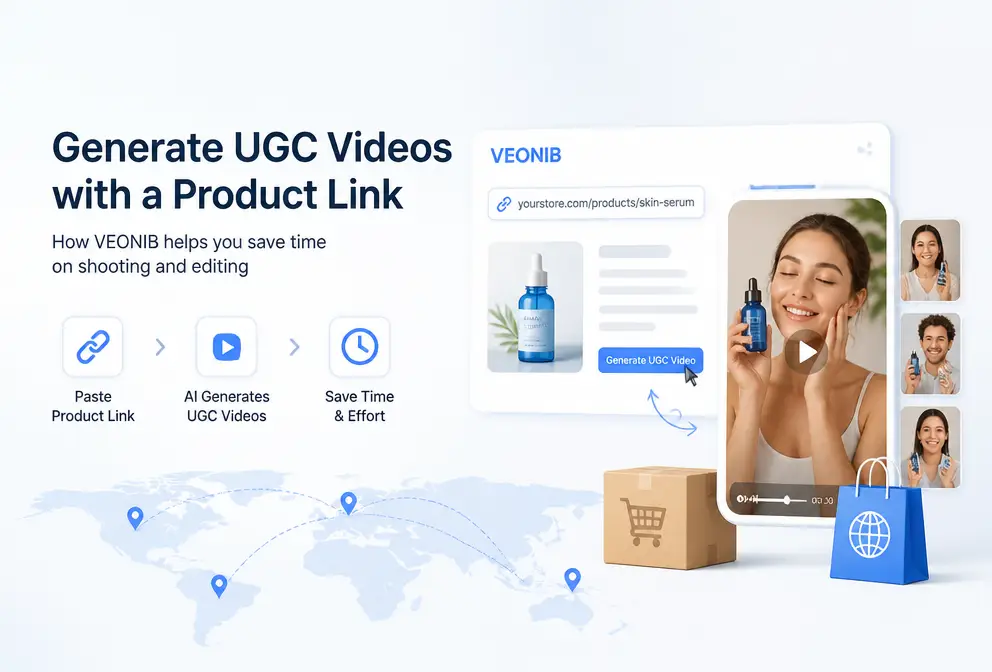
Before each product launch, the most painful part isn’t selecting items, but how to quickly assemble a batch of UGC videos that look like they were filmed by real people. Hiring people to shoot is too expensive, doing it yourself looks ugly, and using templates feels obviously fake. Until we discovered a tool—paste the product link, and AI automatically parses the selling points, generates a script, matches a character, and produces a ready‑to‑run UGC video in 60 seconds. For cross‑border e‑commerce teams, this completely eliminates the bottleneck of video material.
Paste the Product Link, AI Handles the Entire Process from Parsing to Final Video
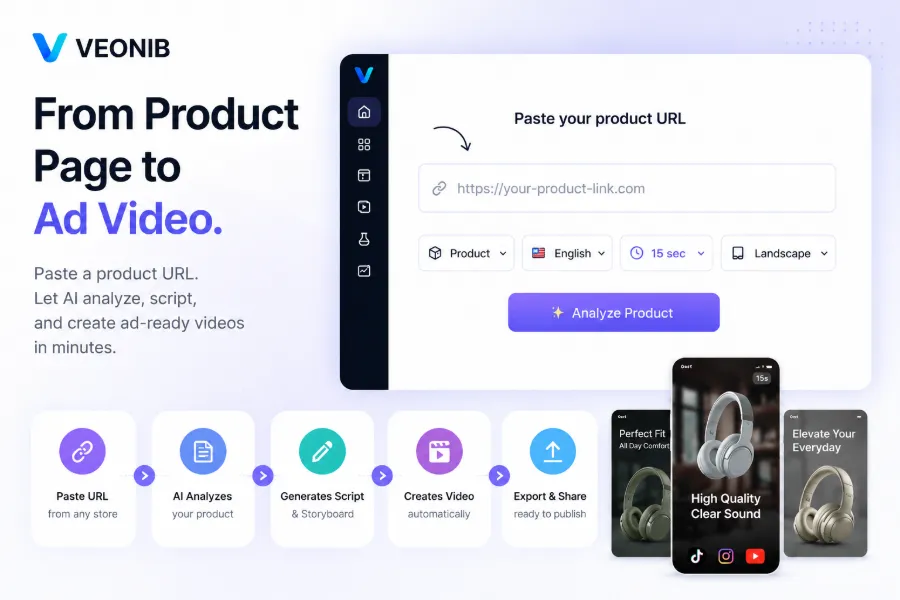
The workflow is far simpler than we expected. Open the VEONIB page, paste a Shopify, Amazon, or WooCommerce product link, and the system automatically grabs the product title, description, selling points, images, and price. This parsing takes only a few seconds and requires no manual form filling.
After the AI receives the product information, it generates a script and storyboard based on the data. We tested links from several categories—from kitchen tools to electronic accessories—and the script quality was decent, at least more structured than what we write ourselves. The system supports 15‑second, 20‑second, and 30‑second videos, covering the main length requirements of TikTok and Instagram Reels. The final output is an exportable MP4 file, with no need for additional editing software.
From past the link to receiving the finished video, the whole process takes about 60 seconds. Previously, creating a single UGC video with the traditional method—from finding an actor, shooting, to editing—took at least two to three days. This efficiency boost is tangible. For teams that need to produce video assets in bulk, the value of this workflow lies in eliminating the most time‑consuming step—no more waiting for outsourced teams or learning editing tools.
For background on AI video generation technology, see the authoritative AI video industry site. If you want concrete examples, we previously wrote an article on how VEONIB turns high‑end kitchenware into high‑conversion ads, which breaks down the entire process in detail.
What If Link Parsing Fails? Screenshot Upload Can Also Extract Product Information Automatically
The first time we used it, we ran into a problem: a product link from an independent site failed to parse. The page structure was complex, and the AI couldn’t fully extract the product information. This isn’t an isolated case—platform restrictions, dynamic loading, or non‑standard product page structures can all cause incomplete parsing.
VEONIB offers a fallback: upload a screenshot containing the product information. The system automatically recognizes the product title, description, selling points, images, and price from the screenshot. We tried it several times and found the success rate of screenshot parsing to be quite high—official data says over 90%, and our own tests were similar.
Interestingly, the screenshot upload feature is more stable than link parsing on non‑standard e‑commerce pages. For example, on some social commerce pages or independent landing pages, link parsing often fails, but screenshot upload almost always works. This is a counter‑intuitive discovery—the feature originally thought to be a backup becomes the primary method in certain scenarios.
Of course, the quality of screenshot parsing depends on image clarity and information completeness. If the screenshot is blurry or obscures key details, recognition results will suffer. We recommend ensuring that the product title, price, and selling point description are fully visible and legible in the capture.
Built‑In Multiple Character Personas, Plus Customization—Where the “Real‑Person Feel” of UGC Videos Comes From
The core of a UGC video is its real‑person feel. If the character looks too fake, viewers instantly notice, and conversion drops dramatically. VEONIB comes with over 20 preset character personas covering various genders, ages, and styles—from young women to middle‑aged men, from casual to business looks—essentially covering the main e‑commerce scene needs.
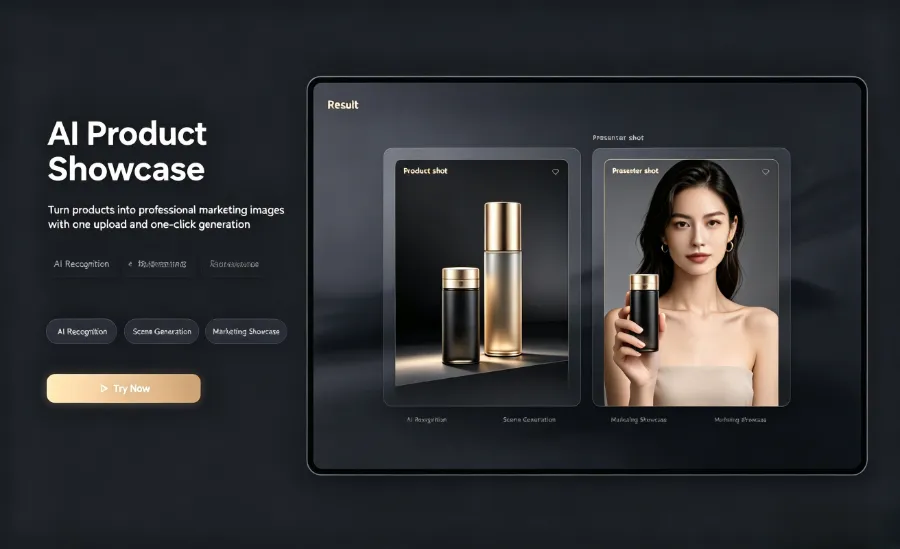
But the truly useful feature is customization. You can upload reference images or text descriptions to generate a specific‑style character. Even more practical, VEONIB supports uploading your own real photos to create digital avatars—meaning brands can feature actual employees or spokespersons, greatly enhancing the real‑person feel.
Our testing shows that the “realness” bottleneck of UGC videos often lies not in the character itself but in the script and scene arrangement. Even the most lifelike character feels fake if the script reads like an ad copy. VEONIB’s built‑in story templates actually solve this hidden problem—they provide structured narrative frameworks that make AI‑generated scripts sound more like natural speech. In this regard, VEONIB’s coordination between character customization and script arrangement is well executed.
Six UGC Story Templates Covering Mainstream Live‑Selling Scenarios
VEONIB offers six UGC story templates, covering over 80% of e‑commerce UGC video scenarios. We tested each template and found clear applicable use cases.
Problem‑Solution Type – Ideal for functional products. Example: a degreaser; the template shows a dirty scene before use, then the clean result after use, and finally a purchase call‑to‑action. Works well on TikTok and YouTube Shorts.
TikTok Review – Simulates a real user review. Suitable for beauty, skincare, food, and other products that benefit from word‑of‑mouth endorsement. The template generates a segment where a user talks to the camera about their experience, paired with product shots.
Unboxing Review – Fits electronic devices, toys, home goods. The template simulates the full process from opening the package to the first use, highlighting the unboxing experience.
Lifestyle Integration – Perfect for apparel, accessories, home décor. The template places the product in everyday usage scenarios, e.g., wearing an outfit while going out, drinking coffee from a specific mug. This template demands higher‑quality characters; using custom characters enhances realism.
Social Proof + CTA – Suited for products that already have user reviews or sales data. The template combines positive review screenshots, sales figures, and other social proof elements with a call‑to‑action.
Custom Story – For special requirements. You can define your own script structure, visual sequence, and style.
When choosing a template, consider the product’s characteristics and the target platform. Problem‑solution and TikTok Review perform best on TikTok, while Instagram Reels favor lifestyle integration and unboxing reviews. For visual enhancements, see the article on Dynamic Animation Overlays: Turning Static Product Images into High‑Conversion Video Ads, which explains how to boost visual appeal with animated overlays.
If you’re weighing cost‑effectiveness, refer to the AI Video Tool Pricing Comparison (2026 Edition) for a side‑by‑side look at pricing and output efficiency across tools.
FAQ
What video lengths does VEONIB support for UGC videos?
It supports 15‑second, 20‑second, and 30‑second videos. These three lengths cover the mainstream requirements of TikTok, Instagram Reels, and YouTube Shorts. You can select the length in the interface, and the system automatically adjusts script length and pacing accordingly.
What if the product link fails to parse?
Use the screenshot upload feature. Capture a page screenshot that includes the product title, description, selling points, and price, then upload it. The system will automatically recognize the information. Screenshot parsing has a success rate over 90% and is even more stable than link parsing on non‑standard e‑commerce pages. Ensure the capture is clear and the information is complete.
Which product types are each of the six UGC story templates suited for?
- Problem‑Solution: functional products.
- TikTok Review: categories that need word‑of‑mouth endorsement.
- Unboxing Review: electronic products.
- Lifestyle Integration: apparel and home décor.
- Social Proof + CTA: products with existing user reviews.
- Custom Story: special needs. Choose a template based on product traits and the platform you’ll be publishing on.
Can the built‑in character personas be used commercially?
Yes. VEONIB’s preset characters are cleared for commercial use. If you generate a digital avatar by uploading your own photo, the copyright belongs to the uploader, and commercial use is allowed. We recommend checking the specific terms before use, as commercial licensing may vary slightly across subscription plans.
What format is required to upload a personal photo for a digital avatar?
Common image formats such as JPG and PNG are supported. Use a clear front‑facing photo with even lighting and no facial obstructions. A resolution of at least 800 × 800 pixels yields the best results. After upload, the system automatically processes the image and creates a video‑ready digital avatar.
Share Article


