You Can Do UGC Without Showing Your Face: How Socially Anxious Sellers Use AI to Generate Realistic Content

You have a product and a few product images, yet you still haven’t posted your first UGC video—this is the reality for many cross‑border sellers. It’s not a lack of selling points; it’s a reluctance to selfie‑shoot, an inability to write scripts, and difficulty finding suitable everyday filming scenarios. Weeks after the product page goes live, there is still no material on TikTok or Instagram Reels that can be tested.
The no‑face UGC approach uses AI characters, everyday scenarios, continuous actions, and conversational scripts to preserve the feeling that “someone is using the product” while keeping the seller’s identity hidden. It cannot turn virtual characters into real consumers nor guarantee conversion, but it can reduce the filming barrier to product data organization, script review, and post‑release analysis.
The sense of realism comes from specific contexts, plausible actions, and a credible sequence of selling points—not just characters that look human. What socially anxious sellers really need to build is a repeatable, editable, and exportable content workflow.
What Problems Does No‑Face UGC Actually Solve

Traditional real‑person UGC usually features creators holding the product; on‑camera narration is just one format. AI‑character UGC uses virtual characters for shots such as picking up, showcasing, trying, and giving feedback; pure product‑display videos have no human element, and turning static product images into video resembles ad material. “No‑face” does not mean removing the character from the content, but rather taking the seller out of the filming process.
It addresses several very specific frictions: sellers don’t want to speak on camera, and after repeated reshoots their facial expressions and tone still feel unnatural; they have product selling points but can’t structure them into an opening question, usage process, and experience feedback; they only have white‑background images or product screenshots, lacking kitchen, office, bathroom, or other shooting settings. For small Shopify stores, hiring a creator to shoot a video also involves sample shipping, communication, revisions, and licensing.
An effective UGC still needs to answer four questions: what problem does the product solve, in what context is it used, what changes are observed after use, and what should the audience do next. A script that only says “this product is of high quality” will feel empty even with realistic visuals. In contrast, a character quickly organizing their bag before commuting and then showing how the product saves time usually feels more lived‑in than a generic feature rundown.
Sellers should first define the content objective, then decide whether characters and narration are needed. TikTok may require a question in the first three seconds; Instagram Reels relies more on rhythm and visual continuity; YouTube Shorts can accommodate a slightly longer explanation; product detail pages must tone down exaggerated language and prioritize specifications and usage. 15‑, 20‑, and 30‑second versions can serve as three pacing options for the first test, rather than committing to a single length from the start.
Material preparation doesn’t have to be complex, but it requires centralized management of product name, core selling points, usage, price, and existing images. If you also need to handle subtitles, scripts, and multiple platform dimensions, first check the built‑in tool suite to avoid scattering assets across chat logs and local folders.
Production Workflow from Product Link to a No‑Face UGC
During production, a product link or screenshot cannot consist of only an attractive main image. At a minimum, both the system and humans must be able to confirm the product name, function, price, core selling points, target audience, and actual usage. If the product detail page lacks this information, automation can only make the incomplete data sound smoother, not conjure evidence out of thin air.
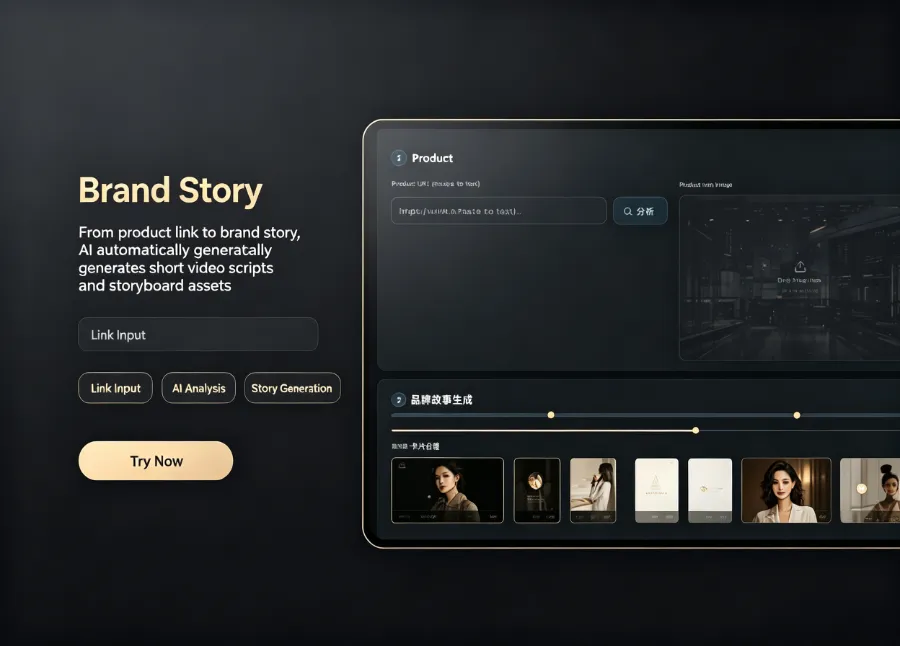
When automatically generating scripts, storyboards, and videos from a product link, VEONIB uses the product page’s images, description, and selling points as initial input, then produces the script, storyboard, and exportable MP4. The most common misunderstanding is that “60‑second generation” only refers to production speed, not that review is completed within 60 seconds. Sellers still need to open the final video and compare each line against price, specifications, and visual actions.
A stable sequence is usually: first prepare product data, then decide on characters and settings, generate the script, review the storyboard, and finally export the video. Characters can be set as commuters, pet owners, fitness enthusiasts, or home organizers; lifestyle settings should match the product’s actual usage location. The narration tone, camera distance, and pauses together shape the viewing experience; swapping in a “more realistic” face alone often yields limited improvement.
The script should not jump directly from product description to a purchase call‑to‑action. The opening can pose a specific question, followed by the product being picked up, installed, used, or compared, then a limited experience feedback, and finally instructions to view the product, visit the store, or learn specifications. TikTok Review, unboxing, and social proof suit different viewing expectations and should not be mechanically stitched together from several template sentences.
The rework points differ across production methods. Self‑shooting often gets stuck on reshoots; hiring creators can be delayed by communication and licensing; AI‑character UGC may falter on action‑product logic; static image‑to‑video conversion suffers from a lack of real usage footage.
| Production Method | Requires Seller to Appear | Pre‑Production Preparation | Control Level | Suitable Scaling Method |
|---|---|---|---|---|
| Self‑shot UGC | Yes | Product, setting, script | Medium | Increase shooting batches |
| Hiring creators to shoot | No, requires external creators | Sample shipping, communication, licensing | Low | Expand creator pool |
| AI character UGC | No | Product data, characters, settings | High | Batch edit scripts and versions |
| Static product image to video | No | High‑quality product images | High | Batch replace images |
For sellers who don’t want to build a process from scratch, see the workflow at Product Link → UGC Video. However, any automated pipeline should retain a human approval step, especially for categories like children’s products, skincare, and health items where efficacy claims are sensitive.
After Generation, How to Adapt UGC Videos for Different Platforms
The same UGC video is not suitable for direct copying to TikTok, Instagram Reels, Amazon product pages, and standalone sites. TikTok needs a faster opening and less padding; Reels usually requires a clean visual; Amazon emphasizes product facts and clear subtitles; a Shopify standalone site must consider whether placing the video above the fold on the product page affects loading and navigation.
When adapting across platforms, sellers can generate versions based on problem‑type, unboxing‑type, before‑after‑type, review‑type, and lifestyle‑type openings, then observe the data, rather than just changing background music. The first round should include 15‑, 20‑, and 30‑second lengths. Low 3‑second retention usually points to the opening; normal completion rates but low click‑through rates suggest revisiting product showcase and call‑to‑action; if clicks are good but add‑to‑cart rates are low, the issue may have shifted to the landing page or pricing.
When creating short video ads from product pages (link), the product visuals should not be completely obscured by the AI character. The character provides context and motion; the product provides identification, function, and evidence. Dynamic animation overlays can highlight specific selling points, but when subtitles, characters, product images, and animations all move quickly, the phone screen can become information noise; sellers should preview on a small screen.
File management becomes a new hassle after batch generation. Filenames should at least include product, platform, length, hook, and version number, e.g., “storage‑bag_TikTok_20s_problem‑type_v02.mp4”. Before publishing, place the script, original images, final MP4, and data screenshots in the same project folder. The cost and tooling for batch production can be referenced against the low‑cost AI tool stack, but as the number of tools grows, version synchronization also increases.
In actual publishing, multiple versions generated by VEONIB may be exported on the same day, but that doesn’t mean they should all be uploaded simultaneously. Publishing cadence, ad‑group naming, and asset archiving need separate maintenance; otherwise, a version with a subtitle error could be propagated to TikTok Shop, Amazon, and the standalone site, and by the time it’s discovered, the data will be intermingled and hard to separate.
Sellers should track impressions, 3‑second retention, completion rate, click‑through rate, and add‑to‑cart rate. Click changes in Google Analytics only indicate visit behavior and cannot alone prove video creative effectiveness; platform data and product page data must be compared within the same time window.
Authenticity Boundaries and Checklist for No‑Face UGC
The most common issue with AI characters isn’t that the visuals aren’t pretty enough, but that the actions and product lack logical consistency. A character picks up a bottle that should be twisted open but presses it instead; fingers pass through packaging; lip‑sync and voice are mismatched; subtitles claim “water‑proof” while the footage shows no verifiable usage condition. Such flaws may seem minor in a single video but become amplified across platforms after batch export.
The completeness of product link information also directly affects storyboard quality. If the detail page only contains adjectives like “high‑quality, lightweight, durable,” the script can only keep stacking adjectives. Automation speeds up generation but does not fill in product evidence. The faster the generation, the less you can skip human verification.
Before publishing, check at least five categories of content:
- Product facts: name, specifications, price, color, and usage should be consistent.
- Character expression: does it imply the virtual character is a real customer, and are there any unverified user reviews?
- Visual actions: are hand movements, lip‑sync, opening/closing methods, and product usage logic coherent?
- Subtitle information: are discount periods, prices, disclosures, and calls‑to‑action accurate?
- Publishing conditions: music rights, ad disclosures, subtitle review, and platform policies compliance.
“No‑face” is not the same as “completely opaque.” Sellers can hide personal identity and use predefined character personas, but they must not let the virtual experience masquerade as an undisclosed real user review. Especially in categories like skincare, health, and performance claims, the visual selling points and statements that require real evidence must be separated.
One rework occurred less than an hour after video generation: the seller produced three versions within 60 seconds, then discovered the script listed the product price as an old promotional price and the character installed the accessory backwards. After the first version was uploaded to TikTok, the other two were already scheduled for Instagram Reels and the standalone site. The result wasn’t just re‑shooting the video; it required pulling down the assets, re‑exporting, and adjusting the schedule, turning a half‑day publishing task into the next day and splitting the data into two sets.
When handling a failure, you shouldn’t replace script, character, footage, and landing page all at once. First identify whether the issue lies in the script, assets, character actions, or landing page, then modify only one creative variable. Sellers can use the video publishing and asset sync portal to check the workflow, but platform policies and ad disclosures must still be confirmed item by item by the publisher.
There’s always a trade‑off between authenticity and control. The more fixed the character and the more templated the shots, the easier batch production becomes; the more lived‑in the setting and the more continuous the actions, the stronger the realism, but also the more potential errors. For socially anxious sellers, the no‑face tool lowers the filming barrier, not the product authenticity, user reviews, or ad disclosure issues.
Run a Single Product Through First, Then Decide on Batch Production
The first test should not use a SKU with the most variants or the most complex product. It’s better to pick a product with a clear selling point, complete images, and an easily demonstrable usage scenario, and establish a baseline with one product and three video lengths. This reveals whether the issue lies in the script, character actions, platform opening, or the product page itself.
Sellers can track script approval rate, asset rework count, publishing time, and platform metrics. If only two out of five scripts pass fact‑checking, continuing batch generation will only increase review workload; if video metrics are okay but post‑click add‑to‑cart rates remain low, they should revisit the product detail page, pricing, and positioning rather than swapping character faces.
Whether a workflow is stable doesn’t depend on generating files within a minute, but on how quickly errors can be identified before publishing and whether data can be explained after publishing. Completing a small‑scale creative test before scaling to more platforms and SKUs is usually easier for pinpointing issues than generating dozens of videos at once.
FAQ
Can a No‑Face Video Still Count as UGC?
Yes, but only if the video shows a concrete usage scenario, character actions, and experience feedback rather than just a rotating product display. During platform testing, compare 15‑, 20‑, and 30‑second versions, and use 3‑second retention and completion rate to determine if it has a UGC feel.
Without Real Human Footage, How Can AI UGC Avoid Looking Like a Generic Product Ad?
Having the character encounter a problem first, then showing the usage process and limited feedback, is more effective than simply adding a real human face. The script should arrange continuous actions and specific scenarios; the first round can prepare three different openings to avoid using the same ad format for all versions.
Share Article


