Generate Video with One Click from a Product Link? My Shopify Ad Pipeline Revamp Log
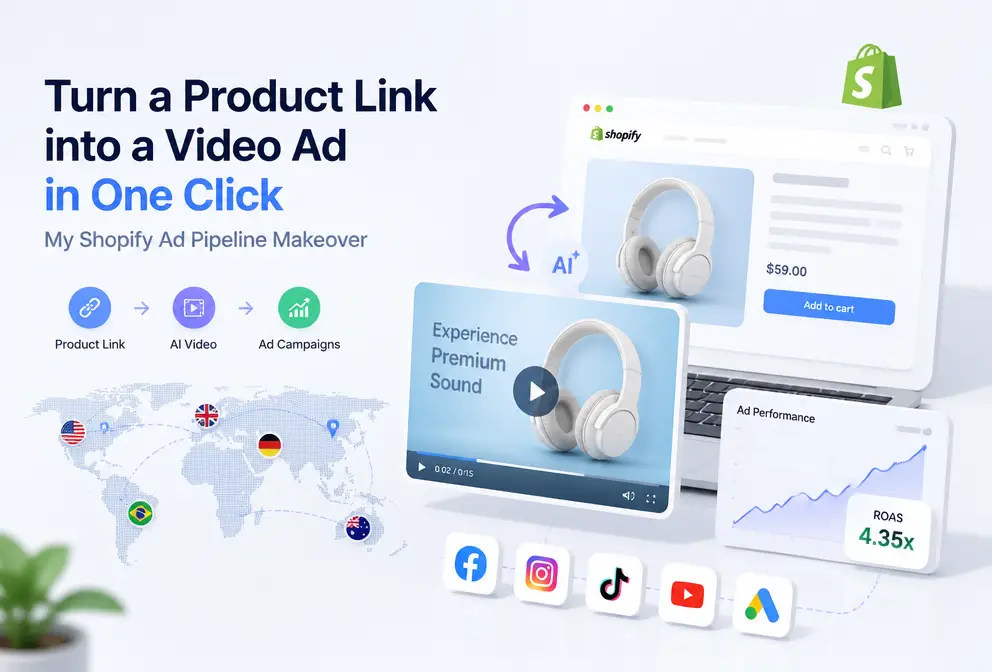
Anyone doing cross‑border e‑commerce has been tormented by product videos, right? I used to do the same—hire an outsourcing team to cut a 15‑second video, starting at $800, go through three revisions, wait three days, and the final result was still worse than something I could shoot on my phone. Until I discovered a shortcut: drop a Shopify product link into a tool, wait 60 seconds, and get a ready‑to‑use video. Not a PPT‑style animation, but a scripted, transitioned video that I could launch directly on Facebook Ads.
How Painful Is It to Manually Make a Product Video?
At the beginning of last year I launched a Bluetooth headset. The product photos looked great, I just needed a video. I asked an outsourcing team for a quote; the cheapest was $800 for a 15‑second pure‑edit video with no live‑action footage. I gritted my teeth and paid. Three days later I got the first draft— the color was wrong; I sell it in “deep space gray,” but the video showed it in bright silver. I sent feedback and waited another two days; the second version’s background music didn’t match the scene at all. More revisions. After five days of back‑and‑forth, I still didn’t use the video and ended up cursing in front of my computer.
That’s not an isolated case. A 15‑second product video from start to final cut usually takes 3–7 days, even under the best circumstances. If you, like me, run the store alone, you have no time to stare at a timeline, color‑grade, add subtitles, or pick BGM. Those steps alone sound enough to make anyone lose interest.
A friend once asked why I wasn’t making short videos. I said I wanted to, but a video takes a week—who’s going to handle the rest of the store? He fell silent and agreed.
The “Fool‑Proof” Video Solutions I Tried—and Why They All Failed
Since outsourcing wasn’t working, I looked for cheap alternatives. My first instinct was to film with my phone. I shot a few unboxing clips on an iPhone; the footage shook like an earthquake and the audio was muffled. Uploaded to Instagram Reels, it got 200 views and zero conversions.
Next, I tried Canva’s video templates. I dragged in a few product images, chose a “modern business” template, and the result looked passable, but something felt off—no real‑world texture, too much like a PPT. I spent $50 on a Facebook test ad; the CTR was a pitiful 0.4%. Templates are always templates; savvy viewers spot them instantly.
The most outrageous attempt was a $200 video gig on Fiverr. The seller promised delivery in three days, but two days were spent just on communication—he wanted a script, I didn’t have one, so he offered to write it for an extra $50. I paid. Four days later I received a video that used stock footage unrelated to the product; I sell headphones, and he gave me a beach scene. The $200 vanished.
What’s the common thread in all these low‑cost failures? They look cheap, but the time, communication, and waste costs add up. Even worse, each flop chips away at your confidence—until you start doubting whether the product itself is any good.
The Game‑Changer: One Link, 60 Seconds
One night I stumbled upon something with a very simple description: paste a product link, AI automatically creates a video. My first reaction was disbelief, but since it was free, I gave it a try.
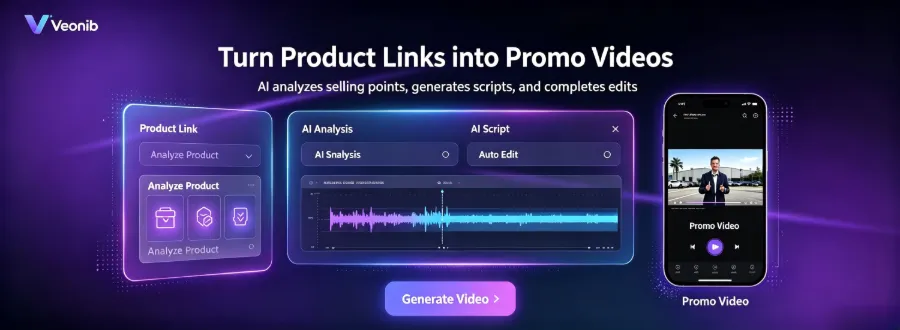
I copied the link of the Bluetooth headset from my Shopify store, clicked “Generate,” and watched the progress bar, ready to find something to complain about. After 48 seconds the video was ready—complete with script, storyboard, transitions, and voice‑over that hit the exact product selling points. I watched it three times to confirm it didn’t mistakenly call deep space gray “black.”
That was my first experience with VEONIB. Its workflow is so simple it feels almost suspicious: paste the URL, AI parses product images, title, description, and selling points, then generates a script and storyboard, and finally renders an MP4. No prompt writing, no timeline fiddling, no storyboard knowledge required. Zero editing skill needed.
But I must point out a pitfall—AI videos’ biggest problem isn’t visual quality; it’s hallucination. The AI can mislabel a red product as blue or swap feature A for feature B. VEONIB adds extra hallucination‑prevention engineering: it extracts structured data from the product page to keep descriptions accurate. If you encounter AI video misdescriptions, check out this guide on Avoiding AI Video Product Description Hallucinations.

Are These Videos Actually Usable? I Tested with $100
A tool can be great, but advertising with it is another story. I set up a real A/B test: the AI‑generated 15‑second home‑product video versus the outsourced video of the same product, both run in Facebook Ads Manager. Budgets: $50 each, same audience, three‑day test.
The results came in. The AI video’s CTR was about 12% higher than the outsourced video’s, and its CPM was roughly 8% lower. Not earth‑shattering numbers, but the conversion data were acceptable, and the cost per purchase stayed roughly the same.
This outcome made me start integrating VEONIB into my daily ad pipeline. From URL to Facebook ad, a video can be ready in as little as two minutes. When doing A/B tests, I can generate several style variations at once—UGC, brand, lifestyle—and launch them simultaneously. The previous week‑long outsourcing rhythm was completely broken.
I also discovered something unexpected. Many people think AI videos can only produce cheap‑looking UGC style, but when I used structured storyboard generation for a brand‑focused video, its performance on Facebook was even better. Likely because brand videos have more consistent framing, which doesn’t look as shaky on a low budget.
If you want to replicate this workflow, check out the Step‑by‑Step Guide to Cloning Winning Ad Formats and a AI Video Case Study for a Perfume Product. Additionally, an overseas test is documented here: How to Turn a Product URL into an Ad Video in Minutes for supplemental reference.
It’s worth noting that AI video isn’t a silver bullet. VEONIB’s output works best for certain categories (high‑ticket, visually‑driven products) and may still need human polishing for text‑heavy scenarios like tutorial videos. However, for “quickly producing multiple usable assets,” it has become a core component of my Shopify ad pipeline.
FAQ
Q1: Will AI‑generated videos have copyright issues?
The exported video’s copyright belongs to you; there’s no dispute over stock‑library rights. The AI‑generated visuals and voice‑overs are original model outputs, safe for commercial use. If you use your own product images or footage, you’re responsible for those rights.
Q2: Can I run the generated video as an ad on TikTok Shop?
Yes. It supports exporting in 9:16 vertical format, matching TikTok ad specs. I’ve run AI‑generated videos for several skincare products on TikTok Shop without being rejected for “AI‑generated content.” Still, it helps to mix in real‑person or live‑action shots to lower the chance of being flagged.
Q3: Can I replace a single scene or copy in the generated video?
Yes. Before exporting, you can edit copy, swap scenes, or change the voice‑over language in the editor. If you need finer control, you can export and do secondary edits in a video‑editing app. In practice, for a simple copy change or color tweak, editing directly in VEONIB and re‑rendering is faster.
Q4: If I generate dozens of videos a day, will my accounts get throttled?
The generation itself doesn’t trigger platform throttling. Limits usually occur after publishing—if your content is too repetitive or lacks originality, Facebook or TikTok may lower its weight. Vary each video: change the hook, adjust pacing, etc.
Q5: Which e‑commerce platforms are supported? Does it work with Amazon and Etsy?
It directly parses product links from Shopify, Amazon, TikTok Shop, WooCommerce, Temu, AliExpress, Etsy, eBay, and other major platforms. Paste an Amazon product page URL, and it will automatically extract the title, price, images, and description.
Share Article


