A Product Link, Multi-Platform Video: How to Use VEONIB for Automatic Adaptation from Generation to Deployment
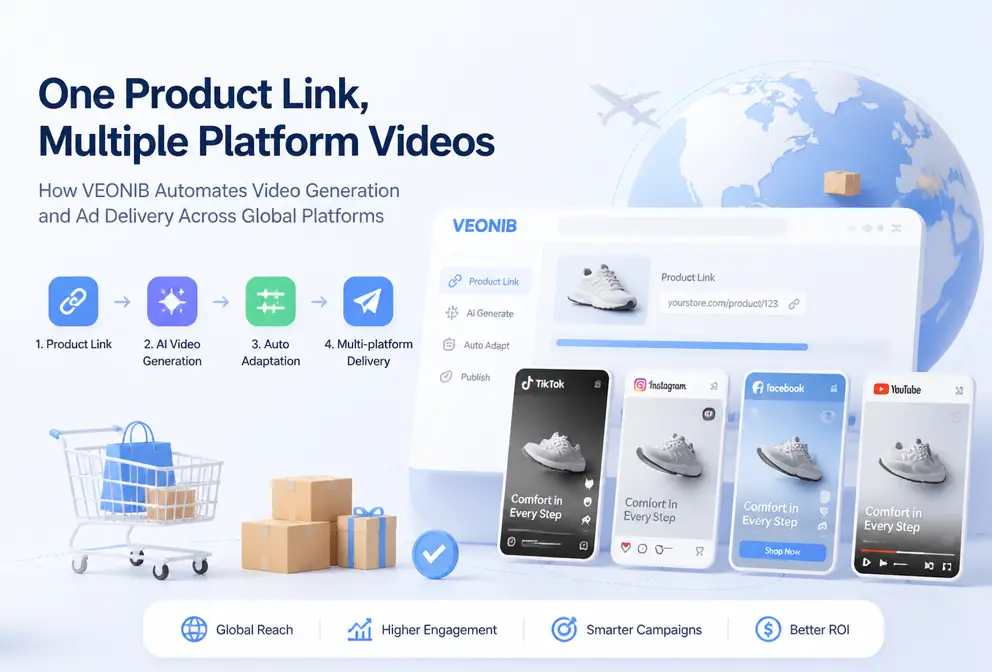
Every time we run short‑video ads on Meta, TikTok, or Pinterest, the most draining part isn’t the creative itself but repeatedly adjusting video aspect ratios and subtitle positions. The same product video must be cropped for vertical, rearranged for square, and re‑composed for horizontal formats—this manual work is inefficient and error‑prone. In 2024 my team prepared three videos for a peak‑season product, and because of manual cropping the promotional information was cut off; after two rounds of publishing the CTR dropped by 30%. That incident made me realize that aspect‑ratio adaptation isn’t a post‑production overtime problem; it should be built into the generation stage. This article follows a complete workflow from generation to multi‑platform deployment and shows how a single pipeline can solve this real pain point.
Why Different Platforms Need Different Video Sizes
Meta’s Facebook and Instagram favor 1:1 square and 4:5 vertical formats, TikTok is almost 100 % dominated by 9:16 vertical videos, and Pinterest’s static videos see a 15 % higher click‑through rate on 1:1 square than on vertical. Exporting only one ratio inevitably loses a lot of visual information on some platforms. 2025 data confirms this: TikTok’s vertical videos account for over 90 % of the platform’s playback volume.
The problem is that the cropping method for the same video varies completely across platforms. The vertical version may cut off half of the product that was carefully framed in the horizontal version; the square version has to compress the frame, pushing subtitles and key copy outside the safe zone. Preparing assets for multiple ratios up front is far more efficient than cropping each one later. By reserving the focal points for each ratio during shooting or generation, the post‑production step becomes a simple export choice rather than a frantic patch‑work.
Common Pitfalls of Manual Adaptation
I’ve fallen into many traps with manual adaptation. Simple proportional stretching can truncate the product’s main subject—you never know whether viewers see the lower half of the product or only half of the ad copy in vertical playback. Even worse, manually rearranging subtitles and effects takes enough time to make anyone irritable. A 10‑second product video takes an average of 45 minutes to adapt for three platforms (vertical, square, horizontal). This doesn’t even account for the chaos and quality loss caused by repeated exports.
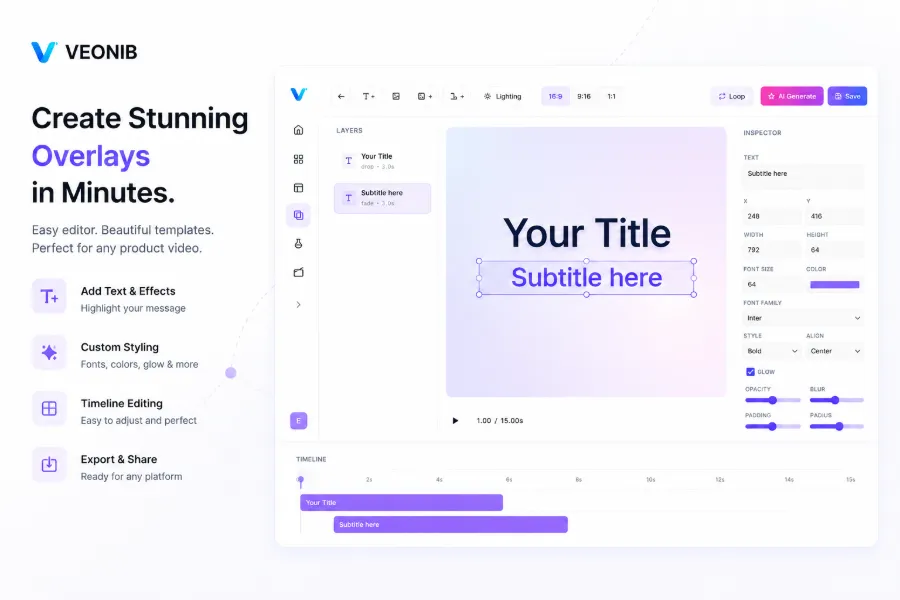
My team experienced a failure in the fall of 2024. We launched a video for a peak‑season product on Meta, TikTok, and Pinterest, manually cropped it, and checked it three times. The next day we discovered that the Pinterest version’s promotional copy had been cut off by the safe‑zone. CTR dropped by 30 %, and the month’s publishing plan was thrown off. The post‑mortem showed that the issue wasn’t a lack of diligence but a missing unified visual structure—each platform version looked like a different video, severely hurting brand consistency.
One‑Click Adaptation from Link to Export
The solution is simple: move the adaptation logic to the generation stage. Most existing workflows first produce a single‑ratio video and then manually crop it—an inherently inefficient design.
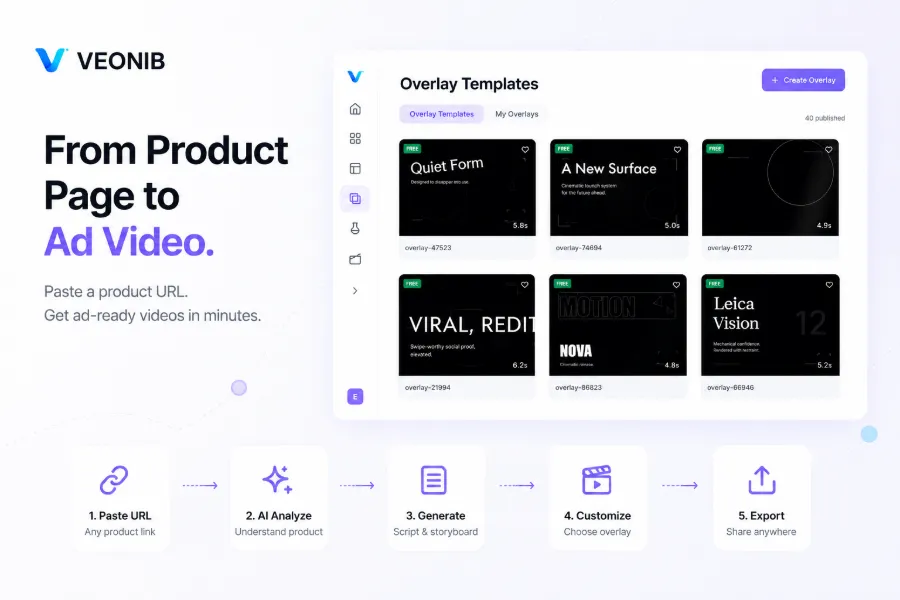
VEONIB does it differently. After you paste a product link, the AI automatically extracts product images, description, and selling points, and creates a unified storyboard. In the export step you simply select multiple platform ratios (9:16, 1:1, 4:5, 16:9) and the system automatically composes the adapted frames. This means a single script structure can cover four common formats without having to manually crop or adjust each version.
Automatic ratio adaptation not only saves time but also prevents a hidden issue: secondary material review failures caused by cropping. Many platform review algorithms detect when on‑screen text is cut off; a careless manual cut can trigger a rejection and delay the campaign. AI can intelligently identify product focal points and text zones, keeping important copy inside the safe area—something manual work struggles to guarantee.
For the concrete implementation of this step, see From Product Link to Video: A Smarter Way to Create E‑commerce Ads, which details the underlying logic of converting a product link into a video.
How One‑Click Adaptation Boosts Team Collaboration
The ripple effects of a single workflow for multiple platforms exceed my initial expectations. First, it reduces repeated communication and version mix‑ups. Previously, designers delivered three versions, and operations staff often confused which was TikTok and which was Meta, wasting time on confirmations. Small teams can now cover Meta, TikTok, and Pinterest simultaneously without assigning a dedicated exporter for each channel.
According to product‑page data, VEONIB compresses the average generation time for a single video to 60 seconds—under ideal network conditions. For complex products the time is slightly longer, but it remains far below the 45‑minute manual cropping cost. This efficiency gain isn’t just about time; AI automatically preserves the core creative message across all versions—product logo, promotional copy, brand colors stay consistent in every ratio, a high‑frequency error zone in manual workflows.
If you want to compare AI e‑commerce video generation tools, check out the2026’s Best AI Video Generators for E‑commerce Product Marketing](https://veonib.com/s/guides/best-ai-video-generator-for-e-commerce-product-marketing-in-2026-veonib). For a category‑specific case study, see How a B2B Hardware Product Link Can Be Turned Into an Enterprise‑Level Ad Video in 60 Seconds. VEONIB’s automated adaptation shortens this process to under a minute.
More Than Ratios: Content and Creative Ecosystem Adaptation
Multi‑ratio adaptation is only the first step. Different platforms also have preferences for pacing, copy density, and visual style. TikTok’s feed moves quickly, so the first two seconds must grab attention; Pinterest users often watch with sound off, requiring subtitles and visual information to stand alone; Instagram emphasizes polish and brand tone. If you simply crop the same video into different ratios without adjusting script length and visual rhythm, performance gaps will be huge.
VEONIB’s AI storyboard automatically adjusts script length per platform— same product selling point may be a 10‑second fast‑paced clip on TikTok, but a 15‑second slow‑motion version with text overlay on Pinterest. This is not just cropping; it’s a content‑level understanding of each platform’s playback context.
The next step is to recognize that post‑generation processing is equally important. Watermark removal, material merging, background audio adjustment—these operations also need a smooth pipeline. Learn more at AI E‑commerce Advertising Video Generator, which covers the entire chain from generation to pre‑deployment processing.
In short, multi‑platform adaptation is not just a technical issue but a content‑strategy one. Do you want each platform’s users to see “another version of the same video,” or do you want them to see “the same message optimized for that platform”? The latter requires more than a cropping tool; it needs a generation process that understands platform differences at the content level.
FAQ
Q1: How many platform ratios can a single video be adapted to simultaneously?
Up to four common ratios can be exported at once: 9:16 vertical, 1:1 square, 4:5 vertical, and 16:9 horizontal. After one generation you simply select the desired ratios—no need to regenerate.
Q2: Will automatic ratio adaptation lose the product’s main subject or text?
No. The AI determines key visual elements (product focal point, text zones) during adaptation and ensures that all critical information stays within the safe area for every ratio. Manual cropping often overlooks safe‑margin issues; AI handles them automatically.
Q3: Do I need to manually set the camera focus for each platform during automatic adaptation?
No. The system calculates the focal point for each shot based on the storyboard. If you have a specific composition preference, you can fine‑tune the focus in the preview interface, but this is optional, not required.
Q4: Is the video quality after adaptation the same as the original single‑ratio video?
Yes, there is no quality loss. Each ratio is rendered as an independent MP4 file, not a stretched or scaled version of a single source.
Q5: Does using automatic adaptation increase my overall generation time?
Virtually not. Selecting multiple‑ratio export adds only a single checkbox at the end of the generation pipeline, with negligible impact on total time. Compared with a 45‑minute manual cropping process, the time saved is substantial.
Share Article


