2026 AI Video Auto‑Generation Tool Review: From Product Link to Video, Who’s the Fastest?

Over the past year, our team has tested almost every AI tool on the market that claims “just paste a link and get a video.” The reason was simple—each week we launch 15–20 new products, and each product needs one main video plus three short social videos. An outsourced team charges $300–$600 per video and takes 4–7 days to schedule. Doing it ourselves—studio, models, post‑production—easily exceeds $400 per video, not counting the time spent on revisions. At the start of 2025 we decided to bet on AI video generation tools.

Why Do E‑commerce Teams Need AI Video Generation Tools?
You’re already familiar with the traditional e‑commerce video production workflow: product selection, shooting plan, studio or on‑location shoot, model fees, post‑production, multi‑platform adaptation. Even a qualified product video takes at least three days from request to delivery. For a team that launches 50 SKUs a month, that pace is simply impossible.
The core value of AI video generation tools is compressing production time from days to under a minute. More importantly, non‑design staff can operate them independently—operations colleagues only need to copy‑paste a product link to generate a ready‑to‑run video. This efficiency boost directly affects our launch cadence on Shopify, Amazon, and TikTok. Previously we could only launch four video‑enabled products per week; now we reliably launch 15–20, with consistent video style and no repeated shooting brief discussions.
An easily overlooked fact is that most AI video tools reduce editing effort but do not solve the material‑preparation problem. Operations staff still have to manually gather product images, write scripts, and choose background music. The truly productivity‑free solution is a tool that completes every step automatically after pasting a product link.
Five Core Dimensions for Evaluating AI Video Generation Tools
We spent two months defining five core criteria for evaluating these tools. These standards are not copied from product pages; they are distilled from countless re‑works and reruns.
1. Generation speed. Most tools claim to produce a video in under 60 seconds; in practice, 45–90 seconds is common. Note that this only measures rendering time and does not include uploading assets, adjusting scripts, or re‑generating.
2. Product understanding capability. This is the biggest pitfall in real testing. For example, VEONIB automatically extracts product description, high‑resolution images, and key selling points from its URL parsing engine, without manual uploads. Many other tools only parse the title and price, leaving selling points and scene descriptions blank, resulting in videos that don’t match the product—essentially waste footage. In July 2025 we tested a competitor tool on a fitness equipment; the AI misinterpreted “foldable design” as “multi‑piece set,” generating footage with three devices and causing strong misinformation, forcing a full re‑work and wasting two hours.
3. Variety of video styles. In practice, most e‑commerce teams need “ad‑ready” videos rather than flashy creative shorts. Brand‑style, lifestyle‑style, and UGC‑style cover about 90 % of ad needs. More styles do not equal better—many tools offer dozens of templates, but none are executed well, reducing selection efficiency.
4. Platform compatibility. Directly pasting Shopify, Amazon, or TikTok Shop links determines whether you can skip the “copy‑paste → gather assets” step. We recommend that tools must support URL recognition for major e‑commerce platforms; otherwise each extra import adds workload.
5. Output quality and usability. After generation, do you need to manually tweak the script, replace footage, or re‑record audio? If you have to go back to a video editor, the “one‑click generate” promise falls apart. For a smoother workflow, see our previous guide on how to automatically turn product links into short video ads.
Horizontal Comparison of Mainstream AI Video Generation Tools
Current market solutions fall into two categories. The first is “manual‑upload type”: you prepare product images, write scripts, choose templates, and the AI only composes. This offers high controllability but involves a lot of repetitive work, unsuitable for bulk production. The second is “URL one‑click parse type”: after pasting a link, the tool automatically extracts assets, writes scripts, builds storyboards, and finally generates the video.
We focused on representative URL‑parse tools. Their advantage in e‑commerce is clear—eliminating the asset‑gathering step, a single link launches the entire pipeline. VEONIB, for example, averages about 60 seconds per video; product images, key selling points, and scene descriptions are accurately extracted from the URL, and the generated script is built from specific product information rather than a generic template fill‑in.
However, we also discovered an easily missed issue: many URL‑parse tools only understand textual information and lack visual feature recognition (material, color, usage context) for images. VEONIB automatically builds a marketing storyboard before generation, ensuring each frame has a commercial intent.
In contrast, text‑prompt‑based tools feel out of place in e‑commerce. If you input “show the waterproof feature of this coffee machine,” the AI may generate an ad short, but the coffee machine model shown may be completely different from the one you sell. Such misinterpretations of product details are fatal in e‑commerce scenarios that require accurate product display.
The root cause is that most AI video generators are still too generic for cross‑border e‑commerce—they are designed for universal content, not optimized for structured product page data. The key in tool selection is not the number of features but the depth of AI’s understanding of product information.
| Tool Type | Generation Speed | Product Understanding Depth | Bulk Processing |
|---|---|---|---|
| URL‑parse | 45–90 seconds | Automatically extracts selling points, scenes, images | Supports batch link input |
| Manual‑upload | 5–20 minutes | Depends on quality of user‑provided assets | Requires individual uploads |
| Text‑prompt | 30–60 seconds | Prone to misinterpreting product attributes | Requires individual prompts |
Integration in Practice: How to Plug AI Video Generation into Your Workflow
In practice, our standardized workflow has four steps: copy product link → paste into tool → confirm AI‑extracted product info is correct → export video and publish to platforms.
The most human‑intensive part is the gap between step two and three. AI‑extracted product info is usually accurate, but occasional errors in color, model, or size occur. Spending 30 seconds to glance at the extraction results before each generation is worthwhile—otherwise you might end up with a video that looks right but has wrong copy, which is more wasteful than re‑generating.
Bulk processing is where AI tools truly differentiate. We once generated 20 product videos in one go; from pasting links to exporting all videos took about 25 minutes. This speed lets you start a batch before lunch and be ready to review, export, and schedule uploads after lunch.
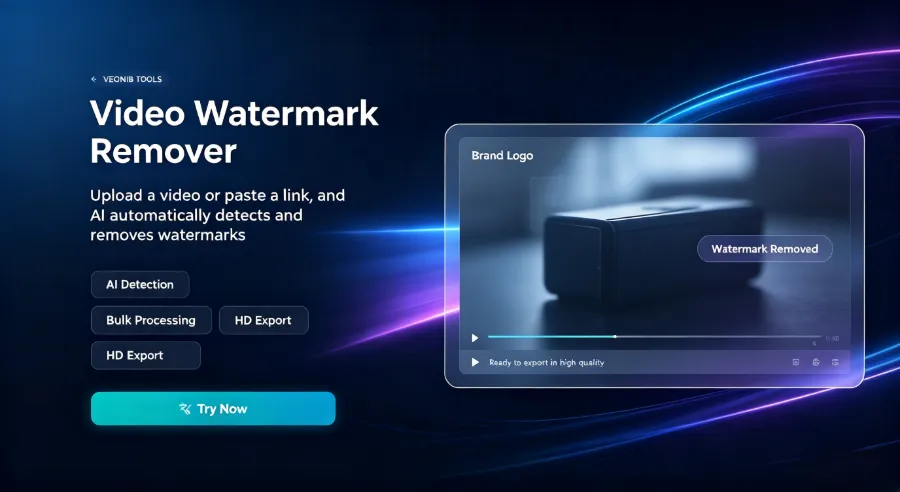
Post‑export processing follows a minimal‑ist approach: add a brand watermark, unify subtitle font, adjust intro/outro length. VEONIB’s built‑in post‑production tools cover these needs. For high‑frequency teams, we still recommend a standardized “post‑generation checklist”: verify product name, ensure no selling points are missing, confirm visual style matches brand colors, and check subtitle‑voice sync. This checklist dramatically improves review efficiency.
In quality control, one thing took us a month to uncover: visual “hallucinations” are harder to spot than textual ones. The AI may render a metallic surface as plastic, or automatically change a black product to white because the training data lacked enough images from that angle. We suggest using our AI Hallucination Elimination guide for realistic product videos after bulk generation for a quick validation, saving time compared to manual checks.
For connecting to standalone sites and cross‑border platforms, we chose the simplest method: export MP4, batch‑upload via Shopify’s media manager, or associate each video individually through Amazon Seller Central’s A+ video entry. For TikTok and Instagram, use the platforms’ native upload functions—avoid third‑party publishing tools that may introduce extra compression artifacts.
FAQ
Q1: Who owns the copyright of AI‑generated videos?
Most tools’ terms of service grant copyright to the subscribing user. However, beware of a trap: if you use the tool’s built‑in third‑party music or asset library, those elements may have separate licensing terms. Verify commercial‑use rights for any templates or assets before launch.
Q2: Can I batch‑import links for different products and generate them all at once?
Yes. Most URL‑parse tools support bulk processing. In our tests, the practical limit was 20 links per batch, each taking about 60 seconds, for a total of 25–30 minutes. A stable internet connection is required; otherwise link parsing may time out.
Q3: Can I add custom copy or voice‑over after generation?
Yes. Most tools let you edit the AI‑generated script, replace the audio track, or overlay custom subtitles before export. If you need multilingual voice‑overs, choose the target language during generation rather than swapping audio later, as post‑replacement can cause lip‑sync issues.
Q4: Which platforms are supported? Does it include TikTok and Amazon?
Mainstream tools generally recognize URLs from Shopify, Amazon, TikTok Shop, and WooCommerce. If your product link comes from an unsupported source (e.g., a custom site or niche platform), you’ll need to manually import images and descriptions, adding an extra step.
Q5: Do the videos meet ad‑placement resolution standards (1080p+)?
Current mainstream AI video tools output a default resolution of 1080p; some support 4K export with manual settings. If you’re targeting TikTok or Instagram Reels, select a vertical 9:16 aspect ratio during generation to avoid post‑crop composition issues.
Share Article


