From Link to Ad: How Many Steps Does It Actually Take to Turn a Product Link into a Video Ready for Promotion?
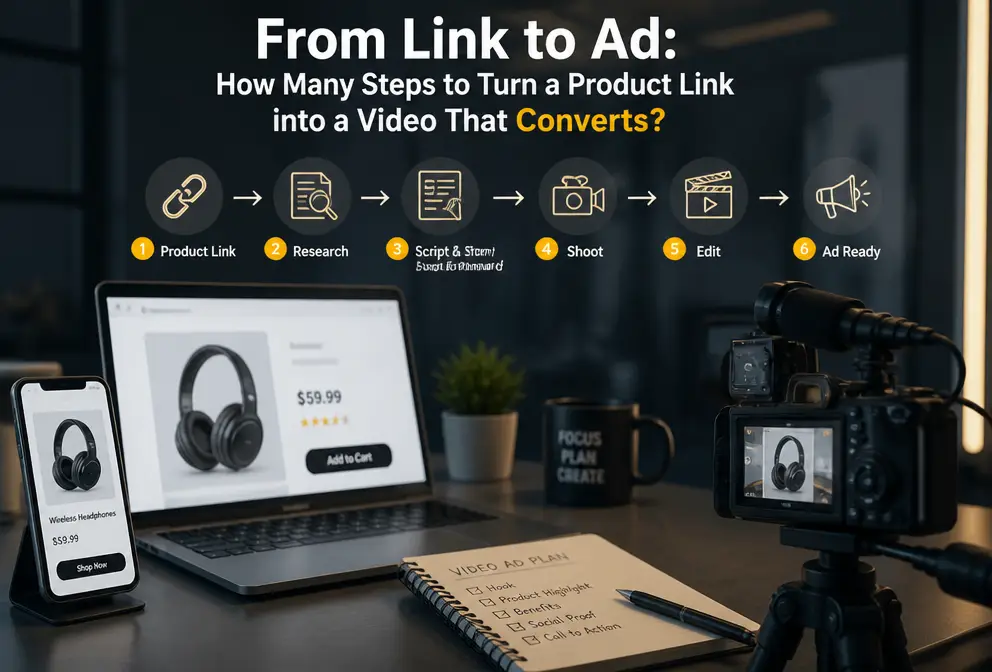
Anyone who works in cross‑border e‑commerce knows this scene: the operations team throws a Shopify link at you, saying this SKU needs to be advertised on TikTok Shop, and it has to be done today. You turn to the video editor, who asks where the assets are; you look for a voice‑over, who asks where the script is; you write the script yourself, only to discover the product images are just two white‑background pictures, and the editor says it’s impossible. Three days later the ad is still sitting in a folder, while the competitor has already completed a round of data.
I spent two afternoons running the entire process from start to finish with a coffee bean product link—using AI to compress what used to take three days into one minute. This isn’t a theoretical exercise; it’s a concrete operational record.
How Frustrating Traditional Video Ad Production Really Is
First, let’s tally up an old bill. A 15‑second product ad follows this traditional workflow: the product manager gathers selling points and the link, you write the script based on that, then send it to the video editor. The editor hunts for video clips and sound effects on asset sites, starts editing once everything is gathered, sends you the first cut, and you say the hook isn’t strong enough. The editor revises a second version, you complain about the subtitle font. The voice‑over team is in a different time zone, so the dry audio arrives on day three.
SKU update speed in cross‑border e‑commerce is dozens to hundreds per week. Last month a scented diffuser blew up on TikTok Shop; next week it might be replaced by a yoga mat. Hand‑crafting videos can’t keep up with that frequency; even barely staying on pace is impossible.
Traditional production of a 15‑second product ad takes an average of 3–6 hours. That’s under ideal conditions—complete assets, smooth communication, and‑‑pass approval. In reality, two or three rounds of rework are the norm, dragging the timeline from hours to days.
I don’t believe my team is the only one tormented by this workflow.
From Pasting a Link to a Ready‑to‑Run Ad in Three Minutes
So I decided to test a coffee bean product link.
Open VEONIB, paste the Shopify product link directly, and the system automatically extracts the title, description, price, main image, and video assets. After about ten seconds, a script and storyboard preview appear. I skimmed the hook section—it automatically generated three different opening copy lines, one of which read “These coffee beans make my morning ritual feel complete.” I liked it and used it straight away.
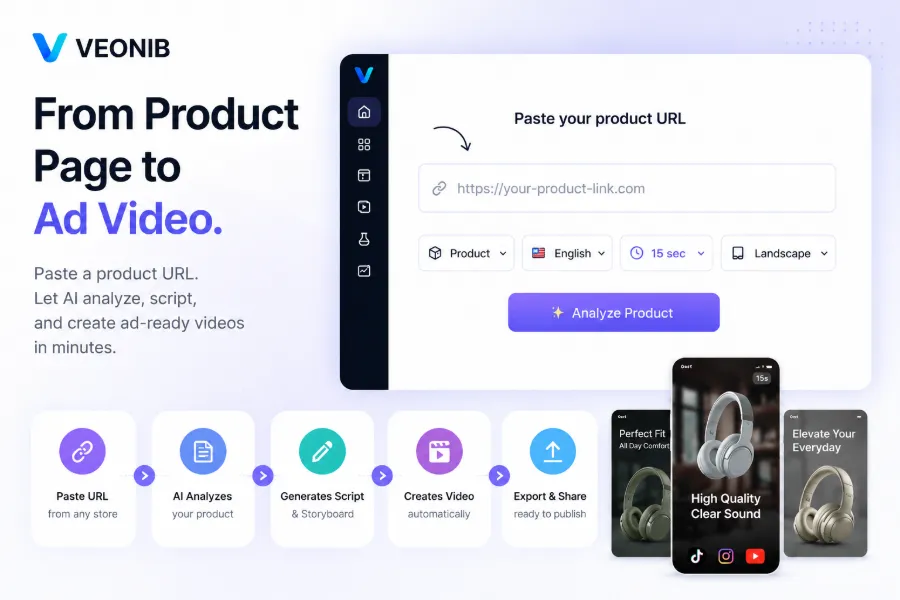
I chose a Chinese female voice‑over, and subtitles matched automatically. After confirming, I clicked Render and waited roughly 75 seconds; a 9:16 vertical MP4 downloaded to my computer.
From pasting the link to receiving the finished video, the total time was under three minutes. I even poured a glass of water while waiting for rendering.
This efficiency sounds like bragging, but once you try it you’ll realize how foolish it is to juggle five different AI tools. Someone wrote an article explaining this problem—take a look and stop using five AI tools for a single product ad.
The Details That Really Made Me Stop: Overlay Templates + Watermark Removal + Bulk Versioning
The first experience is fun, but three details made the tool worth continuing to use.
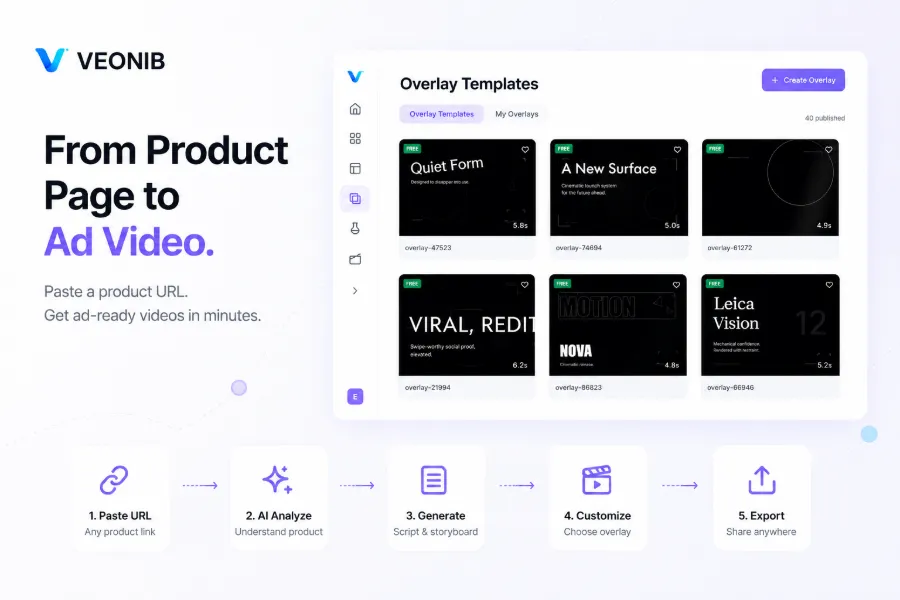
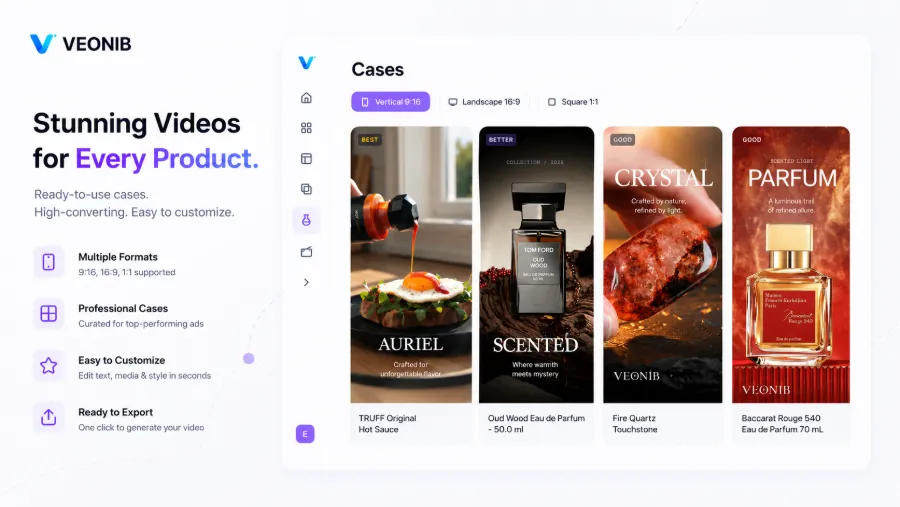
The first is overlay templates. Many AI video generators only produce a flat, straightforward video where the screen is just a product image with text—clean but lacking texture. VEONIB’s Overlay Templates come with dozens of high‑conversion animated templates that turn static product images into rhythm‑filled dynamic scenes. I applied a scented‑product template; the script stayed the same, but the visual feel shifted from a “seller showcase” to a “brand showcase”.
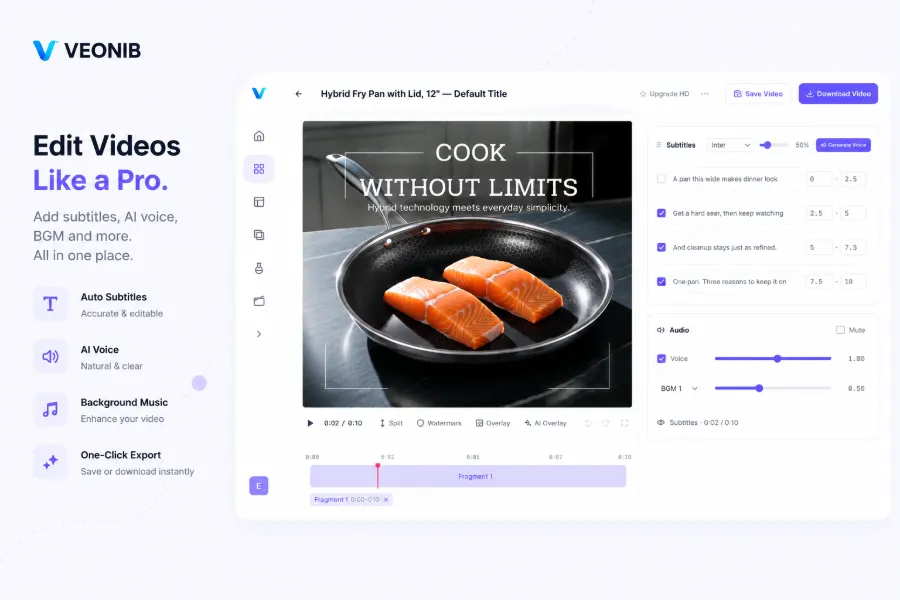
The second is the AI removal tool. Anyone in cross‑border e‑commerce knows that many main product images come from 1688 or suppliers and often carry watermarks, brand logos, or promotional tags. Traditional methods involve cutting out the image and re‑creating it, or simply discarding the image. Veteran cross‑border sellers have turned such images into a full ad and even created multiple versions for batch testing.
The third is bulk multi‑version generation. A single product can generate over 100 different ad variants per month. I once generated five versions at once—same script, different hooks, different voice‑overs, different overlay templates—and exported them directly into TikTok Ads for A/B testing.
What truly boosted efficiency wasn’t the “one‑minute‑per‑video” number, but the ability to complete overlay, watermark removal, subtitle tweaking, and voice‑over replacement all within one editor, without repeatedly exporting and importing into Premiere or CapCut. That’s the real efficiency explosion.
| Comparison Dimension | Traditional Production | VEONIB Single Generation | VEONIB Batch Generation |
|---|---|---|---|
| Time per video | 3‑6 hours | 60‑90 seconds | ~2 minutes per video |
| Max number of versions | Depends on manpower, 1‑2 versions per day | 1 version per item | 100+ versions per month |
| People involved per item | 3‑5 people | 1 person | 1 person |
| Script controllability | Fully controllable but time‑consuming | Preview editable | Batch requires uniform template |
| Watermark handling | Separate cut‑out/Photoshop | AI removal fully automatic | Batch automatic removal |
I also hit a snag. I once batch‑processed 30 tea‑bag links, and because the product images were too similar, the generated hooks were almost identical—CTR dropped 40% after launch. That made me realize the ceiling of AI tools is the quality of your product assets, not the tool itself. Homogeneous images can’t be rescued by even the best AI.
Another point worth mentioning: most people abandon AI video tools after a trial because they try to micro‑tweak every pixel with a “traditional editor mindset.” In reality, for a promotional asset, 60% visual clarity and data‑accurate expression are enough; perfectionism is the enemy of scale.
When Your Competitors Are Already Testing Thirty Videos Per Week
AI video generation can cut creative production costs by about 90% and speed up output tenfold. This isn’t a theoretical figure; it’s what I measured myself—what used to fund one traditional video now funds ten different ad versions.
But I think whether this fits everyone depends on the situation.
If your store averages fewer than 30 orders per day, or if you’re in a low‑price, low‑visual‑difference category (e.g., basic phone cases, plain socks), manually crafting each video may be more precise than bulk generation. AI is better suited for mid‑to‑high‑price items with clear selling points and rich visual assets.
In terms of category performance, visually driven categories such as home aromatherapy, beauty & skincare, small appliances, and food & beverage work best. Functional products like tools or industrial parts often produce AI‑generated scripts that feel hollow and require more manual adjustment.
I also discovered a counter‑intuitive point: after you’ve produced around 50 videos, you should start learning basic editing. It’s not because AI is insufficient, but because you’ll gradually know which clips perform better and which templates convert higher—tweaking a few key frames yourself is faster than forcing the AI to regenerate everything.
For commercial compliance concerns about AI video training data, Adobe offers a fairly detailed guide you can refer to.
FAQ
Q1: Can AI‑generated product videos be used directly for paid ad placements?
Yes. All exported videos come with full commercial usage rights and can be run on TikTok Ads, Facebook Ads, Instagram Ads, etc., with no royalty restrictions.
Q2: How many different video versions can be generated from a single link?
In theory, there’s no upper limit. By swapping hooks, script variants, voice‑over languages, and overlay templates, a single product can reliably produce over 100 usable ad variants per month.
Q3: Which e‑commerce platforms are supported for link parsing?
Supported platforms include Shopify, Amazon, TikTok Shop, WooCommerce, AliExpress, Temu, Etsy, eBay, and other major global e‑commerce sites. Domestic platforms are not yet supported.
Q4: Do I own full commercial copyright of the generated videos?
Yes. After each paid export, the full commercial ownership of the video belongs to you and can be used for paid ads, organic content, website displays, or any other commercial purpose.
Q5: What video aspect ratios does the rendering output support?
It supports 9:16 vertical (TikTok, Reels, Shorts), 1:1 square (Facebook, Instagram), and 16:9 horizontal (YouTube) ratios, with a maximum resolution of up to 1080p.
Share Article


