How AI Is Changing Product Video Production
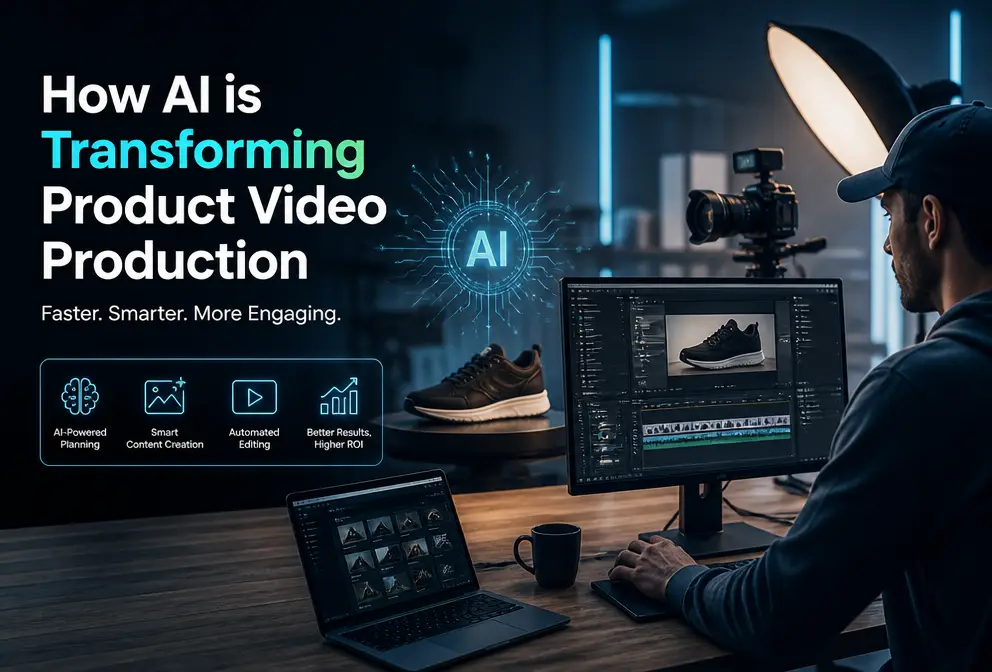
Before, making a product video required writing a script, finding voice‑over talent, setting up scenes, and editing repeatedly, and by the time I exported it, it was already dark. Now I just paste a link, wait a minute, and a ready‑to‑publish video appears. This article isn’t about hype; it explains exactly how the changes I’m seeing are happening.
How Tedious It Used to Be to Produce a Product Video
In the early days of my cross‑border e‑commerce work, every new product in the store needed its own video. There was no other way: I wrote the script myself (30 minutes to 1 hour), then sourced material or quickly set up a scene for shooting (another 1–2 hours), recorded voice‑over or hired someone (at least 30 minutes of back‑and‑forth), and finally assembled the timeline, added subtitles, and adjusted pacing (another 1–2 hours). Rendering and exporting required checking format and bitrate. One person could never finish this alone; usually two or three people were needed, consuming most of a workday.
What drove me crazy was versioning. After exporting a 15‑second TikTok clip, the next day I wanted to try a different opening, which meant re‑doing most of the workflow. Running separate versions for Instagram Reels and YouTube Shorts meant doing the same work twice more. I thought, if a simple change to the opening line costs several more hours, this business can’t scale.
Later I tried template tools—drag‑and‑drop ones—which saved a bit of effort, but every frame still needed manual tweaking. Templates were inflexible; swapping a product image required re‑aligning subtitles, and the rhythm was often broken. So I developed a habit: before each video, I’d take a deep breath and prepare for an afternoon of work.
How AI Achieves Fully Automated Advertising Video Production
The shift began when I started feeding product links directly into AI tools. My first encounter was with a set of early‑stage products that were very rough—stiff voice‑overs, slide‑like scene transitions, and almost unusable exports. By the second half of 2024, things had changed dramatically.
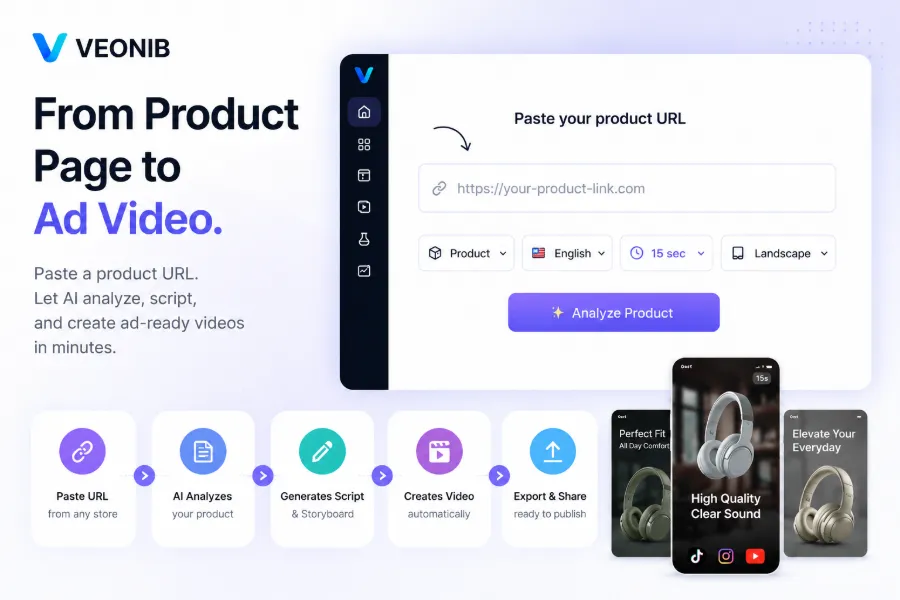
I tried VEONIB. The first step was to copy a product link from a Shopify store and paste it in. The tool automatically parsed page information: product title, selling points, price, description, and even the color tone of images. The AI Hook Generator then produced several opening lines from different angles—usage scenarios, pain points, or straight numbers as hooks. I picked the one I liked, and the script was generated automatically.
Next came storyboard planning. AI matched each script frame with suitable scene images, and selected a voice‑over from its library (supporting 30 languages). I tested it in Chinese, English, and Spanish; the intonation was generally fine. Subtitles were added automatically. The whole process—from pasting the link to exporting the video—took under 60 seconds. When I first saw the finished product, I was stunned and checked the timestamp: from clicking “Generate” to downloading the MP4, it was exactly 48 seconds.
Of course, the first output isn’t perfect. One hook version didn’t match my product’s tone, but I could edit the script directly in the editor and re‑render. If I needed to splice AI‑generated clips, I could use the internal MP4 Merge Tool. Overall, this automated workflow turned “making a video” from a cross‑department project into something I could finish in a minute while waiting for tea.
What a One‑Minute‑Produced Video Looks Like in Practice
After the video is produced, the most immediate question is: can it be deployed?
I used it on three channels: TikTok Shop promotional clips, Instagram Reels organic traffic, and Facebook paid ads. Advantages first AI‑generated assets excel at rapid scaling and multi‑variant testing. Previously, an A/B test required two different opening videos and at least half a day of work. Now a single product can generate dozens of variants with different hooks, voice‑overs, and structures in just minutes. For ad testing, speed is critical—getting data back faster than competitors lets you optimize bidding earlier.
I previously documented a low‑cost video marketing plan that mentioned a similar idea, but AI turned the theory into a daily reality.
Limitations remain. AI videos still lack realistic scene fidelity. The material comes from product images and description parsing, so they miss natural lighting, environmental details, and hand movements you get from real shoots. If a product’s selling point relies heavily on material texture or immersive usage scenery, AI video can feel insufficient. VEONIB shares this limitation—it’s a technology issue, not a tool issue. For high‑brand‑tone scenarios like premium home décor or affordable luxury, I still mix in real‑footage. AI‑generated videos can also be combined with other tools, such as a batch background remover for product images, then fed back into AI for better results.
From real data, the boost in testing efficiency outweighs the quality loss. In a month, I ran ads with 30 AI‑generated assets; 5 of them achieved positive ROAS on day one—a feat impossible with purely manual production. Many peers report the same; the most common keywords in VEONIB’s G2 reviews are “time‑saving” and “fast iteration.” This shows the industry’s video demand has shifted from “high‑budget productions” to “good enough, fast, and many versions,” and AI lands right at that turning point.

How AI Adapts Advertising Videos for Different Platforms
Different platforms have different format requirements, a major headache in manual production. TikTok and Instagram Reels use 9:16 portrait, Facebook feed works best with 1:1, and YouTube long‑form uses 16:9. Exporting three formats used to mean re‑positioning subtitles and checking crop for each frame—one misaligned frame could ruin the whole video.
AI tools handle this neatly. From the moment you paste the link, AI automatically detects the source store’s platform. When parsing Shopify, Amazon, TikTok Shop, WooCommerce, etc., the extracted data structures vary—Amazon emphasizes bullet points, TikTok Shop focuses on UGC‑style keywords—but the final output format selection is unified. After I select the target platform, the rendered video automatically matches the correct aspect ratio and subtitle style, with no extra tweaks needed.
I previously compiled a guide on automatically turning product links into short video ads, which documents platform‑specific pitfalls.
Beyond aspect‑ratio adaptation, multilingual support is another practical feature. My main markets are the US and Europe; previously each language version required a different voice‑over actor, extending the timeline by two to three days. Now, switching the voice‑over language from English to German or French automatically adjusts subtitles and audio, and it’s fast. A detail to watch: automatic subtitle translation can occasionally misinterpret terms—e.g., “dropshipping” may be rendered as “运输直发” in French instead of the industry standard “drop shipping.” I usually review subtitles before export and make manual corrections, especially for highly technical categories.
FAQ
Q1: Who owns the copyright of AI‑generated videos?
The copyright of the exported video belongs entirely to you. Most AI video tools state in their terms that users have full usage rights for the final video, including paid ads, commercial placements, and channel distribution.
Q2: How many different videos can one link generate?
It depends on how many hook and script variations you iterate. I ran the same product link over a dozen times; each time AI randomly generated different hooks and scene arrangements, producing clearly distinct videos that can support multiple ad tests simultaneously.
Q3: Can I edit the script and voice‑over before exporting?
Yes. The generated script and scene descriptions are editable, and you can replace the voice‑over voice and language. After editing, re‑render and you’ll have an updated version within minutes.
Q4: What about video quality and resolution?
Current mainstream tools support up to 1080p export, covering 9:16, 1:1, and 16:9 aspect ratios. The quality is more than sufficient for social media and organic traffic channels, but for high‑definition TV or large offline screens, a professional shoot is still recommended.
Q5: Do I need to pay before seeing results?
No. Most AI video tools offer a free preview that generates hooks, scripts, storyboards, and scene candidates. You can verify satisfaction before paying to export the final video.
Share Article


