From Product Link to Marketing Video: Turning Product Selling Points into a 60‑Second Ad with AI
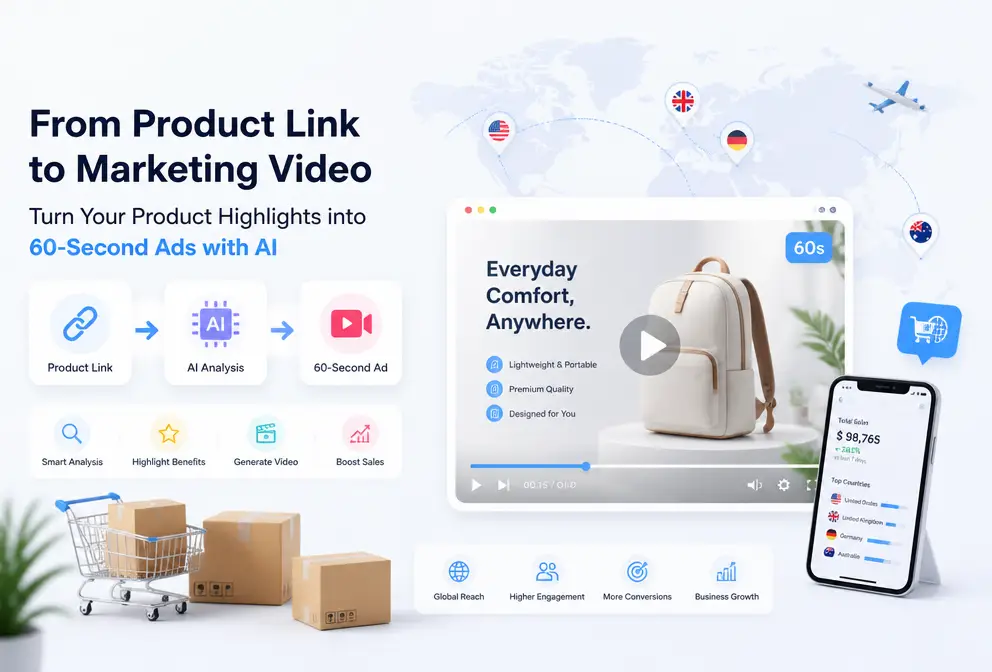
In the past, when I made an e‑commerce video, the process was like this: first open the product page and copy the selling points, then manually write a script, then search for images and video clips on a stock site, then open editing software and stitch everything together frame by frame, and finally export while manually adjusting to TikTok, Reels, and Shorts dimensions. One video would take at least half a day. Later I discovered that just feeding the product link to an AI short the whole workflow to under a minute. This path made me rethink the efficiency limits of video production.
Why Cross‑Border E‑Commerce Needs to Re‑Examine Its Video Production Workflow
The role of video in e‑commerce conversion rates is no secret. A landing page with video can achieve more than a 20 % higher conversion rate than a pure text‑and‑image page, a fact repeatedly confirmed in ad dashboards across major platforms. TikTok, Instagram, Amazon, and Shopify are all giving more weight to video content, and videos get noticeably more exposure in search results than static images.
The bottleneck has always been the production stage. The average production time for a traditional e‑commerce video exceeds four hours—this is just basic editing, not including shooting footage or color grading. A small cross‑border e‑commerce team can’t afford a professional editor; learning Premiere takes too much time, and producing separate versions for TikTok, Reels, and Shorts with different aspect ratios is a hassle.
AI tools have changed this situation. No editing experience or material library is needed—just a product link. The system automatically reads product images, descriptions, specifications, and selling points, then handles scriptwriting, storyboard planning, and visual generation in the background. For me, the most immediate feeling is that the decision changed from “whether to make a video” to “just make one and see the result” as a default action.
Basic Workflow: Copy the Link, Get the First AI Video in 60 Seconds
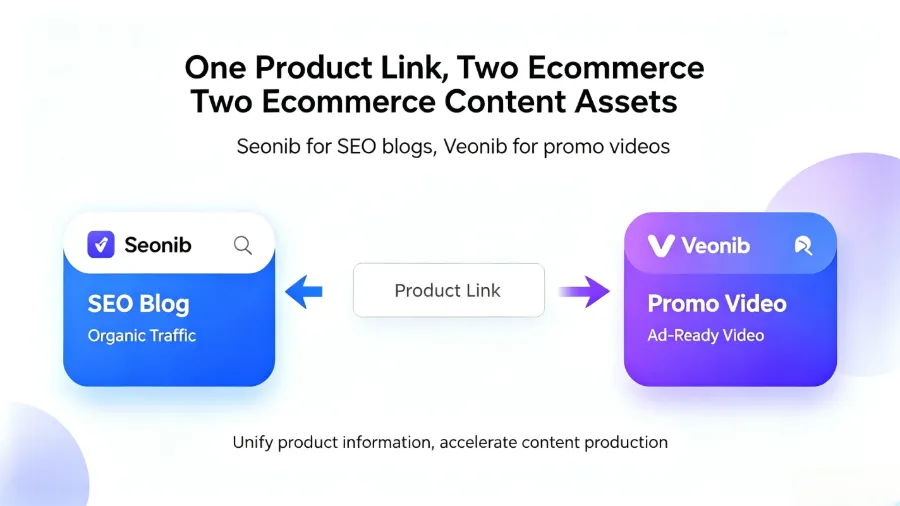
The workflow is much simpler than I imagined. First, open your e‑commerce backend—Shopify, Amazon, or TikTok Shop—and copy the URL of the product you want to promote. Then paste it into the input box of the AI video tool.
If your product page description is detailed, the AI will perform better. In my tests, when a product page contains multiple images from different angles, clear functional descriptions, and a few selling‑point copy lines, the AI’s recognition accuracy for that information is much higher.
The second step is to wait. The first time I used VEONIB, I wondered “how fast could it be,” and indeed, within 60 seconds I had an MP4 file. The AI automatically generated the script, storyboard, voice‑over, and background music, and even placed the subtitles. No editing software was touched at all.
From the results, the generated video can be directly deployed to TikTok, Instagram Reels, and YouTube Shorts, or used as material on a store landing page. For someone like me who is often too lazy to convert formats, outputting a standard MP4 saves a lot of extra steps. If you’re unsure which tool is best for product‑marketing scenarios, check out the 2026 Best AI Video Generator Guide for a comparison of various tools.
Advanced Workflow: From Basic Video to Brand Story
A simple product showcase video meets basic needs, but when you need different stylistic ad versions for A/B testing, you need more options.
The feature From Product to Emotional Brand: One‑Click 60‑Second Brand Story Generation impressed me a lot. With the same product link, the AI can generate six different video styles: brand, lifestyle, studio‑look, luxury, UGC, and minimalist. I tried it with a kitchen knife product; the brand style had atmospheric shots, the lifestyle style simulated usage scenarios, and after a week of data, the click‑through rate difference exceeded 10 %.
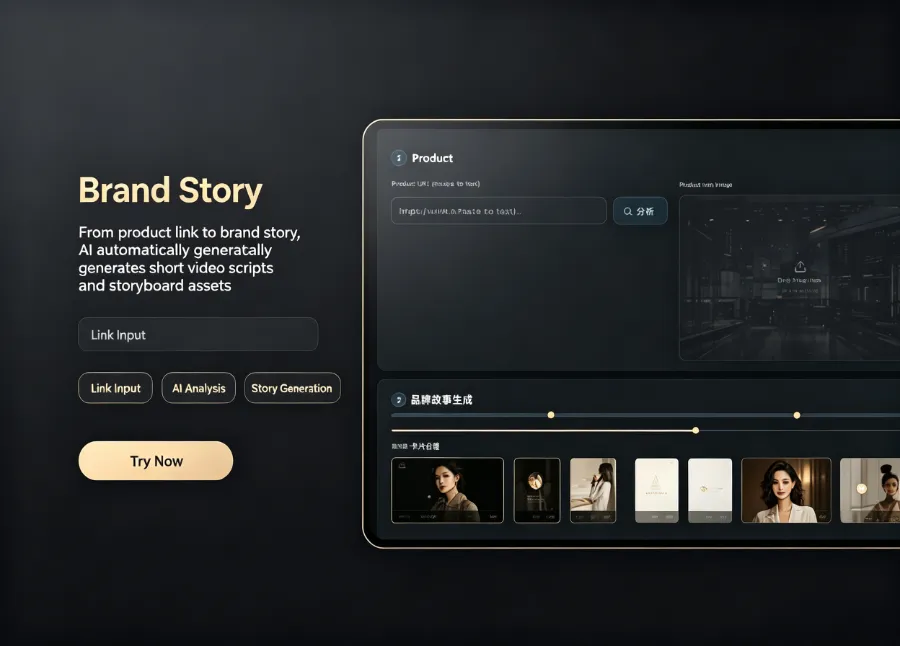
Batch processing is where these tools really shine. One link can generate multiple versions for simultaneous ad testing, and then you can adjust the focus of the next version based on CTR data. VEONIB handles this smoothly—it isn’t a black box; it first shows a storyboard preview and key‑frame images, and if you’re unhappy with a shot you can replace it before exporting, avoiding the need to re‑render the entire video. To learn how to run this workflow on TikTok and Instagram, see the article Creating TikTok and Instagram Ads from Product Pages with AI, which lists the exact steps.
Avoiding Pitfalls: Common Limitations of AI‑Generated Video and How to Address Them
When I first started using these tools, I expected that tossing a link would give me a complete, ad‑grade video. After three attempts, I realized there are several gaps between expectation and reality.
The biggest issue is the lack of authentic brand footage. AI‑generated visuals are reconstructed from product page information and lack real‑world, contextual assets. For example, when I made a video for outdoor gear, the AI‑generated scenes were well composed but didn’t have the genuine on‑site feel. I spent ten minutes manually swapping three key frames and two background tracks before the video reached ad‑ready quality.
Another limitation is the precision of understanding for special categories. Customized products, non‑standard items, or purely functional components see a noticeable drop in AI recognition accuracy. The AI may misinterpret usage methods or use wrong quantifiers and scene descriptions in the script. I encountered this twice: once with a tool product where the storyboard included incompatible accessories, and once with a personalized product where the selling points completely missed the customization logic.
According to our statistics, about 20 % of AI‑generated videos need manual key‑frame adjustments. That proportion isn’t low, but from another perspective, manually tweaking 20 % of the footage is still far faster than creating a video from scratch.
My current strategy is to treat the AI video as an efficient draft. The first version is AI‑generated; after the basic framework is set, I manually replace obviously mismatched visuals, add brand elements, and re‑record voice‑over if needed. This process is at least three times faster than editing from the ground up and doesn’t require a pre‑built asset library.
From Tools to Efficiency: How AI Video Changes the Pace of E‑Commerce Marketing
AI video changes not only production speed but also the entire marketing rhythm. Previously, launching a new product and producing the first ad video required coordinating copywriters, designers, and editors—at least two to three days of scheduling. Now, a video can be produced the same day the product goes live, lowering the barrier to almost nothing.
The most practical scenario is bulk testing. For the same product, generate several ad versions with different selling‑point angles, run a week of data, and adopt the version with the highest CTR. The same batch of data can then guide the weighting of selling points for the next generation cycle. In the past, a small team would need two weeks to accomplish this.
Industry trends show that by 2025 the market size for AI‑generated video has already exceeded $5 billion (according to industry estimates), and URL‑input generation is expected to become the dominant approach within the next two years. Platforms like RunwayML, which are at the forefront, continue to push AI video technology forward; you can check the latest model capabilities on the AI Video Industry Authority Site.
Even though AI‑generated visuals haven’t yet reached top‑tier TVC quality, they are more than enough for e‑commerce scenarios—under 60 seconds, clearly explaining the selling points, and driving clicks. For sellers like me who don’t want to learn editing or pay for outsourcing, this is currently the most cost‑effective video production method. AE
FAQ
Q1: Can the video quality from AI be used directly for paid ads?
Yes, as long as the ad platform doesn’t demand cinematic‑grade quality. TikTok, Instagram Reels, and Facebook are tolerant of medium‑quality video; a 60‑second product video at 1080p is sufficient. If you need to run ads on YouTube TrueView or TV screens, it’s advisable to manually replace key frames after AI generation.
Q2: I’m not familiar with video editing—can the AI tool write a good script on the first try?
Yes. The AI reads the product page description and selling points, then automatically structures a marketing‑logic script. In practice, the script it generates is better than the ones I write myself—especially the opening hook, which is more engaging. You can also manually edit the script and regenerate without any editing background.
Q3: How many different style videos can be generated from a single product link?
Six styles are supported: brand, lifestyle, studio, luxury, UGC, and minimalist. Each style has its own camera composition and color palette. I recommend testing at least three styles for A/B testing, then using data to decide which style resonates best with your target audience.
Q4: Does generating a video really only take 60 seconds?
From past the URL to receiving the MP4 file, it’s indeed around 60 seconds. Additional manual tweaks to key frames and background tracks take an extra 5–15 minutes, depending on how picky you are about visual quality. If you’re just running a test, the raw output works fine.
Share Article


