How to Generate UGC Product Videos with AI — A Complete Workflow from Zero to Publication
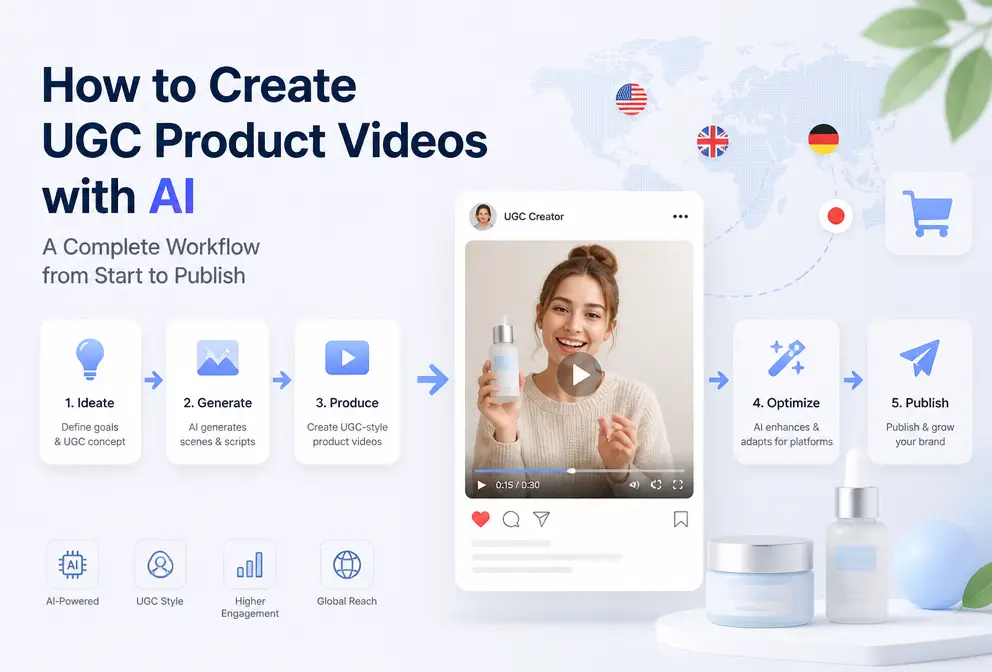
Every time I needed to shoot a UGC‑style product video, I went through a round of equipment rental, venue booking, multi‑camera filming, and post‑production editing. From script to delivery it took at least a week. The most extreme case was an unboxing for a Bluetooth earbud; I had to shoot four times to get usable footage—bad lighting, noisy audio, stiff actor expressions. It wasn’t until I started letting AI replace those repetitive steps—pulling a product link straight to a publishable, ad‑ready final cut—that the whole workflow underwent a dramatic simplification. This article doesn’t discuss theory; it shows concrete implementation.
Why UGC Videos Still Have the Highest Conversion Rates in E‑commerce — and How AI Solves the Biggest Pain Point
I have seen many brands’ polished ads: beautiful visuals, carefully crafted copy, yet the click‑through rates never rise. Looking at benchmark data from several major platforms, I found that UGC‑style videos typically achieve about 30 % higher click‑through rates than polished brand videos, especially in niche verticals. Meta’s internal e‑commerce ad data also shows that users prefer content that “looks like it was shot by a real person” for staying and ordering.
Traditional UGC production has a deadlock—high shooting costs, long cycles, and difficulty scaling. Finding a suitable everyday creator takes at least a week from communication to delivery, and the quality is inconsistent. My biggest pitfall was before Amazon’s peak season, when I wanted video assets for five new products. I got quotes from three vendors, each starting at ¥20 000, with schedules pushed back two weeks. I ended up shooting a few clips on my phone; the results were actually better than the expensive shoots, but the low quality made me hesitant to allocate a big budget.
AI video generation solves the core problem not by replacing creators, but by automating repetitive work: no need for on‑camera talent, no shooting equipment, no editing software. The team can focus solely on product selection and strategy. Modern AI tools can directly parse product information from a link, automatically generate scripts and storyboards, and output footage trained on e‑commerce scenes, avoiding the generic, empty‑feeling AI videos.
If you’re interested in the Amazon scenario, check out the AI product video guide for boosting Amazon conversion rates. For the broader industry’s tech evolution, follow the latest AI video industry updates.
Three‑Step Process: From Product Link to a Deployable UGC Video
First, watch a full demo—much clearer than any text description.
Now break it into three steps; just follow along.
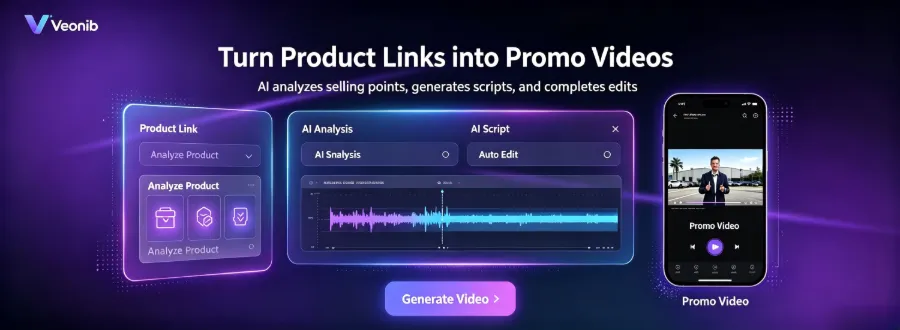
Step 1 – Prepare Input. You only need one thing: a product link. It can be a Shopify, Amazon, TikTok Shop, or any other e‑commerce product page. AI will automatically fetch the product title, description, images, and selling points. No script writing, no storyboard drawing, no image uploading required. I usually collect the 5‑8 product links I want to create, then feed them all at once for preview generation.
Step 2 – AI Automatic Dissection and Planning. This is where the core engine works. After pasting the link, VEONIB first analyzes the product images and text, extracts key selling points, then automatically creates a script, storyboard, and scene plan. The generated script includes an opening hook, product showcase, usage scenarios, and a call‑to‑action. You can preview each frame; if something feels off, you can manually tweak the description.
I habitually read the AI‑generated default script at this stage and strip out overly “official” wording—e.g., change “leverages cutting‑edge technology” to “feels pretty smooth to use,” and “professional‑grade performance” to “lasts three days on a single charge.” This step directly determines the authenticity of the final video.
Step 3 – Choose Style, Render, and Export. Pick a video style: UGC, brand, lifestyle, minimal, etc. For UGC videos I usually select “UGC” or “Lifestyle”; other styles tend to drift. After selecting the style, click Render; within about 60 seconds you’ll have an MP4 file. Exported videos support 9:16, 1:1, and 16:9 aspect ratios, ready for TikTok, Reels, or feed ads.
If you want static images to come alive, you can use a tool like Dynamic Overlays: Turn Static Images into High‑Conversion Videos for a second‑stage polish. For cross‑platform syncing and asset management, the SEONIB website’s one‑click VEONIB video pull pushes assets directly to your ad backend.
How to Make AI‑Generated UGC Content Feel More “Real” – Style, Tone, and Visual Details
Early on I used default parameters to generate a batch of videos; they looked polished but felt fake, like TV shopping. After a week of ads, the click‑through rate was pitiful, even lower than the phone‑shot clips I’d made earlier. I realized the AI defaults aim for perfection, while genuine UGC thrives on imperfection.
The key adjustments are in the descriptive language. If you say “show product advantages,” the AI will produce a tidy, showroom‑like scene. Switch to “real situations customers encounter while using the product,” e.g., “rushing out in the morning, coffee spills on the shirt” instead of “powerful stain‑removal effect.” The AI will then generate a kitchen scene with natural side lighting, not a studio’s overhead light. Also tweak the style preset—“Lifestyle” or “Minimal” have the lowest polish level and feel closest to a phone‑shot.
After the storyboard is generated, I review each scene and discard or replace frames that look like studio shots with professional lighting or overly clean backgrounds. For a restaurant scene, I avoid a perfectly arranged mock‑up table; I pick a wooden table with a coffee stain. For a bedroom, I choose a slightly rumpled duvet instead of a pristine model bed. Remove “model smiling at the camera showcasing the product” marketing shots and keep more candid compositions like “hand holding the product on a desk.”
After this round of manual tweaks, I ran a side‑by‑side test with the same product set and default output. With identical audience and budget, the tweaked videos achieved roughly 15 % higher click‑through rates than the default version. If you haven’t tried these optimizations, see how others stumbled in the AI video ad generator – e‑commerce brand case studies.
Practical Strategy: Bulk‑Create Multiple UGC Variants for A/B Testing
The biggest fear in e‑commerce advertising is a single asset running forever, leading to creative fatigue. Multiple‑variant A/B testing is the norm. Traditional methods require different models, locations, and shoots, multiplying costs by the number of variants. Now a single link can generate many at once.
Procedure: Take the same product, then modify two or three descriptive keywords before generation—e.g., replace “high cost‑performance” with “student‑friendly,” or “gift‑ready” with “don’t know what to pick, just this.” Then switch the style preset once, generating both a UGC and a Minimal version. Add a different voice‑over tone: AI‑generated narration with varying gender, speed, and emotion. This yields 6‑10 variants in one go, from link paste to full rendering, all within 15 minutes.
External reference: see the practice guide Product URL to Video in Minutes: A Smarter Way to Create E‑commerce Ads. Once I have multiple versions, I typically push them into TikTok Ads and Meta Ads Manager simultaneously with a small budget—$20‑$30 per variant, running two days to identify the winning creative.
Team division: Operations staff handle description tweaks and version selection; AI handles rendering—no editors needed. This is a completely different structure from the old model where someone filmed, someone edited, and someone did voice‑over. The core labor shifts from editing to description refinement and selection decisions, requiring a new skill set.
Maintenance is equally important. VEONIB videos can be lightly edited—add subtitles, stickers, crop to different ratios. I usually overlay a popular sticker on the winning version, or cut a 16:9 long‑tail version for YouTube Shorts. More expansion ideas are in the From Product to Emotional Brand: One Link Generates a 60‑Second Brand Story brand‑video guide.
FAQ
Q1: Can AI‑generated UGC videos be used on e‑commerce platforms like Amazon or TikTok Shop?
Yes. Both Amazon and TikTok Shop accept AI‑generated videos as long as they don’t contain false advertising or copyright issues. Export at 1080p or higher; Amazon recommends videos under 15 seconds for optimization, while TikTok Shop prefers vertical 9:16 format.
Q2: Do I need to provide a script and storyboard, or does AI handle everything?
AI automatically generates a script and storyboard from the product link, but it’s strongly recommended to preview and manually adjust the description language. Purely default outputs tend to feel “advertorial”; tweaking a few keywords dramatically improves authenticity.
Q3: Who owns the copyright of the generated video? Can it be used for advertising?
The copyright belongs entirely to the user, and the video can be used for commercial advertising without additional royalties. This is standard in most AI e‑commerce video tools.
Q4: How many different video variants can be generated at once?
There’s no hard limit. In practice I generate 10 variants in one batch (by changing descriptive keywords, style presets, and voice‑over tones). The whole process—from adjustments to final render—takes about 15 minutes. With more time you can produce 20‑30 variants for larger‑scale testing.
Q5: If a generated video performs poorly, which parts can be modified for a retry?
First, edit the description text—remove corporate phrasing, add more scene details. Next, switch to a style preset that’s more UGC‑like. Finally, change the voice‑over tone to a more casual, accented natural speech. It’s advisable to change one variable at a time and generate 3‑5 variants per change before deciding the next step.
Share Article


