Tech Product Short Video Ads: Turn Hardcore Specs into User‑Understandable Visuals in 60 Seconds
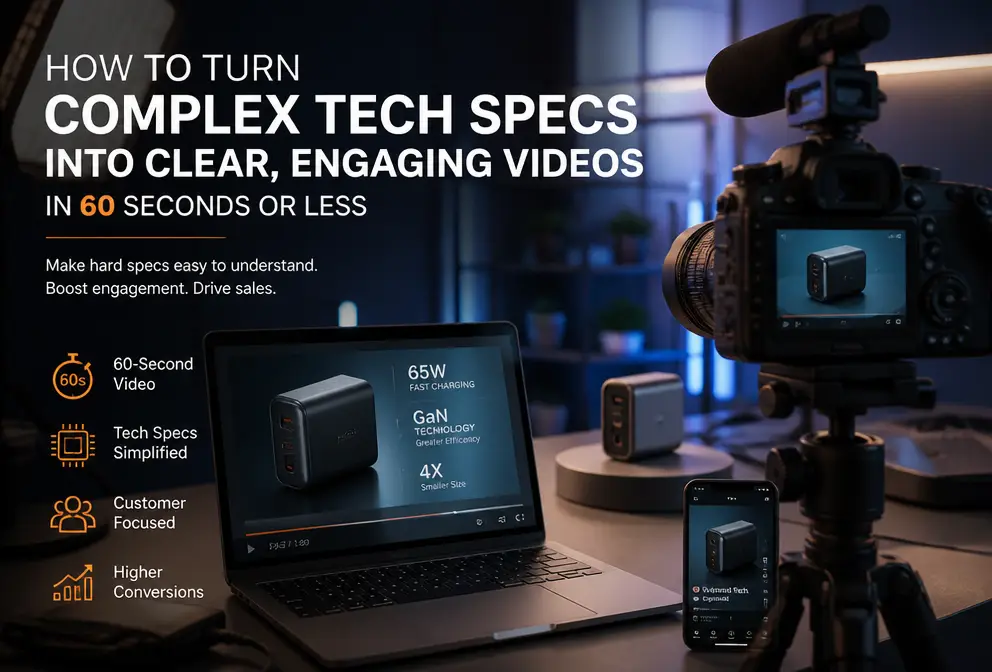
Anyone who sells 3C electronics in cross‑border e‑commerce has probably faced this scenario: you spend a lot of money hiring an editor, turn each product page specification into an animation, add an energetic BGM, and upload it to TikTok, only to get a completion rate of less than 10 %. Users scroll away after three seconds. They’re not interested in hearing what a 120 Hz refresh rate means, nor do they want to know how much stronger a 5 nm chip is compared to the previous generation. You’re showing specs; they just want to know what benefit it brings them. In a traditional ad production workflow, turning technical selling points into user‑comprehensible visuals requires copywriting, storyboarding by a designer, and editing—three to six hours per piece, not counting revisions. For sellers who need to test many products in bulk, that speed is simply unsustainable. Then I tried a completely different approach: using AI to pull core selling points directly from the product link, automatically generate a 60‑second video with dynamic captions and a hook, turning specs into scenes so users instantly understand whether the item is worth buying.
Common Challenges in 3C Electronics Ads: Spec Overload vs. User Cognition Gap
You painstakingly obtain product lists from suppliers—screen refresh rates, battery capacities, sensor models, charging power—each a criterion for your selection. But when you create a short‑form ad, those specs become poison. If an ad doesn’t present something interesting in the first three seconds, users swipe away. Short‑form ads have an average completion rate of under 20 % and an attention window of about three seconds. If you display “20000 mAh battery” on screen, the user thinks “What does that have to do with me?” They only know their phone battery runs out quickly, but 20000 mAh is just a number to them.
Another issue with the traditional workflow is its length. A 30‑second product video—understanding specs, writing a conversion script, sourcing assets, adding subtitles—takes a skilled team three to six hours. If you want to test five or six different selling‑point angles—one emphasizing endurance, another fast charging, another thinness—that means repeating the whole process five or six times. Small sellers usually don’t have dedicated copywriters or editors; the owner does it themselves, eventually getting lazy about extracting specs and just stacking them up. The result is a dismal completion rate and most of the ad spend wasted.
I’ve seen many sellers get stuck at this stage: the product has solid strengths, but they can’t produce a video that makes people want to keep watching. Spec overload isn’t a selling point; it’s a deterrent.
How AI Automatically Extracts Core Selling Points from Product Links
By 2024, a more efficient alternative already existed. Simply paste the product link into VEONIB, and the tool automatically parses the title, description, and specification table. It identifies which specs truly influence purchase decisions—price, battery capacity, dimensions, standout features—and, based on historical high‑conversion ad data, translates that technical language into user‑perceivable, scenario‑based copy.
For example, “120 Hz refresh rate” becomes “scrolling feels as smooth as silk” in the script; “20000 mAh battery” turns into “one charge lasts you the whole weekend.” This “spec → benefit” conversion logic borrows from the classic marketing “Features → Benefits” model, but AI automates it and can generate multiple variants for you to choose from. From past the link to receiving a complete hook, script, and storyboard, the whole process takes less than 60 seconds.
Note that AI’s extraction isn’t 100 % perfect. If the product is new or has niche specs (e.g., a specific sensor protocol), AI might miss them or translate them inaccurately. After generating the copy, it’s best to review it and manually adjust the most important specs. Still, this saves about 95 % of the time compared with writing a script from scratch.
Visual Presentation: Dynamic Captions and Hooks Make Specs Engaging
Extracting selling points is only the first step. How do you keep users watching beyond three seconds? The key lies in the hook and dynamic captions. AI automatically creates several hook variants, using common patterns such as POV perspective, counter‑intuitive phrasing, or contrast. For a lamp ad, “POV: You’ve finally found the only lamp you’ll ever need” is more attention‑grabbing than “Professional eye‑care lamp with CRI > 95.” The former sparks curiosity; the latter reads like a spec sheet.
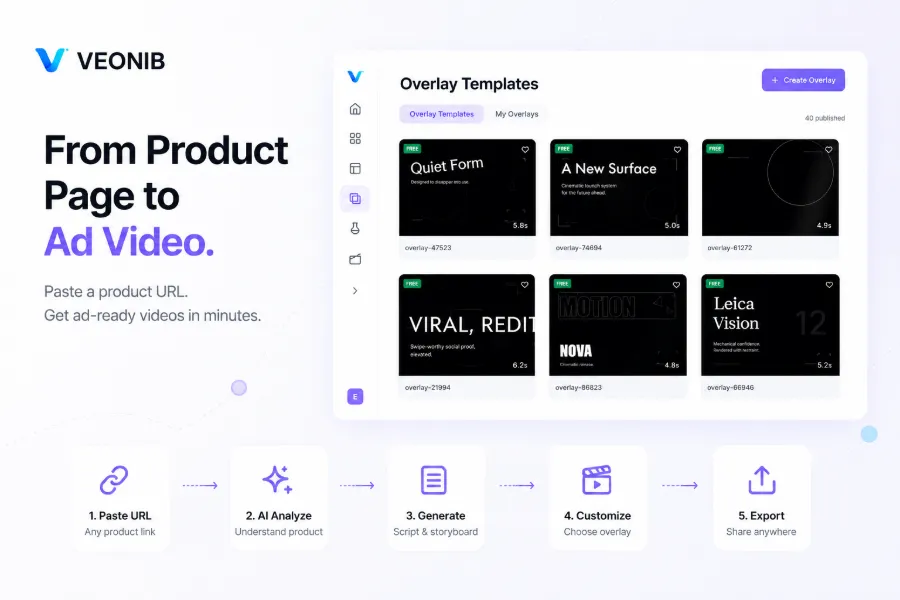
Dynamic captions are often underestimated. Many sellers think a good script is enough, but the rhythm of captions, highlighted keywords, and animation entry styles can affect retention more than the script itself. Ads with dynamic captions see a 30 %–50 % boost in completion rates. The tool automatically syncs subtitles to each voice‑over line and highlights core selling‑point words with colors and animations. You don’t need any design skills; AI follows TikTok, Instagram Reels, and YouTube Shorts best practices.
If you still can’t picture the final product, watch this demo video—going from pasting the link to a complete video takes only minutes:
60‑Second Workflow in Action: From Product Link to Deployable Ad
The practical workflow is simple and can be broken down into three steps.
- Copy the product URL—Shopify, Amazon, TikTok Shop, etc., are all supported.
- Paste it into the tool and click Generate. AI returns a set of hook options, a script, a storyboard, and a scene preview for each frame.
- Before exporting, make final tweaks: rewrite the script, change the voice‑over language, adjust caption style, then select a format (9:16 for TikTok/Reels, 1:1 for Facebook, or 16:9 for YouTube) and export an MP4 with
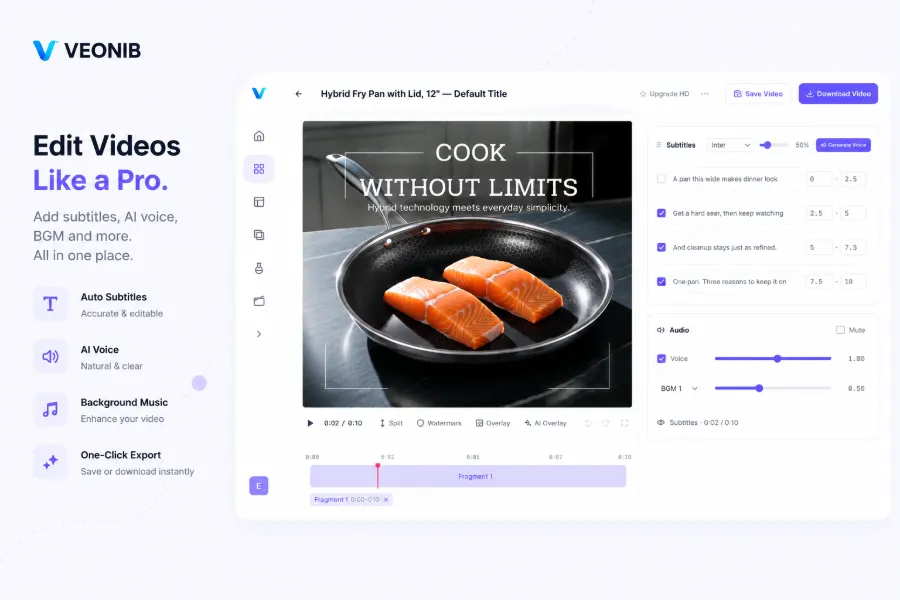
Compared with a manual process, this AI workflow saves about 90 % of creative costs. Previously a video took three to six hours; now it’s under two minutes from paste to export. More importantly, you can batch‑produce different versions: the same product with different hooks, selling‑point orders, or voice‑over styles, then run A/B tests. If you use a Shopify store, you can even integrate the plugin to sync product data automatically—see How to Generate AI Video Ads for Shopify Products.
Many worry about AI‑generated video quality. In the testing phase, a 90‑point video is a hundred times more valuable than a perfect 100‑point one because you need speed, not perfection, to discover which selling point converts best. Once you find the winner, you can invest in professional polishing. For small e‑commerce sellers, this “low‑cost AI trial‑and‑error, then human scaling” strategy has been proven effective. For deeper insight, read How Small E‑Commerce Stores Compete with Big Brands Using AI Videos.
VEONIB’s workflow is fast but not a magic bullet. I once saw a smart‑watch’s “heart‑rate monitoring sensor” translated as “ECG monitoring,” which changed the product’s meaning entirely. Human review is essential, especially for medical or safety‑related specs. Also, the default dynamic caption layout follows English typography; if your target market is non‑English, check line breaks and punctuation. Overall, the tool’s purpose is to accelerate creative production, not replace human judgment.
Some ask whether content generated directly from product links will duplicate competitors. The answer is no. Each product page’s description, spec combination, and price range are unique, so while the AI model framework is shared, hook style, selling‑point ordering, and visual elements differ. To understand why product URLs can replace traditional video production, read the industry analysis How Product URLs May Replace Traditional Video Production, which explains the cost logic and platform trends.
FAQ
Q1: 3C electronics have many technical specs—how does AI know which selling points are most important?
AI prioritizes specs that appear repeatedly in the title, main description, and key features, and references high‑conversion ad patterns (e.g., endurance, fast charging, portability). For multi‑spec products it automatically creates several script variations; you can keep or replace them. It’s still advisable to review and manually promote the most differentiating specs.
Q2: Can the generated video be used directly for TikTok/Amazon ads?
Yes. The default export is a 9:16 1080p MP4, compliant with TikTok and Instagram Reels. Amazon also accepts short‑form videos, but be aware of Amazon’s ad‑review policies, especially for medical or safety‑related products.
Q3: Do I need any video‑editing experience to use this?
No. The entire process requires no editing knowledge. Paste the link, click generate, pick a variant, and export. Captions and voice‑overs are auto‑generated, though you can manually adjust the script and re‑render if needed.
Q4: Can I manually edit the script and captions after generation?
Yes. Before exporting you can modify any script line, change the voice‑over language, or adjust caption style. After changes, click re‑render and you’ll have a new version in one or two minutes.
Q5: Who owns the copyright of the exported video?
You own it completely. The video can be used for paid ads, organic content, product pages, or any commercial channel without royalty obligations.
Share Article


