From Link to Video: My Real Workflow for AI-Generated E‑commerce Ads

When I used to make a product video, I had to find assets, write a script, edit, color‑grade, and then adapt the video to each platform’s dimensions — that whole process took at least half a day. Now I just paste a product link, and the AI automatically analyzes the product information, generates a script and storyboard, and outputs a ready‑to‑run ad video within 60 seconds. In this article I’ll share the real details of that workflow and how it’s changed the pace of my content creation.
Honestly, in the early days of manual editing, a TikTok video could take more than three hours from product selection to final cut, and switching platforms meant re‑adjusting size and duration, leading to frequent rework in the team. Now I use automation tools, but I still need to manually review AI‑generated assets for brand consistency. Overall, the rhythm is completely different — previously I could only produce up to two videos a day, now I can crank out a dozen in a single morning, and the remaining time is spent on product selection and testing assets.
Paste the Link, Let the AI Handle the Rest
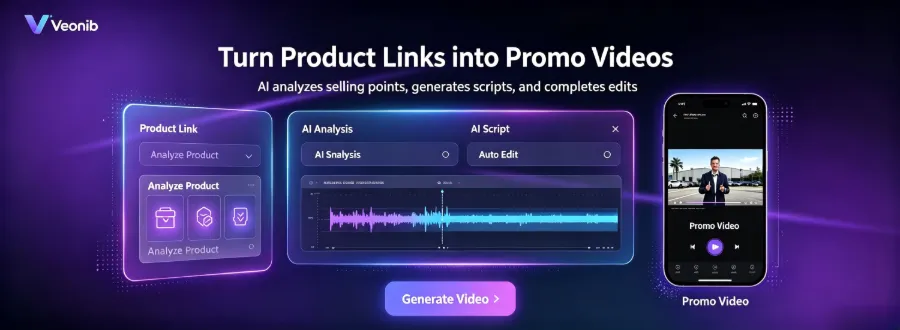
The whole process is so simple that I doubted I’d missed a step the first time I tried it. Open VEONIB, copy a product page URL, paste it into the input box, and click “Generate.” After 60 seconds, a complete ad video appears in the export list, along with the script, storyboard, and multi‑shot assets.
The logic behind it: the AI first grabs the product page’s images, title, description, and selling points, then automatically organizes them into a marketing flow — hook, script, storyboard, and scene plan. I don’t have to write a single word or know any prompt engineering. It supports Shopify, TikTok Shop, Amazon, WooCommerce and over 400 e‑commerce platforms, and the list is continuously expanding.
This video is the full demo I generated directly from a UGC product link. You can see the AI automatically understand what the product does, who the target audience is, and then propose a script and visual plan that match the category’s tone. No editing experience, no script foundation, not even a need to know what a storyboard is — many sellers I know produced ready‑to‑run assets on their first try.
The core pain point isn’t the editing itself, but the need to decide on asset direction every time a new product is introduced. The AI lets me skip the “write a script after checking competitors” step. Of course, the real bottleneck in video production has never been editing skill, but asset decision‑making and script creativity — the AI improves execution speed while the decision‑making stays with me. That’s why I usually review the product’s selling points first, confirm the AI captured the information correctly, then click generate. That takes a few seconds but avoids later rework. If you’re also handling content in a small team, I recommend checking out this one‑person content marketing team guide, which covers many pitfalls solo operators encounter.
From Zero to Pro: Great Ads Without Editing Skills
The AI comes with six video styles: Brand, Lifestyle, Studio, Luxury, UGC, Minimal. Each style corresponds to different camera language, lighting composition, and transition methods, inspired by high‑conversion e‑commerce ad templates. In my experience, high‑ticket items work best with “Luxury” or “Studio,” while fast‑moving consumer goods and apparel suit “Lifestyle” or “UGC” — the latter feels more like real user‑generated content and usually yields higher CTR in test runs.
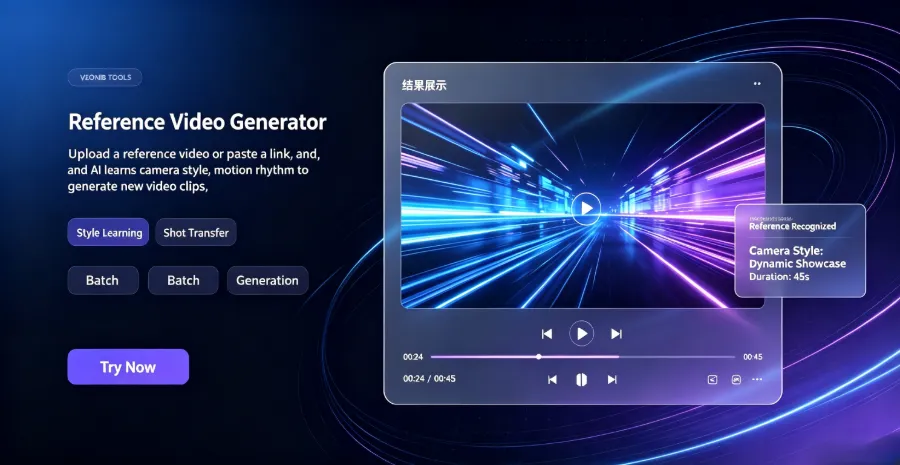
A deeper feature lets me upload reference images or competitor ad videos so the AI can clone that visual style. This is perfect for brand‑wide series — for example, when launching a new skincare line, I upload a high‑performing older product video, and the AI produces new assets with a consistent style, without a designer having to start from scratch.
No need to know PR, no need to know AE, and no need to pick a video template yourself. For me, instead of repeatedly telling a designer “I want something similar to XXX,” I just upload a reference image and the AI matches it directly, saving not only communication costs but also the days spent waiting for scheduling.
The core efficiency boost comes from the fact that a traditional 30‑second ad takes 3–5 hours from concept to final cut, even a skilled editor needs about an hour. AI generates a video in 60 seconds — a ten‑fold speed increase is no exaggeration. If you’re curious about the underlying implementation, check out the VEONIB GitHub open‑source project for technical docs and sample code.
One‑Click Export, Automatic Platform‑Specific Formats and Sizes
After generation, simply download the MP4 file — no secondary editing needed. The AI already adapts the video to each platform’s optimal size, length, and format. Before using VEONIB, I had to manually export three or four versions per video; now one generation and one click download eliminate not just repetitive work but also the mental load of “still need to adjust the size” before each publish — a pain point many small sellers know all too well. That’s the hidden cost of multi‑platform publishing.
| Platform | Recommended Size | Video Length | Suitable Scenarios |
|---|---|---|---|
| TikTok | 9:16 | 15–60 s | Feed ads, Spark Ads |
| 9:16 / 1:1 | 15–60 s | Reels, Stories, Feed posts | |
| YouTube | 16:9 / 9:16 | 15–60 s | Shorts, product demos, ads |
| 1:1 / 9:16 | 15–60 s | Feed ads, Reels | |
| 2:3 / 9:16 | 15–60 s | Pins, Idea Pins, ad assets |
The system supports seven video output formats, covering today’s mainstream ad placements. If you only need to embed the video on a standalone site or product detail page, you can also export embed code and paste it directly.
I’ve tested the same batch of assets across platforms: TikTok Spark Ads performed best with a 9:16 UGC‑style video, while Facebook feed ads were more stable with a 1:1 format. So I no longer use a single size for all channels; I export a version per platform. The AI can generate multiple versions in one go without issue, but choosing the primary version still depends on data.
More Than Video Generation: Continuous Iteration and Precise Control
VEONIB isn’t a “generate‑once‑and‑done” tool. Its iterative capabilities are where the real advantage lies. By uploading reference videos and images, I can have the AI clone high‑quality ad formats and produce brand‑consistent assets — for example, last month a UGC video delivered strong ROI; I fed that video back in, and the AI generated variants for other products with the same pacing and composition. See the guide on cloning winning ad formats to create brand‑specific videos.
Another handy feature is context injection. The AI occasionally hallucinates product details — e.g., turning “focuses on hydration” into “focuses on anti‑aging.” In e‑commerce, that’s disastrous. VEONIB lets me inject precise product information so the generated content is 100 % factual. I usually prepare a product spec sheet and use the AI‑generated fact‑checked product video feature to calibrate the output, virtually eliminating factual errors.
Recently I’ve been using its brand‑story mode. Previously, creating a 60‑second emotional brand short took three days just to write the script. Now I just paste the product link, pick the “Brand” style, and the AI expands the selling points into an emotionally‑driven narrative script — from usage scenario to user pain points, then natural product solution presentation. The result feels smoother than my own writing. If you’re interested, check out the one‑click 60‑second brand story generator. I tried three different brand stories; conversion metrics were higher than for ordinary product videos.
The built‑in watermark removal tool is also very useful. When doing competitor analysis, reference assets scraped from various channels usually have watermarks; feeding those directly to the AI makes the output look cheap. After a one‑click watermark removal, I upload the clean reference, and the AI’s final product looks much cleaner.
FAQ
After pasting a product link, can the AI really understand the product information accurately?
It captures core data — title, images, price range, and key selling points from the description. I still recommend a quick manual check before generation because some stores have messy SKU descriptions, and the AI might miss the main point. Editing the input box lets you correct it instantly; it takes only a few seconds.
What if the platform isn’t in the supported 400+ list?
Just paste the product page URL and test; most standard e‑commerce page structures are recognized. If it truly isn’t supported, you can manually paste the product information and images, and the AI will still generate a video. The support list is updated monthly.
How long does it take to generate a video?
On average 60 seconds. I’ve seen the fastest at just over 40 seconds, the slowest under two minutes. Generating multiple videos simultaneously adds a slight queue time, but it’s still far faster than manual production.
Can the generated videos be used commercially?
Yes. VEONIB‑generated videos have no extra copyright restrictions and can be used directly for e‑commerce ads, social media, standalone sites, etc. Just make sure any background music or fonts you use are properly licensed — the built‑in music library is safe.
Do I need any video‑editing software knowledge?
Zero experience required. No software installation, no timeline, keyframe, or transition concepts needed. Paste the link, choose a style, click generate, and you’re done.
Share Article


