From Zero to a Hit: A Practitioner’s Hands‑On Guide to TikTok Product Videos
You’ve probably seen those product videos—one continuous shot from start to finish paired with a machine‑read script, and the audience swipes away by the second second. The most common mistake for cross‑border sellers making TikTok product videos is confusing “showcasing the product” with “creating a sell‑through ad.” This article won’t dive into mysticism; it will share the concrete methods I’ve been tripped up on and verified in practice, from the opening hook to bulk production, showing how to create content that keeps viewers watching in the shortest possible time.
The first three seconds of a short video determine 80% of its completion rate. I didn’t believe that figure the first time I saw it, until the one‑minute product video I produced was posted and the backend showed an average watch time of only 2.3 seconds. Three weeks later, late at night, I sat at my computer and replayed that video—the first four seconds were a slow‑moving close‑up of the product packaging with default piano music from the library. If I were the viewer, I would have left at the second second.
If You Don’t Capture the First 3 Seconds, the Rest Is Waste
The first product video got only three likes. For more tools, visit the ten tools built into Veonib. I still remember that night, toggling between two browser tabs—one showing zero views on TikTok, the other showing a money‑burning Facebook ad on Shopify. What was the problem? I filmed the video as if I were writing a product manual: name, material, dimensions, usage instructions, cautions. Viewers saw a different presentation of an Amazon listing, not a short video that could retain their attention.
After dozens of tests, I identified three proven hook types; as long as you fit this template into the first three seconds, you can lift the completion rate to at least 15%.
- Contrast‑Effect Hook: Visual before‑and‑after of product use. Skincare products benefit most; a 15‑second acne‑treatment video shows a close‑up of inflamed pimples in the first half and the same face two weeks later in the second half—no copy needed, the core selling point is instantly understood.
- Pain‑Point Question Hook: Pose the unspoken question the user is experiencing. For a portable garment steamer, start with “How many times have you been late because of a wrinkled shirt in your closet?” Once empathy is established, viewers are willing to keep watching.
- Twist‑Narrative Hook: Create cognitive conflict with an “I thought… but…” structure. When I sold a desktop organizer, I used this: first half shows a cluttered desk mountain of items, then the camera reveals the desk after the organizer is placed. For more animation tricks, see Dynamic Animation Overlays.
The most common mistake cross‑border e‑commerce sellers make is devoting too much time to describing every feature of the product. I made that mistake in an earlier tutorial—using a full unboxing process for a product, 60 seconds long, with each accessory shown for four seconds. It looked professional, but TikTok doesn’t have patience for a “complete usage flow.”
Extracting hook material from a product page isn’t hard. Open the product page and look for three places: the most common complaints among the top ten negative reviews (the best pain‑point material), the recurring praise words in the top five positive reviews (the best effect material), and the most counter‑intuitive bullet point on the product page (the best twist material).
Once you have the hook, how do you turn the material into a video? The simplest method is to use a tool to remove watermarks and take a competitor’s video structure as a reference. Save a popular competitor video locally, break down its first few frames, mimic its rhythm, and replace the visuals with your own product footage.
Get the Script Rhythm Right, and Users Will Watch to the End
After getting the hook, the biggest headache appears: how long should the video be? My earliest mistake was thinking “the more complete the information, the better,” and cramming a video into 60 seconds. The day‑long edit yielded only three likes within three hours—one of which I gave myself.
Ninety seconds is the physiological attention limit for TikTok users. In practice, most product videos can’t even fill 30 seconds. I later ran a statistic: for the same product and hook, a 15‑second video’s completion rate is roughly four times that of a 60‑second video.
| Length | Suitable For | Script Focus | Failure Probability |
|---|---|---|---|
| 15 seconds | Skincare, small accessories | Single pain point + effect | Medium‑low |
| 30 seconds | Clothing, food | Problem + solution + usage scenario | Medium |
| 60 seconds | Home appliances, B2B small hardware | Full story chain + trust elements | High (newbies beware) |
My biggest mistake was filming a 60‑second desktop fan video. The script was 130 words, divided into five scenes: unboxing, assembly, wind‑force test, noise comparison, and storage. Each scene was filmed in under three seconds, so viewers barely grasped the first scene before the footage jumped to the second. The final release showed a cliff‑drop in the retention curve.
If you’re exploring this area, there’s a very practical article on turning a high‑traffic blog post into 30 monetizable short videos. See the related technique at Content Multi‑Threading. Its core logic is material reuse and structural transformation, which aligns perfectly with the script‑generation approach for product videos.
In practice, my go‑to method is to extract script material from existing e‑commerce reviews. Open a product’s review page, locate positive and negative reviews containing phrases like “unexpected” or “I didn’t believe it at first,” and convert the users’ exact words into storyboard language. User reviews are naturally conversational, concrete, and free of parameter overload, making them a perfect fit for TikTok’s rhythm.
No In‑House Production? Learn to Bulk‑Create “Low‑Cost Quick Tests”
Large brand teams can spend several thousand dollars per single shoot; ordinary sellers can’t afford that. If each video takes several hours to film, you’ll give up before the third one. After about a month of trial‑and‑error, I realized the issue: ordinary sellers don’t need to spend hours on a single video; they need to produce videos in bulk and iterate quickly.
The core logic is: use the same product link to generate multiple versions quickly—swap the hook, music, and subtitle placement. Keep differences between versions under 20%, then launch them simultaneously and let backend data dictate the direction of the next batch.
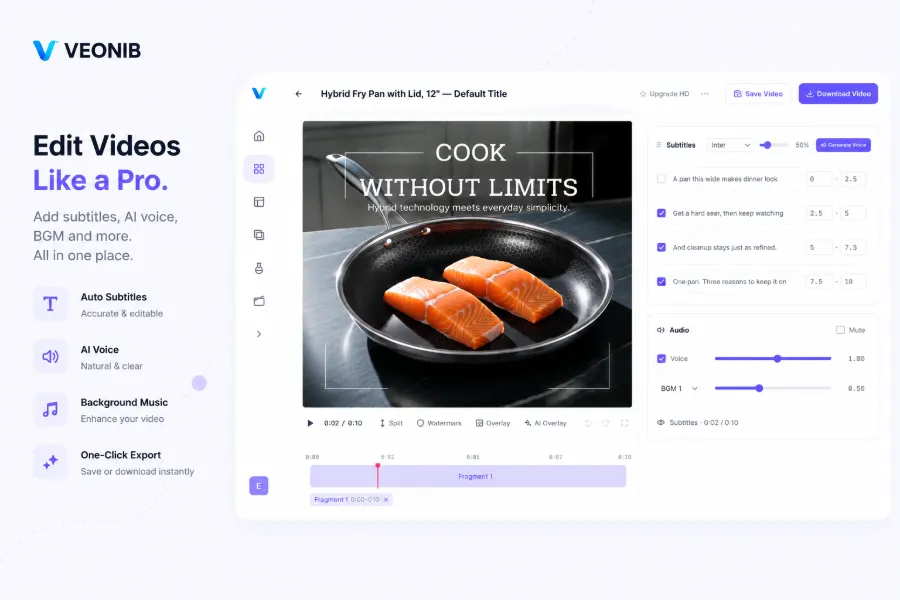
In practice, I’ve integrated several tools; the most convenient is pasting the product link into VEONIB, which parses the product URL in 60 seconds and automatically generates hooks, scripts, storyboards, and scene previews. You no longer need to craft a script from scratch; just pick a direction from the few versions it provides and fine‑tune it.
The potential of a single product link far exceeds most people’s imagination. My most extreme test involved the same Bluetooth speaker with two different hook scenarios—one set as a “afternoon office background,” the other as a “Friday party prelude.” The latter’s engagement rate was three times the former’s. For a $30 product, after low‑cost testing identified the right audience, the ROI flipped from negative to positive.
This low‑budget, fast‑paced shooting strategy aligns closely with the approach mentioned in video‑marketing guides for low‑budget sellers—success hinges on the number of versions, not on production polish. When you can produce five different hook variants in a day for A/B testing, your win rate already surpasses sellers who release one video per week.
A single product link can be tested with at least five hook variants. In my first run, I only did three; the next morning, one of them showed unusually good morning data. That video simply changed the title from “Ultra‑Quiet Desktop Fan” to “Why All My Office Colleagues Keep Asking Me What Fan I Bought,” using the same footage.
After bulk production, if you want to learn about cross‑platform distribution, check out the article on the full cross‑platform AI ad video pipeline, which explains how to split a single source clip into multiple platform formats.
Final Checks Before Publishing: Avoid These Basic Mistakes
After editing the video, what you do in the five minutes before export often determines whether the video gains or loses followers. I’ve wasted at least three videos completely due to basic operational errors—time, music, and editing all went to waste.
- First essential check: subtitle placement. Subtitles must be manually adjusted; don’t leave the auto‑generated default at the bottom center. The product itself is often in the lower half of the frame, and default subtitles will block it. Especially on TikTok, if users can’t see the product, they lose the reason to keep watching. Move subtitles up to the lower third of the frame’s empty space, or use a split‑column layout.
- Second: music must not drown out the voiceover. This was my worst flop— I chose a high‑energy electronic track, and the voiceover volume wasn’t lowered, making the speech muffled. The completion rate dropped to 6%, and comments asked “What are they saying?” This is the primary cause of beginner failures, outweighing any copy issue.
- Third: check aspect ratio, resolution, and subtitle language. Many sellers default to 16:9 in editing software, which results in black bars on both sides when uploaded to TikTok. I made this mistake on my eighth video. Also, if your product targets multilingual markets, verify the subtitle language. 65% of users watch without sound and rely on subtitles; the wrong language means losing half the audience.

How to handle the thumbnail? One approach is to use the video’s last frame; another is to create a separate image. With the latter, you can use a background‑removal tool to isolate the product and place it on a solid‑color background for a cleaner thumbnail. This works not only on TikTok but also in B2B scenarios—see the B2B hardware product link that generates enterprise‑level video case studies, which discuss how to package industrial products into short‑video content.
The final often‑overlooked point: video file naming. TikTok Shop’s file‑name recognition logic isn’t publicly documented, but in practice I found that uploading files with Chinese characters or special symbols sometimes results in “video not recognized.” When I processed a batch of product videos and standardized the names to lowercase English with hyphens, the upload success rate approached 100%.
If you find that cumbersome, there’s an even easier option: the end‑to‑end product‑link‑to‑video workflow, which goes from URL to final video with automatic file naming.
FAQ
How long does it take to make a product video?
If you exclude pre‑production material gathering and script brainstorming, pure editing can be as fast as 30 minutes to an hour. With AI assistance, the process from pasting the product link to exporting the final video can be compressed to a few minutes. For the first few attempts, allow extra time for checking and fine‑tuning; speed will increase dramatically as you become proficient.
Can you produce sellable videos without professional equipment?
Yes. 90% of top‑performing product videos on TikTok are shot on smartphones. What you need isn’t a camera and lights, but a clean frame, fast rhythm, and clear focus. I have filmed some of my highest‑conversion videos with a three‑year‑old iPhone, while the few I shot with a mirrorless camera performed modestly—viewers felt they were too “advertorial.”
Should subtitles be in Chinese or English? Should music be added?
It depends on your target market. Use English for overseas audiences, Chinese for domestic. However, add subtitles in all cases, as over 60% of users watch TikTok without sound. Include music, but keep its volume below 30% of the voiceover to avoid overpowering it. The wrong music will cause users to swipe away in the first second.
Can a single product video be used on multiple platforms? Do I need to change the format?
Yes, but you need to adjust dimensions and thumbnails. TikTok uses 9:16 vertical; YouTube Shorts also uses 9:16, but Instagram Reels has additional subtitle‑position requirements. The same material should be exported in at least three versions: 9:16 for TikTok and Shorts, 1:1 for Facebook and Instagram feed, and 16:9 for YouTube main site. Thumbnails must also be generated separately for each platform.
How many videos does a single product need to be effective?
Conservatively, start with at least five videos. I tested a $15 product and saw a more‑fold difference between the first and fourth videos. Once you find a direction, produce another three to five variants based on the high‑engagement version; you’ll quickly see which direction can sustain volume. Quantity outweighs quality, especially in the early testing stage.
Share Article


