Custom Story Play: Turning a Hot Script into a Reusable Template

Cross‑border e‑commerce teams usually don’t lack a usable ad script; they lack a structure that still works after swapping the product. When veteran users produce a series of similar ad videos, they often encounter this situation: a certain UGC video performs consistently, but after changing the product, the character, or the publishing platform, they have to rewrite the lines. After a week or two of publishing, the order of selling points becomes chaotic, the shots and voice‑over no longer match, and they end up back at manual rework.
Custom Story’s approach is not to save an entire piece of hot copy, but to break the script into several clearly defined structural nodes and set the product, audience, scenario, and tone as variables. This preserves the sequence of the user being presented with a problem, seeing the product, receiving proof, and taking action, rather than a single accidentally effective line.
To template a hot script, first decompose a validated video into at least five structural nodes, then distinguish between the fixed skeleton, replaceable variables, and occasional expressions; then test 15‑second, 20‑second, and 30‑second versions, changing only one variable per round and writing the failure reasons back into the template.
First, dissect the hot script: keep the structure, don’t copy the lines verbatim
When veteran users review ad videos, the most common mistake is treating “smooth‑sounding” lines as the cause of the hit. In reality, the product name, a character’s catchphrase, and a particular visual style may only suit the original product. The truly reusable part is often the sequence where the user first encounters a problem in the few seconds, then sees the need being addressed.
During dissection, you can split the script into more than five nodes: opening hook, problem or need, product appearance, usage process, result proof, and call‑to‑action. More nodes isn’t always better, but with fewer than five it’s usually hard to tell whether a segment is handling product introduction, trust building, or conversion.
The opening hook’s job is to make the user stop; it doesn’t have to be an exaggerated rhetorical question. The problem or need must relate to the target audience. The product appearance should respond to the earlier need. The usage process should describe actions and setting. The result proof can come from before‑and‑after comparison, comments, feature showcase, or social proof. The call‑to‑action must fit the platform and purchase path. Each segment should record its conversion role, not just the visual content.
When reviewing 3–5 already published or validated ad videos, label each shot with its “function,” such as establishing pain point, showcasing a selling point, eliminating doubt, or prompting a click. After continuous comparison, recurring functions are more valuable than recurring lines. A line that works on TikTok may not work on an Amazon product page, but the structure “first show the difficulty, then present the solution” may still hold.
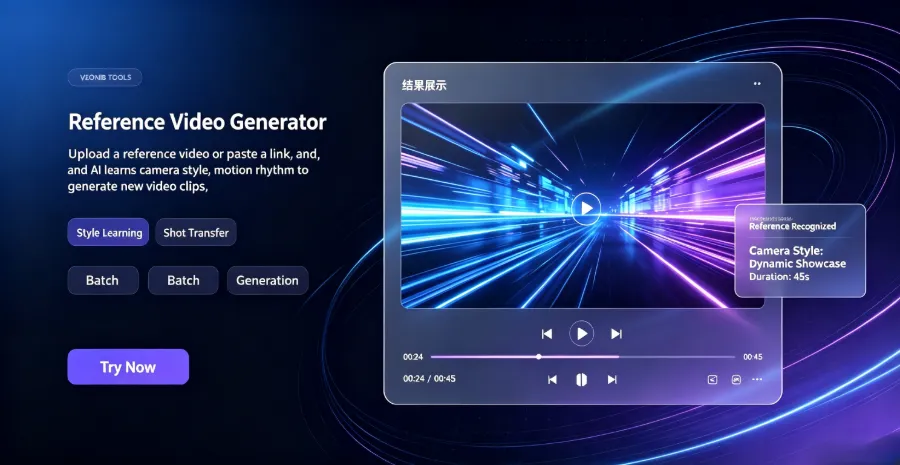
When uploading reference material, the video generation workflow also reveals structural issues: if the visual assets only support product display but lack a corresponding usage process, the “experience proof” field in the template becomes empty. A similar operation can be referenced in Generating Marketing Videos from Any Material; the focus is not on copying the example but on observing how images, videos, and selling points are arranged in the narrative order.
Veteran users who publish multiple product videos in the first two weeks, if they simply copy the original script without breaking down the structure, often first state product advantages, then add the user problem, and finally show the usage scenario when swapping products. The shots are generated for the old product, but the voice‑over describes the new selling points; rework is usually not a single line change but a complete rearrangement of the video.
Write the structure as a Custom Story: fixed skeleton, open variables
A Custom Story template should not be a finished script that only serves a single product. It is more like a production sheet that first defines the narrative order, then allows different products to fill in their own content. Fields should include at least the target audience, opening style, conflict or need, product selling points, character actions, visual pacing, and closing instruction.
Among these, the target audience and core selling point are required. Product category, usage scenario, character identity, tone, opening phrasing, and closing call‑to‑action can be set as replaceable items. The filling order should not be left entirely to the executor’s on‑the‑spot judgment: first confirm the audience, then pick a core selling point, then define the problem scenario, and finally add character, visuals, and voice‑over. This reduces later back‑and‑forth adjustments.
When actually organizing variables, prioritize six common narrative directions: problem solving, TikTok review, unboxing, lifestyle, social proof, and custom. Each direction emphasizes different aspects. Problem solving needs clear before‑and‑after change, unboxing must control anticipation, and social proof should avoid turning comments into source‑less hype slogans.
The same structure also needs different openings and closings. A Shopify store video can point the closing to the product page, Amazon is better suited to emphasize function and usage scenario, and TikTok Shop usually requires a stronger interactive or immediate action space. If all platforms use the same closing, the template appears unified but actually erases platform‑specific differences in the publishing process.
Overlay is not just a decorative layer; it can carry price, specifications, review keywords, or usage steps, but the timing of the text must correspond to the visual action. For how static product images become dynamic ads, see Dynamic Overlay of Product Images.
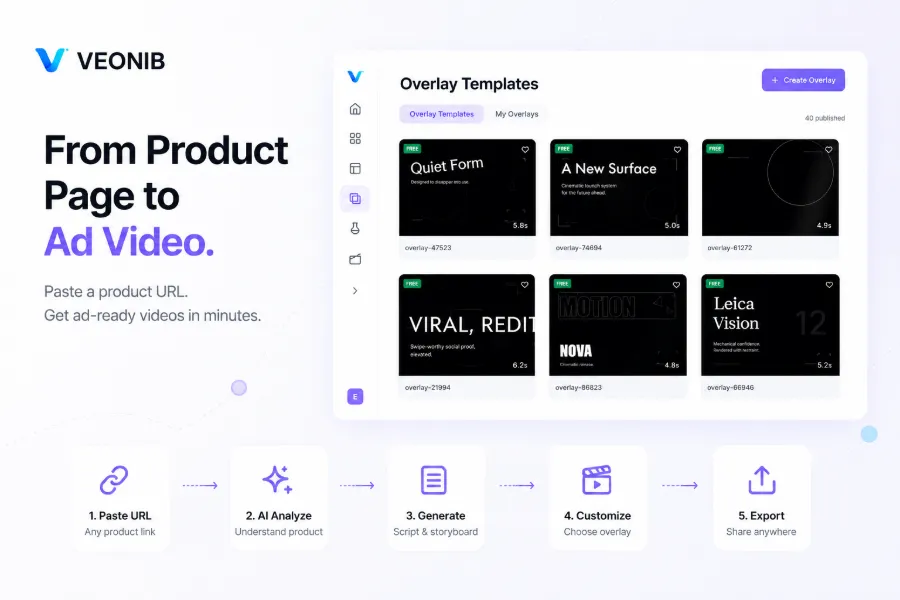
Starting the video flow from a product link is a good way to check whether all template fields are complete, because the product page’s title, images, price, and selling points directly affect the subsequent script. If the template cannot clearly tell the executor which information must be retained, the automatically generated video will still need manual reordering. For this type of input method, see Creating Videos from a Product Link.
Test the template with different versions: test structure first, then expression
The same Custom Story should not generate only one video. In testing, create at least 15‑second, 20‑second, and 30‑second versions, but keep the same narrative order across all three. Length changes should mainly affect the number of shots, information density, number of selling points, and closing space, not rewrite the structure entirely.
A 15‑second version usually carries only one main selling point; the opening and product appearance must be faster. A 20‑second version can add one usage action or short proof. A 30‑second version has space for a more complex usage scenario, character reaction, and closing instruction. If a 15‑second video squeezes in three selling points, the problem may not be template failure but that the information density exceeds the viewing rhythm.
In batch generation and version management, the tool itself can become a friction point. Workflows like VEONIB place the product link, script, storyboard, and final video on the same production line, but teams still need to record which version changed the opening, character, selling point, or closing. Otherwise, after speed increases, it becomes harder to track which variable caused the result change.
Each test round changes only one variable. For example, one round changes only the opening hook, the next round changes only the character setting; do not change opening, price info, and background music simultaneously. When recording first‑second retention, full watch, click‑through rate, add‑to‑cart rate, and conversion rate, also note the publishing platform, audience, discount level, and material source; otherwise, platform traffic fluctuations can be mistakenly judged as structural issues.
Google Search Console data often has about a two‑day delay, and video publishing data isn’t always instantly stable. If you see a click‑through drop on the same day and modify the template, you’ll usually treat incomplete attribution data as a conclusion. In practice, let the same version complete a comparable publishing cycle before comparing it with another version on the same platform and audience.
When generating videos from a product link, the easiest overlooked factor is that the product page itself already determines part of the narrative. If the product page’s selling‑point order conflicts with the Custom Story’s order, the automatically generated video may look visually complete but fail to address the user’s problem in the first three seconds. A corresponding workflow example can be found in Generating an Ad Video from a Product URL.
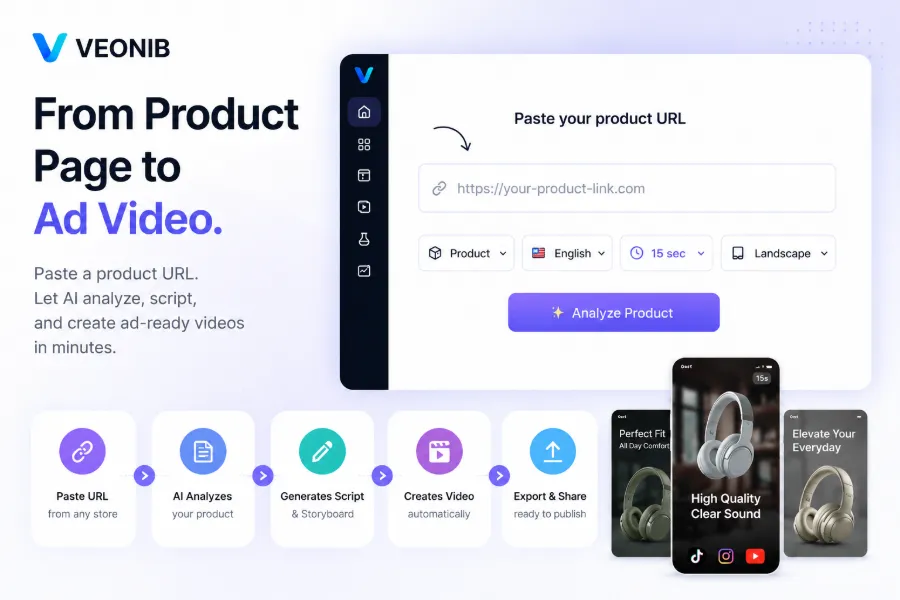
If a team reuses product information between SEO content and video ads, they should also record the page title, product selling points, and video opening separately. The related SEO‑Video Integration Process can help check whether entry points are consistent, but it cannot replace actual data judgment within the publishing platform.
Bring the template into daily production: version naming, review, and retirement
Once a template serves multiple products, maintenance costs rise quickly. Version naming should at least record the applicable category, audience, opening type, length, and the most recent modification reason, e.g., “Skincare‑NewCustomer‑ProblemHook‑20s‑v03”. Each modification should retain only one clear reason and clearly state the before‑and‑after differences in the next version.
“Script structure effective” and “a particular campaign performed well” must be judged separately. A video may achieve high conversion because of discount depth, creator image, platform traffic, or material clarity, which does not mean its Custom Story structure fits all products. Conversely, a structurally sound video may perform modestly due to insufficient product reviews, price changes, or mismatched audience.
Templates should be reviewed on a regular cadence, such as every 2–4 weeks, checking product price, review content, platform guidelines, and user concerns. After a platform guideline change, the previous closing instruction may no longer be applicable; when new doubts appear in the comment section, the problem node also needs updating. Keeping the old version rather than overwriting it is safer because the old version can explain subsequent results.
When the template scale expands, teams often encounter a subtle side effect: the finer the fields, the higher the theoretical controllability, but the longer the actual filling time. If a template requires a dozen variables, executors may skip half of them, and the generated content will still be inconsistent. A template is not more professional because it has more fields; each field should be traceable to evidence during review.
Retirement criteria can be specific: a key node repeatedly fails, the number of variables makes execution difficult, or applying the template across different products leads to obvious material homogeneity. Failed versions should also be retained, noting whether the opening was too slow, the selling‑point order was wrong, the character action mismatched, or the closing instruction didn’t suit the platform. This way, the next review won’t repeat the same mistake.
When the publishing workflow covers Shopify, Amazon, and TikTok Shop, version management must also record platform‑specific differences. Multi‑platform ad videos differ in size, length, and information focus; the related Multi‑Platform Ad Video Adaptation can serve as a process checklist. Ultimately, the templates to keep are not the most numerous, but those that clarify applicability boundaries, modification reasons, and failure records.
FAQ
How does a Custom Story differ from a regular script template?
Custom Story retains narrative nodes and variable relationships, while a regular script template is usually a fixed set of lines. The former specifies when to raise a need, when to show a selling point, and when to provide proof, allowing adaptation across products and platforms; the latter often requires rewriting the entire script after a product swap.
How many structural nodes should a hot script be broken into?
A hot script should be split into at least five nodes; a more complete e‑commerce ad can be divided into six nodes. After splitting, cross‑validate with three to five published videos to see which nodes repeatedly serve the same conversion task.
Can Custom Story be used for non‑UGC videos?
No, Custom Story can also be used for product showcases, unboxing, lifestyle, and social‑proof ads. As long as the video has a stable information sequence, you can replace character actions, voice‑over tone, and visual pacing with appropriate forms.
How should I choose between 15‑second, 20‑second, and 30‑second versions?
15 seconds suit a single selling point, 20 seconds allow an extra usage action, and 30 seconds accommodate a fuller scenario and proof. Build all three lengths simultaneously, but change only one variable per test round to avoid confounding length effects with expression effects.
If the template’s performance drops after application, which part should I adjust first?
First check the first‑second retention and the problem expression in the first three seconds, then decide whether to modify the opening. If first‑second retention is stable but click‑through or add‑to‑cart rates fall, examine the product selling points, proof method, and call‑to‑action rather than immediately overhauling the entire structure.
Share Article


