Malaysian E‑commerce Sellers: Your Video Toolchain Still Lacks an Automated Step

At 1 a.m., I had just uploaded the image‑and‑text details of a new product on Shopee’s backend and was about to shoot a short promotional video. I raised my phone, but the lighting was insufficient and the background was messy. After half an hour of editing in CapCut, I discovered the aspect ratio was wrong when exporting—TikTok needs 9:16, Shopee Video wants 1:1, and Lazada recommends vertical video with closed borders. I stared at the export button and suddenly realized I’d been doing this for two years.
I’m not here to mock these tools. The phone camera, CapCut’s template library, and Canva’s cover designs solve the “from‑scratch” problem. Yet among Malaysia’s 350,000 active e‑commerce sellers, over 70 % still rely on phone filming for all video material, meaning each of us repeats the same task: manually converting the same product information into three different videos for three platforms. This isn’t a tool issue; it’s a workflow issue.
The Real Tool Stack of Malaysian Sellers: What Works, What Doesn’t
Your stack probably looks like this: phone for footage, CapCut or JiNing for basic editing, Canva for cover images and posters, Shopee Live for engagement. If you need an unboxing video, you ask a rider to film it on the way; for main‑image videos, you outsource to a freelance editor at 20–30 MYR per video.
These combinations can get the job done, but every path shares one common trait: it’s a one‑way line. You film the footage, manually trim it; after editing, you manually adapt it for multiple platforms; a product that goes viral is followed by a new product that starts from scratch. ChatGPT can help you write copy, but after the copy is done you still have to go back to JiNing and adjust the timeline frame by frame.
The most typical scenario I’ve seen: a seller spent 4,500 MYR at the beginning of 2024 hiring a freelance editor to produce 10 TikTok ad videos. After seven days, all delivered videos had the wrong aspect ratio—TikTok required 9:16, but the editor produced 16:9 landscape. After re‑recording voice‑overs and re‑mixing audio, that batch was almost entirely discarded. Money was spent, time was wasted, and not a single video was uploaded.
The Missing Piece: Why Your Videos Always Feel “Just a Bit Off”
Phone filming, JiNing editing, Canva covers—this combo covers “can make a video,” but it doesn’t cover “make a video efficiently.” Every new product forces you to manually do several tasks: download product photos from Shopee’s backend to your phone, open a new project in JiNing, select a template, adjust fonts, add music, insert subtitles, export. A 30‑second video takes roughly 20–40 minutes of manual work.
Worse, these steps don’t compound. The storyboard structure and subtitle rhythm you built for a hit video last month can’t be reused for next month’s new product. All that experience lives in your memory, not in your workflow.
This friction is deep‑seated—you don’t think “the tools are insufficient,” you think you’re “unskilled” or “inexperienced.” The real problem isn’t skill level; it’s the lack of an automated step that can ingest a product link and output a finished video. That path has been empty, and we’ve simply gotten used to taking the long way around. Check out the VEONIB GitHub repository to see how others have broken down this problem.
When JiNing Hits Its Limits: Bulk Production and Brand Consistency
When you launch 10 new products in a month, JiNing’s bottleneck becomes glaring. Each video requires you to re‑adjust font style, background music, voice‑over tone, and ending logo. If your team has three or four editors, each one’s style varies wildly—some favor quick cuts, others slow motion, others heavy text overlays. The final assets end up showing users two videos with completely different styles, making it impossible to recognize they’re from the same store.
I ran the numbers: a skilled editor spends about 20 minutes on a 30‑second product video from material selection to export using JiNing. Adding business review, voice‑over tweaks, and re‑rendering brings the total to roughly 40 minutes per video. Ten new products equal 400 minutes—nearly seven hours of pure manual labor. And you have to repeat all of this for the next month’s new products.
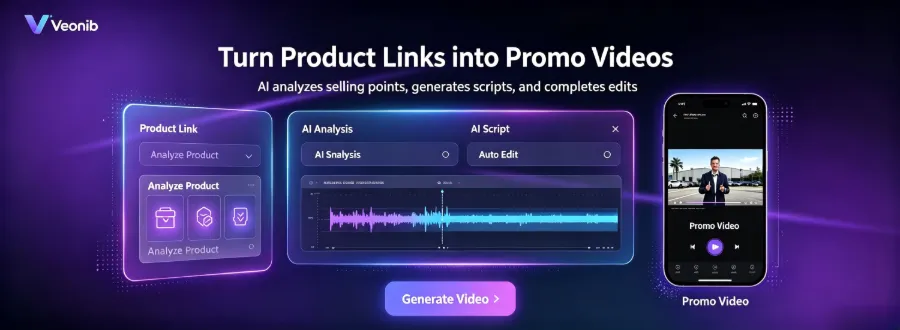
At this point, tools like VEONIB start to replace the manual process—they ingest the product link and output a structured storyboard video, so you don’t have to rebuild each new product’s edit from scratch. For sellers still struggling with manual workflows, I recommend the 2026 Best E‑commerce AI Video Tools Comparison to see cost and time differences across solutions.
JiNing’s template library is indeed rich, but each template’s aesthetic focus is too narrow. If you browse TikTok Shop for Malaysian seller videos, you’ll notice many share the same rhythm, transitions, and fonts—because they all use the same JiNing templates. What sellers lack isn’t templates; it’s the ability to build their own brand visual language.
From “Missing Tools” to “Missing Workflow”: Gaps You Should Check
The real gap isn’t a missing piece of software; it’s a missing automated “input → output” pipeline. You don’t need another editing tool; you need to examine:
- Is your product information (title, selling points, description) stored in a structured way in the backend?
- Can a single video be adapted at once for Shopee, Lazada, and TikTok’s different aspect ratios?
- Can the structure of last month’s viral video be quickly reused for this month’s new products?
A product listed on three platforms requires at least three different‑ratio video assets. Doing this manually takes about two hours total, and you have to pay those two hours again for every new launch.
Below is a direct comparison of common solutions; see which cell you currently occupy:
| Tool/Method | Learning Curve | Time per Video | Scalability | Multi‑Platform Adaptability |
|---|---|---|---|---|
| Phone+CapCut | High | 20‑30 minutes | Poor | Manual ratio adjustment |
| Outsourced Editing | Medium | 1‑2 days | Medium | Depends on delivery specs |
| AI Video Tool | Low | 60 seconds | Strong | Automatic multiple sizes |
If you’re interested in this transformation mindset, check out the article on Content Multithreading: Turning One High‑Traffic Blog Post into 30+ Short Videos which explains how to scale using the same underlying assets.
Also see the Low‑Cost Video Marketing Strategy Guide: 2026 for Cross‑Border E‑commerce Independent Stores; the concepts apply equally to Shopee and Lazada sellers.
Conclusion: Fill the Gap in 60 Seconds
Looking back at my early‑morning workflow two years ago, the core issue wasn’t that I couldn’t edit videos—it was that I never treated “video production” as a step that could be automated. I spent countless hours manually aligning formats, adjusting ratios, and rebuilding storyboards, never asking myself: can these things be configured once and reused infinitely?
I tested VEONIB’s process—pasted an old product’s Shopee link, waited 60 seconds, and a multi‑size video appeared. In that instant I realized the three hours I spent each month on video format adjustments were hidden costs I’d been accepting, just like Shopee’s backend loading delays.
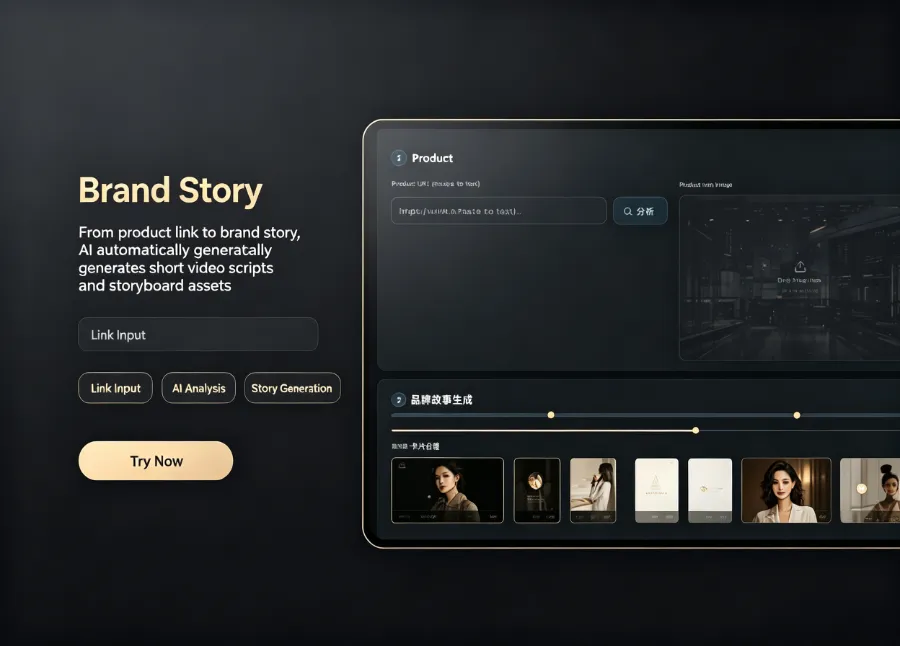
Today you can do something simple: pick an old product you’ve been selling for a while, feed its link into the test workflow, and compare manual production versus automation in terms of time and final output. You don’t need to overhaul your entire toolstack; just open a new path and see if it saves you that early‑morning hour. For more practical details, see the article on Dynamic Animation Overlay Tools for Turning Static Images into High‑Converting Video Ads.
The gap isn’t a lack of skill; it’s a lack of a one‑click automated pipeline.
Frequently Asked Questions
Q1: I have no video editing experience. Can I still produce usable ad videos?
Yes. You don’t need to touch timelines, keyframes, or transitions—just provide a product link. Script, storyboard, voice‑over, and subtitles are all generated in the backend, turning you from “editor” into “reviewer.”
Q2: Who owns the copyright of the generated video? Can it be used commercially?
You own the full commercial rights. The exported video has no watermark or copyright restrictions and can be used directly for paid ads and organic distribution on Shopee, TikTok, Facebook, etc.
Q3: Does the AI‑generated voice support Malay or Chinese?
Yes. AI voice‑overs are available in 30 languages, including Malay, Simplified Chinese, Traditional Chinese, English, and more, with synchronized subtitles for the Malaysian market.
Q4: If I only sell on Shopee, is this tool still worth it?
Absolutely. Even selling solely on Shopee doesn’t mean you need only one aspect ratio—Shopee Video’s recommended format and live‑stream clips require different dimensions. Automation saves you the time spent repeatedly adjusting formats on the same platform.
Q5: Can I modify the video after it’s generated?
Yes. Every stage before export—copy, voice‑over, scene selection, subtitle style—can be independently adjusted, with real‑time rendering, so you don’t have to redo the entire process.
Share Article


