Multimodal SEO in Practice: Boost Your Product Pages to Google’s Front Page with Video

Last month I ran a weekly ranking check and discovered a sleepless‑inducing phenomenon—several meticulously crafted pure‑text product pages ranked in the top five for their keywords, yet their traffic plummeted faster than a roller coaster. After a day of digging through Google SGE update logs, I realized: AI search engines now only give “entry tickets” to pages that have images, videos, and text all together. Pure‑text pages are virtually absent from SGE summaries, and crawlers skim them like empty houses and move on. After three years of running independent sites, this was the first time I felt my pages were like job applicants who submitted a résumé but no photo—good qualifications, but AI just discards them.
Why Your Pure‑Text Product Pages Are Being Abandoned by AI Search
Starting in the second half of 2025, the underlying logic of AI search tools like Google SGE and Perplexity changed. They no longer just grab text descriptions; they also look for “multimodal assets”—images, videos, and structured data, all required. My own case illustrates this perfectly: two product pages for the same Bluetooth earphones, one with only a 500‑word description and two white‑background images, the other embedding a 15‑second usage‑scenario video. Two months later, the page with the video saw its search exposure almost triple, while the pure‑text page vanished from SGE summaries and its regular rankings slowly slipped.
The concept behind this is called GEO—Generative Engine Optimization. AI search models prioritize pages that have “training‑material value,” meaning a page with only text is to AI like a book with just a table of contents and no body. Google’s internal data corroborates this—pages with embedded videos see conversion rates increase by over 80% on average, because users are more willing to stay, observe, and purchase. If you’re still obsessing over keyword density and H‑tag order, you’re heading in the wrong direction. Instead, start with this comparative chart of the best AI video tools and adjust your strategy from the tool selection stage.
Multimodal SEO isn’t mysticism; it’s a structural preference of search engines. Publishing only text is like a blind dating profile without a photo—AI finds you but doesn’t bother showing you to users.
Video Is the New Ranking Currency: Dual Impact on Dwell Time and Conversion Rate
SEO practitioners know dwell time is important, but most underestimate how much video can affect it. On a product page for an outdoor lamp, I placed a 15‑second product demo video at the top and a user‑generated unboxing video at the bottom. The average dwell time jumped from 28 seconds to 92 seconds, and the bounce rate fell from 62% to 34%. When you combine these two signals, Google’s system deems the page “worthy of promotion.”
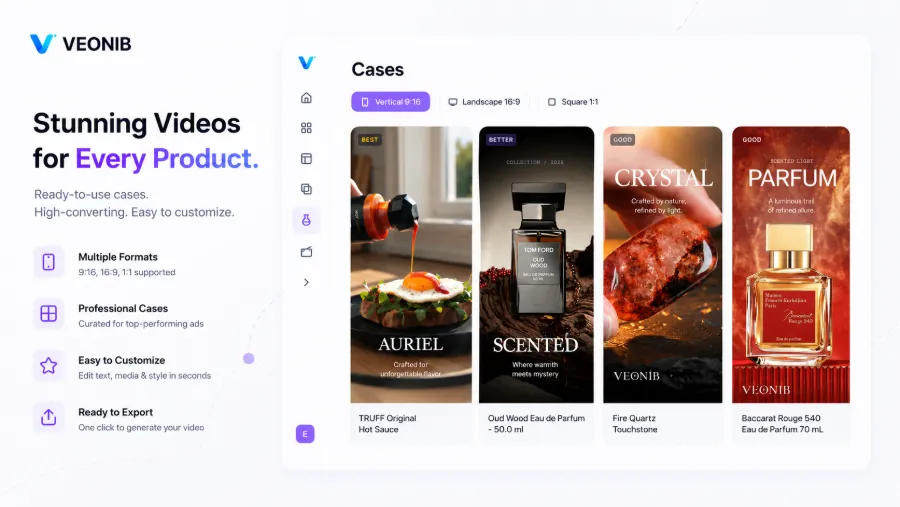
Even more subtly, video benefits not only users but also the AI model itself as “training material.” When SGE generates shopping summaries, it preferentially cites pages that contain images + video + Schema markup because they provide richer contextual samples. A friend who sells kitchen tools added short product videos and structured data to his pages; his product name appeared three consecutive times in Google’s AI shopping carousel with zero ad spend.
A counter‑intuitive point: many sellers think adding video slows the page and harms Core Web Vitals. My tests show that with lazy loading and CDN distribution, first‑paint time increases by less than 0.2 seconds, while the extra dozens of seconds of dwell time from the video more than offset that cost. Once you do the math, you’ll see video isn’t a burden—it’s a ranking lever. For detailed large‑scale deployment steps, check out this company’s guide on saving money with automated ads; it’s far more thorough than my own notes.
A user watching your video for 10 seconds is far more valuable than scrolling the entire page looking for an “Add to Cart” button. That brief flow of attention directly drives conversion.
Adding Video to Hundreds of Products? One Link Is Enough
When I was doing cross‑border e‑commerce, manually cutting videos for 50 products took me three weeks. Each 15‑second clip—script writing, sourcing assets, voice‑over, rendering, and compression—averaged an hour and a half. After finishing the 50 products, my editing software was ready to vomit. Worse, after publishing the videos without optimizing loading, Google warned me of “slow page load”—a thankless effort.
Mid‑last year I started experimenting with AI video generators. After trying four or five, I found a tool that is almost embarrassingly user‑friendly.
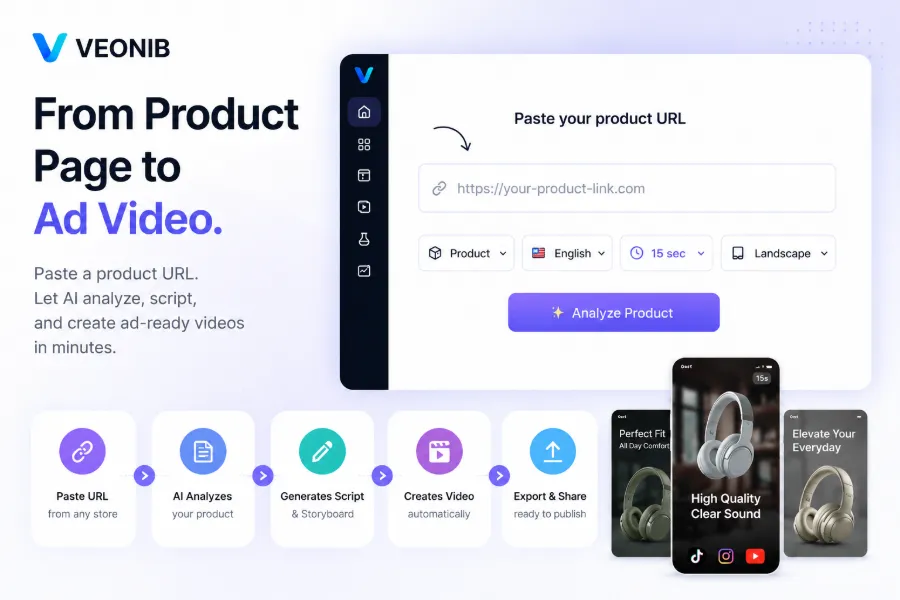
Copy a product link, paste it into VEONIB, choose length and aspect ratio, and in about 60 seconds you get a full video preview—including script, voice‑over, subtitles, and scene storyboard. The first time I saw the result I thought it was a fluke, so I tried links from Amazon, Shopify, and TikTok Shop across dozens of completely different categories; every single one generated a commercial‑grade, watermark‑free HD video without a sound.
Its workflow: paste product link → AI automatically extracts selling points and visual elements → generates multiple script versions and storyboards → select voice‑over language and subtitle style → one‑click export. I’ve run up to 25 links in a single batch; after a lunch break, the folder contained 25 short videos with varied styles.
A candid note: AI‑generated scripts still need a human review, especially for products with functional logic (e.g., “press once for mode A, press again for mode B”). AI sometimes flips the order. Last year, a script for a fascia gun mis‑ordered the speed‑setting descriptions; I caught it during preview. I’ve learned from that pitfall, so now I glance at every exported script. For a step‑by‑step guide, see the article that details creating social ads from product links; the steps are explained in great detail.
The Best Way to Embed Video on Your Page: SEO and User Experience Together
With video assets ready, the next question is how to embed them on product pages so Google crawlers understand them without ruining the user experience.
Add VideoObject structured data. Many sellers just drop an iframe and move on; Google’s crawler can’t recognize the video. You need to write a Schema markup block that tells the crawler the video’s title, description, duration, thumbnail URL, upload date, and publisher. Only then can your video appear in the video carousel of search results.
Performance optimization. I fell into this trap early on—setting all my videos to autoplay caused mobile load times to jump from 1.2 seconds to 3.8 seconds. Switching to lazy loading, where the video loads only when it scrolls into view, reduced the first‑paint impact to less than 0.3 seconds after proper optimization.
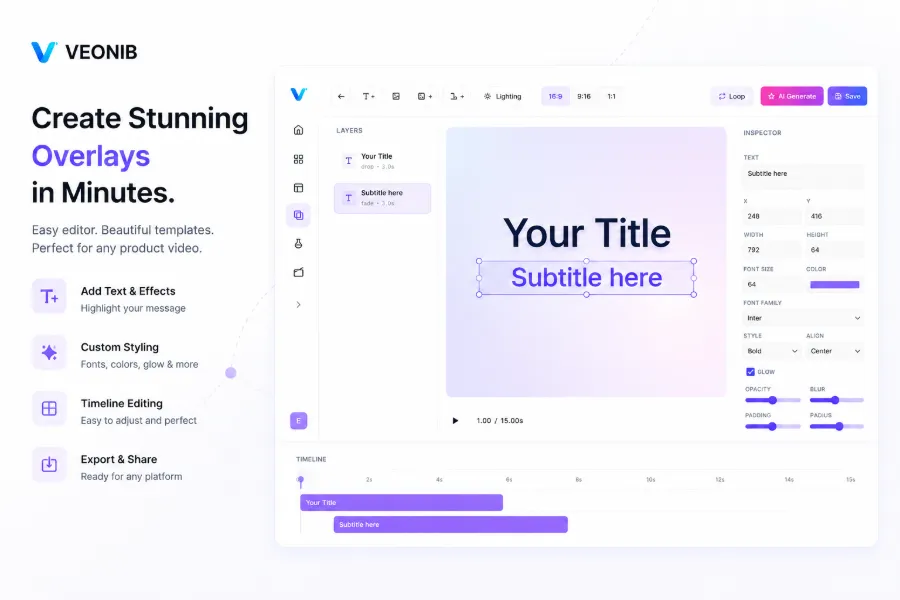
- Thumbnails. Many people use the video’s default frame as the thumbnail, which often looks blurry or poorly composed. Spending ten seconds to upload a high‑resolution thumbnail dramatically improves CTR. After exporting with VEONIB, I replace the thumbnail with an image that includes the product name and key selling points, so users no longer see a vague black box in search results.
Autoplay is a trade‑off. My current strategy: desktop browsers get muted, looping autoplay; mobile devices require a click to play. Mobile traffic costs more, and auto‑downloading video streams on page load wastes budget when users leave before watching.
Don’t forget to upload the video to YouTube and link back with proper tags. YouTube is Google’s sibling; its view and engagement data indirectly influence the ranking signals of your product page. You can even make this a SOP: on each new product launch, push the video to both YouTube and the product page simultaneously for compounded effect.
FAQ
Will embedding video affect page load speed? How can I optimize it?
It has a slight impact, but with lazy loading and CDN distribution the first‑paint time usually increases by no more than 0.3 seconds. Disable autoplay and load the video only when the user scrolls it the viewport. If you’re using 4K video, compress it to 1080p before uploading; the quality loss is minimal while loading speed improves noticeably.
Is multimodal SEO only useful for video? Do images and text count as multimodal?
They count, but video carries far more weight than images or text. Google SGE boosts a page’s “material richness” score when a video is present. Images and text remain foundational, but video is the key variable that determines whether a page makes it into AI summaries.
I have no video‑production experience—can I still do this?
No editing experience required. The process is simply: paste the link, choose a template, export the video. The only manual step is reviewing the AI‑generated script for logical errors, especially for functional products.
Are there copyright issues with the generated videos? Can they be used for ad campaigns?
Fully compliant for commercial use. All exported videos belong entirely to you and can be used for TikTok ads, Facebook ads, Google Shopping, or any other platform with zero royalties.
Share Article


