Stop Shooting Product Videos: Let AI Generate Directly from Your Store Link

Every time you open your phone and see those beautifully crafted product videos, you probably think—how much does this cost, and how many professional teams does it take to shoot them? In fact, many sellers have stopped filming themselves. They simply hand their store link to an AI, and after 60 seconds a complete advertisement video is automatically generated. Today I want to talk about the workflow that is reshaping product video production: from link to video, with no shooting at all.
The “Pain” of Traditional Product Videos: Shooting, Editing, Multi‑Platform Adaptation
Last year our team prepared an advertisement video for a new product, and just finding a shooting crew took a whole week. A small team of three to five people rented a studio, set up lighting, hired models, and the budget was wiped out by three thousand yuan in a single day. Post‑production editing is another story—color grading, subtitles, pacing in Premiere; a 30‑second video took five days from concept to final cut. The cost per video ranged from 1,000 to 5,000 yuan, and if you weren’t satisfied you had to make several versions, which doubled the time.
Even more headache‑inducing is multi‑platform adaptation. TikTok requires a 9:16 vertical format, Instagram feed needs 1:1, YouTube wants 16:9, and Amazon Listing videos must be silent and auto‑play. After a video is finished, you have to manually crop ratios and read subtitles for each platform. Exporting seven or eight versions for three platforms is routine.
There’s also a rarely mentioned hidden cost: A/B testing. With traditional shooting, it’s hard to quickly produce three different‑style videos for the same product—after finishing one set you’re exhausted, let alone shooting two more. The result is that you spend a lot of money on a single ad video that bets on one direction; if you win, it’s great, if you lose, the money is gone.
Another Option: AI Generates Professional Videos Directly from Store Links
The shift happened the first time I saw someone paste a Shopify link into the input box of VEONIB. No uploading images, no writing scripts, no dragging timelines—just paste a URL. After 60 seconds a video with a script, storyboard, voice‑over, and background music appears on the export page.
The workflow is simple: you drop the product link in, the AI automatically crawls the images, description, selling points, and price from the link. You don’t have to manually fill in any product parameters. After analyzing the content, the AI instantly generates a marketing script, then plans a storyboard based on that script—each shot comes with camera position, lighting setup, and composition. You don’t need to know what a “over‑the‑shoulder shot” or “golden ratio composition” is; the AI handles it for you.
Compared with traditional editing, AI generation is roughly ten times faster. More importantly, it completely eliminates the “shooting” step—no crew, no location, no lighting. If you start from scratch learning Premiere, it takes at least two weeks to go from basic operations to independently cutting a decent ad. With AI, you only need to know how to copy and paste.
This capability isn’t just convenient; it lowers the psychological barrier to “making a test video.” Previously we were reluctant to try new ideas because each test cost several thousand yuan. Now the cost of pasting a link is virtually zero, so we test more frequently and discard ineffective ads faster.
If you want a detailed guide on creating TikTok Shop ads without any shooting, see the article “How to Make TikTok Shop Ads Without Shooting Any Video.” For the logic behind this efficiency boost, read “From Product URL to Video: A Smarter Way to Create E‑commerce Ads.”
More Than Just Product Videos: What Types of Video Content Can AI Generate for You?
Many people think AI video generation is limited to simple product showcases, but the usable scenarios are far broader. In addition to basic product videos, I’ve tried these types:
Brand videos — If your brand has a visual identity and story, AI can create narrative‑style brand clips suitable for the hero section of a landing page.
Social videos — Directly output 9:16 TikTok or Reels style videos with automatic subtitles and BGM.
Amazon Listing videos — Silent playback, looping under six seconds, ideal for the A+ section of a product detail page.
Promotional ad videos — Include price discount info and countdown timers for limited‑time offers.
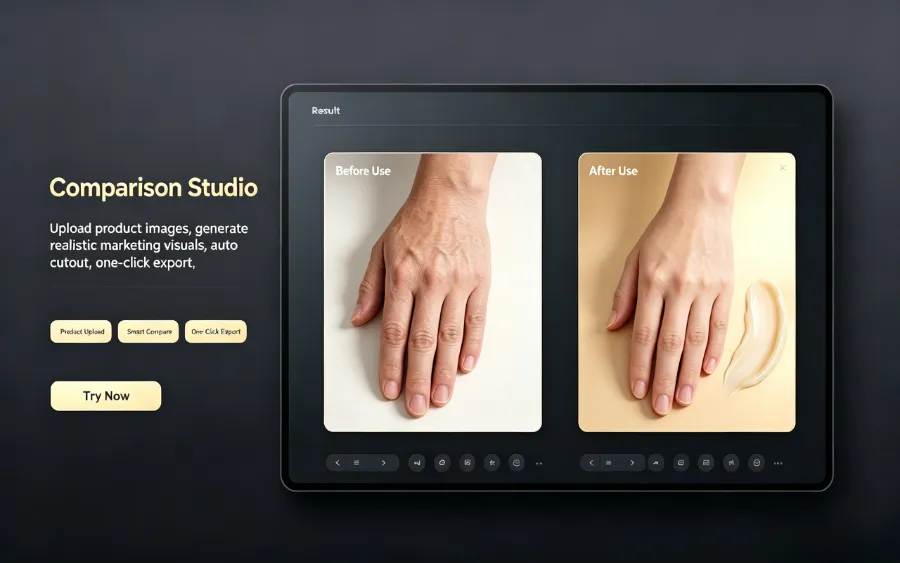
One link can generate hundreds of different‑style video variants. The same product can be switched to a UGC style with a single click. Traditional shooting to change style requires new set design, different models, and costs double. AI style switching is just a button press.
We’ve also tried AI’s multilingual voice‑over feature—choose French, and it automatically creates French subtitles; the whole process takes about a dozen seconds. This means a single product link can produce three video sets for the U.S., Japanese, and German markets without hiring foreign voice actors or translators. For more on cross‑platform AI video usage, see the guide “AI Video Ads for Amazon, Shopify, TikTok Shop, etc..” For a deeper look at AI’s impact on e‑commerce marketing, read the analysis “From Product to Traffic: How AI Is Changing E‑commerce Marketing.”
No Shooting, No Editing: How to Jump‑Start Video Marketing with AI
If you want to skip traditional shooting and run this AI workflow, it’s only four steps:
Paste the product link → Choose video style (product/ads/UGC, etc.) → Preview script and storyboard → Adjust and export MP4
No location fees, no equipment rentals, no learning curve for editing software. The real‑world feeling is that you can generate three different‑style video variants for a product in three minutes. I used to need three to four days to produce three variants from concept to final cut.
Our current practice is: each day we pick a product, generate three different‑style videos, and launch them in separate ad groups for A/B testing. After a week, the style with the highest CTR is scaled up. Because costs were so high before, we never dared to run such dense tests; now A/B testing is a weekly routine.
For individual sellers and small teams, this low barrier means you don’t have to match the massive shooting budgets of big brands. A big brand’s professional team can cost as much as the AI can test dozens of creative directions. If you want more concrete small‑team competitive strategies, read “How Small E‑commerce Stores Can Use AI Video to Compete with Big Brands.” For the underlying technical details of this tool, check out the VEONIB GitHub repository.
FAQ
How good is the visual quality of AI‑generated videos? Does it support 4K?
It currently supports HD output, which is more than enough for TikTok, Instagram, Amazon, etc. 4K isn’t a necessity for most e‑commerce ad scenarios; playback experience on mainstream platforms depends more on script quality and pacing than pixel density.
What if my product has no actual photos, only text description—can a video still be generated?
Yes. The AI will first try to extract images from the link; if there are insufficient images, you can manually upload a few before generation. Even with only text, the AI can create suitable visual styles based on the copy, which is especially useful for pre‑sales or digital products.
Are there any copyright issues with the generated videos? Can I use them commercially?
The exported video belongs entirely to the user, royalty‑free, and can be used on Amazon, standalone sites, social media, or any commercial channel without concern.
Does AI support Chinese voice‑over? Can it switch languages?
Yes, it supports 30 languages, including Chinese voice‑over. After selecting a language, the AI automatically generates matching subtitles; the switch takes only a few seconds.
If I’m not satisfied with the generated video, can I edit it?
Yes. Before exporting you can edit the script, scene order, and voice‑over content. After changes, re‑render and you’ll see the updated version in minutes—no need to paste the link again from scratch.
Share Article


