Direct Video from Product Link: An Automated New Workflow for E‑commerce Marketing
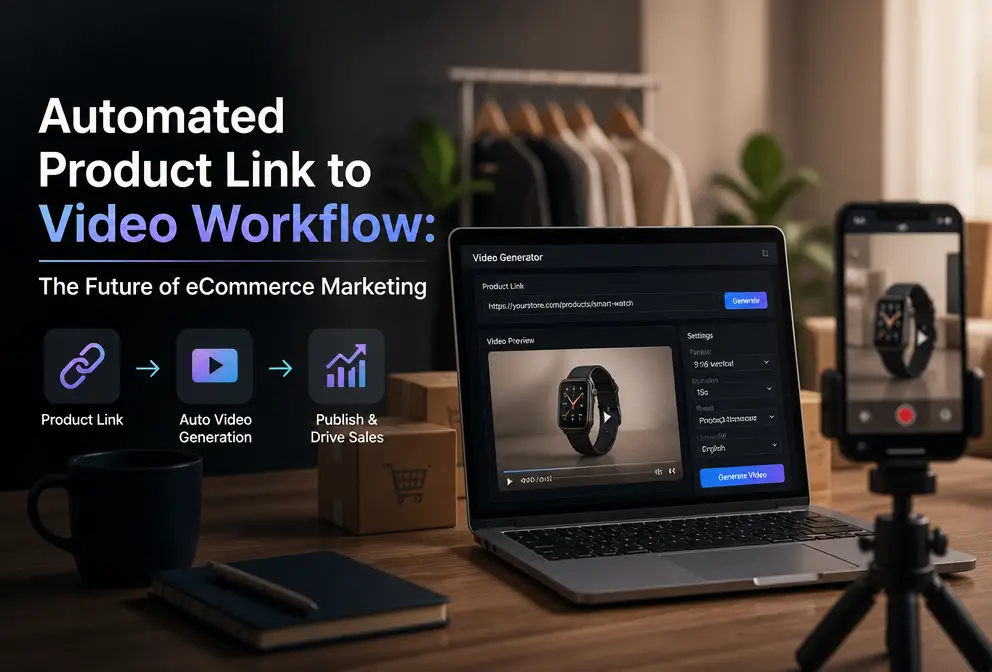
In the past, when I made e‑commerce advertising videos, the process was basically fixed: write a script, find assets, then do voice‑over and editing, and finally export in different sizes for each platform. A 15‑second video took at least half a day from concept to export. During peak season when new products launch, dozens of SKUs line up waiting for videos, and just scheduling them is a headache.
Later I tried a method: feed the product link directly to an AI tool, and after 60 seconds I got a complete ad video — with hook copy, voice‑over, and subtitles — ready to publish on TikTok. This “product URL → video” workflow is indeed changing how e‑commerce sellers produce content.
Three Hidden Costs of Traditional Ad Video Production
Creating an e‑commerce ad video manually incurs hidden costs far higher than the obvious ones.
Writing the script and storyboard is the first hurdle. You have to research competitors, identify selling points, and brainstorm hooks, which alone can take 30‑40 minutes. Then you need assets — either shoot yourself or browse stock libraries, and most of the time you can’t find a perfect match. Voice‑over is even trickier; your own recordings sound poor, and hiring a professional voice actor is costly. The editing stage requires frame‑by‑frame adjustments, and finally you must export three versions (9:16, 1:1, 16:9) to fit TikTok, Instagram, and YouTube.
The whole process typically takes 3 to 6 hours per video. If you outsource to a designer, each video costs between 300 and 1,000 yuan, and revisions take two to three days of back‑and‑forth. Want to produce multiple versions for A/B testing? Time and budget won’t allow it.
I once created three different ad versions for the same product — swapping hooks, music, and scenes — and the three iterations took two days. Even more troublesome, each platform has different size and length requirements, so adaptation adds another round of repetitive work. An analysis article discusses why most AI video generators remain overly complex for e‑commerce, pinpointing the issue: it’s not a lack of tools, but that most tools have heavy integration processes. See Why Most AI Video Generators.
But what truly wears you out is that this low efficiency is almost the norm. After putting in a lot of effort, the video’s performance after launch may be mediocre, forcing another round. For sellers with hundreds or thousands of SKUs, this manual mode simply cannot sustain continuous content production.
How the Product URL → Video Workflow Actually Works
I first encountered this idea because I could no longer handle the daily queue of video requests. I tried a tool called VEONIB; its simplicity made me skeptical: paste the product link, click generate, and after 60 seconds I received a complete 15‑second TikTok ad video.
Specifically, it’s three steps. First, copy the product page link from Shopify, Amazon, or TikTok Shop and paste it into the input box. Second, the tool automatically parses product information — title, price, selling points, images — and generates several versions of hook copy and scripts for you to choose from. Third, after confirming, click a single button to render and export, supporting three aspect ratios: 9:16, 1:1, and 16:9.
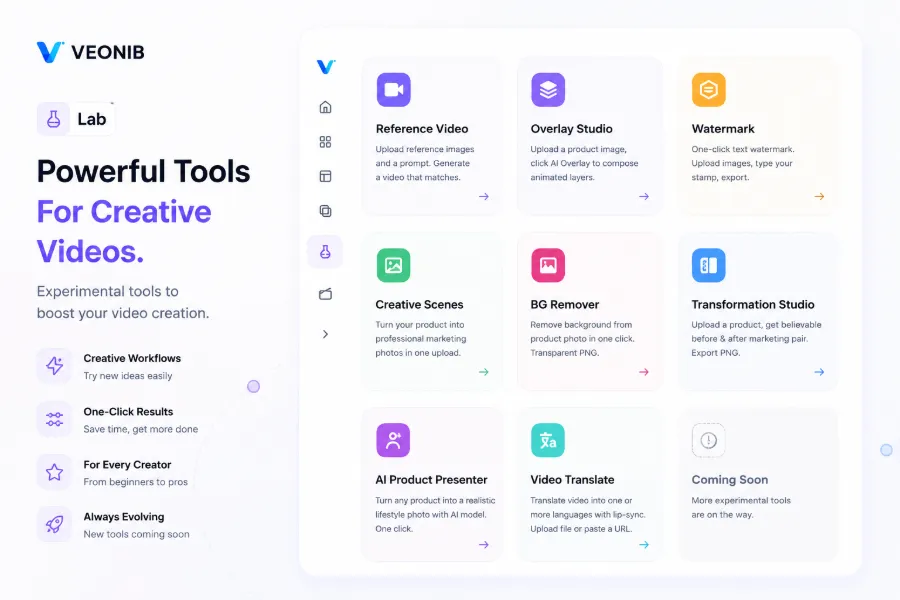
The core of the workflow is that AI handles tasks that previously required four or five collaborators: copywriting, script design, voice‑over recording, subtitle addition, video editing, and size adaptation. Moreover, previews are unlimited — you can swap hooks, edit scripts, adjust voice‑over language at any time, and only export when satisfied.
I tried feeding an Amazon link for a Bluetooth headset, and the AI automatically generated three scripts from different angles: one emphasizing sound quality, one highlighting battery life, and one focusing on price‑performance. Each script came with matching storyboard scenes and voice‑over; I only needed to pick a tone and tweak two phrasing points before exporting. From past the link to receiving the final product, it took less than two minutes.
But I must be honest: AI‑generated scripts sometimes lack brand personality. For example, a candle with an artistic vibe received a hook that sounded overly promotional, which didn’t match the brand tone. This requires human polishing and adjustment; you can’t just use it blindly and expect good results.
Why This Workflow Is Especially Suitable for Cross‑Border E‑commerce Sellers
Cross‑border e‑commerce sellers face a unique dilemma: many SKUs, wide markets, and high content demand, but limited budget and manpower. Traditional video production cannot keep up with this volume.
A real‑world scenario: I know a cross‑border seller of pet supplies who operates on TikTok Shop, Amazon, and an independent site, launching 20‑30 new products each month. Previously they outsourced every video, spending over 20,000 yuan per month, and the production speed couldn’t keep up with the launch cadence. After adopting the AI video workflow, the cost per link‑to‑video dropped to a few yuan, and the time compressed to a minute. They can now preview all new product videos in advance and prioritize the best‑performing ones for production.
Another advantage is multilingual adaptation. AI voice‑over supports 30 languages; with the same product link you can generate an English version for the US market, a Japanese version for Japan, and a German version for Europe with a single click. I generated English and Japanese versions for a women’s apparel link, and the whole process took less than five minutes. For more details, see Create TikTok & Instagram Ads from Product Pages Using AI (Step‑by‑Step).
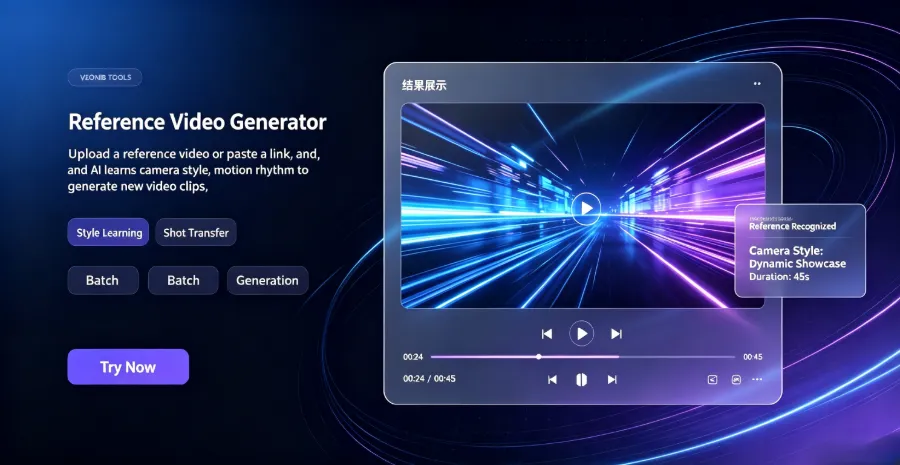
A more practical benefit is multi‑version testing. TikTok’s algorithm rewards high‑frequency posting, but you need enough content to publish. The AI workflow lets you generate five to six videos from different angles for the same product — swapping hooks, music, or voice‑over style — and export them all at once for staggered deployment. I talked with a friend who sells small home appliances; they tested four video groups using this method, and one group’s CTR was three times higher than the others, prompting an immediate budget increase.
Here’s a concrete case: a brand that makes smart cat litter boxes used this method to generate TikTok ads, turning a product link into ad‑ready material in just one minute, with a clearly noticeable boost in overall production efficiency.
Production cost dropped by about 90%, and speed increased nearly tenfold — these figures are not theoretical; I calculated them by comparing manual creation with the AI process. However, note that this speed and cost advantage applies mainly to fast‑moving consumer goods and general merchandise where rapid iteration is key. For high‑end custom brands, AI videos still lack the emotional nuance and visual quality of a professional team’s meticulous work, so a trade‑off is needed.
From Free Preview to Your First Video: Practical Steps
If you want to try this workflow, there’s virtually no barrier to entry.
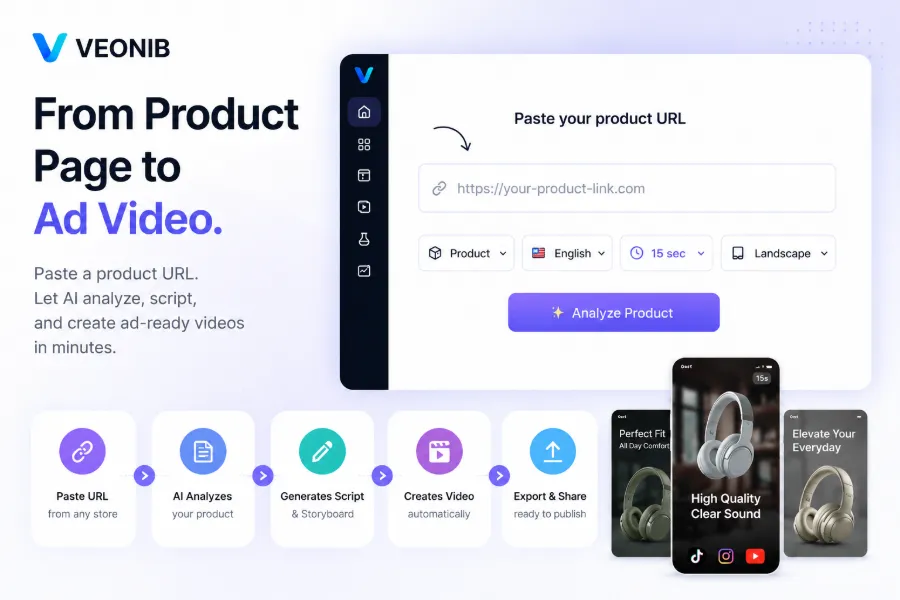
Step 1: Open the VEONIB website and create an account — no credit card required; the free preview feature is immediately available via Generate Free Preview. Step 2: Copy a product link from your e‑commerce store, paste it into the input box, and click Generate. Within seconds you’ll see the AI‑generated hook copy, script, storyboard preview, and voice‑over sample.
My recommended practice is to start with a product you know well, so you can quickly assess whether the AI’s understanding is accurate. I tested a Bluetooth speaker link that I had previously made a handcrafted video for; the AI’s script matched about 70% of my thinking, and the remaining 30% offered angles I hadn’t considered — a pleasant surprise.
VEONIB’s free preview feature is unlimited; you can iterate as many times as needed. Scripts and storyboards are editable, and after manual tweaks you can re‑render. Detailed steps are demonstrated in the full guide, covering everything from pasting the link to exporting the final product.
When satisfied, click Render and Export; the video downloads locally as an MP4 file, ready for TikTok, Instagram Reels, or Facebook Ads. Payment is per video at export, with no subscription required.
However, there are two points to note. First, AI‑generated scripts are logically coherent but sometimes sound flat, lacking the rhythm of a human‑written script. I usually tweak two or three phrasing spots before exporting to make the tone more natural. Second, while AI can quickly produce many variants, avoid the trap of “pure data‑driven creativity” — after gathering data, you must return to the brand’s tone to prevent content homogenization. Otherwise, you may boost CTR in the short term but erode brand equity over the long run.
To feel more confident on your first try, look at other sellers’ actual outputs, such as this case from a fragrance brand that shows the full process from product link to an emotionally driven ad video, which helps in understanding the workflow.
Frequently Asked Questions
Q1: How fast can a video be generated?
From pasting the link to receiving the finished video, the fastest is about 60 seconds. The preview stage shows the hook and script in a few seconds, and rendering/export typically completes within 60–90 seconds; 4K or longer formats may take 2–3 minutes.
Q2: Can I edit the AI‑generated script and subtitles?
Yes. Before exporting you can freely edit any copy, voice‑over, or scene description, then re‑render. It’s advisable to do a final read‑through before export to adjust any unnatural AI tone.
Q3: Can the exported video be used for commercial advertising?
Yes. Each exported video belongs to you and can be used for paid ads, organic content, website display, or any commercial purpose without additional licensing.
Q4: Which e‑commerce platform product links are supported?
Product page links from major platforms such as Shopify, Amazon, TikTok Shop, WooCommerce, Temu, AliExpress, Etsy, and eBay are supported.
Q5: Do I have to pay to preview?
No. The preview feature is completely free and unlimited; you can see the hook, script, storyboard, and voice‑over. Payment is only required when you export the final video.
Share Article


