Amazon Product Video Generator: When a Link Really Can Turn Into an Ad
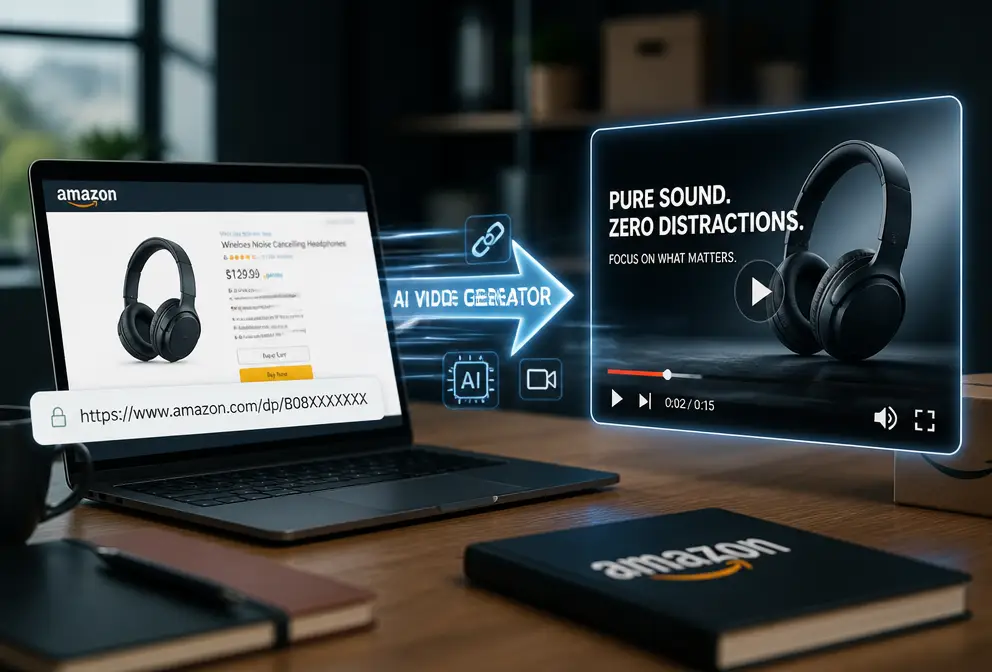
I’ve been doing cross‑border e‑commerce for three years, and the thing I fear most isn’t bad reviews—it’s the need to shoot a video after a product goes live. Creating a 15‑second TikTok clip means writing a script, finding footage, doing voice‑over, editing… a single workflow can eat up an entire afternoon. Even worse, the painstakingly made video often gets only a handful of clicks. Then I discovered some tools that let you just paste a product link and automatically generate a full ad video in 60 seconds—sounds like hype, but after trying it I was genuinely impressed.
Why Amazon Sellers Need Product Videos More Than Ever
Amazon has openly signaled a traffic bias toward video assets over the past two years. On the same keyword page, listings with a main‑image video have a noticeably higher click‑through rate than pure‑image listings. I keep a public statistic in mind: listings with a main‑image video see an average conversion lift of about 30%. This isn’t something I made up; sellers who have run A/B tests in the industry can all confirm it.
But the problem is the pressure that multi‑round A/B testing puts on the amount of creative material. Traditional manual production can’t keep up. You test a “A” variant today, then you need a “B” variant tomorrow to drive fresh traffic. TikTok and Instagram Reels require a separate 9:16 vertical cut, Shorts need another format. One SKU needs at least 3‑5 videos from different angles to sustain a testing cycle. Hand‑crafting them? Unrealistic. I’ve been there: for a new product, I spent a weekend glued to my computer cutting four videos, and my eyes were blood‑shot by Monday.
If you’re interested in this pain point, check out the 2026 Best AI Video Generators Guide for E‑commerce Product Marketing. It compares several mainstream solutions on the market. But honestly, after reading it you’ll find that only one or two can truly run the whole “link‑to‑video” pipeline.
How Traditional Solutions Made Me Lose My Mind: A Blood‑Bath Triggered by One Link
Last month I launched an aroma diffuser. I downloaded a white‑background product image and a 30‑second top‑down video from the supplier. Then I used ChatGPT to write a script, dragged and dropped elements in Canva for subtitles, used Jianying AI for voice‑over, and finally had to crop the 16:9 footage to 9:16. After cropping, the main subject was off‑center, so I read it, exported again, checked again—three rounds total. A 15‑second final video took me 3‑6 hours of manual work, not counting the time spent go phone.
The most frustrating part wasn’t the time; it was the “decision‑making”. Which hook to pick? Five ChatGPT‑generated copy options— which one will capture users? Warm female voice‑over or lively male? Upbeat background music or suspenseful? Every choice stalls you. I kept switching between five versions in Canva until my eyes blurred and I just grabbed one at random. It felt like juggling five jobs, each requiring its own tools.
If you’re stuck in this loop, I recommend reading Stop Using 5 AI Tools to Make One Product Video. Honestly, I only realized after reading it that the problem isn’t a lack of tools, but the missing integration layer between them.
How the Amazon Product Video Generator Works: The Real Workflow from Link to Render
Then I tried simply dropping the product link in—yes, copy‑paste the Amazon product page URL.
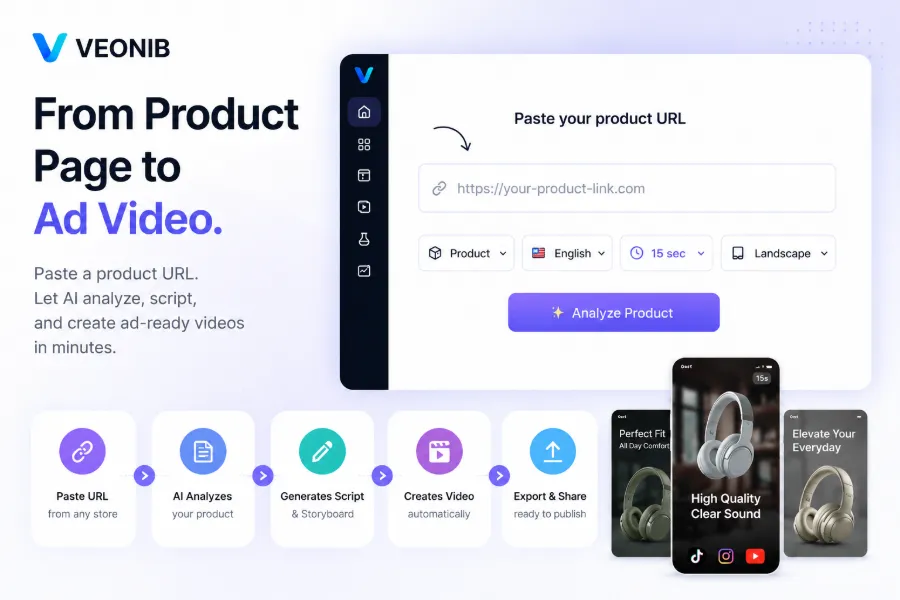
The AI automatically parses the product title, selling points, and attributes, then generates hook copy and script variants in different styles. This takes about 10 seconds. Next, it builds a storyboard where you can preview each shot’s scene, including text description, keyframes, and voice‑over draft. The UI is intuitive and requires virtually no learning curve.
The core is VEONIB, which compresses the entire parse‑to‑render pipeline into under 60 seconds. The first time I tried it I thought, “That can’t be that fast,” yet it produced a video in just over a minute. What surprised me most is that it supports one‑click rendering of multiple aspect ratios—9:16, 1:1, 16:9—simultaneously, without any manual cropping.
After watching this demo you’ll understand that the 60‑second claim isn’t a gimmick—it truly goes from pasted link to downloadable MP4. I later compressed a month’s worth of video demand into two days of batch processing; each time I just drop a link, no more juggling five windows.
But honestly, AI‑generated videos often feel “generic” at first. The default scene library covers most categories, but it may not match your brand’s tone. I sell a Japanese‑minimalist diffuser, yet the AI gave me a European countryside background with light music, which felt off visually.
What to Do When AI‑Generated Videos Lack Your Brand’s “Flavor”
This is the most real shortcoming of AI video tools today—templated output. If you make 100 videos, 80 of them can look like they belong to the same series. Font, color palette, animation rhythm are all default settings; they’re fine for small sellers, but if you have a brand style guide you’ll need extra tweaking.
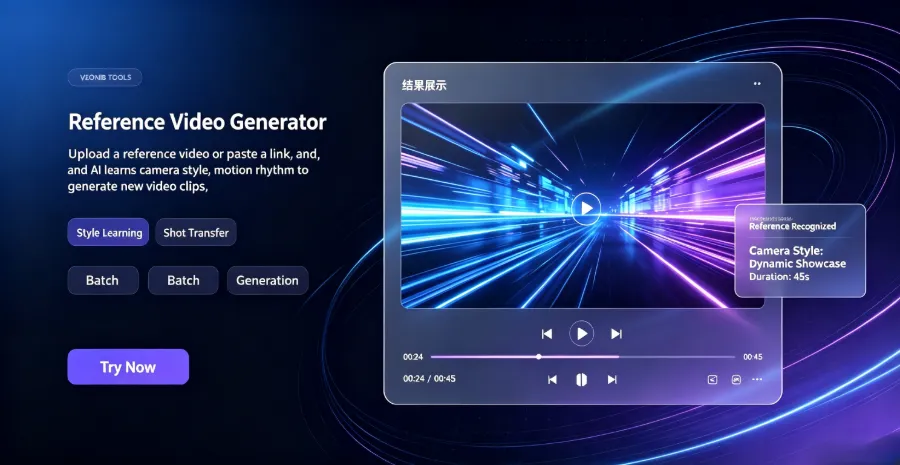
VEONIB also offers a reference‑image feature: upload photos or short clips you’ve already shot, and the AI will adjust scene style and tone based on those assets, reducing the “AI taste”.
Additionally, subtitle and voice‑over localization can be a pitfall. I once made a video for the German market; the default English subtitles and voice‑over felt completely off. VEONIB supports AI voice‑overs and auto‑generated subtitles in 30 languages, so you can preview the audio before exporting—saving me the cost of hiring a local voice actor. For multilingual adaptation, check out the AI Video Translation with Perfect Lip‑Sync feature, which makes your video feel natural across language markets.
One trick I discovered: if the AI‑generated scene style doesn’t match your brand, don’t discard the video outright. Use it as a “B” variant in an A/B test against a hand‑tuned video. Sometimes a rough‑looking AI video performs better because of its “raw” feel. For more on content repurposing, see the article on Content Multithreading: Turning One High‑Traffic Blog Post into Over 30 Monetizable Short Videos. The core idea is the same—don’t chase perfection, chase volume.
FAQ
Can the videos generated by the Amazon Product Video Generator be used commercially?
Yes. Exported videos belong to you and can be used as Amazon listing main‑image videos, off‑site ads, social media, etc., with no additional royalties.
Which e‑commerce platforms are supported?
Currently supports Amazon, Shopify, TikTok Shop, Temu, AliExpress, WooCommerce, eBay, Etsy, and other major platforms. Just paste the product page URL.
Can I edit the script and voice‑over after generation?
Yes. During the preview stage, all hook copy, script description, and voice‑over content can be manually edited. After changes, re‑render and the video will output the new version.
How long does it take to generate a video?
60‑90 seconds. If you choose 4K or longer formats it may take up to 3 minutes, but you can let it run in the background while you do other work.
What can I see in the free preview?
You can generate a preview without a credit‑card, seeing hook copy, script, storyboard descriptions, and scene preview images. Only when you click “export” to download the video do you need to pay.
Share Article


