How Amazon FBA Sellers Can Use AI Video Marketing to Boost Conversion Rates
Running an Amazon FBA business has a stage that can be especially maddening: you’ve optimized the listing seven or eight times, added an A+ page, increased the ad budget from a few dozen dollars a day to several hundred, yet the conversion rate stays in single digits. I have a kitchen storage product with very clear selling points and a professional main image taken in a studio, but users just look and never buy. Later I realized the problem was “understanding it but not feeling motivated” – text and images appeal to rationality, while video can directly trigger the purchase impulse. I started video marketing from scratch, hit many pitfalls, and today I’ll break down that experience and the lessons learned.
Why Your Amazon Listing Needs Video, and the Video Must Be “Right”
Amazon’s algorithm increasingly favors video content. If you open any top‑ranking listing in a category, the main image slot almost always has a video, and the related video area is full as well. Embedding a video in an Amazon A+ page noticeably extends dwell time, which is a positive signal for ranking weight. More concretely, video can directly answer the key question “what does this product actually feel like when I use it?” According to Amazon’s official data, listings with video see conversion rates increase by about 30%, while return rates actually drop.
But “having a video” and “having the right video” are two different things. Early on I filmed with my phone by hand, and the footage shook like an earthquake, so users couldn’t finish watching. Later I paid a team to shoot one, and it was indeed good, but it took three weeks and cost enough to burn two weeks of ad spend. The core issue is that video content must precisely match the buyer’s decision path. How the product is used on a kitchen countertop, before‑and‑after storage comparisons, the feel during use – all of these can be explained in 15–30 seconds, provided you can quickly produce multiple versions to test.
For FBA sellers, another hidden benefit of video is reduced return rates. After watching the video, customers have expectations about size, material, and usage scenarios, so the “doesn’t match expectations” return reason naturally declines. If you want to dive into the automated implementation of this process, check out this article: How to Automatically Turn Product Links into Short Video Ads.
The Pitfalls I Fell Into with Traditional Video Production Workflows
Looking back on those days of tinkering with video production, every step feels like the typical rookie seller’s pain.
The first attempt was outsourcing. I found an editor on Upwork, spent three days communicating requirements, waited five days for the first draft, then spent another week on two rounds of revisions. When I finally got the video, I discovered he completely ignored my product’s core “no‑drill installation” selling point and kept showing how pretty the storage box looks. I spent $400 and three weeks, and the result was unusable. Similar issues happened two or three more times, each time wasting both money and time.
The second attempt was DIY. I bought a phone gimbal and shot half a day’s worth of footage on a weekend. The edited video looked okay, but after uploading it to Amazon’s related video section, it got fewer than 200 views in a month. Users who clicked saw shaky footage and noisy audio, and swiped away within seconds. Plus I only had one version, so there was no chance for A/B testing. I later calculated that traditional production of a single product video takes 3–6 hours on average, costing a few hundred to several thousand dollars. For FBA sellers with a larger SKU count, this path is simply not scalable.
This made me realize a key point: video production itself isn’t the bottleneck; the bottleneck is “quickly producing multiple versions.” Traditional workflows can’t do that. The industry is already discussing this shift; an analytical article titled Why Product URLs May Replace Traditional E‑commerce Video Production Workflows explains it clearly.
From Product Link to Finished Video: A “Once You Try It, You Can’t Go Back” New Workflow
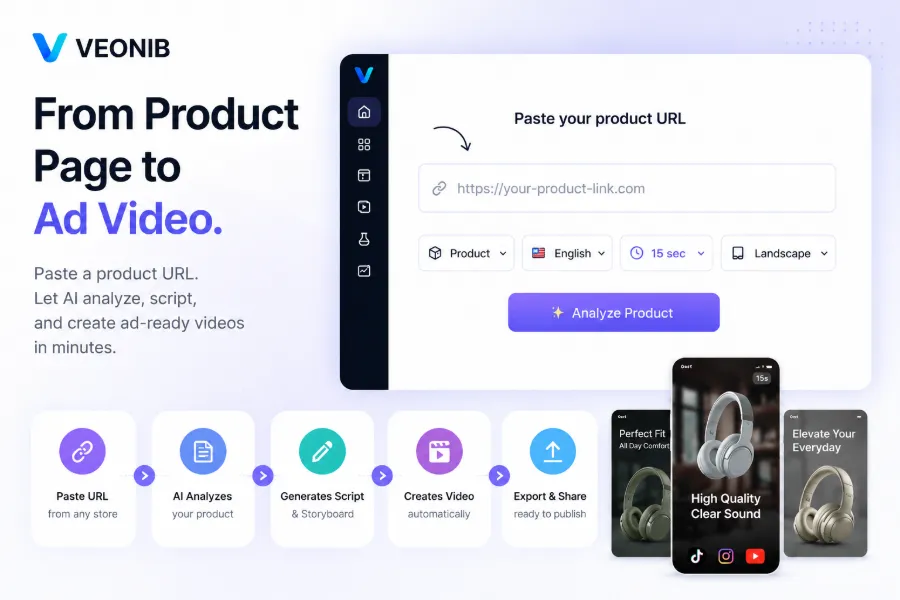
Then I started experimenting with VEONIB. My first use case was simple: I opened the Amazon detail page for that kitchen storage product, copied the URL, and pasted it into the tool. After about a few dozen seconds—while I checked my phone—the screen displayed five different hook copy variations, a complete 15‑second script, corresponding storyboard previews, and an AI‑generated voice‑over track.
The whole process from link to exported video took roughly 60 seconds. After the first version was generated, I went into the editing console and made the second sentence of the script more conversational, swapped in a lighter background music track, and adjusted subtitle placement. I re‑rendered and exported a 9:16 vertical version ready for Amazon’s display ads. The editing page lets you see and edit the script, storyboard, and scenes independently.

Testing time shrank from three weeks to one day. I spent an afternoon generating six different stylistic versions from the same product link—some directly showcasing product features, some starting with a “Before/After” comparison, and others using a “You Might Not Know This Gem” UGC style. Behind the scenes, the AI parses the product page’s title, bullet points, description, and reviews, then automatically generates hooks, scripts, and storyboards. Crucially, the tool also supports multilingual voice‑overs, so I quickly created a Japanese version for the Japan marketplace.
The AI script generator and storyboard builder work together to cover the entire pipeline from concept to delivery. If you want a deeper dive into the product’s capabilities, see VEONIB: In‑Depth Introduction to the AI Video Ad Generator for E‑commerce Brands.
Amazon Seller‑Specific Video Strategy: How to Leverage AI Video to Drive More Orders
With the ability to quickly produce videos, the strategic playbook changes completely.
First, choose the scenario. Amazon has three core video entry points: main image video, related video, and display ad video. The main image video must be concise—15 seconds to clearly explain the specific problem the product solves. I found that the first three seconds determine whether users keep watching, so I tested five hook versions: question‑style opening, pain‑point opening, and effect‑comparison opening. Related videos can be a bit longer, around 30 seconds, focusing on usage scenarios. Display ad videos need to be tighter; the first five seconds must be impactful.
After AI‑generated multiple hooks and scene variants, I ran A/B tests on this storage product. The display ad ran for five days, and click‑through rates varied up to two‑fold between different hook versions. After testing five hook variants, the top‑performing one improved ROAS by 30%–50% compared to the lowest. The key isn’t a perfect version; it’s the ability to test continuously at near‑zero cost. If you sell food or beverage products, see this case study: Turning a Beverage Product Link into a Product Video in 60 Seconds.
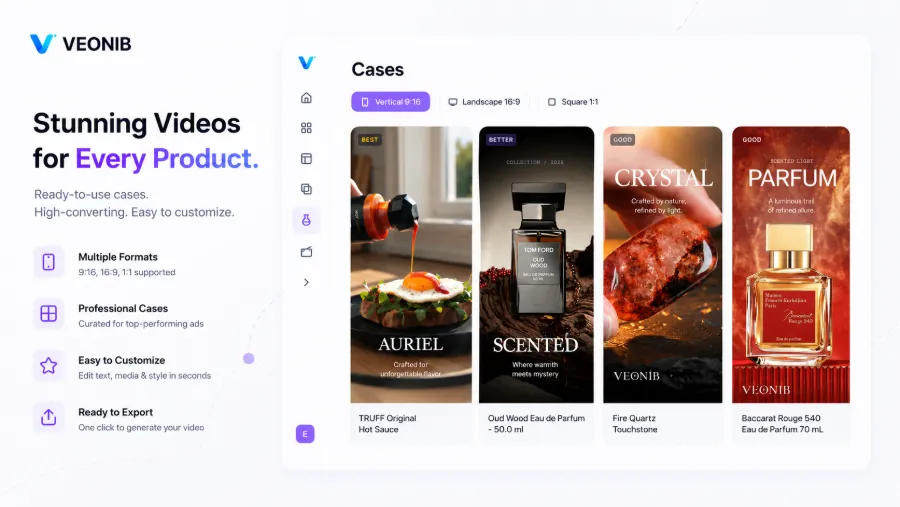
Another overlooked strategy is combining video content with keyword strategy. I recently tried using high‑conversion search terms from automatic ads as inspiration for video hooks. When users search “kitchen countertop storage that doesn’t take space,” the video opens with “Kitchen countertop always runs out of space?” – relevance and click‑through rates both rose noticeably. For high‑ticket gift‑box products, check out this breakdown: VEONIB Deconstructs a Jo Malone Hand Cream Trio into a Polished Ad Video.
What I Learned After Several Months of Using AI Video Tools – Pitfalls to Watch Out For
AI video tools are indeed efficient, but they’re not magical. After a few months of use, several points are worth knowing in advance.
Complex products that rely on AI automatic parsing can have gaps. I have a multifunctional tool set; the product page lists six usage modes, but the AI‑generated script only captured the first three. I could manually fill in the missing parts in the editor, but that means you need to become familiar with the script‑editing feature rather than just copy‑pasting. If you sell industrial equipment or modular furniture with deep functional hierarchies, spend five minutes after generation to carefully verify and polish the details.
Script tone is another noticeable issue. The AI‑generated copy is structurally fine, but brand voice must be handled by you. For example, my home‑goods line leans toward a Japanese‑inspired minimalistic aesthetic; the AI default tone was fast‑paced and promotional, so I had to manually adjust the wording to be more restrained and warm. This usually takes two to three minutes, and after getting used to it, it’s not a hassle.
There’s also the risk of homogenization. If you feed every product to the AI without any human intervention, the final videos become very similar. The same tool trained on the same data will produce hook phrasing and storyboard pacing that converge across products. My approach is to adjust at least one variable after each generation—swap the hook type, reorder scene sequence, or change the voice‑over style. This maintains efficiency while preserving differentiation between videos.
Frequently Asked Questions (FAQ)
Q1: What is the recommended length for Amazon videos?
Main image videos are recommended at 15–30 seconds, related videos up to 30–45 seconds, and display ads best kept under 15 seconds because user patience for scrolling is limited. The crucial part is that the first 3–5 seconds must clearly convey what you’re talking about.
Q2: My product is complex—can AI generate an accurate video?
Yes, but it requires human input. AI will scrape the product link for core selling points and generate an initial script and storyboard; you can then add or adjust scene descriptions in the editor. For products with many functional layers, spend a few minutes after generation to supplement the details AI missed.
Q3: Do I own the commercial rights to AI‑generated videos?
Make sure the tool you use grants commercial usage rights. Most reputable AI video generators default to licensing the exported video for commercial purposes, including ad placements and storefront pages. Check the service terms before exporting to confirm details.
Q4: Can I add my own brand watermark or logo to the video?
Yes. Most tools allow you to overlay a logo during the editing stage—upload your logo image, set its position and duration. If you’re not in a product‑editing scene, you can also add it later with another editing tool after export.
Q5: If I don’t want the AI‑generated voice‑over, can I replace it?
Yes. The AI‑generated voice‑over is a separate audio track; you can disable it before export or replace it with your own recorded audio file. Some tools even let you upload a local audio file that automatically matches the video length.
Share Article


