Turn Shopee/Lazada Product Pages into TikTok Videos in Three Steps
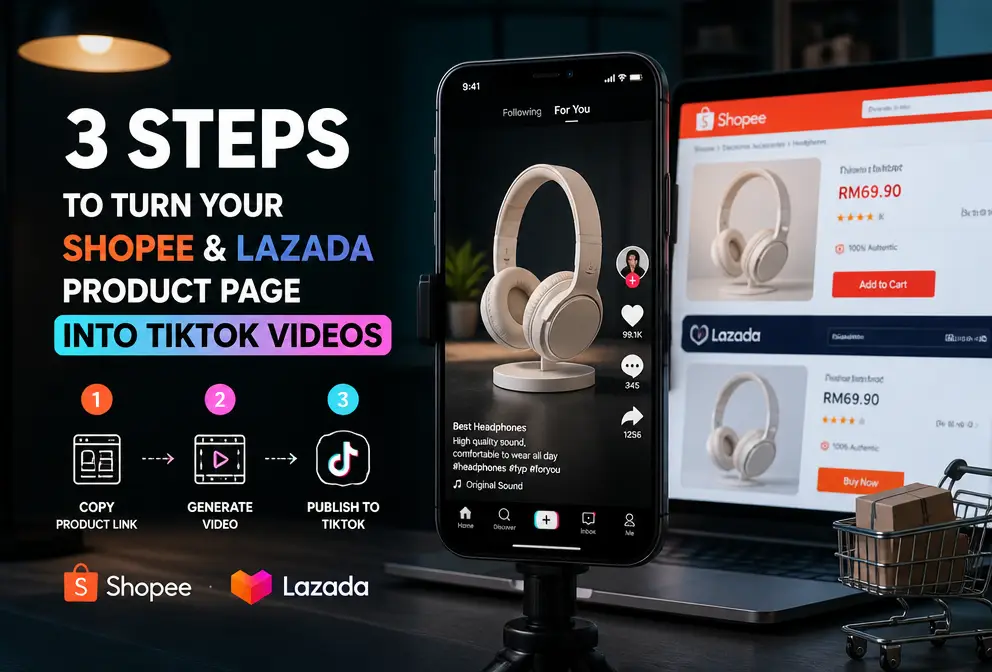
Every day I add dozens of new products on Shopee and Lazada, and then I have to brainstorm video ideas, write scripts, and shoot for my TikTok account—there’s never enough time. I discovered a reverse approach: feed the product page directly to an AI, which can automatically understand the product information, write a script, plan the storyboard, and even generate a short video ready for posting. This article documents my hands‑on workflow.
Initially I tried manual shooting; each item took about two hours from lighting to editing, and the views never exceeded 500. Later I realized that the product detail page already contains a complete description of selling points, specifications, and contextual cues—only it’s formatted for human eyes, not for a short‑video algorithm. If those texts and images can be directly translated into a video script, the process becomes much faster.
Why Turn Product Pages into Videos?
Videos with product links on TikTok get on average three times more exposure than image‑text posts, making it the most direct traffic source for cross‑border sellers. However, Shopee and Lazada teams are usually small; a single person has to handle listings, customer service, and procurement, leaving almost no time for video production. The product detail page already contains all the selling points—material, use cases, dimensions, differentiators—but they are presented as text and a single image. Translating that structured information directly into a 15‑second short‑video script eliminates the need to brainstorm from scratch.
People in the industry are already walking this path. My current approach is even simpler: copy the product link and let the tool handle the rest. I’ve read a solid analysis on the evolution of e‑commerce content creation from manual to AI, which discusses this trend.
Three‑Step Workflow: Paste, Wait, Export
In practice, the process is shorter than imagined. Open the tool, copy a Shopee or Lazada product link, and paste it into the input field.
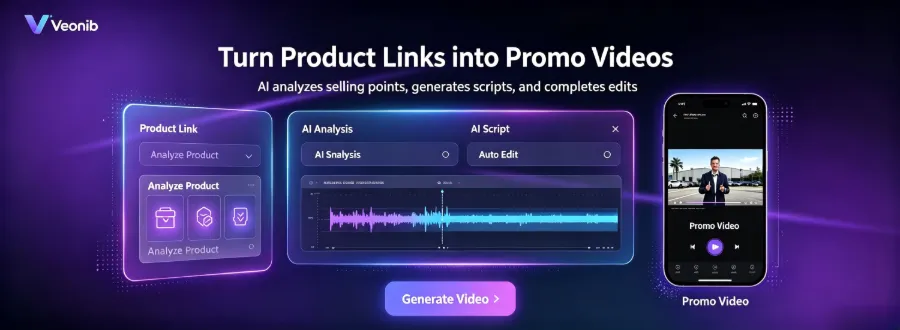
Then the AI automatically extracts the page’s images, product description, specifications, price, and rating. It then parses the data—how well this step is done directly determines the final video quality. I use VEONIB, which can, within seconds, organize the product page information into a script framework and storyboard, including the opening hook, product showcase, trust elements, and closing call‑to‑action. After parsing, the script and storyboard are displayed, and you can edit copy or scene order directly in the interface.
From pasting the link to obtaining an exportable 9:16 vertical video, the entire process takes less than 60 seconds. If you want to understand the underlying logic of this workflow, check out the AI workflow for turning product links into viral videos, which provides a more detailed breakdown.
The Key to Engaging Videos: Script and Storyboard
Many sellers assume AI‑generated videos are just image slideshows with background music, but that’s not the case. A good AI video generator first writes a marketing‑focused script framework, then plans each shot’s camera angle, composition, and pacing based on that script.
The hook copy in the first three seconds is crucial. AI will automatically generate multiple opening versions based on product selling points, such as “This price for this quality?” or by directly showing a before‑and‑after comparison. The storyboard then follows: Shot 1 shows the full product, Shot 2 switches to a usage scenario, Shot 3 highlights trust elements like material close‑ups or packaging details.
I’ve learned the hard way about style selection. For the same camping lantern link, I generated two versions: one with a lifestyle‑oriented UGC feel, and another with a minimalist product showcase. The former achieved almost double the completion rate on TikTok compared to the latter. Hence, I now run at least two styles per link and let the data decide which to push.
VEONIB includes built‑in style templates such as brand, lifestyle, UGC, and minimalism, supports AI voice‑overs in 30 languages, auto‑aligns subtitles, and lets you preview each shot before export. For guidance on choosing video styles, see this introduction to an e‑commerce brand AI video ad generator. The whole AI video generation field is evolving rapidly; platforms like Runway serve as industry benchmarks.
One Production, Multi‑Platform Reuse
Export ratios are flexible: 9:16 for TikTok, 1:1 for Instagram, 16:9 for YouTube Shorts—just one click to switch, no separate renders needed. The same product link can produce multiple variants; copy, voice‑over, background music, and intro/outro can be mixed and matched, making it ideal for A/B testing.
My current practice is to, after each new product launch, run a batch of basic videos through AI and let them collect a week of organic traffic data. The version with the highest completion rate then receives paid traffic or serves as a reference script for a live‑action shoot. In theory, a single product link can generate hundreds of ad variants; the difference lies only in how much time you’re willing to spend fine‑tuning the copy.
FAQ
Are product links from Shopee and Lazada both supported?
Yes. Just copy the product detail page URL; the AI automatically detects the platform and parses the page structure. Both domestic and cross‑border versions work.
Do the generated videos have copyright? Can they be used in paid ads?
The exported file is an MP4, and the copyright belongs to the user. It contains no watermark and can be freely used for organic reach and paid promotion. Voice‑overs and music are royalty‑free.
I don’t write scripts; can AI produce scripts that feel like they were shot by a real person?
AI‑generated scripts are trained on e‑commerce data and are structurally more complete than most novice writers. If you find the tone too mechanical, you can manually tweak a sentence or two before export, and the overall result will feel natural.
What is the maximum video length? Does TikTok have limits?
A single video can be set up to 60 seconds. TikTok currently supports videos up to 10 minutes, but for e‑commerce content it’s recommended to keep them 15‑30 seconds for higher completion rates.
Do I need to install software, or can it be used directly in a web browser?
It works entirely in the web browser—no download or installation required. Paste the link, preview the script, and export the video all within the browser.
Share Article


