Lazada/Shopee Product Links: How to Turn Them into Marketing Videos with One Click Using AI?
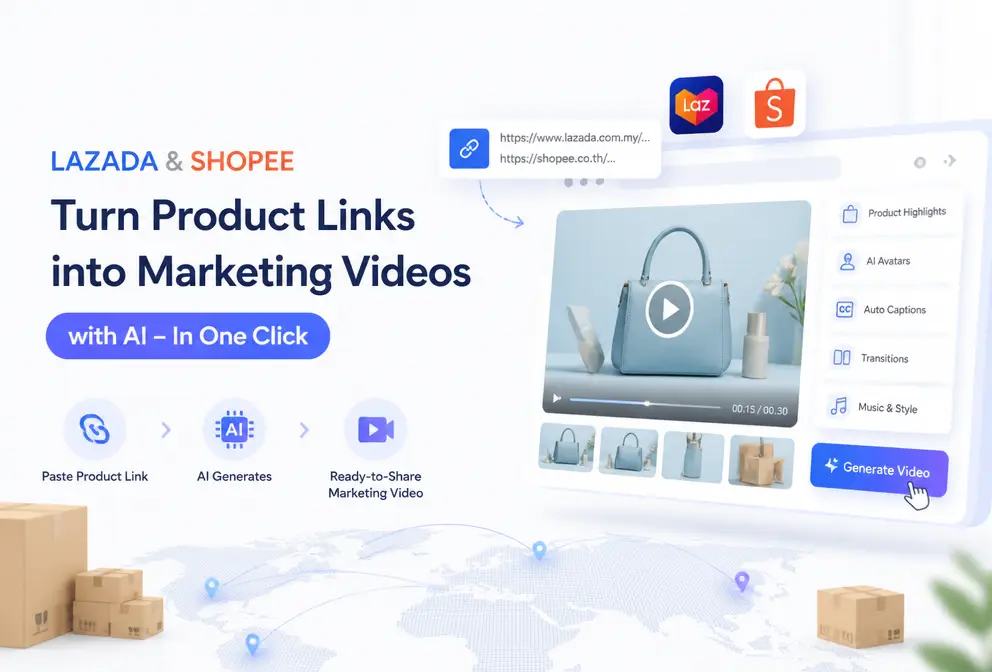
Imagine this: you’ve just listed 10 new items, piled a table full of samples, spent an entire day shooting photos, and then realize—each product still needs at least three short videos for ads. If you’re still manually editing, dubbing, and adding subtitles, you’re spending at least four hours a day on repetitive work. Is there a way to turn a Lazada or Shopee product link directly into a ready‑to‑use marketing video? This article is the practical guide that answers that question.
Last year I helped a Thai seller launch a new account. Six SKUs had to go on TikTok Shop + Shopee Feed, and just editing the videos kept me up for two nights. Later I changed the workflow: I tossed the link into an AI tool, and a finished video came out in 60 seconds, boosting daily video output from 3 to 25. The process below is what I’ve been using since 2024, I’ve hit many snags and tried several tools, and I’ll walk you through the most comfortable one.
Why Do Lazada/Shopee Sellers Need a “Link‑to‑Video” Workflow?
The pace of Southeast Asian e‑commerce is well known to anyone who’s done it. Weekly new arrivals, price changes, trend chasing, big promotions—short‑video material demand simply can’t be satisfied. A mid‑size store needs 30–50 ad creatives per month, not counting main‑image videos and detail‑page videos. The traditional method: fetch the product from the warehouse, set up lighting, shoot, edit, dub, subtitle—one qualified vertical video takes at least 90 minutes, not counting revisions.
But the conversion data you see in the Lazada or Shopee backend will tell you that static images have a click‑through rate (CTR) that is 30%–50% lower than videos. Video conversions on TikTok Shop can exceed 18%, while pure images are cut in half. It’s not that you don’t want to make videos; you just can’t finish them.
That’s where the “link‑to‑video” workflow steps in. You just copy a Lazada or Shopee product‑page URL, drop it into an AI system, and it automatically reads the images, title, description, and selling points, then generates a script, storyboard, voice‑over, and subtitles. A publishable video appears after 60 seconds. It compresses what used to be a 90‑minute job into 1 minute, and you only need to make sure you copied the correct link—the rest is handled by the machine.
From Pasting a Link to Exporting a Video: My 60‑Second Four‑Step Workflow
Getting this done only requires four actions. I usually open two browser tabs—left for the Lazada/Shopee backend, right for the AI tool panel.
Step 1: Copy the full product URL
Make sure you copy the entire URL from the browser address bar, not a short link or a share link. Some tools have requirements for URL suffixes; URLs with ? parameters can be parsed, but it’s best to use a clean product‑page address.
Step 2: Paste the URL into the AI tool
The system starts analyzing automatically. It scans the composition of product images, keywords in the copy, price, and benefit terms, then generates a selling‑point summary. I use VEONIB; it finishes reading everything within 10 seconds and pops up three optional script directions. The best part is you don’t have to write any keywords or prompts—the AI knows what to grab.
Step 3: AI automatically generates the script and storyboard
After the script is generated, the system gives you 3–4 opening lines from different angles (pain‑point start, scenario start, result start, etc.). Pick the one you like, and the AI then lays out the storyboard—what visual for each shot, what persona, what camera angle. If you’re not satisfied, you can edit the copy directly in the editor; the scenes will automatically adjust.
Step 4: One‑click export, multi‑platform adaptation
Click render, and the video is ready in about 30 seconds. It supports 9:16, 1:1, and 16:9 ratios for TikTok, Shopee video, Facebook ads, and Instagram Reels. The exported MP4 can be uploaded straight to the ad platform. If you plan to run ads on TikTok and Instagram, see this complete guide on Creating TikTok and Instagram Ads with AI for platform‑specific material review rules.
The first time I ran this workflow it felt absurd—here’s a side‑by‑side comparison with the traditional process:
| Step | Traditional Seller Workflow | AI‑Automated Workflow | Time Comparison |
|---|---|---|---|
| Product analysis | Manually read copy, list selling points | Paste link, AI auto‑analyzes | 10 min vs 10 sec |
| Script writing | Write copy, edit, finalize | AI generates multiple script variants from selling points | 30 min vs 5 sec |
| Storyboard creation | Find reference images, sketch scenes | AI auto‑generates storyboard script | 30 min vs 10 sec |
| Export & publish | Manual editing, rendering, resizing | One‑click export for multiple platforms | 60 min vs 30 sec |
Overall, a SKU’s video goes from link paste to finished product in a solid 60 seconds. Even adding 2–3 minutes for script selection and voice‑tone tweaks, it’s still far faster than the original 3‑hour process. I tested a Filipino skincare brand: a UGC‑style video generated from a link and posted on Facebook achieved a 21% higher CTR than their own studio‑produced video. If you’re interested in the integrated logic, check the official workflow in the SEO Blog & VEONIB Integration Guide.
More Than One Video: How Many Ad Types Can One Link Generate?
Many assume AI can only produce one “robotic” style video. After trying, you’ll see the same link can yield completely different visual directions.
- Product showcase video – clean white background + rotating effect, perfect for Lazada/Shopee main‑image slots, highlighting material and details.
- Brand video – interspersed lifestyle shots and brand logo, suitable for flagship store homepage or standalone site banner.
- Social video – vertical 9:16, fast cuts + subtitles, fits TikTok, Reels, Shorts.
- UGC‑style video – mimics phone‑camera perspective, pretends to be a buyer unboxing or using the product; on TikTok Shop and Shopee Feed this style often gets 2–3× higher CTR than formal ads.
- Influencer‑talk style – a virtual avatar speaks to the camera, good for mid‑funnel Facebook ads.
The system currently supports over six style templates (brand, lifestyle, studio, luxury, UGC, minimalist). Each generation you can preview and switch styles to see which fits your product tone best. I often do this: the same product, first run three UGC‑style videos on TikTok Shop to test conversion, then run one studio‑style video for the main image—no interference.
If you’re curious about turning a single piece of content into many material versions, see the methodology in Content Multi‑Threading: One Blog into 30+ Short Videos, which follows the same logic—just swapping a blog for a product link.
Three Optimization Tips to Double Video Performance
AI‑generated videos save effort, but to get good data you need to tweak a few things.
Tip 1: Optimize the product title and description before pasting the link.
AI pulls core selling points from the title and description. I’ve compared two cases: a title that only said “Women’s T‑shirt, cotton” produced a bland script focusing on “material.” Another title changed to “Pure‑cotton relaxed T‑shirt, office‑friendly, 3 colors, no shrinkage” led AI to generate an opening like “Not sure what to wear to work? This pure‑cotton tee with jeans gets you out the door.” So spend 30 seconds highlighting high‑frequency words and selling points in the copy before pasting; the difference is huge.
Tip 2: Manually edit the first 3 seconds’ hook.
Industry consensus says the first three seconds determine 60% of retention. AI‑generated scripts are decent, but the default hook can be too generic. Before exporting, change the first line to something sharper, e.g., “How much can this storage box actually hold?” or “You won’t believe this discount—only 24 hours left.” Changing a single word can swing CTR by up to 15%. Don’t skip this; it’s worth two minutes.
Tip 3: Use AI to batch‑generate multiple versions for A/B testing.
This is a high‑frequency operation that’s often overlooked. Because AI is fast, I usually run five different scripts, music tracks, and tones from a single link, then launch an A/B test. Spending $50 can reveal which creative has the lowest CPA. Then I re‑generate a few more variants of the winning version for a loop. If you want a systematic guide, see the comparative review in Best AI Video Generator for E‑Commerce Product Marketing in 2026, which includes practical A/B testing ideas.
Common pitfalls: relying solely on default settings. My first run produced three videos that looked like the same person in different color schemes—high homogenization, conversion 30% lower than expected. After that, I always spend two minutes manually adjusting the hook and final CTA; the results improve dramatically. Also, different platforms have length and ratio requirements: TikTok recommends 15–30 seconds vertical, Shopee Feed prefers 10–15 seconds quick showcases. Using the same video across all platforms will inevitably dampen performance.
From Product Link to Complete Marketing Assets: The Efficiency‑Benefit Loop
Looking back at the actual gains for Lazada/Shopee sellers, the data is clear. Traditional video production averages 60–90 minutes per video; with link‑to‑product, the whole process from paste to export is under two minutes—a ten‑fold efficiency boost. I tested an Indonesian cross‑border seller who could only produce 8–10 videos per week; after adopting the link conversion method, they created 35 different‑style videos in one afternoon, deployed them across Shopee, TikTok, and Facebook, and their monthly ROI rose from 2.1 to 4.7.
But video is only part of the marketing asset suite. You can also embed the generated videos into product blogs, landing pages, or use VEONIB’s SEO integration to create a full loop from product link to brand‑story video. For example, the same product can have a 60‑second brand story generated from the URL and placed on a standalone site homepage as a trust badge. This concept is explored in depth in From Product to Emotional Brand: Auto‑Generate a 60‑Second Brand Story from a Single URL.
Now open your Lazada or Shopee backend, copy any full product link, drop it into the AI tool, and generate your first video. In 60 seconds you’ll see how much time you’ve been wasting.
FAQ
Q1: Can I generate a video directly from a Lazada/Shopee product link?
Yes. Most AI tools can parse product links from Lazada, Shopee, TikTok Shop, Shopify, etc. After pasting the full URL, the system automatically reads images, title, price, and description, then offers multiple script options.
Q2: How long does it take to generate a video?
From pasting the link to receiving an exportable video, it’s usually under 60 seconds. Including script selection and minor voice‑tone tweaks, the whole process takes about 3–5 minutes. Rendering time varies with video length and resolution; a 15‑second vertical video renders fastest, about 30 seconds.
Q3: Can the generated video be used on TikTok Shop or Shopee Feed?
Yes. The AI tool exports 9:16 vertical videos that directly fit TikTok, Shopee Feed, Instagram Reels, and YouTube Shorts. The MP4 has no platform watermarks and can be uploaded as ad material or organic content.
Q4: I have zero video‑editing experience—can I still use this?
No editing skills are required. The workflow is simply copy‑link, paste, choose script, export. You never touch timelines, keyframes, or color panels. If you need to adjust copy, just type in the editor and the AI will regenerate the corresponding visuals.
Q5: Are the videos vertical or horizontal? Which aspect ratios are supported?
The tool supports three main ratios: 9:16 (vertical), 1:1 (square), and 16:9 (horizontal). You can select the desired ratio before export; a single link can generate multiple ratio versions simultaneously.
Share Article


