Using AI to Replicate Viral Product Videos: How Cross‑border Sellers Can Shoot Their Own Products with the Same Effect
Scrolling through TikTok and Reels every day, you’ll see those product videos with hundreds of thousands of likes—clean shots, tight pacing, clear selling points, looking like a professional team spent days filming them. But for yourself, how do you write the script, set up the scene, find a voice‑over, choose editing tools? Every step is a hurdle. Especially for small teams and independent‑site sellers, there’s no budget for a filming crew and no time for endless trial and error.
Conclusion first: The core of replicating a viral video isn’t copying assets; it’s dissecting its narrative structure and then using AI tools to apply that same structure to your own product. A viral video can be broken into several fixed modules—Hook in the first 3 seconds, problem description, product reveal, usage demo, result showcase, CTA—these modules don’t depend on a specific product and work across categories. Once you extract the structure, the remaining script, storyboard, voice‑over, and editing can all be handed to an AI pipeline. The whole process requires no extra staff and no editing knowledge.
If you want the latest updates about VEONIB, visit its Product Hunt page: veonib已成功入驻producthunt.
This article will start by dissecting a real viral video, then walk through the complete process from analysis, script generation, shot planning, to batch production, and finally provide a three‑week plan you can follow directly.
First Dissection: What’s Hidden Inside a Viral Video
The first step of replication isn’t opening a filming app; it’s learning how to dissect a video. Find 3–5 top‑performing benchmark videos in your category, watch them second‑by‑second, and note what happens at each timestamp. The vast majority of viral videos follow the same UGC narrative logic: start with a problem or hook to grab attention, show how the product solves it, and end with a result comparison or social proof that drives action.
The Hook in the first 3 seconds essentially decides the video’s fate. Industry consensus is that the first 3 seconds affect about 70 % of the completion rate—if you can’t hold viewers at the start, the rest of the content is wasted. Hook strategies differ greatly by category: beauty often uses “before/after” visual impact, home goods favor “Are you also struggling with this problem?” empathetic questions, and tech leans toward showcasing a striking product feature directly.
Note that the goal of dissection is to replicate the “structure,” not the “assets.” Directly reusing someone else’s footage, copy, or voice‑over can lead to platform penalties or even account bans. The same narrative skeleton can be transferred across categories—today’s “problem → solution → result” structure used for a beauty product can be applied tomorrow to home or tech products. For a systematic view of the full pipeline from product link to final video, see this complete workflow from product URL to viral video AI workflow for cross‑border sellers (veonib), which explains each hand‑off in more detail.
From Competitor Link to AI Script: Let the Tool Read Your Selling Points
After dissecting the structure, the next step is turning selling points into a script. Traditional methods involve writing copy and listing storyboards yourself—time‑consuming and prone to “self‑satisfaction” bias. Nowadays, a common approach is to feed the product link into an AI tool, which extracts information and generates creative ideas for you.
It’s simple: paste a Shopify, Amazon, or TikTok Shop product page URL into the tool. The AI automatically parses the title, price, selling points, reviews, etc., then generates multiple Hook ideas, voice‑over scripts, and storylines based on that data. The entire process—from link import to script generation—usually finishes within 60 seconds. If the link can’t be parsed (e.g., some independent sites block crawlers), you can upload a screenshot containing the product information, and the system will still extract the title, description, and price.
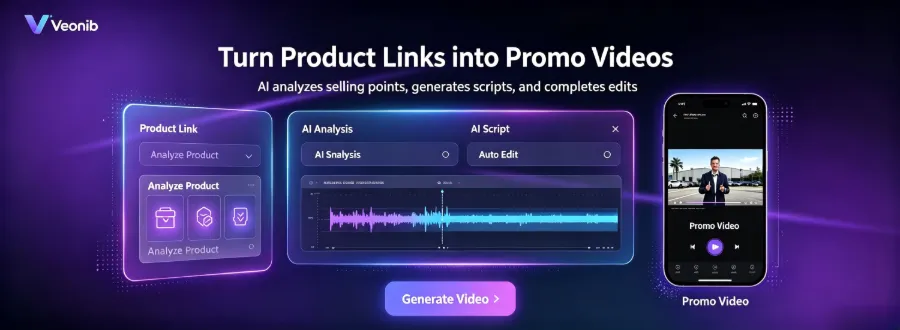
The output at this stage isn’t a single finalized script but a collection of creative scripts from multiple angles. Each angle corresponds to a different Hook direction and narrative focus; you’ll later pick the most suitable one for video creation. Many sellers make the mistake of locking in a script too early—keeping several directions gives you options for later testing.
Replicating Shots and Scenes: Turning the Viral Visual Logic into Your Own
Once the script is set, it’s time for the visuals. AI video generation will automatically plan storyboards and shooting plans based on the script, replicating the viral shot language. The key is choosing the right story template—different templates correspond to different shot logics and suitable scenarios.
| Template Type | Suitable Categories | Core Shot Logic | Ideal Platforms |
|---|---|---|---|
| Problem‑Solution | Home, Personal Care, Tools | Pain point close‑up → Product entry → Effect comparison | TikTok, Reels |
| TikTok Review | Beauty, Fashion | Hand‑held on‑camera → Sequential reviews → Usage close‑up | TikTok |
| Unboxing | Electronics, Toys | Unboxing process → Product reveal → Detail showcase | YouTube Shorts, Reels |
| Lifestyle | Apparel, Food | Integrated scene → Natural usage → Atmospheric ending | Reels, TikTok |
| Social Proof | All categories | Comment screenshots → Usage feedback → CTA guide | TikTok, Ad placements |
| Custom | Special needs | Custom combination | All platforms |
Template selection is based on category attributes and the benchmark structure. For example, if your benchmark video follows a “problem → solution” pattern, choose the Problem‑Solution template; if it’s a review style, pick TikTok Review. The AI also includes built‑in character avatars—you can use them directly or upload real photos to customize the on‑camera personality, ensuring the product’s placement and usage scenario match the viral reference as closely as possible. For a deeper dive on turning a product link into a brand‑centric video, see this article: AI Turns Product Links into Emotional Brand Videos.
The entire workflow requires no editing skill; the AI outputs an MP4 video directly. However, a common oversight is relying solely on AI‑generated assets without localization—conversion rates can drop significantly in specific cultural markets. For Middle Eastern or Southeast Asian audiences, you may need to tweak character appearances, scene settings, or speech tempo; applying a Western‑style template unchanged often yields suboptimal results.
Several tools already standardize this pipeline; you can see real‑world feedback from e‑commerce teams on VEONIB’s Product Hunt page. To try VEONIB’s AI overlay studio yourself, go to the veonib Hugging Face demo.
Post‑Production Amplification: From One Video to a Test Material Matrix
Creating a single video is just the start. The real advantage comes from quickly producing a matrix of testable assets. The method is to generate multiple variants in bulk—swap the Hook, adjust voice‑over tone, change scene templates—so the same product line can spawn many different‑angle videos.
A multi‑version strategy rests on a often‑overlooked logic: instead of spending two weeks polishing one “perfect video,” use AI to churn out 5–10 versions, run low‑budget tests, and let data tell you which direction deserves scaling. Track completion rate, click‑through rate, and conversion rate—these three metrics are critical. After each test round, iterate the next batch based on the data. Also, TikTok and Reels differ in aspect ratios, length limits, and user habits; generating multi‑platform‑compatible assets at once saves a lot of manual adjustment time.
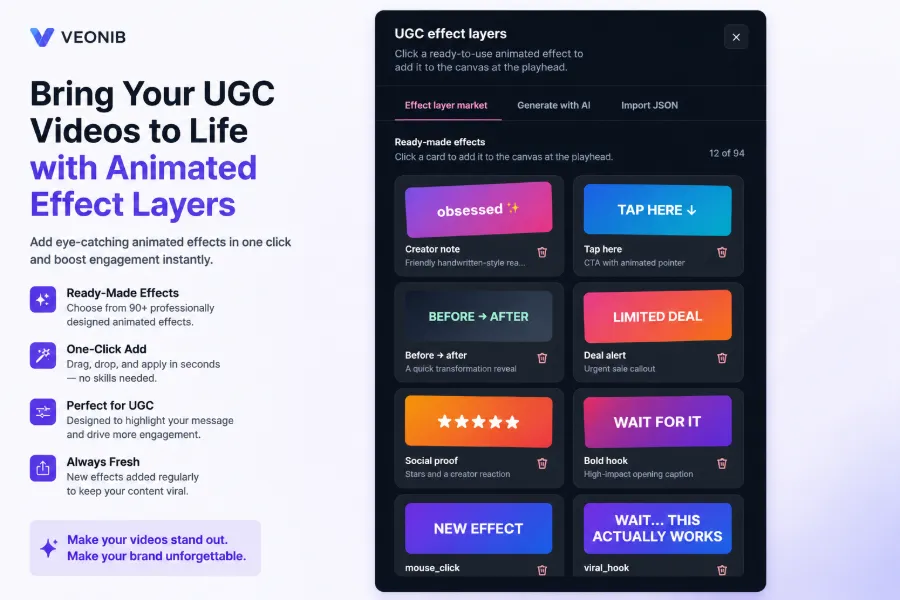
Video thumbnails and effect layers also significantly impact click‑through rates, yet they’re often underestimated. The same video content with different thumbnail copy and dynamic CTA tags can double CTR. To learn how to capture traffic in AI search, read Hijacking AI Carousels — How Emerging Brands Outrank 8‑Figure Competitors in ChatGPT Search.
Three‑Week Replication Plan: Execution Rhythm from Analysis to Launch
Now that the method is explained, here’s a ready‑to‑follow timeline.
Week 1 – Analysis: Dissect 3–5 benchmark viral videos, recording Hook, problem description, product reveal, demo, and CTA timestamps second‑by‑second, and define your product’s narrative angle.
Week 2 – Production: Use AI to generate the first batch of scripts and videos, then internally select the 2–3 most promising directions.
Week 3 – Testing: Launch low‑budget ads, monitor completion and click‑through rates, and decide which direction to scale based on performance.
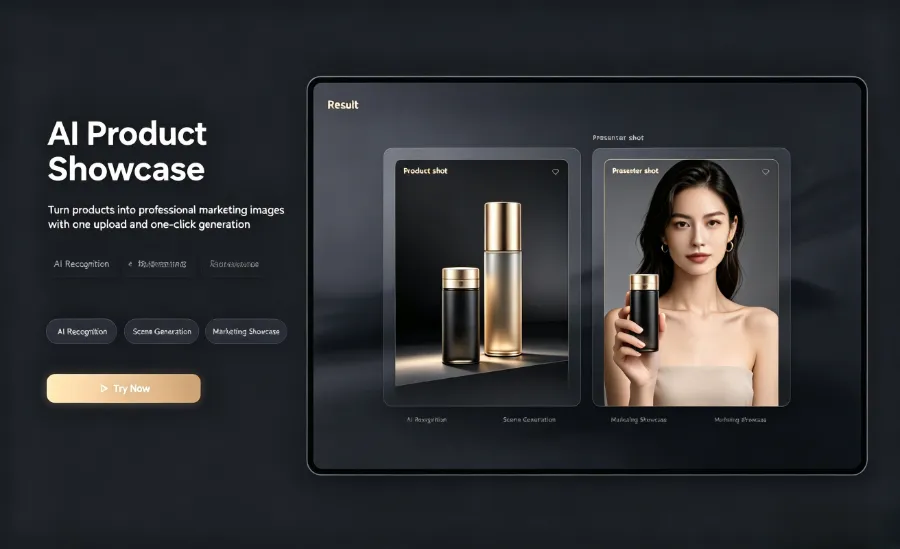
After launch, replication must continue. Advertising accounts need fresh creative to maintain novelty; we recommend adding 2–3 new videos each week, otherwise frequency decay will quickly erode the early conversion advantage. In this rhythm, AI handles most of the creative execution, allowing operators to focus on decision‑making—exactly the division of labor VEONIB was designed for: machines produce at scale, humans judge direction.
Three typical mistakes to avoid:
1. Over‑producing low‑quality assets – generating dozens of mediocre videos is less effective than focusing on a few high‑quality ones.
2. Directly copying – as mentioned earlier, reusing viral assets leads to throttling or bans; that red line must not be crossed.
3. Skipping testing – picking a “best‑feeling” video without data is a pitfall; many sellers waste effort polishing a single perfect video instead of testing multiple versions and then scaling the winner.
Frequently Asked Questions
Is replicating a viral video’s structure considered plagiarism?
No. Replicating narrative structure is different from copying assets. The structure is a generic framework—like “introduction → body → conclusion” in writing—and does not infringe. However, the footage, copy, and voice‑over must be your own; using others’ assets triggers platform copyright detection and throttling.
Will AI‑generated videos lack authenticity?
It depends on how you use them. Default‑template videos can feel “plastic,” but by customizing avatars, uploading real on‑camera footage, and adjusting scenes and speech tempo, you can greatly increase realism. Moreover, UGC style itself aims for a “hand‑held” feel; overly polished videos may look less like genuine user content.
Can I complete the whole workflow without professional editing skills?
Yes. From script generation to storyboard planning to MP4 output, the entire process is handled by AI, requiring no manual editing or voice‑over work. Your tasks are past product link, selecting template direction, filtering scripts, and interpreting data—none of which need specialized skills.
How do I handle different platform specifications (TikTok vs. Reels)?
The two platforms differ in aspect ratio and length preferences: TikTok primarily uses 9:16 vertical, while Reels also supports vertical but has slightly different length limits and interaction habits. It’s recommended to output 9:16 vertical during generation, then adjust length and thumbnail per platform. Selecting a multi‑platform‑compatible option during batch generation yields versions ready for TikTok, Reels, and Shorts, avoiding later manual tweaks.
Share Article


