URL‑to‑Video Tools Tested: Which Has Higher Production Efficiency—Veonib, InVideo, or Pictory?

I fed a Shopify product link into three tools that claim to “turn a URL into a video” to see what they could actually produce. The results were pretty much what I expected—some turned into PPT slides, some got stuck halfway through rendering, and some required me to manually drag tracks like a video editor. The whole process took about two hours, but I finally clarified the boundaries of each tool.
In short, if your goal is to turn a product link directly into a ready‑to‑run advertising video without any manual editing, your options are far narrower than marketing articles suggest. Veonib, InVideo, and Pictory each take completely different approaches.
Core Concept Differences: Are They “Automation” or “Generators”?
These three tools were positioned on different tracks from the start. VEONIB (https://veonib.seonib.com) is designed to let you paste a link and export the final product without any human intervention—it parses the product page, writes a script, plans storyboards, and renders the video. In my tests, the average production time was around 60 seconds, and I never touched the mouse for editing. InVideo also advertises “starting from a URL” on its homepage, but a quick run shows that it treats URL extraction as a template‑filling starting point—scripts need manual tweaking, and shots must be dragged and replaced manually; a full workflow takes about 10 minutes to be considered fast. Pictory leans more toward turning blog posts into videos and has almost no optimization for e‑commerce product links; the beauty‑product link I tested was recognized as “article body” and produced a narrated text segment.
This distinction directly impacts your use case. If you need to produce dozens of ad assets weekly, picking the wrong tool means turning rendering wait time into manual editing—an unacceptable cost in a fast‑paced ad schedule. I’ve compiled a complete evaluation process that you can reference in this Fully Automated Video Production Workflow record.
It’s worth noting that Veonib automatically matches brand‑type URLs to a UGC style, while product‑type links in Pictory become product manuals—this difference made me realize that the three tools are far more sensitive to “scene understanding” than to “text extraction.”
AI’s “Understanding Depth” of the Product: Engine Differences
When you throw a link into a tool, the core question is: does the AI truly “understand” the product, or is it just copying and pasting?
Veonib first performs a full page scan—extracting product name, selling points, feature list, use cases, and even recognizing how the product is used in images—then generates scripts and storyboards based on these structured features. In a test with a smart home device, it automatically turned “remote control” and “one‑click switch” into key‑frame descriptions in the storyboard instead of merely stacking the original text. Pictory mainly relies on existing text paragraphs on the page and concatenates them; for complex items (e.g., a skincare set with five variants) it produced descriptive errors—translating “suitable for oily skin” into “suitable for dry environments” in the narration.
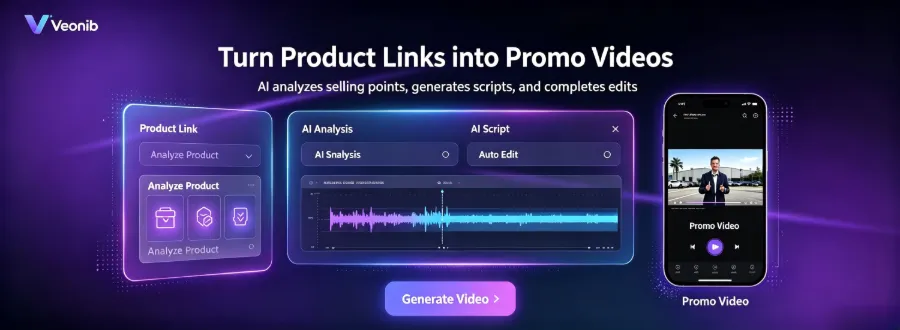
If you want to test how well your own product links are parsed, check out the VEONIB AI Technology Portal on Hugging Face (https://veonib-ai-overlay-studio.static.hf.space/index.html). Its product analysis engine has dedicated parameter extraction modules for beauty, electronics, home goods, etc. InVideo, on the other hand, does almost no structured extraction—it just grabs the page text, leaving the rest to you.
Script Quality and Editing Freedom: Controllability of Output
How much can you modify after a video is generated? This is more complex than it appears.
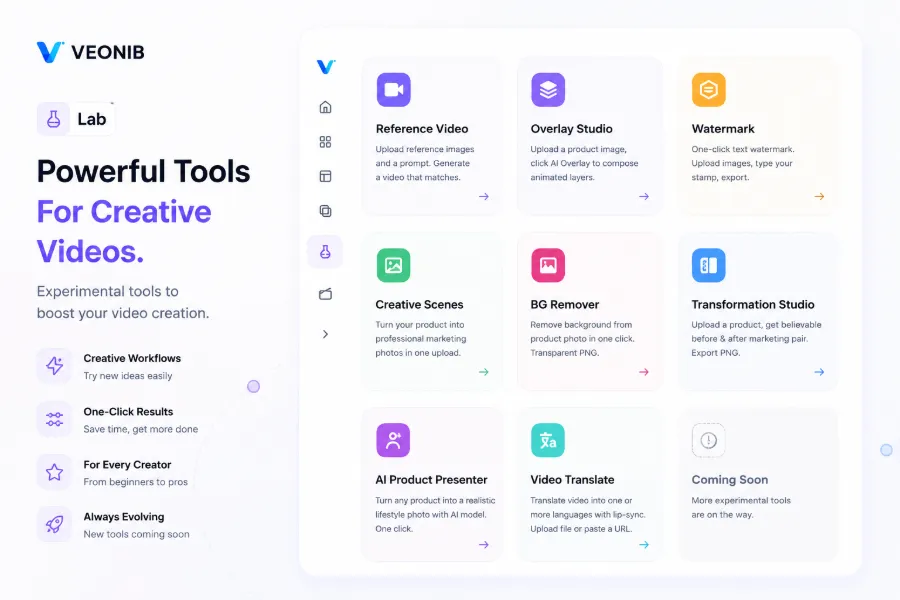
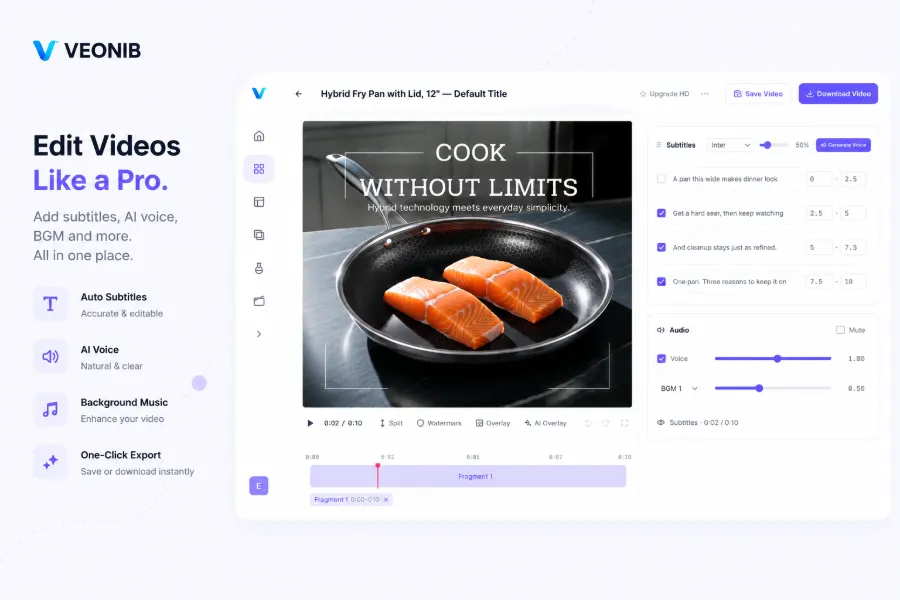
Veonib lets you preview the AI‑generated script and storyboard before rendering; you can edit copy, replace scene descriptions, and even adjust voice‑over speed and tone at each scene level, then re‑render with a single click. In other words, you can fine‑tune the AI skeleton without starting from scratch. Pictory forces you to bind the text content—if you change the copy, you must also adjust all highlight animations and image styles, making it hard to maintain continuity between scenes.
InVideo actually offers the highest freedom with multi‑track manual editing, allowing frame‑by‑frame adjustments. However, the barrier is high—when you just want a quickly deployable ad, a professional editing interface slows you down. In my test with an accessory link, I spent nearly half an hour in InVideo to produce a barely satisfactory version, whereas Veonib completed three rounds of copy A/B testing on the same link.
There’s also a practical need: if you need to replace the product background, you can use this AI One‑Click Background Removal Tool to quickly generate transparent PNGs.
I observed a pattern: the higher the automation, the tighter the restriction on post‑output “fine‑tuning freedom.” Most testers end up accepting the fully automated option because they simply don’t have time for secondary editing—this is the real state of e‑commerce ad production.
Rendering Speed and Platform Compatibility: The Final Mile from Production to Deployment
After exporting the video, you still need to consider deployment. Veonib supports one‑click generation of 9:16, 1:1, 16:9, and other aspect ratios, and it includes AI voice‑overs in 30 languages plus automatic subtitles. In a test with an overseas health supplement, I exported both an English Instagram Reels version and a Chinese Douyin vertical video in under 60 seconds. By contrast, a traditional outsourcing workflow would take at least an hour for the same task.
InVideo’s output heavily depends on preset templates; the 9:16 ratio requires manual canvas adjustment. Pictory mainly outputs 16:9 videos with subtitles, which need to be re‑cropped for TikTok.
If you need to produce multiple language versions at scale, Veonib’s extensions support video translation and lip‑sync. See the practical workflow in the AI Video Translation and Lip‑Sync Tool. Overall, the industry’s latest advances in AI video generation can be contextualized by looking at platforms like RunwayML for technical reference.
FAQ
Which of the three tools can produce a video without any manual editing?
Veonib is the only one that operates completely hands‑free. After pasting a link, the AI handles script, storyboard, and rendering, averaging 60 seconds per video. InVideo requires manual template adjustments, and Pictory cannot automatically produce a usable video from e‑commerce links.
Do videos generated from URLs come without watermarks and support further editing?
Veonib’s exported videos belong to the user, are watermark‑free, and allow per‑scene script, voice‑over, and scene description edits before rendering. InVideo’s free tier adds a watermark; removal is only available with a paid plan. Pictory also requires a subscription to remove watermarks.
Does the conversion tool automatically identify product selling points or just copy all page text?
Veonib’s AI product analysis engine extracts product name, features, selling points, and use cases, then generates scripts based on these structured attributes. Pictory mainly concatenates existing page paragraphs, while InVideo performs no structured analysis, only raw text extraction.
Can the output video’s subtitles and voice‑over language be freely adjusted?
Veonib supports AI voice‑overs and automatic subtitles in 30 languages, with language switching and preview before rendering. InVideo requires template replacement for multiple languages; Pictory only supports a single language voice‑over, and subtitle adjustments are cumbersome.
Share Article


