Zero‑Budget Video Monetization for Solo Sellers: One Link, 60‑Second Production
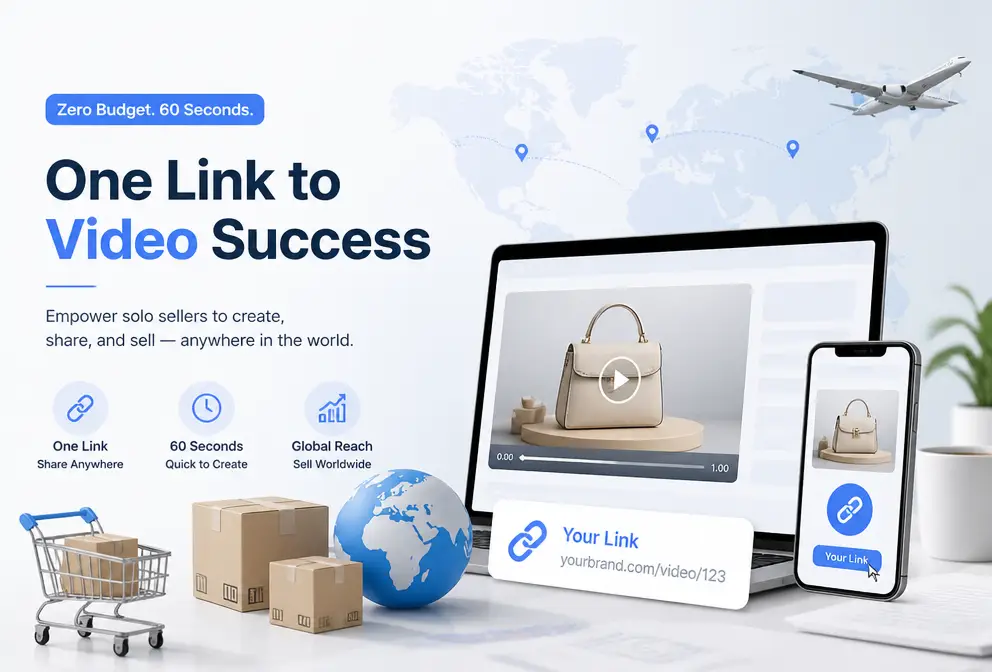
What is the most painful thing for a one‑person cross‑border e‑commerce seller? My answer is: you know video conversion rates are far higher than images, but you just can’t produce them. It’s not that you don’t want to; you simply lack the resources—outsourcing costs money, learning editing takes time, and when you’re the only boss you have neither. Over the past year I tried spending a few thousand yuan on product video shoots, and I also spent entire afternoons grinding in editing software just to cut a 15‑second short video. The result was either the budget was burned out or the time was exhausted, and the video inventory remained at zero. Last month I discovered a completely different path: paste the product link, and the script, storyboard, voice‑over, and rendering are all done by AI in less than a minute. This article is a practical recap of that experience, hoping to help anyone else fighting solo.
Why Solo Sellers Need Video More Than Big Teams—But Previously Couldn’t Do It
Anyone running an independent site feels this: TikTok, Instagram Reels, YouTube Shorts are now algorithmically pushing video, while organic traffic for image‑text posts is visibly shrinking. Amazon listing videos have long been a standard rather than a bonus; listings without videos rank lower in search results. The real headache is ad review—Meta and TikTok’s ad policies are getting stricter, image‑only ads see lower approval rates, while video assets, which can clearly showcase product usage scenarios, actually have a higher chance of passing.
The problem is that the traditional video production barrier is not just high for solo sellers; it’s completely unreasonable. You need filming equipment, script‑writing skills, storyboard knowledge, and hours of rendering and exporting. I know a home‑goods seller who hired a photographer and a model just to shoot a 15‑second Amazon listing video; the location fees alone cost over two thousand yuan, and the whole process took three days. Such an approach is unsustainable for a single person.
In my own testing of AI tools, I compared the two: from past a product link to exporting a video, AI takes about 60 seconds, whereas doing the same content manually—from selecting assets to adding subtitles and color grading—takes at least six hours. This isn’t just a ten‑fold efficiency gap; it’s a qualitative shift from “impossible” to “doable at any time.” When you’re juggling product sourcing, listing, customer service, and logistics alone, you have almost no time for video. If a video takes hours, you’ll never start it.
I recently read an article about how AI video creation is fundamentally changing the game (https://telegra.ph/The-Future-of-AI-Video-Starts-with-a-Product-URL-07-11) and found a point I strongly agree with: for small sellers, the biggest pain point isn’t low video quality, it’s the complete lack of video. This aligns perfectly with my experience. Before adopting the new workflow, I tried using supplier‑provided assets to solve ad compliance, but that required a lot of manual cleaning and was time‑consuming.
My Solo Video Workflow: From Product Link to Finished Video in Three Steps
Last month I started experimenting with AI for product videos, and the process became so simple it surprised even me. The image below shows the core interface—just paste the product link and AI starts working automatically.
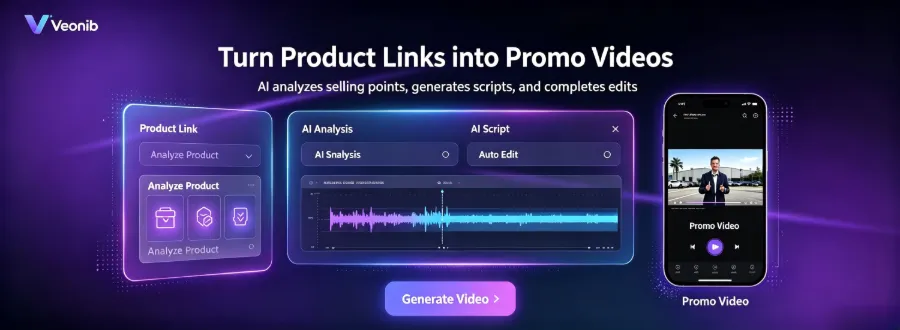
Specifically, my current workflow consists of three steps:
Step 1: Copy the product URL. Whether the product is on Shopify, Amazon, or WooCommerce, just copy the link. No need to organize assets, shoot footage, or write any copy. I copy the product link from the Shopify backend and paste it into the tool’s input box.
Step 2: AI automatically analyzes the product. This was the most surprising part. After pasting the link, VEONIB automatically reads all information from the product page—title, description, images, selling points, specs—and then generates a script and storyboard based on that data. It even extracts the core selling points and builds the script around them, offering multiple hook options for you to choose. For solo site owners, the hardest part is grabbing user attention within the first three seconds, and AI generates several different opening copy options at once.
Step 3: Choose a style and generate. Pick the desired video style—brand, lifestyle, UGC, or minimalistic. Then click generate, and you’ll see the finished product in under a minute. One detail I love: a single generation outputs three aspect ratios (9:16, 1:1, 16:9) simultaneously, ready for TikTok, Instagram Reels, and YouTube Shorts, so you don’t need separate adjustments for each platform.
The video below shows the entire process from pasting the link to generating the video, visibly faster.
Honestly, the first time I saw an AI‑generated video, I watched it several times to make sure it wasn’t just a template—it truly generated scenes and copy specific to my product, not just swapped in a product image into a fixed template. This experience made me feel that the once‑cumbersome workflow of chaining multiple tools is finally a reality.
Solo Sellers Can Also Mass‑Produce Diverse Video Types—From Product Showcases to UGC
The biggest limitation for a solo video creator isn’t ability; it’s time. Previously, deciding “what style to use” could take half a day, let alone the actual production. Now, with AI tools, I can generate multiple style variants for the same product in one go, then let data decide which direction to double down on.
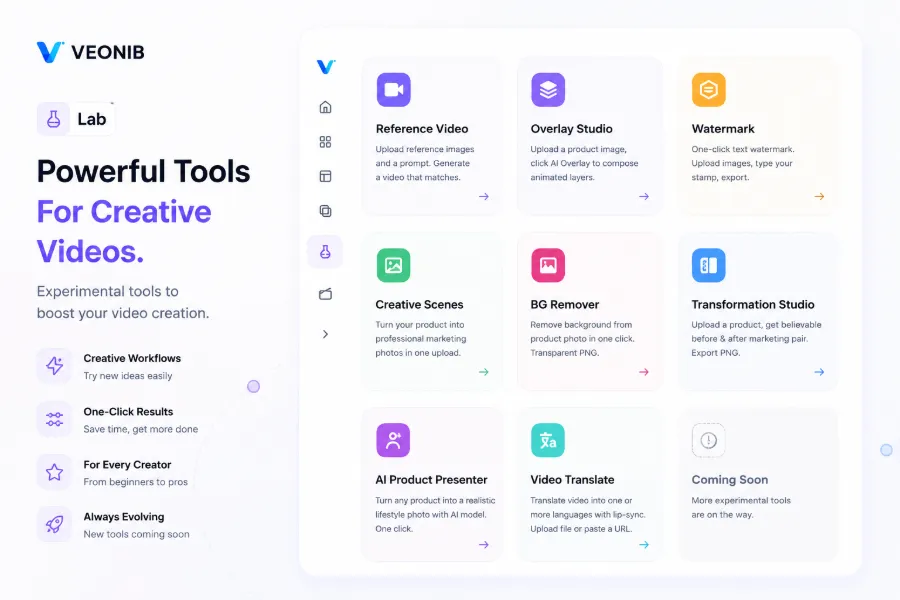
My current practice: for each new product, I first use VEONIB to generate a product‑showcase video and a UGC‑style video. The showcase video goes on the independent site’s product page and Amazon listing; the UGC video is posted on TikTok and Instagram Reels to test organic traffic. The script structures differ completely—showcase videos focus on features and specs, while UGC videos emphasize usage scenarios and authenticity—but AI can produce both within minutes.
More importantly, I discovered a non‑obvious truth: the video style itself isn’t what matters; it’s the multivariate testing. I used to think “this product’s video must look high‑end,” spending a lot of time agonizing over style. Now my strategy is: same script, different scene descriptions and voice‑over styles, generate five or more variants at once, launch them all, and let the data decide. AI reduces the cost of this process to almost zero.
If you want more concrete low‑cost video production strategies, check out this guide on 2026 Low‑Cost Video Marketing Strategies (https://veonib.com/s/guides/low-cost-video-marketing-for-dropshipping-stores-in-2026-veonib), which contains methods I’ve personally tested with good results.
Three Key Thoughts for Making Video Actually Drive Conversions
AI dramatically lowers the production barrier, but does it truly drive conversions? After stumbling through a few pitfalls, I’ve distilled three lessons.
1. Test first, then optimize. Many solo sellers waste time trying to create a “perfect” video. My approach is the opposite: quickly generate multiple AI versions, launch all of them, and let the data speak within 48 hours. You’ll see which hooks have higher click‑through rates and which scenes have better completion rates. Then decide which version deserves deeper optimization. AI’s biggest value isn’t making a perfect video; it’s giving you enough data samples in a very short time. In my own tests, AI‑generated videos have a first‑ad‑review approval rate of over 90 %, slightly higher than my manually produced assets.
2. A 60‑second video is far better than no video at all. This was the most striking lesson early in my independent‑site journey. Last year I spent an entire month trying to shoot a “perfect” product video, but it never materialized, leaving the product with only images. Once I embraced the “have it first, make it better later” mindset, I launched three AI videos within a week, each outperforming pure images by a large margin. For solo sellers, quantity beats quality—so long as the video clearly conveys the core selling point and usage scenario, it already outperforms 80 % of competitors.
3. Leverage existing assets for secondary processing. I don’t always start from scratch with AI. Often I upload supplier‑provided product images, a few photos I took myself, or old video clips, and let AI re‑arrange and generate a new video. This preserves authenticity while saving the cost of starting from zero. When creating video thumbnails or handling image assets, pairing with the AI One‑Click Background Remover tool speeds up the whole material‑creation workflow.
A shortcoming of AI video: for certain niche categories—high‑ticket luxury goods or highly customized products—AI‑generated videos may lack the premium, bespoke feel and real‑person trust. I tested a handcrafted leather product priced above $200; the AI video displayed the product clearly, but users said it “lacked warmth.” Such categories may still need real‑life shooting or manual post‑production tweaks after AI generation to achieve better conversion. My recommendation: use AI for cold‑start, and once the product shows positive ROI, decide based on data whether to supplement with real‑life footage.
FAQ
Q1: Can a solo seller’s AI‑generated video pass ad review?
Yes. I’ve tested dozens of AI videos, and the vast majority pass Meta and TikTok ad reviews normally. AI‑generated videos are essentially product showcase content, not false advertising or infringing material, so the review standards are the same as for regular videos. As long as your product itself complies with regulations and the description is truthful, the approval rate is high.
Q2: Do I need to write a script? Can AI write the opening for me?
No need to write any script yourself. AI automatically analyzes your product page, extracts selling points, and generates a full script, including opening hooks. You can choose from multiple hook variants AI AI, or fine‑tune the copy. I usually let AI generate five different opening copy options and pick the one with the highest click‑through rate.
Q3: Can the generated video be used commercially? Who owns the copyright?
The copyright belongs entirely to you. Once the AI video is exported, you can freely use it for ads, social media, shop detail pages, or any commercial purpose. There are no additional royalty fees or platform restrictions.
Q4: If I’m unhappy with a specific scene, can I edit it individually?
You can modify the script and storyboard before generation, and also adjust voice‑over and scene descriptions. If a particular frame isn’t satisfactory, the most efficient method is to tweak the prompt and regenerate that frame, rather than manually editing after generation. This iterative approach is far faster than editing in a traditional video editor.
Q5: How many videos does a solo seller actually need per month?
Based on my experience, I recommend preparing 3‑5 different video versions per core product for testing. If you have five flagship products, that’s 15‑25 videos per month. Traditional methods make this impossible for one person, but with AI you can produce everything in a weekend’s two‑hour session. The key is not to chase perfection in one go; run data first, then iterate.
Share Article


