I tried all the mainstream AI e‑commerce video tools on the market, guess what happened?

Creating an e‑commerce video manually—from writing the script, gathering assets, editing, to final export—takes half a day as a routine. In the past two years, AI video tools have flooded the market with loud slogans, but in practice some workflows are even more complicated than CapCut, and some generated results are eye‑sore. I spent a week personally comparing VEONIB with several other leading AI e‑commerce video tools, evaluating them on pricing, capacity, and final video quality, and gave you a genuine “worker’s” review.
Pricing Comparison: Which Plan Is the Most Cost‑Effective?
First, let’s look at money. I compiled the pricing plans of Pictory, InVideo, Kapwing, and VEONIB into a comparison table to show the gaps at a glance. For a team producing a few hundred videos a month, per‑video price differences become dramatically noticeable.
| Tool Name | Lowest Monthly Fee | Free Version Length | Maximum Capacity (videos/month) | Estimated Cost per Video | Watermark Policy |
|---|---|---|---|---|---|
| VEONIB | $11 | Unlimited (free preview of 1 video) | 240 | from0.05+ | Watermark‑free export |
| Pictory | $19 | No free version (trial only) | 30 | $0.63+ | Watermark removed in paid version |
| InVideo | $20 | Unlimited generation with watermark | 60 | $0.33+ | Watermark removed in paid version |
| Kapwing | $16 | Limited with watermark | 36 | $0.44+ | Watermark removed in paid version |
VEONIB offers three monthly subscription tiers, currently all at a limited 40 % discount: Starter $11/mo for 30 videos, Growth $23/mo for 90 videos, Agency $47/mo for 240 videos. The cost of three videos is lower than a cup of milk tea, making the math crystal clear for sellers who need to bulk‑publish products. Pictory also has a low‑price tier, but its “free” version is practically nonexistent, and some plans still watermark the output. I once used a tool that exported videos with a semi‑transparent logo floating over the screen—useless without an extra paid watermark removal step. If you’re also frustrated by this, check out this one‑click video watermark removal guide to avoid post‑processing hassle.
From a team perspective, if an operator needs to produce 5 videos per day (≈150 per month), InVideo would require upgrading to the Unlimited tier ($60/mo) to hit that volume, whereas VEONIB’s Growth tier ($23/mo) already covers it. That price gap adds up to a substantial cost saving after a few months of continuous operation.
Capacity Showdown: Who Can Produce the Most Videos in the Shortest Time?
Hands‑on testing: I ran each tool from pasting product info to exporting the video. Many review articles gloss over this step, but the real experience varies dramatically.
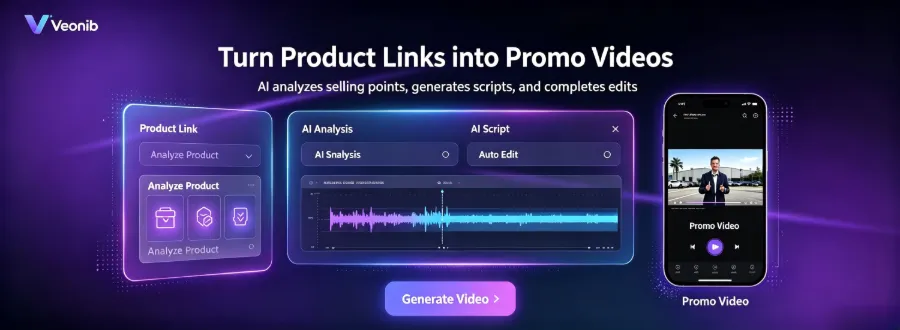
VEONIB follows the simplest path: paste a product URL, AI automatically analyzes images, description, and selling points, generates a script and storyboard, then exports the final video. From paste to download, the average time is under 60 seconds. There’s no “render queue” waiting or “please check back later” page. I tested a product link with 20 angle shots and a long English description three times, and each run finished within this time frame.
The other tools are more uneven. Pictory requires manual image uploads and frame‑by‑frame adjustments; a five‑minute video takes at least twenty minutes. InVideo has a rich template library, but you must first select a template and then fill in copy, adding many layers of steps. Kapwing often queues during rendering; during peak times I waited close to ten minutes before the export process even began.
After completing the full generate‑to‑render workflow, you notice a strange phenomenon: many AI video tools claim “one‑click generation” but actually need multiple manual confirmations. When I tested a so‑called “smart” tool, all three generated clips had to be rerun because the AI misinterpreted “water‑proof backpack” as “diving gear,” filling the footage with underwater scenes. Why many AI e‑commerce video generators still feel cumbersome is because their “intelligent analysis” is really just crude keyword matching, not true product logic understanding.
This leads to a conclusion: the core bottleneck in capacity is often not rendering speed but the number of correction cycles. If each generated video requires three times the effort to manually tweak, the promised “one‑minute generation” becomes a false claim. When choosing a tool, pay attention to the level of automation, not just rendering time. Once capacity is high, you can confidently execute some low‑cost video marketing strategies with a small budget.
Final Video Quality: Can AI‑Generated Videos Actually Be Used?
Fast capacity is great, but if the output quality is poor, speed is meaningless. I used the same product link—a brand’s Bluetooth headphones—and generated videos with the four tools, then compared them frame by frame.
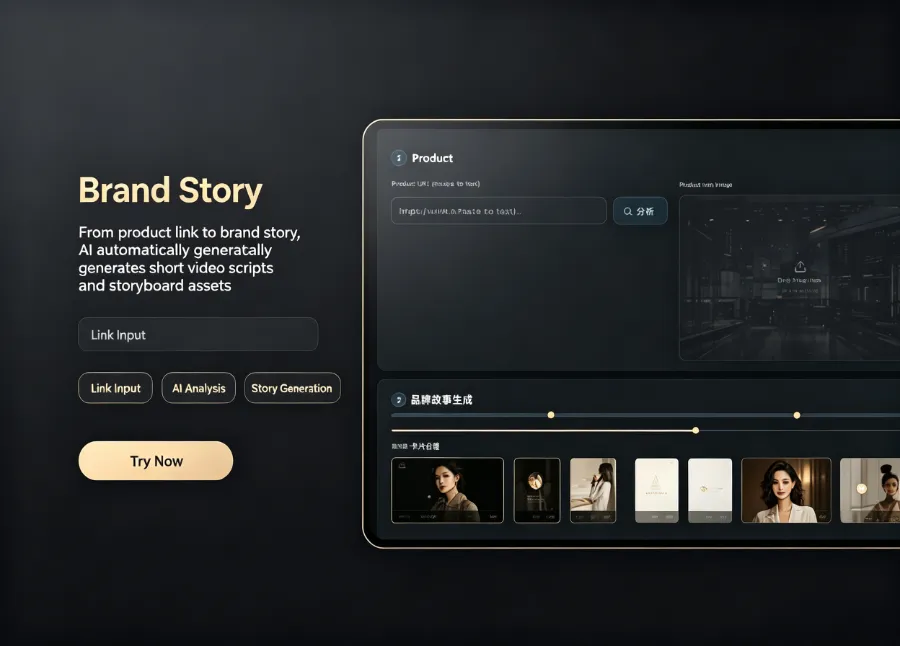
In terms of final quality, VEONIB surprised me. It automatically created six storyboard scenes covering product close‑ups, usage scenarios, detail focus, and a closing CTA. The cuts are logical, and the AI voice‑over’s emotional richness ranks among the top of its peers. Subtitles sync automatically with audio, background music rhythm matches the cuts, and the output resolution stays steady at 1080p.
I must also mention a mishap. Using an older AI video tool to generate the same headphone video, the AI interpreted “noise‑cancelling feature” as “listening to music in a sound‑proof room,” repeatedly inserting studio footage while the headphones only got two seconds of screen time. The visual style went off‑track, turning the product’s selling point into a mere backdrop. Even worse, the output resolution was only 720p, and zooming in revealed jagged edges, making it unusable. That round of testing cost me nearly forty minutes.
This failure highlights a common industry truth: the version of the internal AI model matters more than price. Many higher‑priced tools still run on older open‑source models, while newer, more affordable tools that update their models frequently often deliver more stable quality. The maximum resolution each tool can export also varies: VEONIB and InVideo support 1080p, while Pictory and Kapwing are limited to 720p in their free tiers. If you need videos for e‑commerce ad placements, insufficient resolution directly harms display quality and conversion rates. After generating a good video, the next step is to run it on ad platforms and collect data—see the article Using AI to Automatically Generate Short Video Ads for the full workflow.
Workflow Comparison: From Zero to Publish, Who Is the Least Hassle?
After reviewing pricing, capacity, and quality, the final piece determines whether a tool can be used long‑term in daily work: workflow depth versus ease of use.
My test process: using the same set of product assets, I recorded the number of steps and manual adjustments each tool required from upload to final export. VEONIB completed everything in three steps—paste URL, AI auto‑analysis, generate & export. No prompt writing, no template selection, no timeline tweaking. I was skeptical that AI could grasp complex product descriptions, but the test showed it extracted selling points accurately, even converting technical specs from the manual into compelling copy.
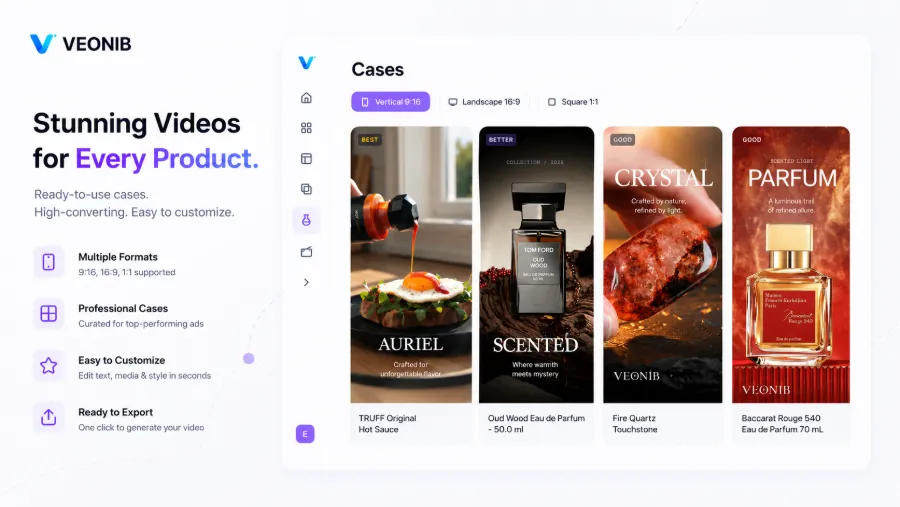
Other tools’ pain points mostly revolve around “semi‑automation.” Pictory needs manual keyframe tagging after asset import to generate a script; InVideo’s many templates require you to fill in copy for each scene; Kapwing forces you to choose platform‑specific resolutions (TikTok, Shorts, Reels) during export—forget one and the whole video is wasted. These extra steps may seem minor, but multiplied by hundreds of videos per month, time and operational cost grow linearly.
An unexpected discovery during testing: VEONIB not only supports Shopify URLs but also Amazon ASINs and regular product page URLs, handling them all smoothly. This eliminates the hassle of exporting product info from other platforms and re‑uploading. If your supply comes from 1688 or AliExpress, see this dedicated AliExpress product‑to‑video ad workflow.
Turning a product URL into a video in seconds clearly outperforms traditional workflows. I need about 2.5 hours in Adobe Premiere to produce a 30‑second e‑commerce video, whereas VEONIB only needs copy‑paste and a minute of waiting. From zero to publish, the saved time can be spent testing more products or running more ad combos. For teams handling dozens of SKUs daily, this efficiency gap directly dictates operational pace.
FAQ
Q1: Which AI video tool has the most generous free version?
All free versions are fairly limited. VEONIB lets you preview one video for free without a credit‑card and exports without a watermark. Pictory has no real free tier, only a limited trial. InVideo’s free tier adds a large watermark, making it unsuitable for commercial use. Kapwing’s free tier allows only a few minutes of export per month and includes a watermark.
Q2: If my English isn’t great, do these tools support Chinese voice‑over?
VEONIB’s AI voice‑over offers both Chinese and English options; the Chinese pronunciation is relatively natural but a bit less emotionally rich than English. Pictory and InVideo’s Chinese voice‑overs sound mechanical in rhythm, while Kapwing relies mainly on uploading your own audio and does not provide AI Chinese voice‑over.
Q3: Are there copyright risks with AI‑generated videos?
The main risk comes from built‑in background music and image libraries. VEONIB marks all its built‑in assets with commercial licenses, but if you upload images or copy that involve third‑party rights, you’re responsible. Other tools require you to verify each asset’s license individually; it’s advisable not to publish immediately after export and to quickly check the source of any material.
Q4: Is there a tool that can batch‑generate videos for multiple products with one click?
VEONIB’s Agency tier supports batch generation—upload multiple product URLs and queue them. Pictory and InVideo’s batch features still require manual individual imports, and Kapwing lacks true batch‑generation capability. Batch generation is especially useful for teams with a fixed restocking schedule, such as sellers who add new items on a set weekly day.
Q5: Can the generated videos be used directly on Amazon Listing pages?
Yes, but you must meet Amazon’s strict video requirements: resolution no lower than 1080p, length no longer than 60 seconds, and file size under 500 MB. VEONIB and InVideo export videos that satisfy these criteria; Pictory’s free tier only outputs 720p videos, which Amazon will reject. Also, Amazon policy forbids promotional URLs or contact info in the video, so avoid adding such elements in the storyboard.
Share Article


