How Amazon Premium Sellers Boost Listing Conversion Rates: Scalable Production of Videos for 100+ SKUs
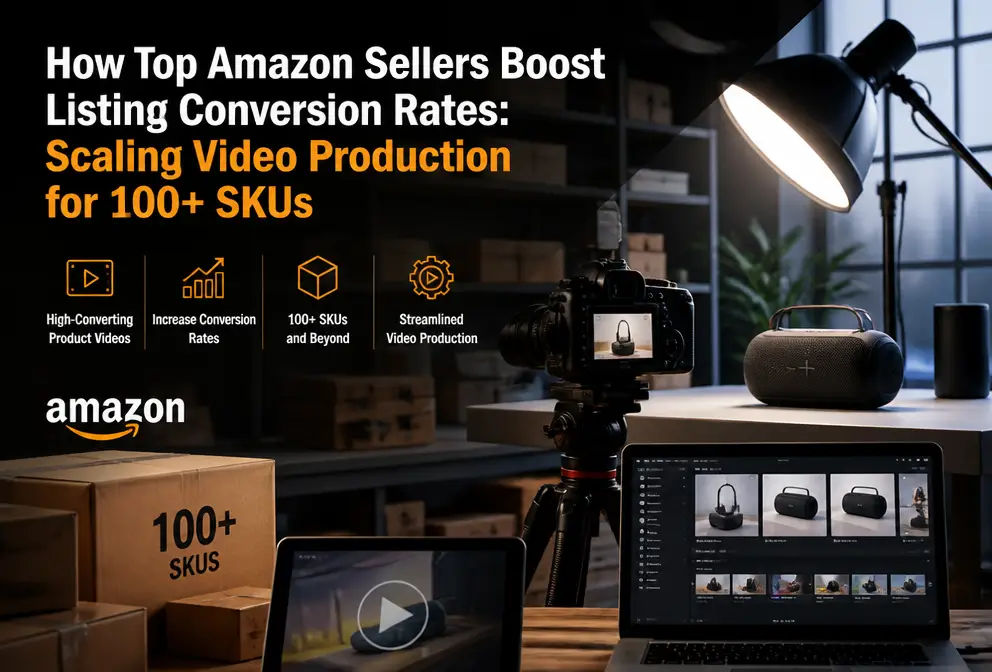
In the two months before the peak season, a friend of mine who sells home goods sent me a message, his tone clearly exhausted—“Just finished main‑image videos for 30 SKUs, burned almost $40k of budget, and 70 more are waiting.” This isn’t an isolated case. The core dilemma for premium sellers has always been there: a listing needs a video to capture conversion, but the cost and timeline of bulk production far exceed what most teams can bear. This article doesn’t discuss the obvious truth that “videos are important”; instead it focuses on a practical approach—on platforms like Amazon and Wayfair that have strict main‑image video guidelines, how to use a “shell‑wrapping” concept to quickly generate compliant, high‑quality videos for hundreds of SKUs and actually lift conversion rates.
Why Main‑Image Videos Are the “Invisible Engine” of Conversion Rates
Over the past two years I have repeatedly verified a data point: among products in the same category, listings whose first screen includes a main‑image video have an average conversion rate 35%–45% higher than pure image‑text listings. This number isn’t fabricated by any tool vendor; it’s the result of cross‑checking Google Search Console and Amazon backend data. The reason isn’t complicated—buyers decide within the first five seconds on a product page whether to keep browsing, and the presence of a video naturally extends the dwell time on the first screen.
The effect is even more pronounced when an A+ page overlays a video. I have an experience of refurbishing an old link: the original link had only an image‑text A+ page and sold about 200 units per month consistently. After the refresh, I added a main‑image video and three usage‑scenario videos; two months later, monthly sales climbed to nearly 500 units, without any changes to the ad structure. Of course, it’s not all the video’s credit, but a comparable link without video during the same period only grew by 15%.
Amazon’s algorithm also gives a clear weight bias toward listings that contain videos. For the same keyword, an ASIN with a main‑image video has a noticeably higher probability of appearing in the top two rows of search results. This isn’t speculation—you can search any category and you’ll find that at least 7 of the top 10 results have a main‑image video.
But the key is that “having a video” does not equal “being effective”. Amazon has hard specifications for main‑image videos: length cannot exceed 60 seconds, background must be clean (white or plain scene), and it cannot contain promotional copy, price information, or external brand exposure. Many sellers simply upload short TikTok videos and get rejected by the system, left bewildered. The compliance threshold is the real barrier that blocks many sellers.
Traditional Video Production Workflow: The Pain Point and Hidden Time Cost for Premium Sellers
A compliant premium main‑image video on Amazon traditionally costs about $800–$1,500. That’s just the filming fee. The full workflow is: product understanding → script writing → finding a model or building a set → filming → post‑production editing → applying platform template → repeated revisions. If you outsource to a studio, you also have to add back‑and‑forth email communications. In 2022 I produced a main‑image video for a floor lamp; from kickoff to launch it took a full six days, three of which were spent arguing over “whether a white background can have a slight shadow”.
Cross‑platform distribution is even a nightmare. Amazon requires a 16:9 horizontal version, Wayfair needs a 1:1 square version, TikTok Shop needs a 9:16 vertical version. The same product, the same selling point, but because platform rules differ you must create three versions. When you calculate the time cost, a single video takes on average 3–5 days from kickoff to launch. 100 SKUs equals nearly a year’s workload—even if you have a dedicated team, it’s unmanageable.
Moreover, external collaboration risks are high. Outsourced studios excel at producing polished brand films but are unfamiliar with platform rules. I saw a peer spend $20k on a set of videos, only to have all of them rejected by Amazon because the background contained a non‑white textured wall. The re‑work communication consumed another week, and the peak‑season window was already gone.
This pain cannot be solved by “optimizing the process”. Fundamentally, the linear model of traditional video production is structurally misaligned with e‑commerce platforms’ demands for scale, speed, and compliance.
To understand the functional differences of mainstream AI video tools on the market, you can refer to this AI Video Tools Feature Comparison (2026 Edition), which outlines each tool’s focus and applicable scenarios.
One Link, Full Process: How to Use AI “Shell‑Wrapping” to Mass‑Produce Platform Main‑Image Videos
At the beginning of 2024 I started testing the “shell‑wrapping” concept. The core idea is simple: overlay a preset Overlay template onto product video material to quickly generate a product that meets each platform’s specifications. No need to reshoot, no need to monitor editing progress daily—just a product link.
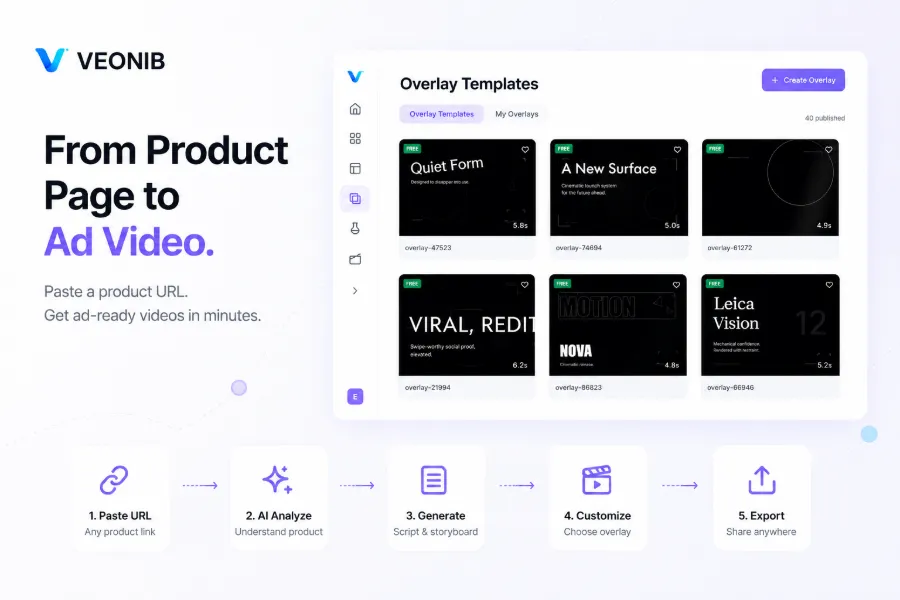
The workflow broken down looks like this: copy product link → AI automatically parses product info → generate script and storyboard → choose appropriate Overlay template → export video that meets platform specs. I tried pasting an Amazon product link into VEONIB; after the preview loaded, I selected an Overlay template suitable for the category and clicked export—the whole process took less than 60 seconds. The output video’s frame, background cleanliness, and length were automatically adapted to Amazon’s standards.
What “shell‑wrapping” truly solves isn’t “whether you can make a video”, but “whether you can make videos at scale”. For the same SKU I can export three versions at once: 16:9 for Amazon main image, 1:1 for Wayfair storefront, 9:16 for TikTok Shop. The backend template library supports filtering by category and style; once a high‑performing template is identified, new SKUs can simply apply it and make minor tweaks.
There’s already industry discussion about whether product URLs can replace traditional video production workflows. This Trend Analysis: Product URLs May Replace Traditional E‑commerce Video Production summarizes several typical use cases and points of contention—worth a read.
The following video intuitively demonstrates the full workflow of converting a product link into a complete UGC video:
Once the production time for a single video is compressed to under 60 seconds, the real bottleneck moves from the “production” stage to “how to manage these videos” and “how to keep them effective”.
From Single Point to Scale: Methodology for Managing 100+ SKU Videos
I started experimenting with batch production in 2023, and the pitfalls I hit included over‑reliance on a single video template causing traffic drops, and not updating templates promptly to adapt to quarterly algorithm changes. This lesson taught me to test a new opening method each week and to prune and rotate the template library monthly.
The first step toward scale isn’t “make 100 videos at once”, but to first create 5–10 breakout videos to validate performance, lock the high‑conversion templates into an asset library, then replicate them across SKU groups. The second step is to build an automated workflow—centralize the product link list, batch‑generate and export the appropriate platform versions via a tool. Using this templated batch method, my studio’s client team achieved a delivery capacity of 20 main‑image videos per week.
For small teams looking to leverage AI video tools to compete with big brands in e‑commerce, this How Small Brands Can Use AI Video to Compete with Large Sellers offers several practical implementation ideas.
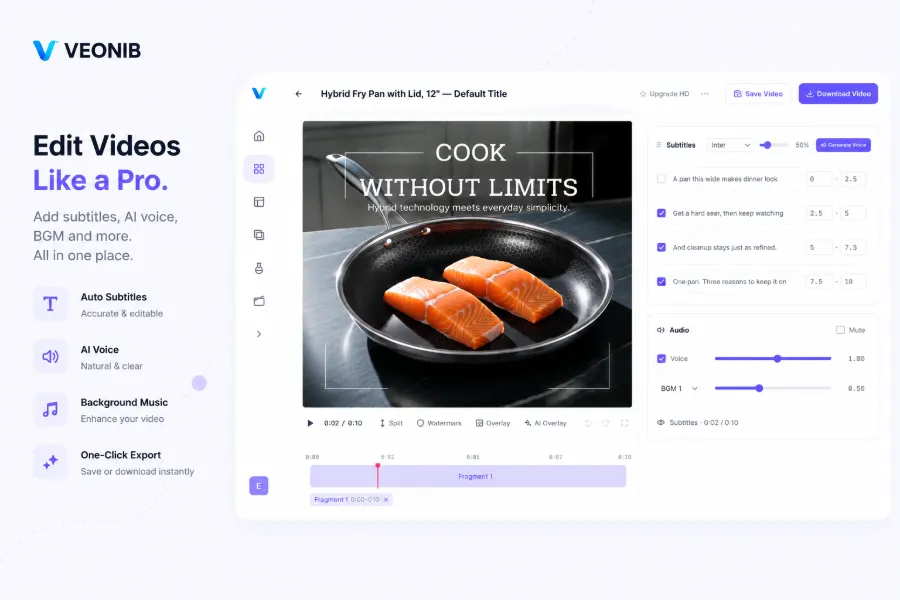
Here’s an counteruitive observation: platform algorithms are increasingly favoring “native feel”; overly polished pure‑white‑background videos actually perform worse than those with real‑scene backgrounds. However, Amazon’s white‑background rule makes this balance hard to achieve—yet the “shell‑wrapping” method lets you control scene style at the template level, setting the background cleanliness in advance.
Another easily overlooked point: most sellers focus only on the “first‑screen presence” of the listing video, neglecting the information density in the last three seconds, which significantly impacts conversion. If the final three seconds just show the product sitting quietly, users are likely to scroll away. In my tests, adding a call‑to‑action pointing to the A+ content or showing a before‑and‑after usage comparison in the ending boosted A+ page views by nearly 30%.
Template‑based batch production does carry a risk of content homogenization. If all SKUs use the same opening hook, users who see two different products with similarly structured videos will feel a loss of trust. My approach is to prepare 5–6 opening templates, discard the worst‑performing ones each week based on delivery data, and inject new variants. VEONIB’s template library supports category filtering, which lets me manage dozens of SKUs without starting from scratch each time.
Continuous iteration is the real watershed after scaling. Use ad data and listing conversion data to reverse‑engineer video content, pull back videos with high click‑through but low conversion to analyze why, adjust script or pacing, then re‑run. Once this loop is established, video production is no longer a “one‑time investment” but a continuously optimized asset pipeline.
FAQ
Q1: What are the specific technical specifications for Amazon main‑image videos?
Length must be under 60 seconds, preferably 30–45 seconds. Aspect ratio is recommended 16:9 horizontal, with a resolution of at least 1080p. Background must be clean—white or plain scene—no promotional copy, price info, external brand logos, or QR codes. The video cannot contain any exposure of competing Amazon products.
Q2: I have several hundred old SKUs; how do I batch add main‑image videos when revamping listings?
First filter the SKUs that ranked in the top 20% for traffic and conversion over the past 90 days, and prioritize them for video creation. Use a tool that supports bulk link processing to import all ASINs at once; the system will automatically parse each product’s info and generate corresponding scripts. After preview approval, batch export and upload to the “main‑image video” slot of each listing.
Q3: Will videos generated with the “shell‑wrapping” tool be flagged by Amazon as duplicate content?
As long as each video uses product‑specific material and script, it will not be flagged as duplicate. The template is only a consistent framework; the core visuals, copy, and product information are generated by AI per link. I currently have over 200 videos produced via this process live, and none have been rejected for “duplicate content”.
Q4: After the videos are made, how do I test the impact of different versions on conversion?
Create 3–5 different opening‑hook versions for the same SKU, place each in separate ad groups or run A/B tests. After 7–14 days, compare CTR and CVR data for each version, keep the best‑performing one as the main‑image video, and use the others as backup assets or for display ad placements.
Q5: My product is furniture (large/hard to shoot). Can AI generate effective main‑image videos?
The challenge for furniture is contextual display. Traditional AI that generates pure white‑background videos often yields poor data for furniture, but by selecting an appropriate scene Overlay template and combining existing product renders or lifestyle images, you can produce videos with a realistic ambience. The key is to choose a template background that matches the home‑decor style, rather than a generic product‑display template.
Share Article


