How to Replicate the Style of a Viral Product Video Without the Original Product and Recreate New Assets

Advertising teams often encounter this scenario: while reviewing historical assets, they find a video whose visual style and narrative rhythm are outstanding, but the original product has already been discontinued, and the original files in the asset library cannot be reused due to copyright or licensing issues. Directly reusing the original material will not pass platform duplication checks and carries legal risk. The style itself can be deconstructed and transferred—by extracting the camera language, narrative structure, sound design, and scene atmosphere as independent components, then rebuilding them with a new product or generic e‑commerce assets, you can replicate a similar effect without using the original product. For more information about the best AI video generators, see Best AI Video Generator.
This workflow is essentially “style reverse engineering”: instead of copying the visuals, you extract the decision logic behind them. When cross‑border e‑commerce teams launch on TikTok, Reels, and YouTube Shorts, and want to know how to automatically turn AliExpress products into video ads, check Automatically Turn AliExpress Products into Video Ads. The thing that truly makes a piece of material work is often not the product itself but the way it is presented. Below, we break down this method in execution order, from analysis and substitute assets to tool implementation, with each step paired with concrete actions.
Deconstruct First, Then Replicate: Break the Original Video’s Style into Transferable Components
Style is not the same as the material itself. What makes a video memorable is the combination of camera language and shot‑type rhythm, scene and prop atmosphere, lighting and color bias, narrative script structure, and voice‑over/subtitle style. A common mistake is to equate “style replication” with “visual similarity,” leading teams to find similar products and backgrounds and shoot again, only to end up with something that looks unlike the original and lacks its own memorable hook.
The reason you can’t directly reuse the original material is straightforward: copyright risk is real, and Meta and TikTok’s duplication detection systems will flag repeated segments, resulting in limited reach or account suspension; after the product is discontinued, even if you obtain the historic files, the product information on screen is outdated, causing confusion when the ad runs. More practically, the original material is often tied to a specific brand tone, and reusing it makes the new product feel out of place.
Deconstruction should happen at the component level. Operators need to watch the reference video frame by frame, noting each shot’s type, duration, and transition, marking where the hook appears and its intensity, and analyzing the voice‑over pauses and how the background music aligns with the re‑recorded voice. The first three seconds of a reference video determine about 70 % of the completion rate, so the hook structure is the highest‑priority part of style replication—if you miss the rhythm in the first three seconds, no matter how similar later shots are, you won’t retain viewers.
This deconstruction workflow essentially belongs to AI‑assisted creation, because subsequent script generation and shot planning require the deconstruction results as input. There is already a lot of industry knowledge on how AI reshapes e‑commerce marketing; style replication is just one application. The deconstruction phase does not involve any tool recommendations; its core is turning “feelings” into recordable parameters.
From Analysis to Execution: A Reusable Style‑Deconstruction Checklist
Put the deconstruction actions on paper, and you’ll need a checklist you can reuse repeatedly. The process: for each reference video, mark each shot’s type, duration, and transition; record the script’s Hook‑Pain‑Show‑CTA four‑part structure; extract the background music rhythm and voice‑over tone characteristics; summarize color and lighting atmosphere, deciding whether it’s high‑key or low‑key, warm or cool, natural light or studio light. If you want to see how a $20‑per‑month AI stack can help e‑commerce run efficiently, refer to Monthly $20 AI Stack.
A complete deconstruction record typically analyzes about 15–30 seconds of reference video and breaks it into 6–10 recognizable shot units. Each unit records three things: what happens on screen, how the camera moves, and what the sound does. After recording, place the differences between the reference video and the material to be replicated into a comparison table for item‑by‑item verification.
| Deconstruction Dimension | Reference Video Feature | Replacement Option During Replication |
|---|---|---|
| Shot Rhythm | Average cut every 2 seconds | Use fast‑cut library clips to simulate similar cut frequency |
| Script Structure | Hook‑Pain‑Show‑CTA four‑part | Keep the same structure, replace product benefit descriptions |
| Sound Design | Female voice‑over + accent on every 4 beats | Use TTS voice‑over with BGM re‑recorded for alignment |
| Color & Lighting | Warm, high‑key, natural window light | Color‑grade preset + soft‑light filter simulation |
| Scene Props | Home vanity + plant background | Use generic home‑decor assets to synthesize a similar vibe |
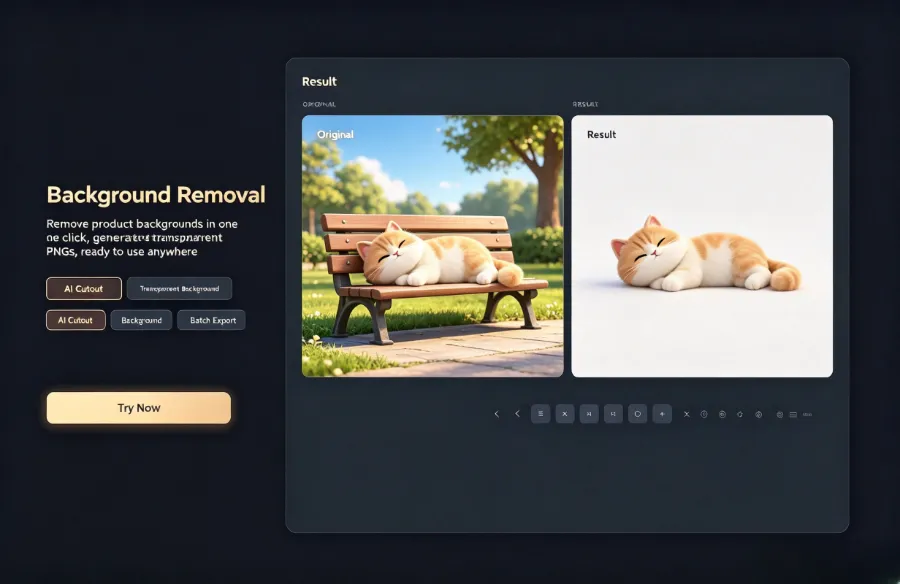
Only abstract features can be directly reused, not the specific visuals. Shot‑frequency, script segment ratios, voice‑over tone curves are transferable, but a specific product close‑up angle or a particular prop placement belongs to the original material’s “visual layer” and must be rebuilt with substitute assets. Removing backgrounds and generating transparent PNGs is a common technique in the replacement workflow; once processed, they can be overlaid onto any new background.
No Original Product, What to Shoot: Tactics for Substitute Assets and Scene Reconstruction
When the original product is missing, there are several substitute‑asset strategies. I’ll explain them one by one based on real‑world scenarios. Using generic product images from the same category combined with background removal for scene composition is the fastest path—extract the product from its original image and overlay it onto a newly built home or office background; visually it resembles a shoot but costs far less. When substituting assets, background removal and overlaying a new background usually takes only a few minutes, cutting scene‑setup time by about 80 % compared with shooting a new set.
Existing model footage in the library can also be repurposed. Many teams have a backlog of unused B‑roll that may contain hand‑gesture close‑ups or empty shots of usage scenarios; these can be paired with new product images for picture‑in‑picture or split‑screen effects, preserving the original narrative rhythm. Pure text plus animated graphics works well for categories with high information density, using kinetic subtitles instead of product on‑screen presence, and placing the hook intensity and script structure at the forefront. Building a similar atmosphere with the same type of props in a studio or home setting suits categories that demand realism; prop costs are usually controllable.
A “pseudo‑UGC” approach that doesn’t require a real person on camera is also worth trying. When the original product is absent, audience attention shifts from the product itself to the narrative and scene authenticity—giving you more creative freedom for style reconstruction. Instead of worrying about “what if there’s no original product,” focus on scene credibility and narrative continuity. Directly importing a product link into the video‑generation workflow can also serve as a source of substitute assets; after entering product information, an initial material is automatically produced, then refined according to the deconstruction results.
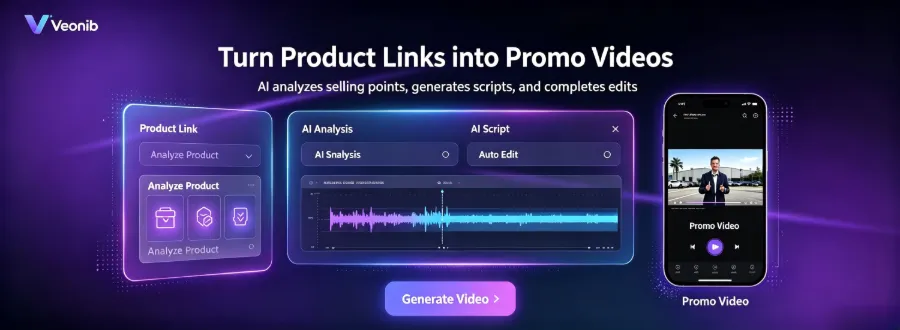
Regarding the hand between product‑link input and video generation, teams often use AliExpress or Shopify product pages directly as asset sources, skipping manual collection of product images. This path is especially useful when substitute assets are scarce; the related process is described in the guide on automating video ad creation from product links.
Bringing Style Into the Toolchain: How AI Video Generation Consumes Deconstruction Results
After deconstruction, the next step is to turn the style parameters into executable generation commands. AI video tools serve as the bridge: you feed the script structure, hook direction, and camera instructions into the tool, which translates the reference style into generation commands for new assets. The value of the tool lies in converting “style description” into an executable script, not in copying the original video frames—input is abstract features, output is new material. The 2026 best AI video generator selection for e‑commerce product marketing can help teams decide which tools are suitable for handling their deconstruction results.
From completing deconstruction to generating a preview of the substitute material, AI tools can usually compress the process to under 60 seconds. This speed lets teams iterate quickly on multiple style directions instead of spending time fine‑tuning a single piece. Short‑form platforms demand high realism; if AI‑generated content looks “too fake,” completion and conversion rates suffer, so a realism check after generation is essential.
Tools like VEONIB handle style‑deconstruction results by combining product‑link selling points with the extracted script structure, automatically generating hook, voice‑over script, and shot plan. Teams only need to input the script sections and hook direction from the deconstruction record; the tool reorganizes the content according to UGC video narrative logic. There are many case studies on low‑cost AI tool stacks supporting high output; the core idea is to let tools replace repetitive labor, keeping human effort on style judgment and placement strategy.
The handoff between style deconstruction and AI generation is essentially a “translation” process: converting human perception of a video into commands a tool can understand. The more detailed the deconstruction record, the closer the generated result will be to expectations. Comparative studies of AI UGC video generators show clear differences in how well they understand script structure and camera language, so teams should choose tools that align with the style features they have extracted.
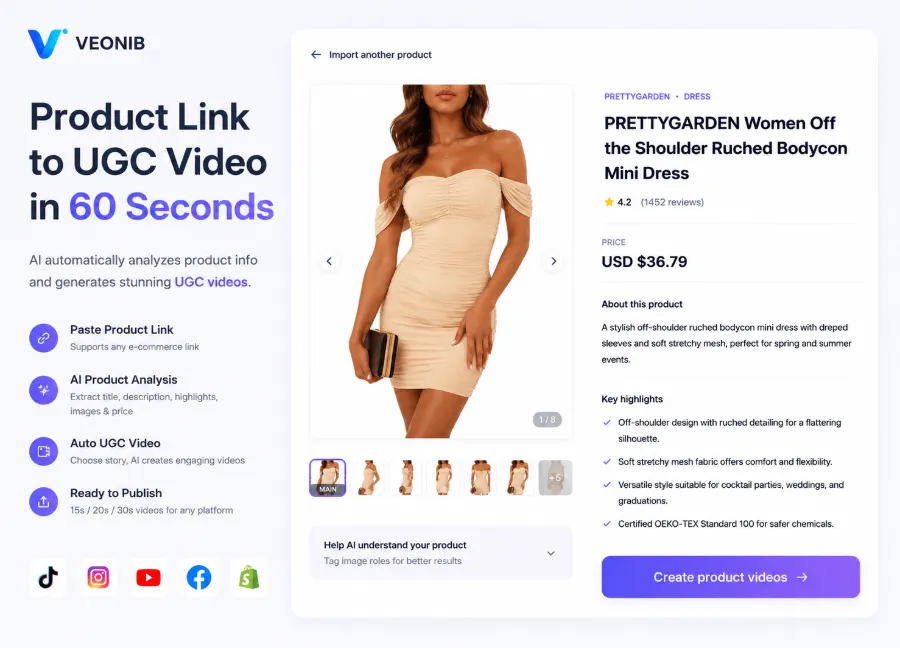
VEONIB’s generation logic is script‑first: video content is organized from hook intensity to voice‑over script to story flow according to UGC marketing structure, which aligns perfectly with the output format of style deconstruction. After teams fill in the four‑part script structure extracted earlier, the tool outputs platform‑specific final cuts for TikTok, Reels, or Meta. This step eliminates manual editing and voice‑over time, while style judgment remains human‑driven.
Common Replication Mistakes and Required Verification Steps
Three common mistakes occur during replication, and each has a high probability of tripping teams up. The most frequent is copying visuals without copying rhythm—one team replicated a beauty‑product video by matching composition and scenery frame by frame but skipped shot‑by‑shot rhythm verification. The final video looked visually similar, but the editing rhythm was sluggish, resulting in a lower completion rate than the original; after a week of launch, metrics dropped sharply. This case shows that rhythm, not just visuals, is key to style replication.
The second mistake is forcing a scene atmosphere that doesn’t fit the product category. A slow‑paced, warm‑tone home‑fragrance setting applied to a tech accessory feels out of place, and viewers immediately think “this isn’t a familiar usage scenario for this product.” The third mistake is ignoring platform specifications, taking a 9:16 vertical TikTok asset and pushing it directly to Reels or YouTube Shorts, causing truncation or compression that cuts off composition and subtitles.

Most replication failures happen because teams skip the “shot‑by‑shot rhythm check” step, leading to a final feel that diverges noticeably from the original style. Post‑replication verification must include three actions: compare each shot’s rhythm to confirm matching cut frequency and pause points; ensure compliance with platform ad policies and copyright boundaries, confirming no original video segments or overly similar visuals are used; run a small‑scale test launch before scaling, using real data to validate style transfer rather than relying on intuition.
The often‑overlooked part of style replication is not the visuals but the sound rhythm—voice‑over pause points and how they align with re‑recorded BGM are core to the audience’s perception of “likeness.” A video may have similar composition but mismatched sound rhythm, making viewers feel “something’s off”; once the sound rhythm aligns, even with visual differences, the style perception holds. This observation has been validated across multiple replication projects and deserves dedicated checking in the verification stage.
FAQ
Does replicating a video’s style involve infringement?
No, as long as you only replicate abstract style features and do not copy specific visuals. Shot‑frequency, script segment ratios, and voice‑over tone belong to the style layer and are not copyright‑protected; however, directly extracting original video clips, using the exact script verbatim, or having props that are highly similar could constitute infringement. Keep the deconstruction record to demonstrate independent creation.
If the original product is discontinued, where can substitute assets be sourced?
Three channels: generic product images from the same category combined with background removal for scene composition; existing model footage in the library that can be re‑edited, including unused B‑roll; pure text plus animated graphics to reconstruct narrative rhythm. Background removal and overlaying a new background usually takes minutes, saving about 80 % of scene‑setup time compared with shooting a new set.
How much modification is needed for a replicated style video before it can be used for ad placement?
At least three checks are required: shot‑by‑shot rhythm comparison to confirm matching cut frequency; verification of compliance with platform ad policies and copyright boundaries; a small‑scale test launch before full rollout. Most replication failures occur when the rhythm check is skipped; a video that looks similar but has sluggish rhythm typically yields a lower completion rate than the original.
When deconstructing a reference video, which shot nodes should be prioritized?
The first three seconds’ hook structure is top priority, accounting for about 70 % of completion rate; next, the shot‑type switch rhythm every 2–3 seconds; then the voice‑over pause points and BGM alignment. A complete deconstruction record usually breaks 15–30 seconds of reference video into 6–10 shot units, each documenting visual, camera movement, and sound dimensions.
Without professional shooting equipment, can the scene atmosphere be recreated?
Yes. Lighting and color bias can be simulated with color‑grade presets and filters; scene atmosphere can be built using generic assets; voice‑over can be generated with TTS and aligned with re‑recorded BGM. Equipment limits affect detail quality, not the transfer of style features—audience perception of “likeness” comes more from rhythm and sound than from image sharpness.
Share Article


