Five Years of Losses, Summarizing This Shopify Video Ad Strategy

I’ve run a Shopify store for five years, and the deepest pit I fell into was video ads. At first I spent money hiring someone to shoot; each ad cost three thousand, and after posting it on Facebook, the conversion was worse than a static image I took myself with a phone. Then I decided to do it myself, filmed for a whole week with an iPhone, spent three days editing, and launched it enthusiastically. The next day it was rejected in review—apparently I used unlicensed music. After fixing it and relaunching, the data ran for two days and then stopped; the ROAS didn’t even reach 0.5. During that time I kept wondering whether the product was the problem, but eventually I realized the issue wasn’t the product at all—it was my completely wrong understanding of video ads. Today I’ll break down those five years of blood‑and‑sweat experience for you, trying to add some humor so you don’t take the same detour I did.
Why Shopify Sellers Must Double‑Down on Video Ads
Back in 2019 I was lazy and only used image ads. A white‑background image with three lines of copy felt clean, and after a month the click‑through rate (CTR) stayed around 0.8 %. The return rate wasn’t low—customers liked the picture but found the product didn’t match their expectations when it arrived. Later I forced myself to try a video ad for the same product, filming a few simple usage scenes on my phone and editing a 15‑second clip. The numbers doubled immediately: CTR jumped to 1.7 % and conversion rate rose as well. That’s when I realized image ads had already been outpaced by video in conversion efficiency.
The industry often cites a statistic: video ads have more than double the CTR of static images, which matches my own tests. Moreover, platforms like TikTok, Instagram Reels, and YouTube Shorts are pushing short videos hard; the algorithm’s bias toward video content is obvious—if you don’t make videos, you’re essentially giving up a huge pool of free traffic.
But a new problem appears: making videos yourself is time‑consuming, and outsourcing is expensive. I later discovered that tools are the breakthrough. For example, the videos automatically generated by VEONIB clearly have higher feedback quality than manually assembled assets—at least each template is consistent, avoiding the jarring shift from a cold‑tone week to a warm‑tone week. This made me start thinking seriously: the question isn’t whether to make video ads, but how to do it efficiently.
Elements of a Viral Shopify Video Ad
A successful ad video breaks down into a few components: a hook in the first 3 seconds, the product’s core selling points, a demonstration of results, and a clear call‑to‑action. The first 3 seconds decide whether the audience stays; otherwise the rest is wasted. My biggest early mistake was chasing transition effects and flashy filters, which made me self‑indulge for weeks while the data was terrible. E‑commerce ads aren’t art films; viewers watch your video to decide whether to buy, not to award you a prize.
The most effective showcase is a before‑after comparison or real user usage scenes. Some sellers win a huge share by overlaying animation on static images; you can see the method in this article “How to Use Dynamic Animation Overlays to Boost Conversions”. After reading it, you’ll understand why some sellers can generate great data without even filming.
Regarding format and purpose, I compiled a simple comparison:
| Media Format | Purpose | Common Mistakes |
|---|---|---|
| Image ads | Brand exposure | Low conversion |
| Long video ads | Brand storytelling | Users lack patience to watch fully |
| Short ad videos | Conversion & traffic | No views → no volume |
Short ad videos are the main battlefield for Shopify sellers; don’t waste time on brand‑level productions that nobody watches. Keep video length between 15 and 30 seconds—longer videos lose users. Manually creating such videos is too slow; using VEONIB’s automatic generation eliminates repeated tweaking. Just input a link and you get a complete script and storyboard, saving at least half of the post‑production work.
Asset Reuse and Multi‑Platform Adaptation
Many sellers have a misconception: every new platform requires a brand‑new video. In reality, a single Shopify video asset can be slightly adjusted to fit multiple platforms. TikTok, Instagram Reels, Facebook, and YouTube Shorts are all short‑form videos; only the aspect ratio and pacing differ. My current workflow: create an original video (16:9 landscape or 9:16 portrait), then crop a 1:1 version for Facebook and a 9:16 version for TikTok/Reels, make minor subtitle and voice‑over tweaks, and the whole process adds at most two minutes.
The tool layer isn’t fully automated to this simple yet, which is why many sellers still manually adjust. I’ve tried many AI video tools; some claim “one‑click adaptation,” but the generated voice‑over timing is messy and subtitles misalign, so manual fixes are still needed. If you’re unsure about platform‑specific performance differences, watch this demo:
The most common mistake when adapting for multiple platforms is ignoring the speaking style. TikTok users expect a conversational, fast‑paced tone, while YouTube Shorts favor a high‑information‑density opening. Simply copying the same script may cause both platforms to under‑perform. Also, handling watermark removal for overseas advertisers’ third‑party assets requires extra cleaning; tools like the one below save time.
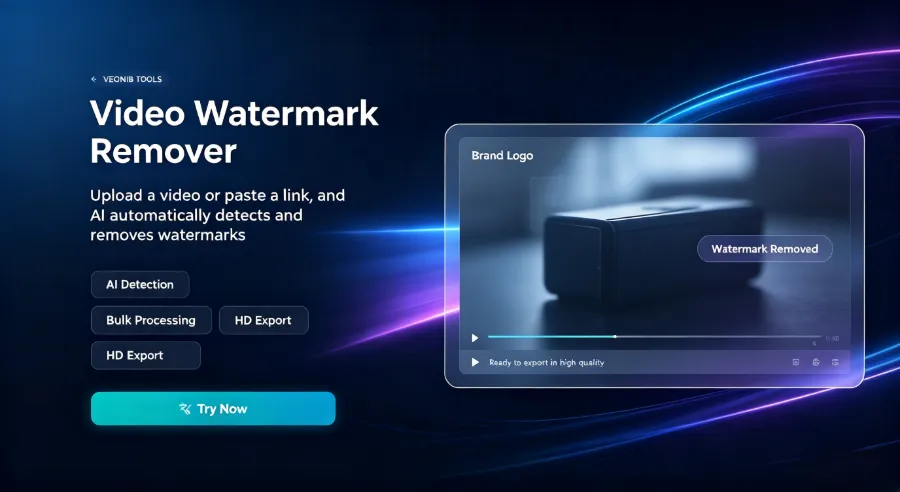
My usual process: first crop all platform ratios, then add unified subtitles and voice‑overs, and finally fine‑tune the first 3 seconds hook per platform. This yields a production efficiency that’s far higher than making each video individually.
Low‑Cost, Scalable Continuous Video Ad Production
Spending money on traffic doesn’t solve material‑quality issues. I’ve seen many sellers burn their entire budget on volume, swapping out thirty ads a month, none of which survived three days—essentially using frequent changes to mask low‑quality assets. A better approach is stable output, not occasional bursts.
My current workflow: use a tool to batch‑generate multiple video variants, then manually select the two or three best‑performing ones for launch.
If you want a more complete AI‑tool suite, check out “The $20/Month AI Stack — Run a High‑Volume E‑commerce Store for Less Than a Netflix Subscription” The $20/Month AI Stack — Run a High‑Volume E‑commerce Store for Less Than a Netflix Subscription
Specifically, import a product URL and automatically generate five or six ad videos from different angles, covering various hooks and scenario settings. Turning a single link into multiple ad variants takes only one operation; doing the same manually would cost ten times more. Even if you’re a solo operator, after reading this you’ll understand how to do it: “How Small E‑commerce Stores Can Compete with Big Brands Using AI Video”.
If you want to turn SEO blog posts into video content, try the Seonib‑Veonib integration: “Seonib + Veonib: One‑Click Authorization to Pull Veonib Videos” Seonib + Veonib: One‑Click Authorization to Pull Veonib Videos
The key isn’t how many videos you produce at once, but whether you can reliably output two new videos each week. I once tried to film fifteen videos in one go; after launch the results were mixed, and I stopped for four weeks, causing my ad account’s weight to drop significantly. When I restarted, the ramp‑up period was longer. Consistent output is far more important than occasional high‑volume bursts. Two videos per week for a month tells you which direction deserves more investment. Don’t swap assets after three days of low volume; wait at least a week for sample accumulation—many people ruin their campaigns by reacting to day‑three anxiety.
For a discussion on why most AI video generators still feel too complicated for e‑commerce, read “Why Most AI Video Generators Still Feel Too Complicated for Ecommerce” Why Most AI Video Generators Still Feel Too Complicated for Ecommerce
FAQ
How long should a video ad be?
15–30 seconds is the sweet spot for Shopify video ads. Too short and you can’t convey product value; too long and users scroll away. If the product needs a demo, stretch to 30 seconds; if it’s just brand awareness, 15 seconds is enough. Test three different lengths and see which performs best.
Can a single video ad be run on both Shopify and Instagram?
Yes, but pay attention to platform format and audio strategy. Facebook and Instagram support both 9:16 and 1:1, but Instagram Reels prefers pure portrait with clear subtitles because many users watch on mute. Export two versions of the same asset—one with voice‑over, one without—and test them separately.
How to avoid Facebook/Instagram ad rejection?
The most common rejection reasons are music copyright, exaggerated claims, and sensitive content. Use the platform’s built‑in music library or original audio, and avoid words like “guaranteed” or “100 % effective”. If a review fails, first check subtitles for spelling errors or misleading statements, then cross‑check each point against the platform’s policies.
Can I use videos filmed on a phone without professional equipment?
Absolutely. Phone filming + natural light + a stabilizer can meet ad standards. Content quality matters more than resolution: a strong hook in the first 3 seconds, clear product display, and authentic user scenarios outweigh 4K resolution. My early iPhone 8 videos actually outperformed outsourced ones.
How soon after publishing does a video ad become effective?
Typically, data starts accumulating and showing results within 3–7 days. The first three days can be volatile; don’t stop a video just because it hasn’t generated volume in the first two days—give it at least a week of observation. If a video runs for seven days, spends over $30 per run, and still yields no conversions or add‑to‑cart actions, consider swapping the asset.
Share Article


