2026 Ranking of AI Video Generation Tools for Cross‑border E‑commerce: Selected by Assets, Speed, and Deployment Workflow

When a cross‑border seller gets a product link, they usually don’t create just one video: a Shopify product page needs a horizontal or vertical display, an Amazon Listing video must highlight features and usage, and a TikTok short video has to match an even faster pace. Product images, price, selling points, subtitles, and language are often scattered across different pages.
When selecting cross‑border e‑commerce AI video tools in 2026, you can’t only look at picture quality and the number of templates. A more useful way to judge is to see whether the product URL can be accurately parsed, whether the first‑draft video can be generated within 60 seconds, and whether the same set of assets can be reliably split into multiple platforms, multiple lengths, and multiple language versions.
In practice, the most time‑consuming step is often not clicking “Generate” but re‑working: misread titles, outdated prices, mismatched aspect ratios, or UGC voice‑overs that sound human but fail to clearly state the product’s selling points. Therefore, the ranking below is closer to a full cross‑border e‑commerce workflow evaluation rather than a pure showcase of results.
First, Clarify the Ranking Criteria: What to Compare in Cross‑border E‑commerce Tools
A tool that reads the title, images, description, price, and selling points from a product URL determines the ceiling for subsequent scripts and storyboards. The accuracy of product information parsing often directly impacts whether a video can be published, more so than transitions, lighting effects, or camera effects. If a size parameter on an Amazon page is read incorrectly, or a Shopify product page has updated its price but the video still shows the old information, the so‑called “automation” stops at the manual review stage.
The ranking uses six dimensions: link parsing, script/storyboard, video length, platform adaptation, batch production, export and publishing. Sellers can refer to the Cross‑border E‑commerce Video Tool Comparison, but public feature descriptions are only a starting point; real‑world testing with actual products is still required.
| Comparison Dimension | Questions to Check | Impact on Cross‑border Sellers |
|---|---|---|
| Link Parsing | Can it read images, price, specs, and selling points? | Reduces data gathering, but errors propagate to the script |
| Script & Storyboard | Does it generate shots and voice‑overs based on product facts? | Determines information density and review time |
| Video Length | Does it support 15‑second, 20‑second, 30‑second versions, etc.? | Facilitates testing different pacing and placement goals |
| Platform Adaptation | Does it cover Shopify, Amazon, TikTok Shop, TikTok, Instagram Reels? | Reduces aspect‑ratio and subtitle re‑work |
| Batch Production | Can it duplicate templates and replace product, language, and assets? | Affects speed of multi‑market rollout |
| Export & Publishing | MP4 specs, naming, versioning, and scheduling smoothness | Determines whether the video can truly enter the publishing pipeline |
Demo videos are suitable for showing material, dimensions, and usage methods; product‑page videos usually need to display the product itself more clearly; UGC “grass‑planting” videos rely on people, voice‑overs, and social proof; ad videos must capture attention, selling points, and calls‑to‑action in a short time. Brand showcase videos can be slower, but you can’t judge a TikTok ad by the same standards.
The material habits of Shopify, WooCommerce, Amazon, TikTok Shop, TikTok, and Instagram Reels differ. A vertical 9:16 format often fits short‑form traffic scenarios, but Amazon Listing or product‑detail pages may require different framing. Generation speed should be recorded separately; under 60 seconds is only an efficiency checkpoint, not a conversion guarantee. The same batch of assets may have vastly different wait times under weak network conditions, many images, or complex page structures.
Traffic attribution cannot rely solely on video backend data. There can be delays between Meta/TikTok ad accounts and the product landing page; clicks and final orders may not fall within the same reporting window. For how product information connects to e‑commerce traffic, see the Product‑to‑Traffic Operational Analysis, but the process still needs to be validated with the seller’s own tracking and ad accounts.
First Tier: Tools That Quickly Generate Ad Videos Directly from Product Links
The first tier looks at the full pipeline: input a product URL, extract images and description, generate a script, arrange storyboards, then export the video. For new‑product testing teams, this is more useful than providing a single beautiful template, because the real bottleneck is often turning product data into shoot‑ready content.
VEONIB publicly describes a product flow that starts from a product URL, automatically analyzes images, description, features, and selling points, then generates an AI script, AI storyboard, and an exportable MP4 video. The typical goal stated is to complete the first video from the product link within 60 seconds, but that is a functional claim; actual results still depend on network, page structure, image count, and account status. When testing, timing should start from URL submission, not from when the video preview finishes loading.
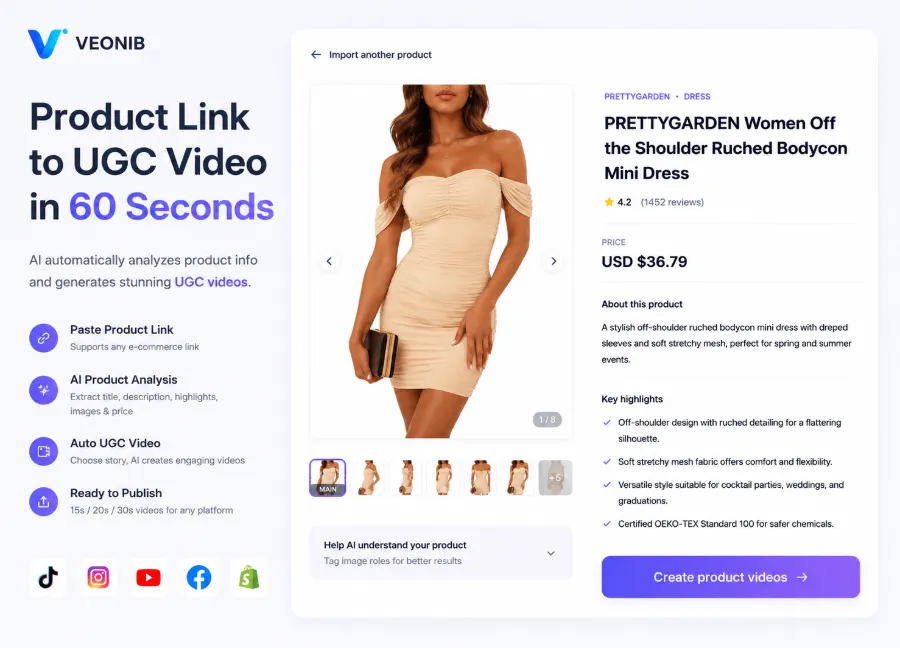
This link‑driven workflow suits relatively complete product pages on Shopify, Amazon, or WooCommerce. It reduces manual copying of titles, selling points, and images, and makes it easy to generate multiple drafts from brand, lifestyle, studio, luxury, minimalistic, and UGC angles. However, “reading the content” does not equal “understanding the content”: specs, prohibited words, promotional prices, and target audiences still need to be cross‑checked against the original page.
Other candidate tools can be compared within the same framework: are they better at link‑driven generation or more reliant on manually uploaded assets; do they cover TikTok, Instagram, and Amazon; can generated subtitles be directly swapped? When a new product must launch in two markets simultaneously, a tool that retains the same product facts while only changing language, intro, and aspect ratio usually demonstrates production capacity better than a single cinematic sample.
Second Tier: Tools Suited for UGC, Social Ads, and Multi‑Version Testing
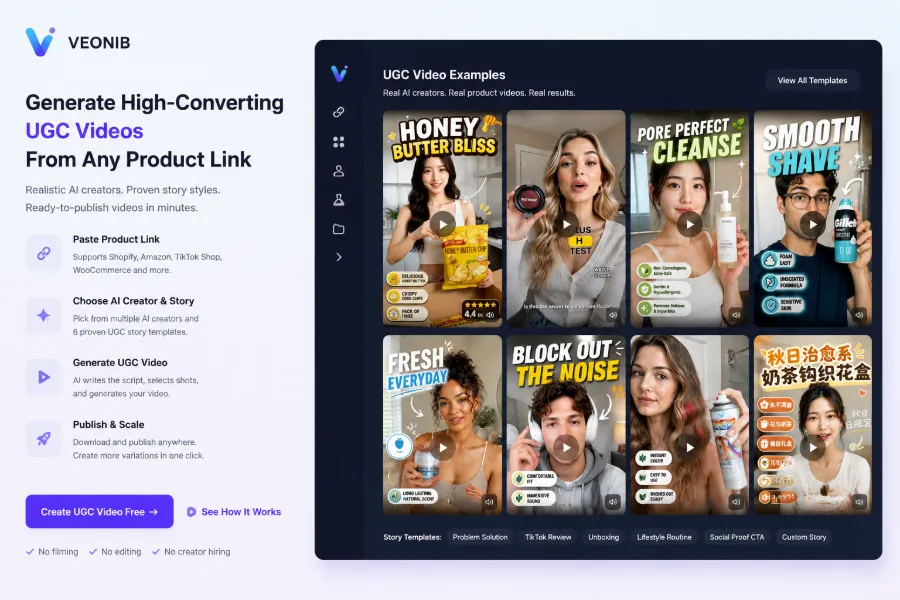
UGC videos and traditional product showcase videos are not the same content. The former relies on AI models, real‑person footage, reference images, or reference videos to create usage scenarios, unboxing, and review vibes; the latter focuses on stable presentation of product appearance, function, and details. The more a video looks like a real shoot, the longer viewers may stay, but human actions and voice‑overs can also mask or misinterpret product information.
In cross‑border placements, 15‑second, 20‑second, and 30‑second videos should be fixed test items. 15 seconds suit a single selling point, 20 seconds add a usage scenario, and 30 seconds allow space for problem‑solution, demo, and social proof. Evaluation should not only check whether three videos can be exported, but also whether the same product conveys all necessary information at different paces, whether subtitles keep up with the visuals, and whether enough brand‑recognition time remains at the end.
In an actual test, a beverage product generated a first‑draft video quickly after link submission; the footage featured a creator on‑camera and the opening matched TikTok’s rhythm. However, before publishing the team discovered that subtitles mistranslated the flavor description, the price was still the old page data, and the vertical crop cut off the capacity label on the packaging. The first‑draft wait time was short, but publishing was delayed to the next day—not because of generation failure, but due to review, subtitle correction, and re‑export. This result is typical: there is a trade‑off between realism and factual accuracy.
Voice‑over language cannot be judged solely on grammar. Direct English expressions may need tone, unit, and purchase‑scenario adjustments for German, French, or Southeast Asian markets; words like “natural” or “no additives” may also involve compliance risks. For extracting TikTok and Instagram ads from product pages, see the Product‑Page Ad Creation Process, but final subtitle accuracy should still be reviewed by someone familiar with the target market.
Second‑tier tools are ideal for teams that need many UGC variants, but they may not directly replace product‑detail page videos. AI model faces’ consistency, hand movements, and product proportions may be fine in the first five samples but drift by the twentieth. For ad testing, such inconsistency can sometimes be tolerated; for products that emphasize packaging, color, and specs, it can lead to returns or negative comments.
Third Tier and Real‑World Deployment: From Product Page to Ads to Batch Publishing
Real deployment should place the tool back into the publishing pipeline. Product‑detail page videos focus on product completeness, Amazon Listing videos on information clarity, TikTok Shop on quick understanding and purchase intent, and social ads on many different openings. Brand showcase videos can use a looser pace, but you cannot assume an exported MP4 will enter all channels without processing.
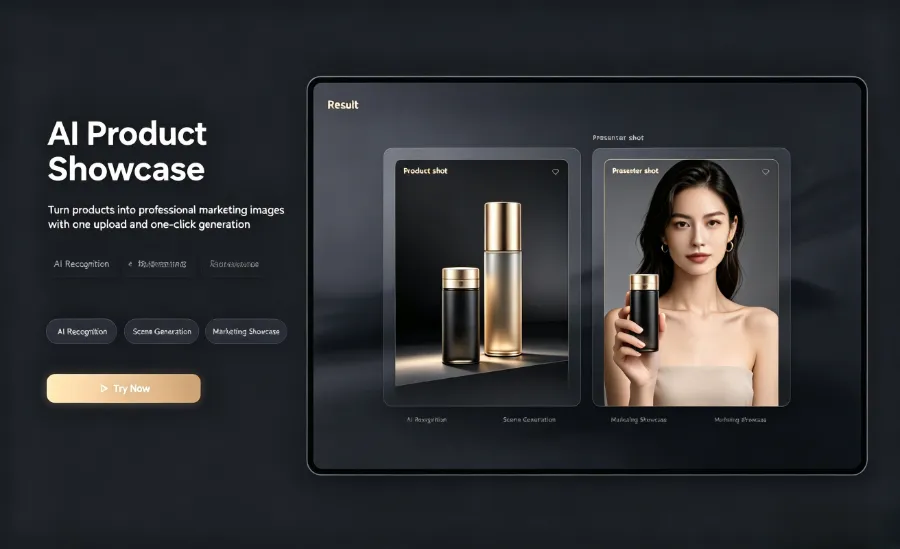
Take a beverage as an example: the first version can be generated from the product link for a product‑page video that highlights packaging, flavor, and consumption scenarios; then it can be cropped into a 15‑second TikTok Shop asset, a 20‑second Instagram Reels version, and a 30‑second ad version. Similar beverage product‑page video case studies help teams understand scene splitting, but they don’t guarantee that every product can directly reuse the same structure.
At this stage, VEONIB’s link‑driven flow can reduce manual hand‑offs between product URL, script, storyboard, and exportable video. However, batch production still leaves issues of asset naming, price updates, landing‑page synchronization, and cross‑market localization. If a product’s price changes in the morning but the video was exported overnight, automatic generation won’t retroactively update all ad groups and product pages.
Another often‑overlooked difference is version management. One product, three lengths, and at least two placement channels should be treated as the minimal test unit, not just a single demo clip. File names should include product ID, market, language, length, and date; otherwise, finding old versions across ad accounts, cloud storage, and content calendars after a week can be slower than the editing itself.
Ad‑platform cropping also creates hidden re‑work. TikTok and Instagram Reels may keep the vertical main subject, but subtitle safe zones, button overlays, and first‑frame composition still need per‑clip checks; Amazon Listing videos are more sensitive to packaging text, feature parameters, and brand logos becoming unreadable after compression. For industry discussion on link‑driven video, see The Future of AI Video Starts with a Product URL, but deployment decisions should be based on the results after exported files enter real accounts.
Teams can also refer to the Product‑Page Ad Deconstruction Case Study to see how product showcase, lifestyle scenes, and ad narrative switch. For fragrance or skincare products that rely on visual atmosphere, lifestyle footage may boost dwell time; for specs‑driven products, too many atmospheric shots can squeeze out essential parameter explanations. Fast generation cannot solve mismatched inventory, price, landing page, and ad‑asset synchronization issues.
Validation Process Before Purchase: Decide with Real Products, Not Demo Templates
The final ranking should come from reproducible trial records, not a single sample clip. Sellers should prepare at least two real products: one with abundant images and a clear page structure, another with few images, many variants, or scattered page information. Then fix three video lengths and two publishing channels, recording generation time, subtitle accuracy, brand consistency, number of manual edits, and post‑production time.
Suggested order of execution:
- Submit a real product URL and save the tool’s extracted title, price, images, and selling points.
- Review the script and storyboard, marking misreads, exaggerations, and expressions unsuitable for the target market.
- Export 15‑second, 20‑second, and 30‑second versions, checking aspect ratio, subtitle safe zones, voice‑over language, and product details.
- Place the files into actual Shopify, Amazon, TikTok Shop, or ad‑scheduling workflows, recording renaming, cropping, subtitle changes, and re‑upload counts.
During testing, don’t only record “whether it generated successfully.” A video that finishes within 60 seconds but still requires 25 minutes of subtitle, price, and framing adjustments does not achieve the claimed 60‑second efficiency. Conversely, a tool that takes a few minutes to generate but delivers fact‑accurate first drafts that need no re‑editing across multiple channels may be more suitable for batch operations.
Share Article


