Why Do All Your Ad Clicks Bounce Instantly? Three Key Steps to Keep Buyers with Video

At 2 a.m., I glanced again at the Google Analytics dashboard; ad spend was still burning, but the average dwell time line stayed flat—two seconds, three seconds, two seconds, four seconds. After two weeks of continuous spending, the budget almost doubled, the conversion rate hovered around 1%, and thousands of clicks in the backend vanished like a gust of wind.
This isn’t a problem with the ad creative, nor with product selection. The real issue is that once users arrive, the landing page has nothing to hold them. A static image with a few lines of selling points is almost equivalent to a blank page in today’s mobile browsing scenario.
With this question in mind, I started spending time studying landing pages with high dwell times and found a very clear commonality: they almost always placed an autoplay short video on the first screen. Not a pop‑up hard ad that appears when opened, but a native product demo, usage scenario, or a lightweight hook content. Dynamic visual signals have a far greater impact on user dwell than I imagined.
H2: Problem Section — Why static pages cause buyers to bounce instantly?
A high bounce rate isn’t mysticism; it has very concrete operational reasons.
In the past year I ran intermittent ad experiments across a dozen categories. Whether on Facebook or TikTok, the pattern was always the same: if the average dwell time after an ad click is below 10 seconds, the conversion rate drops by more than 60%. This figure comes from our own tracked independent‑site data, not copied from an industry report.
Where’s the problem? Users have been trained by TikTok, Instagram Reels, YouTube Shorts for two to three years. Their finger muscle memory is formed—if content isn’t engaging, they swipe away instantly. This browsing habit has carried over from the feed to the landing page. Static images on a mobile small screen have extremely low information density; users glance and don’t find a hook, and the reflex is to close.
Early on we tried many directions: optimizing color palettes, compressing copy length, using large fonts to highlight promotions. There were effects, but dwell time never rose. Until once, a colleague casually placed a crudely shot product usage video on the first screen—15 seconds, unedited, audio muffled—but that week’s bounce rate dropped by several percentage points. I realized the problem wasn’t layout, it was the page’s information carrier itself.
Traditional content production pipelines can’t scale to support this dynamic content demand, but tooling changes are happening faster than we imagine. If you check out The Future of E‑commerce Content Creation: From Manual Production to AI Automation, you’ll see many teams have already walked this path.
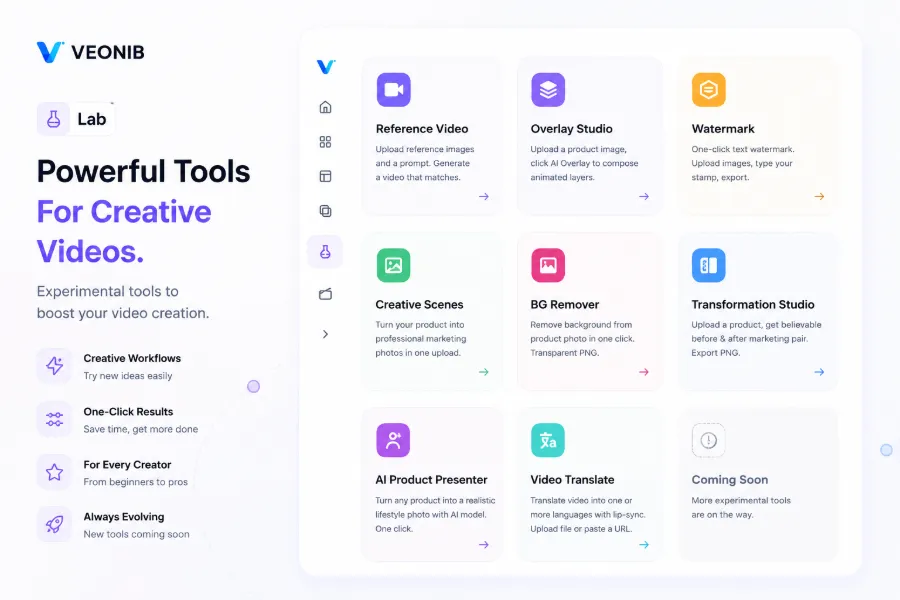
We also tossed a product link into an AI tool and ran it; the generated video turned out surprisingly good. You can see the demo—a link turned into a full UGC‑style video in seconds, with no filming required:
H2: Strategy Section — How to Hook with Copy and Retain with Video?
After finding the direction, I systematically organized the “copy + video” combination method, and later locked this process into a repeatable workflow.
Step 1: Adjust copy to solve the first‑five‑second problem. Historical data from the product page is the best resource—look at the most frequently searched keywords, the product description paragraphs with the highest dwell, and the pain points repeatedly mentioned in negative reviews. Distill this information into a high‑density selling point within 15 characters, place it on the first screen of the landing page, no more than a single sentence. The goal is to make the user finish reading it and feel the urge to “keep going.”
Step 2: Embed video to keep people with dynamic content. A key operational detail: the video must not be placed in the middle or at the bottom; it must be on the first screen, the spot the user’s eyes first scan. Prefer autoplay (muted), keep length under 60 seconds, and use product usage scenarios or side‑by‑side comparisons as the main storyline. The core isn’t polished production, but providing dynamic visual feedback instantly—showing a real person using the product, the effect, and whether it’s worth scrolling further.
But simply stacking copy and video together isn’t enough. If the copy says “lightweight and easy to use” but the video shows a bulky outdoor usage scenario, users experience a cognitive dissonance, which actually accelerates bounce. The emotional tone and logical direction of copy and video must align; you can’t have a rational selling point in copy and a cheerful filter style in video.
After dozens of tests we finally settled on a reusable structural framework:
The first screen uses a one‑sentence selling point as a copy hook, followed immediately by a 15‑30‑second product demo video. The emotional direction of the copy and the visual style of the video are perfectly matched—lightweight selling point paired with an outdoor sunny usage scene, durable selling point paired with extreme‑environment contrast. A smooth transition is the prerequisite for this formula to work.
At the time, to find the fastest way to embed a video, I casually tried How VEONIB Generates Video Ads for E‑commerce Brands Automatically. Paste the link, and a video containing copy, script, storyboard, and scene preview is generated automatically. The whole process took less than a minute.
H2: Results Section — Let the Data Speak: Real Changes Brought by Dwell‑Time Increases
Landing‑page performance needs concrete numbers.
We tested a daily‑use home‑goods store. Before the redesign, its ad landing page dwell time was stable at 4–6 seconds, bounce rate over 80%, and ad conversion rate around 1.2%. After the redesign—precise copy adjustment and short video embedded on the first screen—weekly data changed noticeably.
One week later, average dwell time rose to over 17 seconds, sessions per user from 1.2 to 2.6, ad ROI from 1:1.8 to 1:3.4. Conversion rate climbed from 1.2% to 2.8% in less than two weeks. Not all improvements stem from a single variable, but the only changed variable in this timeline was the landing‑page copy and video combo. The biggest value of automated video embedding is turning the video production cycle from “find someone to shoot—wait for editing—repeated revisions” into “paste link—generate video—embed page.”

VEONIB’s role in this workflow is simple—it compresses video‑creative production into a repeatable step. It doesn’t replace humans; it shortens the path from idea to asset from three days to a few seconds. One product link can spawn multiple video variants for A/B testing across channels.
Moreover, the marginal cost of this workflow is extremely low. The cost of a video is even less than a cup of coffee, yet it supports a large volume of ad creative for the store. This low‑cost, high‑output model would have been impossible a few years ago. For more on scaling short‑video creative replication, see Low‑Cost Video Marketing Strategies for Cross‑Border E‑commerce Stores.
There is a failed case worth mentioning. Another store only changed the copy without replacing the first‑screen video, staying with the original static image. Dwell time briefly rose to 11 seconds, but conversion rate stayed flat—users were interested after reading the copy but were deterred by the low information density of the static page. Copy and video must be upgraded together; both are essential.
People often worry about page load speed. Our test conclusions differ from intuition: load speed does affect bounce, but its weight is far smaller than the quality of the video content itself. A clear, logically coherent, emotionally aligned video—even if it takes a couple of seconds longer to load—users are willing to wait; conversely, a lightning‑fast but empty page is closed instantly.
Another often‑overlooked point: AI‑generated videos are already very close to professional production in semantic matching and emotional provocation. Some colleagues I’ve met still think “AI videos look fake, stiff,” but tests show they’re catching up. The industry is changing faster than you think.
If you want a more detailed look at the full logic of this low‑cost, high‑output model, see the analysis Running a High‑Volume E‑commerce Store with an AI Tool That Costs Less Than a Netflix Subscription.
H2: FAQ
Q1: Why does video significantly affect landing‑page dwell time?
Video provides visual feedback that static images and text cannot. Users’ attention is instinctively drawn to dynamic visuals. On mobile, a 15‑second video conveys more information density than a full screen of text and images. The instinct to swipe away is interrupted when dynamic content appears, pushing the dwell‑time starting point from 2–3 seconds to over 10 seconds.
Q2: What is the recommended video length for an ad landing page?
15 to 30 seconds. Over 30 seconds, patience drops; under 10 seconds, the message isn’t sufficiently delivered. The core task of the video isn’t storytelling but showing visual proof that “someone is actually using this product” before the user looks away. Too long makes users feel time is wasted.
Q3: If my product category is niche, is it still necessary to embed video?
Even more so. Niche categories have longer decision paths, and video provides stronger persuasion when information is scarce. Static images can’t convey real usage feel; a short demo video can. In my experiments with small appliances, traditional handicrafts, and tool categories, video boosted dwell time more than in mass‑market categories.
Q4: Without professional filming equipment, can I quickly generate compliant commercial videos?
Yes. If you have a product link, an AI tool (like VEONIB) can parse the link in 60 seconds and automatically generate a video containing copy, script, voice‑over, and scene footage. The exported video is fully yours and can be used for ads, organic content, website display, or any commercial channel, royalty‑free.
Q5: After embedding video, what if page load becomes slower?
Use a compressed MP4 for the first‑screen video, keep it under 30 seconds, and set resolution to 1080p. If you’re still concerned about load speed, set the video to lazy‑load or reference it directly from a CDN cache directory. Tests show that a one‑ or two‑second slower load has less impact on dwell time than poor video quality. Prioritize clear visuals and logical flow; load optimization comes later.
Share Article


