Creatify, Arcads, AdCreative are all doing AI UGC ads—why “directly output a 60‑second video from a product link” is still the watershed

Sellers who have tried Creatify, Arcads, or AdCreative often encounter the same gap: the tool does produce a voice‑over clip, script material, and copy, but there’s still a few steps—script rewriting, shot stitching, and editing—before you have an ad that can be launched directly. The assets are generated, but the ad isn’t.
To see how far a tool has been automated, just look at the deliverables: component‑style outputs (script, synthetic voice‑over, copy) still need a human to assemble; full‑video style tools take only a product link and, after 60 seconds, deliver a complete, exportable, launch‑ready ad. Most tools differ not in visual quality but in workflow breakpoints.
First, categorize the tools: they automate different stages
AI‑UGC ad tools can be split into two workflow categories. One is component‑style: script, synthetic voice‑over, and ad copy are separate pieces, and the final assembly is still done by the operator. The other is full‑video style: the input side is just a product link, and the output side is a complete ad video, with every intermediate step handled by the system.
Creatify’s typical use case is to input a script or product description, generate a synthetic voice‑over, then overlay product assets; the final video structure still needs the operator’s control. Arcads excels at digital human avatars and voice‑over performance; the script is usually pre‑written by the operator, which is why many people treat Arcads as a replacement for full‑video tools. AdCreative started with ad copy generation; video creation is a later add‑on, and asset composition still relies on humans.
All three tools share the same bottleneck: writing the script, choosing the avatar, recording voice‑over, and stitching scenes. A single asset usually requires 3–4 manual steps, taking ten minutes to half an hour. Generating assets does not equal generating an ad. Some practitioners summarize this state as “AI video generators are still too complex for e‑commerce” — the tools aren’t weak; they leave the complexity to the user.
Where the watershed lies: can a single product link directly output a 60‑second video?
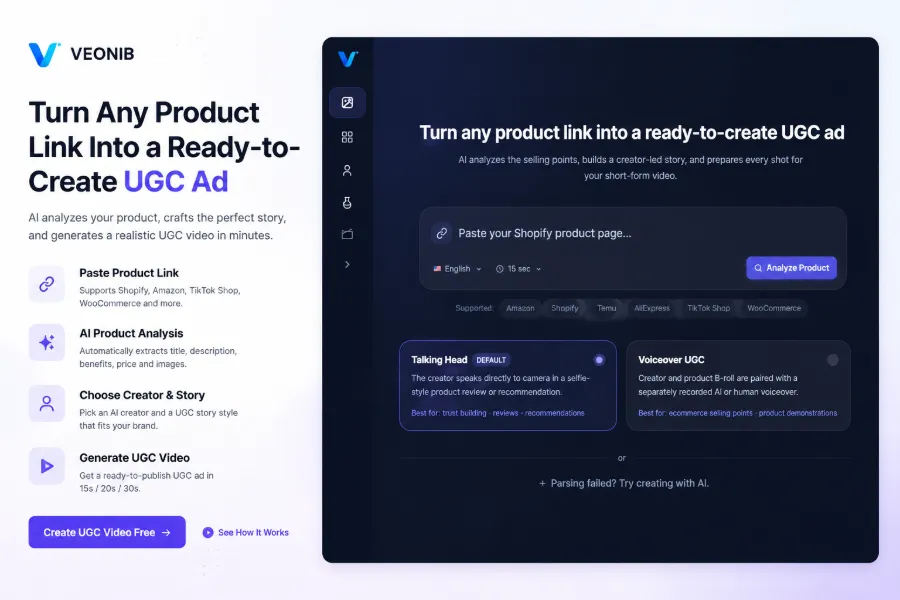
The watershed is defined very concretely: the input side is just one product link, and the output side is a complete video that can be exported and launched directly. No one writes a script, no one drags a timeline. Links from Shopify, Amazon, TikTok Shop, or WooCommerce can all be parsed.
The automation chain of full‑video tools typically works like this: AI parses the product page, reads images, title, selling points, price; automatically generates a script; plans the storyboard; assigns camera positions, lighting, and composition for each shot; finally renders and exports an MP4. Using VEONIB as an example, the average time from past a link to exporting the final video is 60 seconds, with no manual editing steps.
The real meaning of “60 seconds” isn’t “fast rendering,” but that the entire directing decision is compressed into a single link, so the launch rhythm no longer waits for assets. The script and visuals are anchored to the real information on the product page, minimizing the risk of AI‑fabricated content that doesn’t match the actual product. Conversely, the quality of the link’s information directly determines the upper bound of the final video—how well the product detail page is written used to affect only search traffic; now it directly determines what the ad looks like. How this chain keeps information consistent is broken down in detail in Generating ad videos that match product information.
What lies behind the 60‑second capacity: asset supply speed is the real launch bottleneck
Teams that run feed‑based campaigns know that a single asset’s lifespan is short, and testing breadth is basically determined by production speed. Teams that consume assets quickly typically produce 30–90 assets per month. Component‑style tools expose cumulative costs at this scale: each asset adds about 10 minutes of manual work, which adds up to 5–15 hours of repetitive labor per month.
Full‑video tools rewrite this formula: swapping one product link equals swapping one new asset, turning “schedule‑based asset creation” into “queue‑based link processing” for bulk product changes and A/B testing. Some launch teams already run bulk tests in the workflow of directly generating TikTok ads from product pages. According to the tool vendor, link‑to‑video speed is about 10× faster than traditional editing—official data; actual experience depends on product page quality.
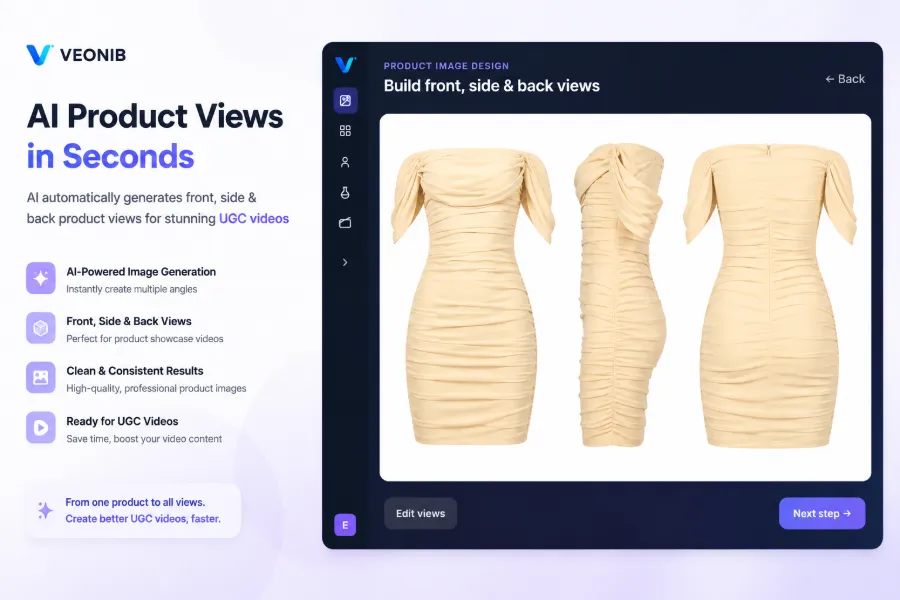
Asset supply is also being automated. Small and medium sellers without professional studios can let AI turn a single product image into front, side, back, and other angle views, so UGC material is no longer limited by the number of real photos.
Differences among the four tools in a table:
| Tool | Input method | Script source | Storyboard control | Time per asset | Core deliverable |
|---|---|---|---|---|---|
| Creatify | Script or product description | Manual input | Manual structure control | Over 10 minutes | Synthetic voice‑over + asset stitching |
| Arcads | Operator‑written script | Manual writing | Manual narrative control | Over 10 minutes | Synthetic voice‑over clip |
| AdCreative | Copy and creative input | Tool‑generated copy | Manual asset composition | Over 10 minutes | Copy + asset components |
| VEONIB | Paste product link | AI‑generated | Automatic storyboard planning | About 60 seconds | Exportable MP4 video |
From “can generate” to “can launch”: deliverables set the tool’s ceiling
The other half of the watershed is the deliverable. Full‑video tools output watermark‑free MP4s that meet platform specs, ready to be placed directly into TikTok, Reels, Shorts, or Meta feed, and also on e‑commerce product pages. The editing skill barrier is zero; export equals launch.
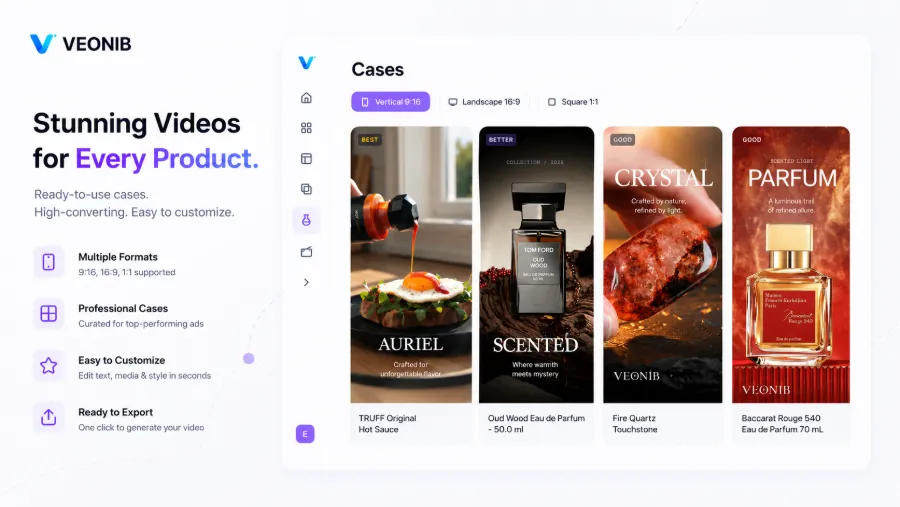
Style and templates determine cold‑start cost. Brand, Lifestyle, Studio, Luxury, UGC, Minimal correspond to different ad scenarios, and agencies can use workflows like auto‑generating a 60‑second brand story from a single link to bulk‑produce brand‑focused content for multiple clients.
Trade‑offs need to be clear. I remember a batch of assets: after three weeks of bulk producing with the same template, the opening shots were almost always the same camera angle, and test results began to interfere with each other. Direct‑from‑link output gives up per‑frame control and narrative freedom, which is the cost. When product page information quality is poor—title stuffed with keywords, single image—the script and visuals degrade together; strong brand storytelling still requires manual script intervention.
Engineering can alleviate some concerns. The generation pipeline isn’t a black box; the open‑source implementation of link‑to‑video tools allows step‑by‑step verification—parsing, script, storyboard are all traceable.
Thus, selection criteria return to your own launch rhythm: if you consume few assets and prioritize single‑asset quality, component‑style tools suffice; if you need bulk product swaps and wide testing breadth, the full‑video route is more suitable. The watershed isn’t about whose “digital human” looks more realistic, but about who compresses the entire production chain into a single link.
FAQ
Q1: What is the essential difference between “component‑style tools” and “full‑video tools” for AI‑generated ad videos?
The difference lies in the deliverable. Component‑style tools output scripts, synthetic voice‑overs, and copy as separate components; the final video structure is still decided by a human. Full‑video tools accept only a product link, and the script, storyboard, and editing are all done inside the system, outputting a complete video ready for launch. The quick test: does it give you assets or a finished ad?
Q2: When generating a video from a product link, will the AI‑written script deviate from the real selling points?
The script is anchored to the actual information on the product page—title, selling points, images are all parsed into the script. However, if the product page itself is low quality (e.g., keyword‑stuffed title, a single image), the script and visuals will degrade accordingly. The quality ceiling of direct‑link output is determined by the detail page.
Q3: Can videos generated by direct‑link tools be launched directly on platforms like TikTok or Reels?
Yes. Full‑video tools export MP4s that meet the specifications of social platforms and e‑commerce product pages, watermark‑free, no editing or post‑production required. After export, you can upload them straight to the ad manager. Each platform has its own length and aspect‑ratio requirements, so double‑check specs before final launch.
Q4: When personal sellers and launch teams choose these tools, which metric should they look at first?
First, look at how many manual steps are involved from input to deliverable. Personal sellers should consider cold‑start cost and the availability of ready‑made templates; launch teams should focus on bulk production capacity and whether the tool can sustain a monthly consumption of 30–90 assets. Tools with many manual steps will see costs multiply as volume grows.
Share Article


