AI Video Generation vs Traditional Editing: A Real‑World Comparison by an E‑Commerce Seller
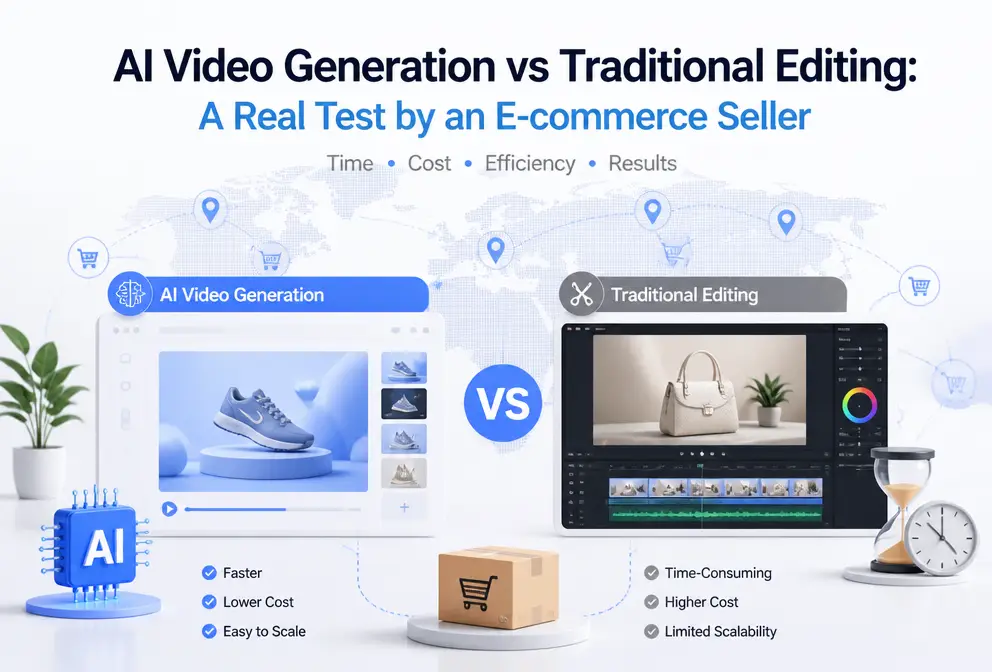
Last week I needed to quickly produce three TikTok ads for a new product. Opening CapCut, gathering assets, trimming the timeline, adding transitions—after half an hour I only had a rough draft. When I tried an AI video generator by pasting the product link, a ready‑to‑publish video appeared after 60 seconds. This efficiency gap made me dive deeper into comparing the two approaches to see which path an e‑commerce seller should choose.
You might think I’m exaggerating—CapCut is free and easy to use, and AI generation isn’t cheap. But if you, like me, need to produce 30–50 product ads each month, the time and cost calculations need to be revisited.
The Hidden Costs of Traditional Editing: Why I Was Stuck with CapCut
When I first started making e‑commerce ads, CapCut was my only lifeline. It’s free, has lots of templates, and cutting a 15‑second video seemed doable on the fly. I soon realized the problem wasn’t whether I could edit, but how long each edit took.
A 30‑second e‑commerce video, from gathering assets to exporting the final product, averaged 2–3 hours for me. This included: downloading product images from Shopify, aligning assets on the timeline, manually adding transition effects, adjusting subtitle timing, and exporting different size versions for various platforms. Each task alone isn’t hard, but together they ate up a dozen hours a week.
What frustrated me more was the repetitive work. The same product needed to be posted on TikTok, Instagram Reels, and TikTok Shop, each with its own specifications and requirements. I ended up cutting three or four versions of the same content; switching platforms felt like starting over. And the creative fatigue—by the third version I was too lazy to fine‑tune the first three seconds of the hook, so I just exported.
I kept asking myself: do these repetitive timeline operations really have to be done manually?
Then I saw a discussion titled Stop Using 5 AI Tools for One Product Video and realized the issue might be the workflow itself, not the tools.
How VEONIB Disrupted My Workflow with a Single Link
Curious, I opened VEONIB. The process was so simple it seemed almost too good to be true: step 1, copy the product’s Shopify link; step 2, paste it into the input box; step 3, choose a video style and click generate.
After three steps, a downloadable MP4 appeared 60 seconds later—no editing interface, no timeline, no transition parameters.
I generated a lifestyle‑style video. The AI automatically extracted selling points from the product description, wrote a script, planned the shots, and matched background music. I never pressed a cut button. Honestly, I was stunned for a few seconds when the first finished video played—was this really an ad for my product?
The tool’s workflow is roughly: after pasting the link, the AI analyzes the product page’s images, title, description, and attributes, then automatically creates a complete marketing storyboard. Each shot has a scene description, visual composition, and copy. I can edit the script or replace scenes before exporting, but the default output is usually sufficient.
If you’re interested in the overall trend of AI video generation for e‑commerce, check out this guide on Best AI Video Generators for E‑Commerce Product Marketing in 2026, which reviews the current mainstream tools.
Direct Comparison on Four Dimensions: AI Generation vs Traditional Editing
Below are the four dimensions I care about, listed side by side:
| Dimension | AI Video Generation | Traditional Editing |
|---|---|---|
| Time Investment | 60 seconds to generate a complete video | 2–3 hours per video (from planning to export) |
| Production Cost | Very low per video, pay‑as‑you‑go | Requires buying assets, paid templates, high labor cost |
| Customization Freedom | Can change script, style, voice‑over, but limited by AI’s understanding of brand colors | Fully controllable; every frame can be manually adjusted |
| Bulk Production Capability | Generate 5 versions for the same product in minutes | Each additional version requires rebuilding the timeline |
The first time I used AI to generate a video, I hit a very specific pitfall. The product’s page images had a cool tone, and the AI video made the product even cooler, clearly deviating from the actual item. I had to import the AI video into CapCut and manually color‑grade it, then re‑render. In total, the AI generation took 5 minutes, and the manual color correction added another 20 minutes. So AI still has limitations in brand‑color accuracy and can’t fully replace a human eye for visual quality—at least for now.
On the other hand, I observed an unexpected phenomenon: AI‑generated videos, which automatically optimize the first three seconds of the hook, often achieve higher completion rates on TikTok than my manually edited versions. I spent a lot of time tweaking transitions and subtitle positions, but viewers rarely noticed that segment. This observation made me rethink what “effective work” really means.
Also, the so‑called “complete control” of traditional editing is often a false need. Honestly, the color tweaks I spent 20 minutes on looked indistinguishable from the AI‑generated footage to the majority of viewers.
When you need to produce ads in bulk, AI’s advantage becomes even clearer. I can generate multiple script and shot variations for a product in minutes and immediately run A/B tests. For a step‑by‑step workflow, see this article on Creating TikTok and Instagram Ads from Product Pages with AI.
When to Use AI and When to Use Traditional Editing: My Decision Framework
After several months of practice, I’ve developed my own logic: don’t treat any single tool as the only solution.
Scenarios where AI should be prioritized:
- Rapidly launching new products, especially during the testing phase. This stage requires many ad variants to test audience response, and manual editing can’t keep up.
- A/B testing. I need at least 5–10 versions of assets to run ad spend data; AI can generate them all at once, and I select the best based on click‑through rates. An article titled One Person Completing an Entire Content Marketing Team’s Work essentially describes this situation.
- Multi‑platform distribution. TikTok, Instagram, and TikTok Shop each demand different aspect ratios and lengths; AI can adapt with a single click.
Scenarios where traditional editing is preferable:
- High‑end brand promotional videos. These require strict lighting, mood, and color consistency that AI still struggles to capture precisely.
- Special effects or complex animations. For example, product demos with zoom‑ins, intricate transitions, or narrative storytelling are better handled by CapCut.
For a small‑to‑medium seller like me, about 70 % of assets can be fully generated by AI, while the remaining 30 % need manual polishing. In practice, I first create an AI draft with VEONIB, then fine‑tune color and pacing in CapCut. This hybrid approach yields the most stable results.
For a detailed guide on this hybrid workflow, see the article on Automatically Turning Product Links into Short Video Ads, which explains the post‑AI‑draft manual color‑grading process.
FAQ
Q: Can AI‑generated video quality match professional editing?
Generally yes, depending on the use case. For e‑commerce ads, AI quality is sufficient for most social‑media placements. High‑end brand videos that require fine color grading and emotional storytelling still need professional editing.
Q: Is the learning curve for traditional editing software really that low?
The entry barrier is low; CapCut’s templates let anyone produce a video in minutes. However, creating effective commercial ads—rhythmic cuts, sensible transitions, an engaging first three‑second hook—usually demands extensive practice. It took me about three weeks to consistently produce standard‑quality ads.
Q: Should I use AI or edit myself? Any rule of thumb?
A simple rule: if you need “testing material” or “rapid scaling,” go with AI; if you need a “brand visual piece” or shots showcasing complex product features, edit manually. Most of the time, generating a draft with AI and then fine‑tuning manually is the most efficient workflow.
Q: Do I own the copyright to videos generated with AI tools?
Copyright terms vary by tool. VEONIB’s exported videos belong to the user with no commercial restrictions. Still, always check the licensing terms of any AI video tool, especially when third‑party assets are involved.
Q: Is AI video generation suitable for bulk operations across multiple stores?
Yes. Each store’s product link can be pasted to generate an independent video without re‑configuring accounts or templates. I run both Shopify and TikTok Shop stores, and the AI workflow stays the same.
Share Article


