Can Free AI Video Generators Actually Be Used? A Real‑World Assessment by Cross‑Border E‑Commerce Sellers

Throw a product link into a so‑called free AI video tool, and after a few minutes you get a finished clip that looks decent. When you actually try to run it, you discover a watermark in the lower‑right corner, the duration is locked to a few seconds, and the terms of service plainly state that it cannot be used for paid advertising. This scenario keeps recurring in cross‑border e‑commerce seller groups. Free AI video generators aren’t unusable; their capabilities are far narrower than the marketing copy suggests. This article discusses only one thing: which stages the free quota is truly sufficient for, and which stages it inevitably hits a wall.
Direct conclusion: Free AI video generators are suitable for material validation, not for formal ad placement. Validation means testing hook directions, providing sample clips for budget approval, and quickly judging whether a product is worth the production cost. Once a material enters a paid advertising workflow, the four hurdles—watermark, duration, resolution, and commercial license—can each render the previous output useless.
Real‑World Use Cases of Free AI Video Generators in Cross‑Border E‑Commerce
Free tools can do less in e‑commerce operations than many expect, but they are not without value. The most common uses fall into four categories: quickly producing short videos for social platforms, testing different hooks and material directions, providing sample clips for budget approvals, and batch‑creating simple product showcase videos. All these scenarios share a common point—they belong to the “validation” stage, not the “placement” stage.
According to TikTok, Reels, and Shorts specifications, most free plans limit a single video’s length to 15–30 seconds, and the free quota of generative tools usually only allows a few preview clips. This amount is barely enough for testing but far from sufficient for ongoing campaigns. Typical entry‑level tools include CapCut, Canva, Runway, Pika, and HeyGen’s free tiers, each with different restrictions: some lock duration, some lock export resolution, some count by number of clips. The tipping point between free and paid usually appears in material volume—one clip per day is fine for a free version; ten clips per day will cause any free plan to stall at some stage.
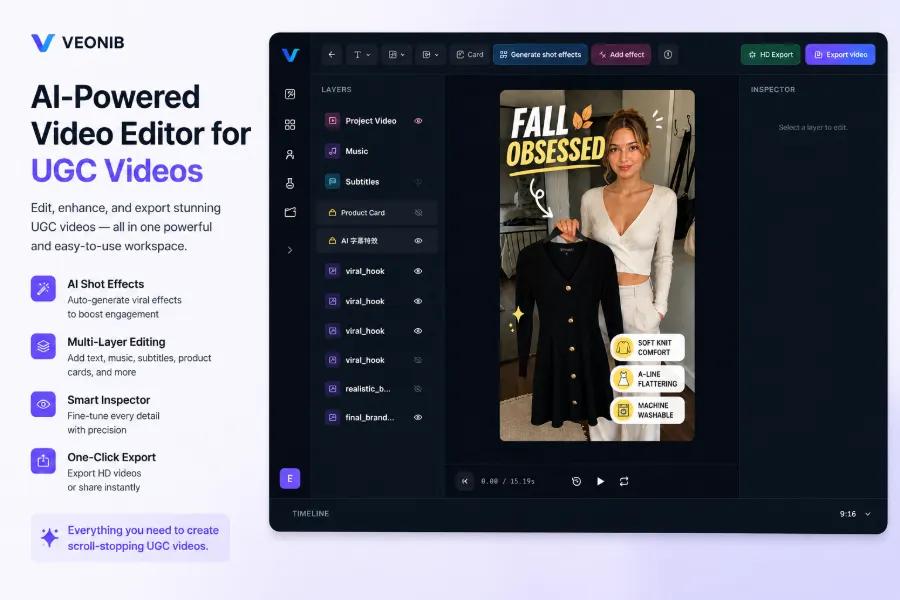
A cold splash of reality: materials produced by free tools rarely maintain consistent style. The same product generated with Tool A today and Tool B tomorrow will have completely different color tones, pacing, and subtitle styles. When the material volume is small, the inconsistency isn’t obvious, but once you try to establish a consistent account aesthetic, this mismatch directly weakens the trust signal of the account. For workflows that batch‑produce material from product links, style uniformity is a genuine need, which explains why many sellers eventually turn to more comprehensive solutions like AI video ads for Shopify products.
Hidden Costs of Free Plans: Watermarks, Duration Limits, and Commercial Licenses
Free versions most commonly impose four types of restrictions: output watermark, duration cap, export resolution, and commercial‑license terms. The first three are obvious; the fourth is the real minefield. Free outputs are typically 720p with a watermark, and most tools’ free license terms explicitly exclude commercial use. The problem is that many sellers don’t read the license terms during generation and only discover the issue when the material is rejected during ad review.
A typical seller example: during a high‑frequency campaign, he used a free tool to batch‑produce over twenty clips, thinking to flood the market. When the material was submitted to Meta’s ad review, it was rejected because the videos had watermarks and could not provide proof of commercial license. Worse, ad review and platform policies trace back the material’s license—not “can it be exported?” but “is it allowed for paid placement?”. All those clips became void, iteration halted, and re‑work took several days. During that time, the ad account’s spend rhythm was disrupted, and the cost of recreating the material far exceeded the subscription fee that was initially saved.
Another often‑underestimated issue is brand consistency. The same product’s videos generated for different platforms may have mismatched styles, hurting not only iteration efficiency but also the algorithm’s perception of content stability. TikTok and Meta each have their own material specifications; free tools usually output only a default format, requiring manual re‑editing for multi‑platform adaptation. A 720p export looks acceptable on mobile, but when placed on large screens or high‑definition ad slots, the quality gap is glaring.
Core Differences Between Free, Paid Subscriptions, and Automation Tools
Comparing free tools, paid subscriptions, and automation tools requires looking at four dimensions: material cost, output quality, commercial license, and iteration speed. Free tools have an advantage in material cost but fall behind on the other three. Paid subscriptions solve quality issues—higher resolution, no watermark, longer duration, clear commercial licensing. Automation pipelines solve quantity and consistency issues—batch production, uniform style, multi‑platform adaptation.
E‑commerce content production is shifting from manual editing to AI automation, a trend repeatedly discussed in industry forums over the past two years. The time cost of material creation is often underestimated. The time spent adapting a single piece for multiple platforms and manual re‑editing usually exceeds the subscription fee itself. A 15‑second video, manually adapted for TikTok, Reels, and Shorts, with subtitle positioning and framing adjustments, can take half an hour at best. When material volume scales, this time cost multiplies. Discussions about the trend of e‑commerce content moving from manual production to AI automation focus not on “whether AI can replace editors,” but on “the demand for material has outgrown human capacity.”
| Comparison Dimension | General Free Editing | Generative AI Free Quota | Paid Subscription Tools | Link‑Driven Automated Material Tools |
|---|---|---|---|---|
| Material Cost | Low | Low | Medium | Medium |
| Output Quality | Medium | Low (720p + watermark) | High (1080p + …) | High (1080p + …) |
| Commercial License | Partial support | Mostly excluded | Explicit support | Explicit support |
| Iteration Speed | Slow (manual) | Medium (single‑clip) | Medium | Fast (batch) |
| Suitable Stage | Testing | Validation | Early placement | High‑frequency placement |
The table omits specific brand names because differences between tool categories outweigh differences between brands within the same category. Free versions suit testing, paid subscriptions suit early placement, and automation tools suit stable, ongoing material demand. Choosing which class to use isn’t about price; it’s about material demand frequency and campaign scale.
Workflow Bottlenecks in High‑Frequency Placement: Where Free Tools Break
When material demand shifts from “occasionally one clip” to “multiple clips per day across platforms,” free‑tool problems explode. The first bottleneck is manual re‑editing—each video must be re‑exported to platform specifications, adjusting format, subtitle position, and aspect ratio. Next is version chaos: the same product may have five or six versions scattered across different tools and local folders, making it impossible to know which is the final version after a while.
A/B testing requires multiple creative angles for the same product, which free tools struggle to deliver. A full material direction iteration in a manual workflow often takes hours or even days. Advertising cadence won’t wait—ad accounts have a fixed material fatigue cycle, and if iteration speed can’t keep up, spend and conversion suffer. UGC material is especially sensitive; users have low tolerance for repetitive content, and prolonged use of the same material drops click‑through and conversion rates.
High‑frequency placement demands automation, not “occasionally manually generate one clip.” That’s why some sellers switch to link‑driven solutions that generate finished clips from a product URL, such as VEONIB. You paste the product link, the system parses product info, selling points, and price, and outputs multiple hook‑direction clips. The saved step isn’t editing; it’s the entire intermediate stage “from product info to creative script”.
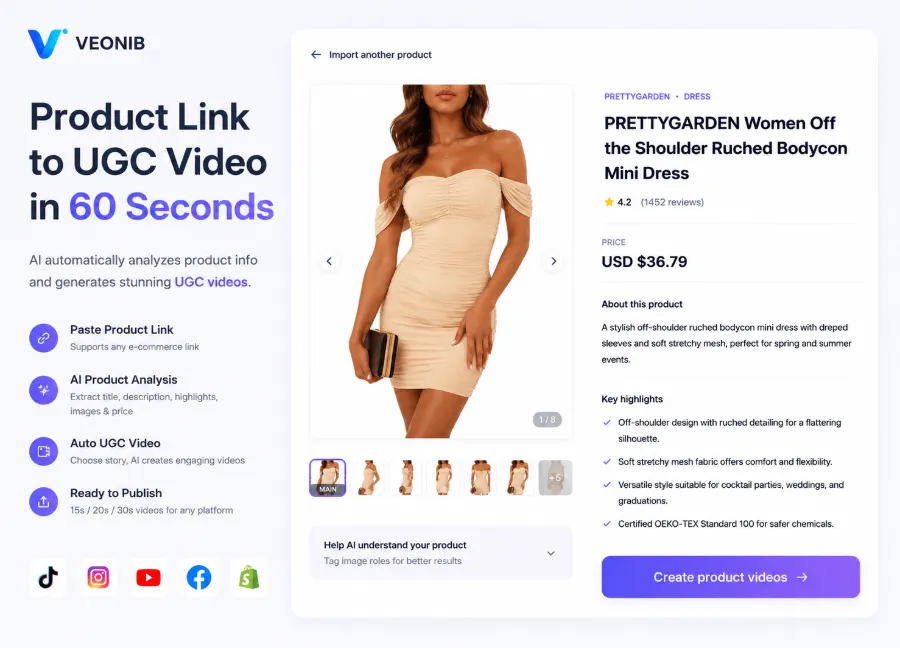
When material volume grows, another hidden cost of manual workflows is creative iteration speed. Generating a single piece with a free tool requires waiting for generation, then manually checking quality, tweaking details, and adapting to platforms. A full workflow can consume half a day. Automation’s advantage lies not in single‑clip speed but in batch production and version management—generating multiple hook directions for the same product at once and feeding them directly into A/B testing. This capability is critical for categories with high material demand frequency and determines the pace of ad testing. For a discussion on scaling automated video ads, see Automated Video Ads Expansion Path in 2026, which covers workflow design after material volume increases. VEONIB’s positioning is exactly this—not replacing editors, but compressing the “product link to ad‑ready material” process to minutes.
Deciding by Workflow Needs: When Free Is Sufficient, When to Switch
You don’t need tool reviews to decide whether to use a free tool or a paid solution; just self‑assess on four dimensions: material demand frequency, campaign scale, number of platforms, and team editing capability. Material demand frequency is the core metric—one clip per week is perfectly fine for a free tool; multiple clips per day will cause any free plan to stall somewhere. Campaign scale dictates commercial‑license and output‑quality requirements; platform count drives multi‑format adaptation needs; team editing skill determines reliance on automation.
Before switching, check key items: does the commercial license explicitly cover paid placement, do export specs meet platform requirements, can iteration speed keep up with campaign cadence, and is brand consistency controllable? Free tools are sufficient for testing; during placement you must account for licensing and time—this trade‑off holds for most categories. The value of free tools lies in validation, not in mass production.
A practical rule of thumb: if material production time starts eating into ad‑optimization time, it’s time to switch. Material is the upstream step of placement; if the upstream stalls, downstream ad account optimization can’t recover. The full workflow from product link to finished clip essentially compresses the “product info to ad‑ready material” middle stage, which is the core issue discussed in the complete AI workflow from product URL to viral video for cross‑border sellers. Decision criteria should be workflow needs, not tool price.
FAQ
Can material generated by free AI video generators be used for paid advertising?
Most cannot. Free‑version license terms usually explicitly exclude commercial scenarios, and watermarked material is deemed non‑compliant by Meta ad review and TikTok material guidelines. Even if the tool doesn’t restrict export, ad review will trace back the material’s license. Verify the license before submission; don’t wait until the material is rejected.
How big is the quality gap between free and paid versions in export?
Free versions typically output 720p with a watermark; paid versions usually support 1080p watermark‑free export. The difference is minor on mobile but obvious on high‑definition ad slots or large screens. Paid versions also often allow longer durations and more templates, with better multi‑platform support.
Can someone with no editing experience use a free AI video tool to automatically generate a complete video?
They can generate “video clips,” not a “ready‑to‑run final piece.” Free tools can auto‑assemble footage and subtitles but lack hook design, pacing control, and multi‑platform adaptation. Users without editing experience will usually need extensive manual adjustments to meet placement standards.
Do free AI video tools support Chinese voice‑over or subtitles?
Some do. Domestic tools like CapCut have good Chinese support, while overseas generative tools vary in Chinese voice‑over quality. Most tools support multilingual subtitles, but automatically generated Chinese subtitles often need manual proofreading. Test the target tool’s Chinese performance before committing to large‑scale material production.
Share Article


