VEED, Kapwing, and Canva Video are editors; cross‑border e‑commerce needs generators

Last month I helped a friend who sells on Amazon review video material. She spent an afternoon editing in VEED: dragging a phone‑shot unboxing clip onto the timeline, adding subtitles line by line, adjusting the aspect ratio, and only when exporting did she realize TikTok requires 9:16 while an Amazon listing needs 16:9, so she had to go back and export another version. A 30‑second video took more than two hours from organizing the material to exporting two platform‑specific versions.
The problem isn’t editing technique; it’s the tool category. VEED, Kapwing, and Canva Video are editors—they assume the user already has raw footage, and every step (trimming, subtitles, aspect ratio) must be done manually. A generator only needs a product link; AI handles the script, storyboard, and final video. The deciding factor is simple: do you have a media file or just a product link?
The two types of tools work completely differently. Editors solve “how to cut existing footage,” while generators solve “how to turn a product into a ready‑to‑run ad from scratch.”
The real cost of editors: timeline, media, and manual per‑clip operations
Put VEED, Kapwing, and Canva Video together and the workflow is almost identical: import media, drag to timeline, trim and splice, add subtitles one by one, adjust aspect ratio, then export MP4. The core actions are just two—import and manual editing; the tool itself doesn’t create content. A 30‑second product video, from gathering media to exporting versions for TikTok and Amazon, usually takes more than two hours.
These tools assume the user already has filmed material. That’s fine for teams that have already shot product videos and want to polish them, but for small sellers who only have a product link and no filming capability, the first step is stuck—where does the media come from?
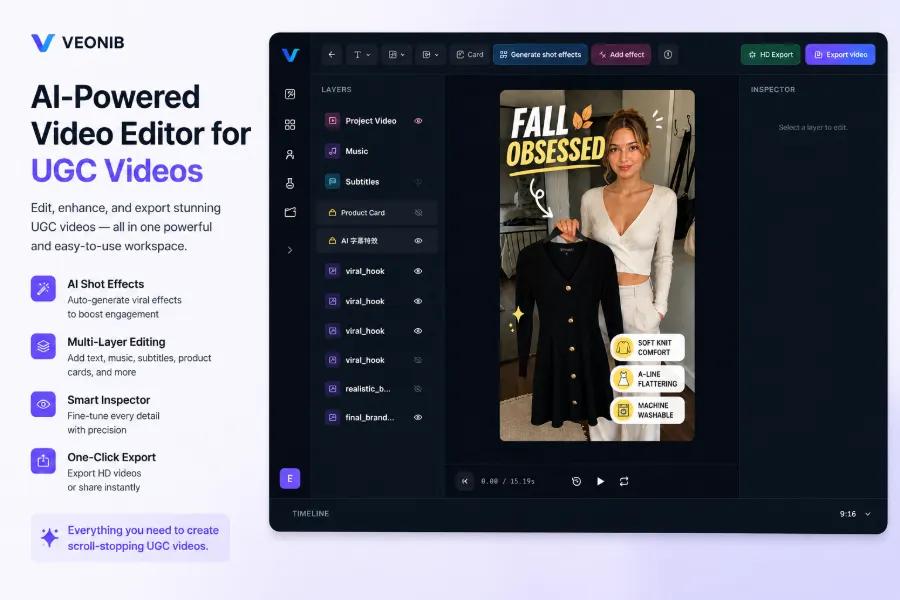
Per‑clip operations add a hidden cost: each video requires repeated subtitle addition, watermarking, and size adjustment. The same style and placement must be redone for every new clip. This repetitive work feels awkward in a timeline tool; I once relied on a plugin with unstable results. The method for batch‑adding text and logo watermarks is worth a separate study.
The applicability boundary of editors is clear: they’re great for polishing existing footage, not for mass‑producing from scratch. A TikTok ad operator spent an afternoon editing a 30‑second new‑product teaser in VEED, only to discover that the posting window had already passed when the export finished. The time was spent on operations, not content—this is the real cost of editors that’s often underestimated.
The fundamental difference between editors and generators: input determines workflow
The distinction isn’t “AI vs. no AI,” but the input material. Editors take media files; generators take a product link or product information. Different inputs lead to completely different workflows: editors require humans to make every decision—what to cut, how to splice, what text to add—while generators hand the script and storyboard to AI, and the human only confirms the direction.
In practice, the editor’s workflow is “media → human → final video,” whereas the generator’s is “link → AI → final video.” The former offers strong control; the latter offers massive batch production capability. For teams that need dozens of pieces per week, it’s not a matter of efficiency but of feasibility.
A cold splash of reality: quality varies within the generator category. Many tools that claim to be AI video generators are just editors with a thin AI veneer—adding smart background removal or automatic subtitles—while still requiring media files as input. These tools often feel more complex to teams; the reason most AI video generators still feel complicated is that AI only handles peripheral features, while the core workflow remains manual.
Putting the core differences side by side:
| Comparison Dimension | Editors (VEED, Kapwing, Canva Video) | Generators (AI product‑video tools) |
|---|---|---|
| Input Media | Already filmed video or image files | Product link or product information |
| Core Operations | Trim, splice, add subtitles, adjust aspect ratio | Parse product, generate script and storyboard |
| Time per video | Over 2 hours | About 60 seconds |
| Skill Barrier | Requires understanding timelines and keyframes | No editing experience needed |
| Suitable Scenario | Polishing existing footage | Mass‑producing ad assets |
The table data come from daily experience: editors typically need two hours for a 30‑second video; generators compress production to the minute level, with a typical generation time of around 60 seconds.
How generators work: product link in, final video out
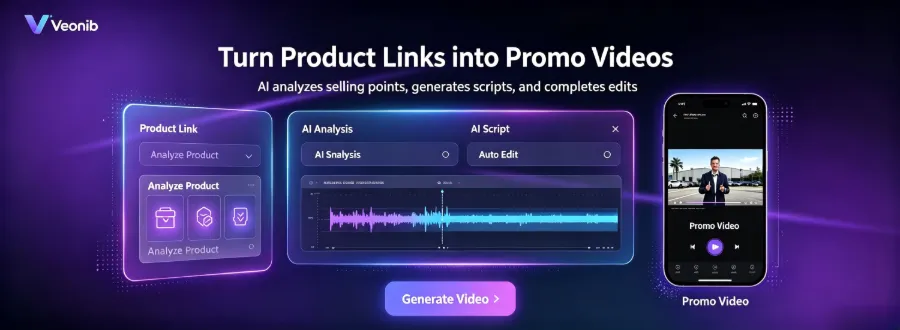
A typical generator workflow has four steps: paste the product link, AI automatically parses product images, description, selling points, and price, generates a script and storyboard, and directly exports a publishable MP4. No timeline or keyframes are touched. Most Shopify, Amazon, and WooCommerce product pages are recognized automatically, and TikTok Shop works the same way. The tutorial “One‑click product link to short video ad” describes exactly this flow.
No video‑editing software needs to be opened. Choose a video style or template—Brand, Lifestyle, Studio, Luxury, UGC, Minimal—then wait for the final video. AI first produces the script and storyboard, then generates each scene, and finally stitches them together into a complete ad.
Using a generator like VEONIB as an example, after pasting the product link the system parses the product info, generates script, storyboard, and scenes according to the selected style, and finally exports an MP4 ready for TikTok, Reels, Shorts, Amazon listings, landing pages, etc.
From link paste to final export takes about 60 seconds, requires no editing experience, and is roughly ten times faster than traditional editing. The trade‑off is clear: you lose frame‑by‑frame control. If you need precise composition or transitions at a specific frame, a generator can’t do it—that’s where an editor comes in.
How to choose: do you have media or only a product?
The first question to ask is: do you have usable raw media? If you have media and need polishing, stick with VEED, Kapwing, or Canva Video—they excel at handling existing footage. If you only have a product link or a few product images, skip the manual editing and go straight to a generator.
The two tool types aren’t mutually exclusive. After a generator creates a video, you can bring it back into an editor for light tweaks—add a subtitle, overlay a watermark, change the last two seconds—perfectly feasible. This way the generator handles capacity, the editor handles finishing touches. Many small teams work this way; the article “Small shops using AI video to compete with big brands” mentions a similar combo.
The real driver for a team’s decision is batch demand. A typical UGC campaign tests 10–20 different‑angle ads each week. Manual per‑clip editing isn’t just slower; it’s fundamentally insufficient—two hours per clip means twenty clips consume a whole team’s weekly capacity. Generators like VEONIB can produce dozens of candidate assets in an afternoon, after which you pick the ones to scale.
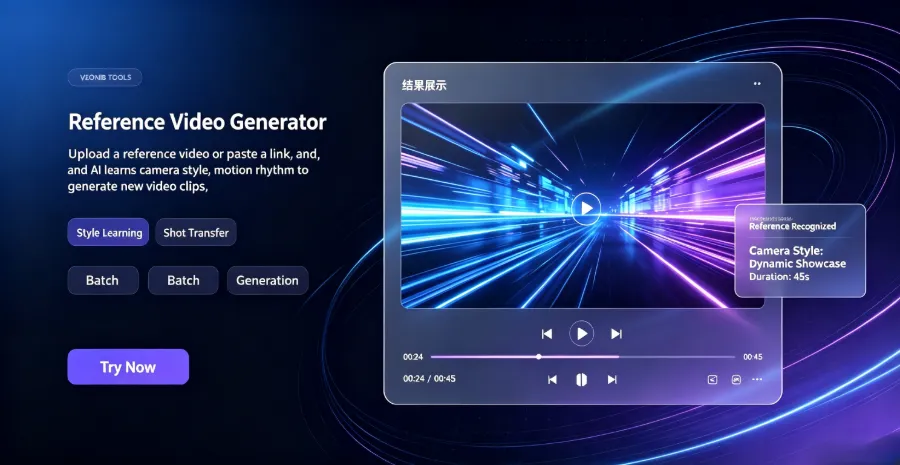
Using a generator doesn’t mean abandoning control entirely. Most tools let you upload reference images or videos to steer the output—specifying dominant colors, composition style, or model appearance—so the generated footage leans toward the reference. This provides a middle ground between “fully automatic” and “fully manual,” and in practice it feels more convenient than expected.
The final decision rule is pragmatic: if you have your own footage, use an editor; if the material already exists on the product page, use a generator; if both apply, generate first, then polish. Choosing the right tool category leaves only the testing phase; choosing the wrong one wastes all your time on the editing desk.
FAQ
What’s the real difference between editors and generators? Does any tool with AI features count as a generator?
The difference lies in the input, not AI. Editors take media files; generators take product links. The rule is: what you feed into the tool determines what it returns. VEED with AI background removal and AI subtitles is still an editor; only a tool that takes a product link and outputs a complete video counts as a generator.
I’ve been using Canva Video for product videos—should I switch to a generator?
It depends on your media and volume. If you have already filmed footage and only need polishing, Canva Video is sufficient. If you need to produce more than ten new pieces per week without filming resources, a generator is more appropriate. A practical approach is to produce one version with each method, compare performance data, and then decide whether to switch.
Can I manually adjust videos generated by a generator?
Yes, but the scope is limited. The generator handles script, storyboard, and visuals; after export you can bring the video back into an editor to add subtitles, watermarks, or make local changes. Frame‑by‑frame fine‑tuning isn’t possible in the generator; that part still relies on an editor.
I have no filmed material, only a product link—can I still create an ad video?
Yes. Paste the product link, AI parses the product images, description, and selling points, automatically generates script, storyboard, and visuals, and exports an MP4 in about 60 seconds. For small sellers without filming capabilities, this is the most direct path to a finished video.
Which platforms are generators best suited for?
Short‑form, fast‑turnaround placements: TikTok, Reels, Shorts, as well as Amazon listings, landing pages, and promotional videos. For long‑form storytelling or highly stylized content, an editor remains more controllable.
Share Article


