Using AI for Shopify Video Marketing: How Much Can It Actually Save?
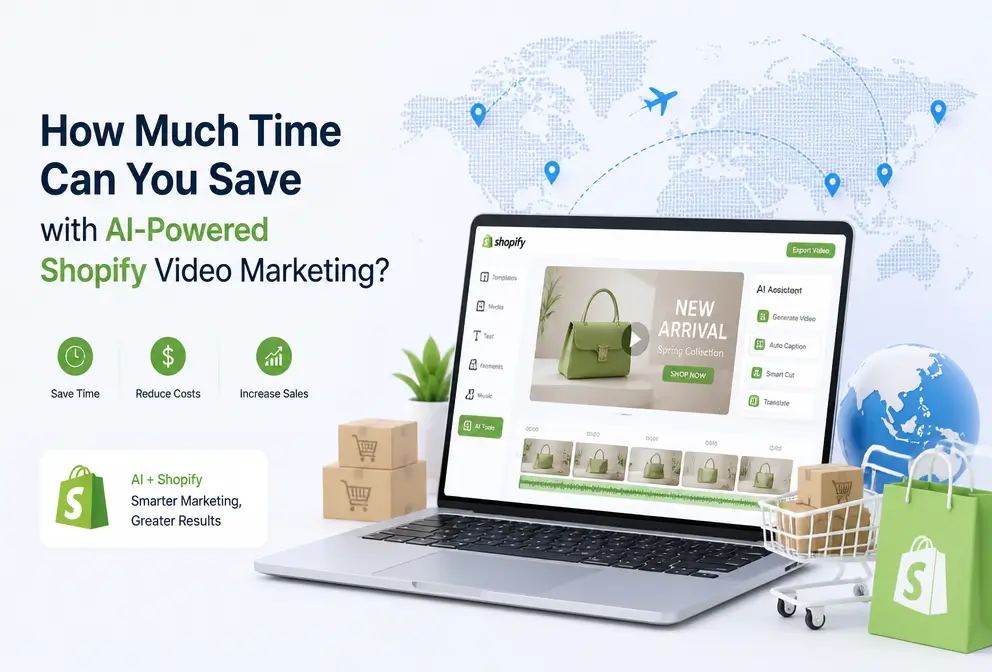
Doing Shopify work, time is always insufficient. Listing products, writing descriptions, adjusting images, running ads—each task competes for the same slice of time. As for video, I was forced into it by TikTok and Instagram Reels. Honestly, I’m not cut out for this—no lighting, no sound recording, and even dragging the timeline in CapCut can make me dizzy. Outsourcing? After asking around, a 15‑second product video costs $300‑$500 and takes three to four days. When the math adds up, I just gave up.
But I discovered that many sellers, like me, aren’t unwilling to make videos; they simply don’t know “what to shoot.” Staring at a product, the mind goes blank. Then I tried a completely different approach—letting AI read my Shopify product link and automatically generate the script, storyboard, and video. After a few rounds, the whole operational rhythm really changed.
Why Shopify Sellers Can’t Avoid Video Marketing
Short‑form video’s impact on e‑commerce conversion isn’t theory; it’s solid data from an AI video industry authority site. Industry stats show short‑form video ads have click‑through rates 30%‑50% higher than static images. I ran the same product’s image ad and video ad on TikTok; the video’s CTR was almost twice that of the image. Instagram Reels and YouTube Shorts show a similar pattern—users are more willing to watch a short product demo than scroll past a static picture.
The problem lies on the supply side—one‑click baby‑care ad generator. Most Shopify sellers lack video‑production skills. Among my friends, nine out of ten shoot with a phone, set it on a shelf, and shine a desk lamp on it—those results get no views on TikTok. Can’t afford an editor, editing yourself takes time, and you end up stuck: you know video is useful but can’t produce it.
This creates a core paradox: video drives conversion, but sellers can’t produce it consistently. If you could just drop the product link in, have AI understand the selling points, and automatically output a video, that workflow would truly break the deadlock.
The Traditional Video Production Process That Drives Bosses Crazy
Every step of the traditional process makes you want to quit. First, filming: you need good lighting, a clean background, a stable tripod. To shoot a 15‑second pet‑product video, I spent three hours setting up a scene, only to discover the audio was just the hum of a refrigerator. Then comes editing—dragging the timeline, adding transitions, subtitles, color grading, exporting different versions for various platforms. It’s common for a single video to consume an entire day.
What really drives bosses nuts is scale. One product you can manage; what about ten? You also have to adapt to TikTok, Instagram, Facebook, and YouTube Shorts’ aspect ratios. I calculated that from order to usable material, traditional outsourcing averages 3‑7 days and costs $100‑$500. Small sellers cobble together videos with Canva or CapCut, which look amateurish.
That explains why many sellers start and then quit—not because they don’t want to, but because video production simply can’t fit into the daily operational rhythm.
How AI Understands Your Product and Helps You Shoot: The Workflow
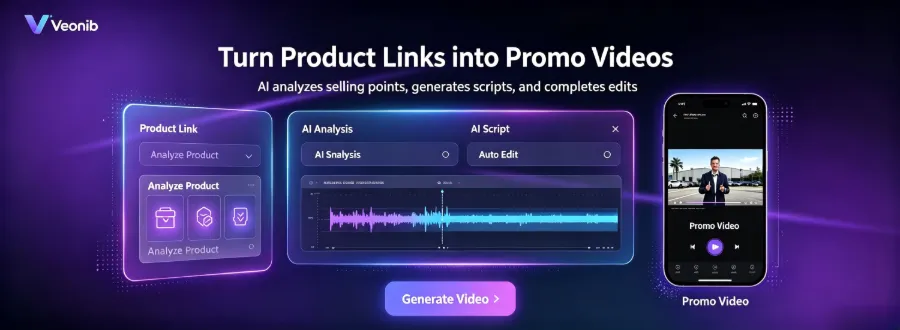
I was skeptical at first. Paste the product link—how could AI possibly understand what I’m selling? After a few runs, it actually read the title, images, description, and core selling points, then automatically generated a script, storyboard, and shot list.
From the second paragraph onward, I officially tried the VEONIB tool—paste the Shopify product link, and about 60 seconds later a full preview video popped up with voice‑over, subtitles, and scene cuts. No Prompt writing, no timeline dragging, no learning any editing software. My feeling was that it solved the most fundamental bottleneck: “want to post but have no material.”
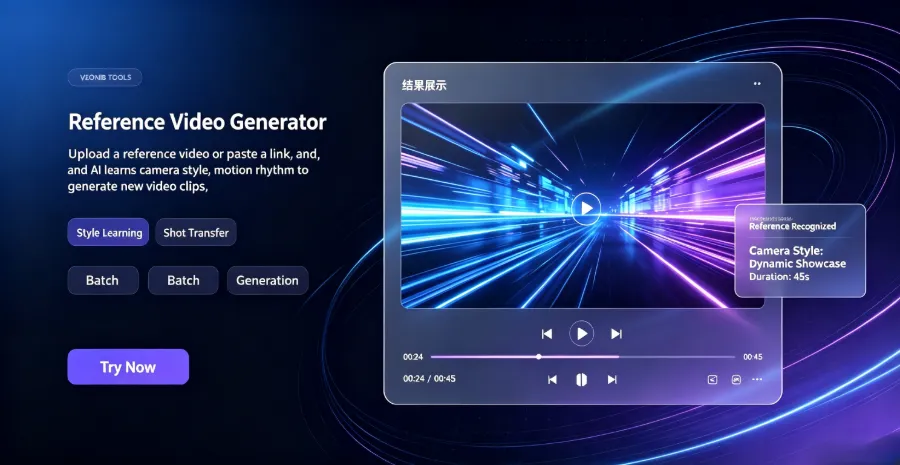
The logic behind this workflow is simple: AI first parses the structured information on the product page, extracts selling points and description, then generates a script and storyboard based on high‑conversion e‑commerce ad templates. You don’t need any video‑production knowledge; just a product link. I later discovered that VEONIB’s built‑in set of ten useful tools includes many similar automation features, covering the entire pipeline from images to video.
From URL to video export, the whole process averages under a minute. This completely changed my previous view—AI video tools aren’t about replacing editors; they empower sellers to “dare to post.” Previously, I kept delaying because I thought the video wasn’t good enough; now I can at least launch an 80‑percent‑ready version first.
How Many Different Videos Can AI Produce for the Same Product?
Making only one video per product wastes AI’s output capacity. I tried generating videos of different styles from the same product link and realized I had underestimated the tool’s flexibility.
| Video Type | Typical Use Case | Recommended Platform |
|---|---|---|
| Product Demo Video | Highlight core product selling points | Shopify homepage, Facebook ads |
| Brand Story Video | Build brand trust | Instagram Reels, YouTube |
| Social Short Video | Quickly grab attention | TikTok, Instagram Reels, YouTube Shorts |
| UGC‑Style Video | Create a real‑user feel | TikTok, Facebook ads |
| Amazon Listing Video | Boost conversion rate | Amazon product detail page |
I tested a skincare product: the same link generated a product demo video for Facebook ads, a UGC‑style video for TikTok, and a subtitle‑rich version for Instagram Reels. The scripts, storyboards, and pacing differed, but the selling points were the same. AI natively supports voice‑overs in 30 languages, so I also tried English and Japanese versions—the logic being that for cross‑border sales, one output can cover multiple markets.
The takeaway: don’t stop after generating one video. Let AI batch‑produce different variants, then run A/B tests. You’ll find that the same product performs very differently on TikTok versus an Amazon Listing.
When to Use AI and When You Still Need a Human
After a few months with AI video tools, I’ve learned their limits. AI shines for rapid video creation, multilingual needs, large‑scale A/B testing, and daily social‑media updates. My routine is: every Monday, AI bulk‑generates videos for the season’s new products, then I distribute them to TikTok, Instagram Reels, and Facebook ads—all in under half an hour.
But I’ve hit pitfalls—AI‑generated videos are fast, yet sometimes lack a “human touch.” Scripts can sound template‑like, voice‑overs may feel unnatural, and visual details can deviate slightly from the actual product. To make it look less “AI,” you often need a bit more manual tweaking.
For scenarios requiring real people on camera, complex cinematic storytelling, or high‑end brand promos, AI still can’t keep up. I tried a brand anniversary video and ended up hiring a real crew—AI couldn’t deliver that quality.
VEONIB works smoothly for a use case I tested: I gave it a pet‑product Shopify link, and it automatically generated a TikTok ad video. I also compared industry conditions—most AI video generators are still too complex for e‑commerce, and the analysis points in this article reflect my own experiences.
A pragmatic trade‑off: AI spends 60 seconds on a first draft; I spend another 10 minutes tweaking the script and voice‑over—saving over 90% of the time compared to starting from scratch. AI gives you an 80‑percent‑ready piece; the remaining 20% is up to you to polish.
FAQ
Q1: How long should a Shopify product video be?
Most of the time, 5‑15 seconds is enough. TikTok and Instagram Reels algorithms favor short content; 5‑10 seconds yields the highest completion rates. Amazon Listing videos can be a bit longer, 15‑30 seconds, to show product details and use cases. My practice is to start with a 15‑second version, then cut a 7‑second version for ads and see which performs better.
Q2: Are there copyright issues with AI‑generated videos? Can they be used commercially?
Most AI e‑commerce video generators, including VEONIB, grant the user ownership of the exported video, allowing commercial use. However, pay attention to the licensing terms for voice‑overs and background music—some tools’ free assets come with special restrictions. I always verify the authorization scope after export to avoid future hassles.
Q3: Do I need to know English to use AI for video creation?
No. The mainstream AI e‑commerce video tools now support Chinese interfaces and voice‑over options. I’ve written product descriptions in Chinese, and the AI still generated English voice‑overs and subtitle versions. For cross‑border sellers, the biggest convenience is that you create the content once, and AI automatically translates it into target‑market languages.
Share Article


