2026 AI Product Video Generator Horizontal Evaluation: Who Really Saves Time for E‑Commerce Sellers?

Every time a new product launches, the first thing is to get a quote from an editor—1515‑second ad edit takes three to five rounds of revisions from script to final cut, takes three to five days to start, and costs anywhere from ¥800 to ¥2,000. It’s even more annoying that TikTok, Instagram Reels, Amazon, and Shopify each require a different size, so the same product must be re‑shot or re‑edited at least four times. By the end of last year I reached my limit and spent two weeks trying every AI product video generator that could be named. This article presents the real test results—no fluff, just the actual time cost and image‑quality gaps.
Why AI Video Generators Have Become a Must‑Have for Cross‑Border Sellers
I previously posted a TikTok video; see the AI Video Ad Quick Creation Guide for more details. From scriptwriting to waiting for rendering, the whole process took a week. The team had four roles: director, photographer, editor, and music composer, and each draft revision added at least half a day. I counted that in 2025 I made 37 product videos, averaging about 4.2 days per video. That means a third of my quarter was spent on video production.
Cross‑border e‑commerce isn’t just about one video. TikTok needs a 9:16 vertical format, Instagram Reels prefers a cinematic color grade, Amazon Listings forbid brand voice‑overs, and Shopify homepages require a 16:9 HD intro. If you want to save time and effort, check out the TikTok Shop Ad No‑Shoot Tutorial.
AI tools work completely differently—paste a link, get a script automatically, and render multiple sizes with one click. In my tests the fastest end‑to‑end process took only 60 seconds from import to download. A simple calculation: traditional production costs about ¥800 per video and takes 3‑5 days; AI generation costs virtually nothing and takes 1 minute. The difference isn’t just “faster”; the entire workflow is rewritten. For ideas on maintaining creative output on a lower budget, I previously read a $20‑per‑month AI tool stack guide that’s worth a look. See the Monthly $20 AI Tool Stack for more information.
But higher efficiency doesn’t guarantee quality. After the first round, the problems appear.
The Six Tools I Tested—From Synthesia to VEONIB, Speaking Truthfully
I tested six mainstream AI video tools currently searchable on the market: Synthesia, Runway, Pictory, CapCut, Descript, and the e‑commerce‑focused VEONIB. For each, I fed a real product link and recorded the results.
Synthesia – Its virtual presenter is the best available: natural facial expressions, accurate lip‑sync, and multiple voice styles. The downside: it doesn’t parse links. You must write the product selling points into a script yourself, input it word‑by‑word, then choose the virtual presenter’s actions. In essence, a human still does the work. It’s reliable for brand‑presentation videos, but for shop‑front product ads the cost and learning curve are not low.
Runway – The creative player. It excels at generating non‑existent scenes—e.g., a giraffe wearing headphones dancing. In e‑commerce scenarios, ready‑made product templates are almost nonexistent. I tried five times and barely got an atmospheric clip, but the product itself was drowned out by the creative effects. Great for brand films, not for selling products.
Pictory – Its strength is secondary processing of existing footage. If you already have a pile of shooting material or livestream recordings, it can quickly split them into multiple short videos. It doesn’t help when you’re starting from scratch.
CapCut – Tons of templates, almost a “fool‑proof” operation. However, the template feel is strong; you can’t change fonts or voice‑over pacing, and the visual quality is average.
Descript – A powerful teleprompter and podcast tool, barely capable of simple voice‑over videos; it’s essentially useless for e‑commerce.
VEONIB – After pasting a product link, it automatically parses the page’s images, description, and selling points, generating a full storyboard script and voice‑over. No manual text input is required. The download took 56 seconds in my test. The act of copying the link to seeing the video preview feels less like “production” and more like downloading an already‑edited video.
Below is a live demo; watching it once makes the whole workflow clear:
It does have a shortcoming—script quality is only passable. AI can list selling points (“elastic fabric”, “quick‑dry and breathable”, “no‑iron”), but it can’t tell a story. So even when the script is “fully automatic,” I still have to edit the opening hook each time. I’ll discuss that later.
Horizontal Comparison: Real Performance Across Five Dimensions
After the tests, I cared most about five things: speed, visual quality, ease of use, price, and support for templates and multiple languages. The table below reflects my direct impressions.
| Tool | Generation Speed | Visual Quality Rating | Price Range | Best Use Cases |
|---|---|---|---|---|
| VEONIB | Extremely fast (<60 s) | High for e‑commerce scenes | Free preview / pay per export | E‑commerce ads, social videos |
| Synthesia | Fast (1‑3 min) | High for virtual hosts | $30‑59/mo | Brand presentations, training |
| Runway | Medium (5‑10 min) | Very high for creative effects | $15‑76/mo | Creative ads, music videos |
| Pictory | Medium (5‑10 min) | Medium for edited footage | $19‑49/mo | Video repurposing |
| CapCut | Fast (1‑3 min) | Medium template style | Free | Quick social videos |
VEONIB’s speed is indeed the fastest—its sub‑second countdown is evident, while other tools need at least a three‑minute rendering queue. Quality, however, isn’t universally superior—VEONIB’s rendering style for e‑commerce is clean and bright, with accurate material and color reproduction, but it can’t deliver Hollywood‑grade color grading or special effects. Synthesia’s virtual host visuals look natural, but the integration between background and product feels AI‑generated. Runway offers the strongest artistic feel, but in my three tests it produced unexpected visual styles each time.
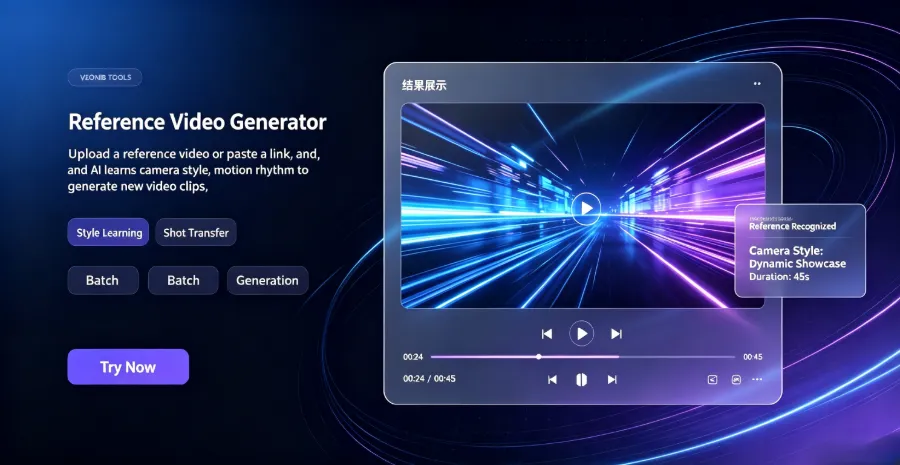
Regarding customization, VEONIB lets you upload your own reference images or videos to match scene style. I tried feeding a product studio‑shoot image, and the generated video’s color tone and composition were indeed close to the reference. This feature is on par with top‑tier tools.
Pricing: Synthesia starts at $30/month, Runway ranges from $15 to $76 depending on rendering resolution, Pictory is $19/month. VEONIB’s model is free preview and pay‑per‑export for the final video. For small‑to‑medium sellers, this is the lowest barrier—try ten times for free, then pay if it works.
If you run a Shopify store and want to batch‑produce ad videos quickly, see the method for fast Shopify product ad creation; the workflow is more streamlined.
How to Choose for Different Scenarios—Specialized Tools
After the test round, my takeaway is: no single tool covers every scenario, but you can certainly find one that fits your business model.
- Virtual presenter product explanations – Synthesia is the most hassle‑free. The virtual host looks professional and the voice‑over feels natural, but you must write a good script yourself; it won’t discover selling points for you.
- Visual impact and creative effects – Runway is currently the ceiling. It can handle big‑budget ads or music videos, but e‑commerce templates are almost nonexistent, so you’ll need to build them step by step.
- Tight budget, ultra‑simple short videos – CapCut’s free version suffices for pure subtitle flashes or carousel videos with background music. There are endless templates, but they’re heavily templated, making it hard to differentiate from competitors.
- Large existing footage library – If you already have livestream cuts, unboxing footage, wedding shoots, etc., Pictory is the best secondary‑creation tool. It excels at slicing long videos into multiple short clips for batch distribution.
One common issue: all tools generate scripts that are generally low‑quality—AI can list selling points but lacks narrative flow. So regardless of which tool you use, the final script will likely need human polishing. “Fully automatic” does not equal “fully good script.” I only accepted this after testing more than twenty videos.
Multilingual voice‑over value is larger than imagined. VEONIB supports 30 languages; a single video in 10 languages reaches ten markets, far cheaper than re‑shooting ten videos. If you’re distributing on TikTok and Instagram, you can skip the filming step entirely with the TikTok Shop ad path. And if you want to cover both TikTok and Instagram from a product page, the full workflow already saves you the manual aspect‑ratio adjustments.
Regarding growth strategy, I recently saw an analysis on using AI carousel posts to capture search traffic, arguing that AI‑generated content paired with SEO can lower acquisition cost. The same logic applies to video ads—more videos mean more algorithmic recommendation windows.
FAQ
Q1: Can videos generated by AI video generators be used directly for ad campaigns?
Yes. The output files are standard MP4s and upload without compatibility issues to TikTok Ads, Meta Ads, Google Ads, etc. I recommend at least one A/B test before launch; AI‑generated assets usually underperform professional edited and manually planned versions in conversion, but they excel at producing many variants for testing.
Q2: Which tool supports Chinese voice‑over? Is the quality natural?
VEONIB supports Chinese voice‑over, with male and female voice options and adjustable speed. In tests, the Chinese speech is clear, but AI tone and prosody still differ from a human—especially for questions or emphasis, it sounds flat. If you need high‑quality voice‑over, consider replacing the track with a real recording after export.
Q3: Is the free version sufficient? When do I need to pay?
CapCut’s free version covers basic editing needs. VEONIB offers free preview; generating scripts, storyboards, and scene previews costs nothing, and you only pay per final video export. If you produce only three to five videos a month, the free‑plus‑pay‑per‑export model is enough. For bulk production (20+ videos a month), per‑video pricing can be cheaper than a monthly subscription.
Q4: What computer specs do AI video generators require?
None need high‑end hardware; everything runs in a cloud browser. The only requirement is a stable internet connection and not refreshing the page during generation. I completed all tests on a 2019 MacBook Air without lag. If you’re on an old Windows laptop, close other tabs to free memory.
Q5: Can I mix my own filmed footage with AI‑generated clips?
Yes. AI‑generated clips are regular MP4 files, so you can drag them into any editing software for hybrid cuts. My workflow is to generate several short AI clips from different angles, pick the strongest ones, and blend them with real footage, then add my own voice‑over. This balances pure AI and pure manual production.
Share Article


