What If Your AI Teammate Lived in Your Inbox Instead of Yet Another Chat App?
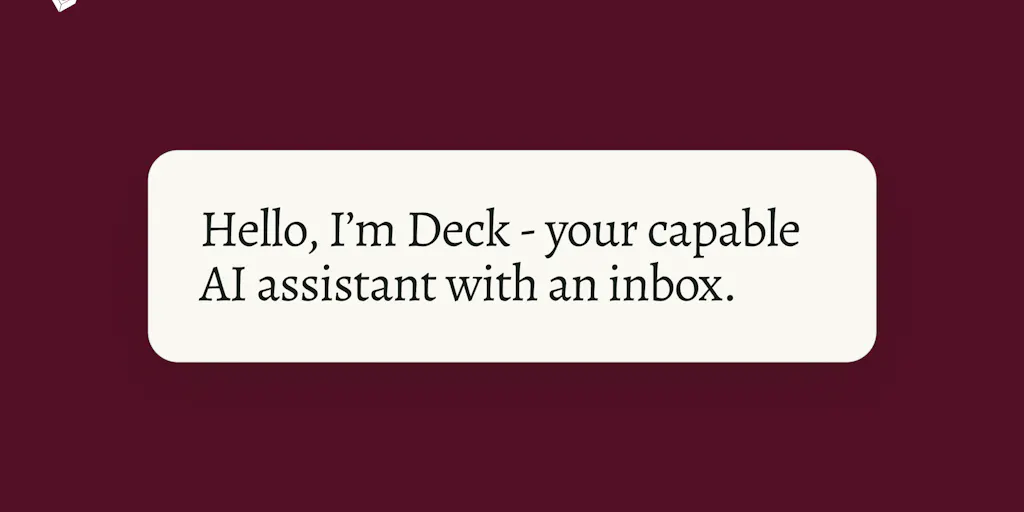
For anyone running a cross-border operation—whether that’s an Amazon FBA brand juggling supplier quotes from Shenzhen, a DTC store managing return labels from three different 3PLs, or an Etsy shop fielding customer messages in two time zones—the inbox isn’t just email. It’s your actual CRM, your order management system, and your ad budget spreadsheets all rolled into one chaotic, unreadable thread. The problem isn’t that you have too many tools; it’s that the most essential one doesn’t help you act on the information flowing through it. Most AI assistants ask you to move work into a separate chat window or give them blanket access to your entire mailbox, which feels invasive and still forces you to copy-paste context. That’s why I paid close attention when Deck launched on Product Hunt with a different model: give the AI its own email address, CC it on threads, and let it do the heavy lifting without ever touching your inbox directly. For cross-border operators who already delegate by forwarding emails and CC-ing colleagues, this might be the first time an AI assistant fits the actual rhythm of the work.
The Email Inbox Is the Real CRM — And It’s Broken
Cross-border sellers don’t live in Slack. They live in the thread where the supplier says “production delayed by two weeks,” where the freight forwarder attaches a new BOL that doesn’t match the PO, and where the advertising agency sends a report that needs to be reviewed before the next spend cycle. Every one of those messages requires context from previous emails, PDFs, and spreadsheet attachments. The natural human behavior is to forward the thread to a colleague or CC someone who can help. Deck mimics that exactly: you CC the assistant’s email address, and it processes the entire thread. It can summarize the context, pull data from attached files, and answer questions over your knowledge base. Founder Stasia Carson said in the launch comments that “we made email a first-class interface because delegation already happens there and it’s a decades old, hardened protocol.” That’s not just clever—it’s the only model that doesn’t require operators to change how they already work with the one tool they cannot abandon.
The difference from existing AI assistants is sharp. ChatGPT and Claude are reactive: you copy text into a window, paste the context, and ask for a summary. They have no persistent memory of your projects and no way to receive email alerts or subscribe to newsletters themselves. On the other end of the spectrum are tools like x.ai (former Amy/Andrew) that require giving an assistant full calendar and inbox access to schedule on your behalf. That model works for scheduling but feels too invasive for the messy, multi-company thread traffic that e-commerce operators deal with daily. Deck occupies a middle ground: it has its own inbox, it only emails you (not external parties), and it can be signed up for newsletters and email alerts from services you use. In the comments, Stasia described using it to review new customer sign-ups from Loops by simply adding the assistant to their Loops team. That kind of integration—subscribe the AI to a service’s email notifications—is exactly what a cross-border seller needs when they want a daily digest of new customer complaints, inventory alerts from their 3PL, or ad performance updates from their ad agency that sends only email reports.
Why Amazon Sellers Should Care More Than Shopify Ones
If you sell on Amazon, you already know that email is the skeleton key to your business. Every FBA inbound shipment notification, every reimbursement claim response, every request from Vendor Central sits in your inbox. You might have dozens of separate supplier threads, each with its own PDF quote, shipping document, and payment terms. A tool like Deck that can be CC’d on a supplier negotiation thread and then later answer “What was the final unit price for the Q3 shipment of SKU-1234?” without you having to manually search your email is immediately valuable. Because Deck has a memory layer that learns your communication style and can be configured for key contacts, it can help you stay consistent across dozens of supplier relationships—catching when a follow-up is overdue or when a price quote deviates from a prior agreement.
Shopify store owners, by contrast, tend to operate more through app dashboards and notifications. A Shopify seller’s supply chain might be handled through a single supplier app, their fulfillment through a separate app, and their marketing through another dashboard. Email is still important, but it’s not the primary operational nerve center the way it is for an Amazon seller juggling multiple marketplaces, invoices, and customer service emails from various channels. That said, DTC operators who run their own store on Shopify often have the most fragmented email flows of all: customer service inquiries forwarded from Shopify Inbox, ad network reports, and subscription management emails. There’s still a clear use case for CC-ing Deck on a customer escalation thread to get a summary of the full conversation history, or for subscribing it to your Klaviyo email alerts so it can proactively flag a sudden spike in churn. So while Amazon sellers will feel the pain more acutely, any operator who lives in email will benefit.
Where the Math Breaks: Trust, Boundaries, and the Cost of Hallucination
The most honest part of the Deck launch was the founder’s response to a comment about risk: “It doesn’t send outbound to anyone but the assistant owner … at this point it’s just too risky.” Stasia confirmed that Deck will not reply to external parties on your behalf. That is a massive limitation—and also a massive relief. For cross-border operators, the single biggest fear with any AI assistant is that it will misinterpret an ambiguous email and send a wrong price quote, a canceled order, or an angry reply to a supplier. Deck avoids that entirely by only chiming in to you with insights, data points, or drafting follow-ups. You stay in control of outbound communication.
But that means Deck is not yet the full delegation assistant many operators dream of. You can’t say “CC Deck on this thread and have it reply to the supplier with the updated shipping date based on the latest tracking email.” The math breaks when the value proposition is “you still have to write the email, but at least you get a summary and a draft.” For an operator who is already comfortable writing quick replies, the extra step of reviewing a draft might not save much time. The real time savings will come when Deck can act—send that reply, update that spreadsheet, log that interaction into your CRM. Stasia noted that their customers are a mix of independent operators and businesses who prefer Deck doesn’t send outbound, but the comments section shows clear demand for a rollback trail and sending capabilities. I expect that will come, but right now the product is more of a second brain than a third hand.
There’s also the security angle, which a commenter named Uddipta raised perfectly: if someone spoofs an email to Deck pretending to be you, does it act with the same authority? Because Deck currently doesn’t send outbound, the attack surface is limited: the worst a spoofed email could do is cause Deck to give you incorrect analysis. But if and when outbound actions are added, trust boundaries will become the make-or-break feature. The current model of “only emails the owner” is elegantly safe, but it may not scale to the level of delegation that a busy Amazon seller would need.
What Cross-Border Sellers Can Borrow From Deck’s Design Philosophy
Even if you don’t sign up for Deck today—or if, like me, you’re waiting for the outbound layer—the product’s design offers three principles you can apply to your own operations:
Treat your inbox as a data feed, not a todo list. Most sellers try to process every email linearly. Instead, think about which emails contain data you want an AI to capture—like order confirmations, shipping alerts, customer complaint summaries. If you can feed those into a system (whether it’s Deck, Zapier, or a custom GPT action), you free your brain for decisions.
Use a separate identity for the assistant. The “own inbox” model is brilliant because it decouples your personal email credentials from the AI’s access. If you’re experimenting with any AI tool (including custom GPTs or Claude projects), consider setting up a dedicated email address for that tool to forward important threads to. That way the AI never needs to read your entire mailbox, and you can monitor what it sees.
Proactive automations based on email triggers. Deck supports what it calls “Actions” (immediate) and “Scheduled Tasks” (on a schedule). A cross-border seller could set an Action for any email from a specific supplier domain: have Deck generate a one-paragraph summary of the thread and flag if the subject contains “delay” or “price increase.” That pattern is already possible with Superhuman splits or SaneBox filters, but Deck wraps the summary and knowledge base around it. The key insight is that a proactive flag is more valuable than a reactive search.
My Verdict: Useful as a Second Brain, Not Yet as a Delegator
I signed up for Deck with the promo code PRODUCTHUNT2026 (details in the maker’s comment) and tested it on a single real thread: a supplier negotiation over a price discrepancy. I CC’d Deck’s address, and within a few minutes it emailed me back a concise summary of the back-and-forth, including the key numbers from the attached spreadsheet. It saved me from re-reading five emails. That’s real value. But when I tried to ask it to draft a counter-proposal email that included the exact discount percentage from the supplier’s latest offer, it wrote a reasonable draft—but I still had to copy it and send it myself. For that use case, I could have just opened the spreadsheet and written the email in the same amount of time.
For cross-border operators, the product is worth testing if your inbox is a constant source of context-switching fatigue. Use it for the tasks that don’t require you to act immediately: summarizing long threads, tracking project file changes, answering questions about your knowledge base. Don’t rely on it for time-sensitive customer replies or financial negotiations until outbound capabilities are either added or you’re comfortable with the two-step review process. The trust model is the strongest I’ve seen in a consumer AI assistant, and I expect the team will iterate on the sending features carefully. If they can eventually add a “suggest and wait for approval” workflow that truly acts only when you hit send, Deck could become an essential tool for any operator who manages a high volume of email threads across borders.
What I’d Watch / Test Next
If you’re an operator, here’s what I’d do this week:
- Sign up for Deck (free tier available) and create an assistant with a dedicated email address. Choose a name you’ll recognize in your inbox.
- CC it on one low-stakes thread—ideally a supplier update or a service log that you don’t need to reply to immediately. See how long it takes to respond and whether the summary catches the key details.
- Set up one Action. Pick a recurring email alert you receive (e.g., daily sales report from your ad platform, or weekly inventory notification from your 3PL) and add the assistant as a CC or sign it up for the newsletter. Then ask it to send you a daily summary at a scheduled time via a Scheduled Task. Measure whether that reduces the time you spend scanning your inbox.
- Monitor the product updates. Deck’s team is clearly thoughtful about security and use cases. If they roll out outbound capabilities with a strong approval flow, I’d immediately start using it for drafting replies to suppliers and flagging discrepancies before I send. Until then, treat it as a research assistant, not a delegate.
Cross-border e-commerce operations generate emails faster than any other channel. The tools that win will be the ones that fit into that flow without breaking trust. Deck’s inbox model is the most promising design I’ve seen in this space. The question isn’t whether it works—it does, for a narrow set of tasks. The question is how far the team can stretch that model without breaking the safety valve that makes it useful in the first place.