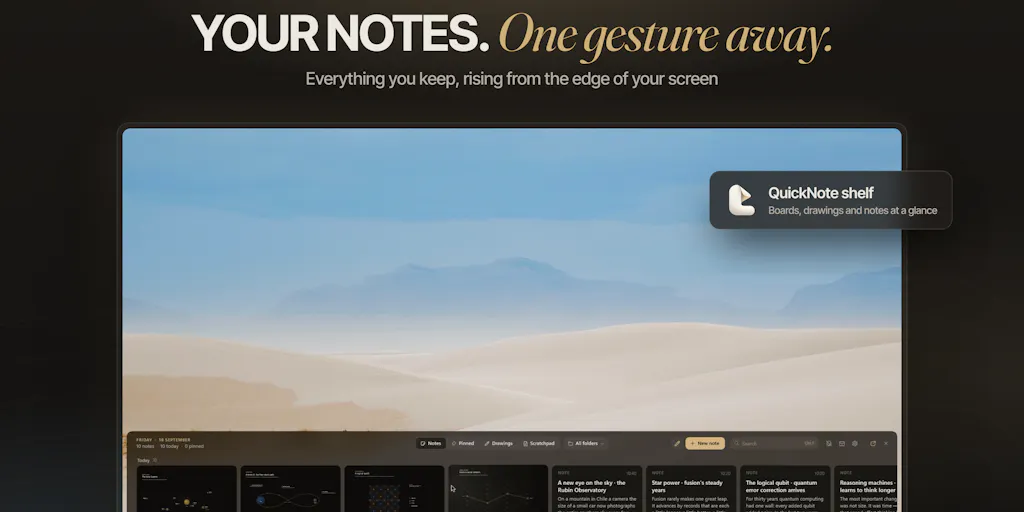
The Shake-to-Capture Trick Is Not the Story — the Native Architecture Is
Cross-border operators run their businesses from a browser with thirty tabs open. You have Seller Central on one monitor, a Shopify admin on another, a Temu supplier portal behind that, and a TikTok Shop order queue you keep forgetting to refresh. Every new “AI productivity tool” that promises to save you ten minutes a day is competing for the same 16GB of RAM your actual work already needs. So when a launch shows up that is explicitly built native rather than as another Electron shell, that is not a cosmetic detail — for anyone running lean ops on a laptop, it is the entire pitch. ZenithBar is one of those launches, and the interesting part is not what it does. It is how it does it, and what that says about where the tooling stack for solo operators is heading.
What Problem This Actually Solves
The category ZenithBar is playing in is the quick-capture layer: the thing that sits between “I just thought of something” and “it is written down somewhere I will find it again.” Incumbents in that space are well established — Notion as the heavy workspace, Obsidian for the local-first crowd, Apple Notes for people who never left the ecosystem, and on the AI-native side tools like Dial that wrap capture in a language model. The friction those tools share is that capture is a deliberate act. You switch context, you open an app, you find the right note, you type. For a seller mid-fulfillment, that context switch is where the thought dies.
ZenithBar’s answer is a shake gesture: you shake the mouse, a capture surface appears, you type, you move on. The maker, Henry Cauan, describes the trigger as roughly five even back-and-forth strokes in the same spot within about a second, and — critically — the gesture is ignored entirely while any mouse button is held down, so dragging windows never false-triggers it. It is also disabled over fullscreen apps, and there is a sensitivity setting plus a keyboard shortcut as escape hatches. That is a more thoughtful threshold design than most gesture features get, and it came out of the comment thread rather than the launch copy.
Why Amazon sellers should care more than Shopify ones
Here is my read on who this is actually for. A Shopify DTC operator sits in one admin most of the day and has a browser-based workflow that tolerates heavy web apps. An Amazon seller does not. Their day is fragmented across Amazon Seller Central, a repricer, a Helium 10 or Jungle Scout tab, supplier WhatsApp threads, and a freight forwarder’s portal. The capture problem is worse because the interruptions are worse. A tool that appears and disappears without stealing focus is worth more to that person than to someone with a single-pane workflow. Same logic applies to anyone running TikTok Shop or Temu seller backends, where the dashboards are slow and the session timeouts are aggressive — you do not want to lose your place to jot a note.
The Native-vs-Electron Argument Is the Real Differentiator
The comment that stuck with me came from Gal Dayan, who noted that “no Electron is the real selling point” and that half their RAM usage is notes apps idling. That is not a niche complaint. It is the single most common reason operators abandon productivity tools mid-quarter. An Electron app that idles at 300–500MB is fine on a developer’s 32GB machine and painful on the 8GB laptop your ops hire is using to process returns.
The maker’s response — that going native “was a big reason” for the architecture choice — is the kind of statement I want to see more of from tooling founders, because it implies a constraint that most SaaS ignores. For cross-border teams, RAM is not an abstraction. It is the difference between running your Klaviyo dashboard and your 3PL portal at the same time, or not. If you have ever watched a warehouse coordinator’s machine crawl because six browser tabs and two desktop apps are fighting for memory, you understand why “native” is a feature and not a boast.
Where the math breaks
I want to be honest about the limits of this argument. Native does not automatically mean better. A native app that does one thing well is still one more thing running. If ZenithBar’s capture surface is genuinely lightweight, it earns its slot; if it quietly grows background processes with every update, the advantage evaporates and you are back to the same tradeoff. The RAM claim is a claim, not a benchmark. The only way to know is to watch your own activity monitor for a week — which is exactly the kind of test I would run before recommending this to a team.
What Cross-Border Sellers Can Borrow From This
Strip away the product and there are three transferable lessons for anyone building internal tooling or evaluating their stack.
First, gesture and shortcut design is a competitive moat, not a gimmick. The detail that the shake is suppressed while a mouse button is held down is the kind of edge case that separates a demo from something you actually use daily. If you are speccing internal tools — a repricing script, a supplier PO generator, a returns dashboard — think about the equivalent. What is the one interaction that will annoy your team if it is slightly wrong? Design the exception before you design the happy path.
Second, the “no Electron” argument applies to your own stack, not just third-party tools. Every web app you add to your ops workflow is RAM your team does not get back. This is an argument for consolidating dashboards, for preferring native or lightweight clients where they exist, and for being ruthless about which SaaS tabs are actually load-bearing. Most 7-figure sellers I talk to are running between 15 and 25 paid tools. A meaningful fraction of those are redundant, and each one costs memory and attention.
Third, capture tools only work if capture is faster than forgetting. The reason quick-capture apps keep getting launched is that the problem is real and unsolved. Whatever you use — ZenithBar, Notion, a plain text file synced to your phone — the test is the same: can you get a thought out of your head in under three seconds without breaking your current task? If not, you do not have a capture system. You have a graveyard.
The AI angle is quieter than it looks
Notice what is not in this launch: a language model. No summarization, no auto-tagging, no “ask your notes” chat interface. In a year where every productivity launch leads with AI, that restraint is either a gap or a deliberate choice. For an operator, it matters because AI features in capture tools usually mean cloud round-trips, which means latency and privacy questions. If ZenithBar is genuinely local and native, the absence of AI is a feature for anyone handling supplier pricing or customer PII. If the roadmap adds it later, the architecture question comes back. Worth watching.
Where My Judgment Says This Falls Short
Three honest concerns.
The gesture is a discovery problem. A shake-to-open interaction is invisible. Nobody knows it exists until they are told. That is fine for a launch audience of Product Hunt readers, but for a team tool, invisible gestures do not propagate. You will show one person, and three weeks later they will have forgotten. The keyboard shortcut escape hatch is the thing that will actually get used in a shared ops environment, and I would want to see it foregrounded.
The category is crowded and the switching cost is low. Competing against Apple Notes is not about features; it is about habit. Apple Notes is free, already installed, and syncs everywhere. ZenithBar has to be meaningfully better at the one thing it does to justify a new install, and “slightly faster capture” is a hard sell against “already on my machine.” The native argument helps here, but it is not decisive on its own.
No pricing or platform detail in the source. The launch page does not disclose pricing, and does not state which operating systems are supported. For a cross-border team, that matters — half your ops staff may be on Windows, and if this is Mac-only, the team-use case collapses. I would not roll this out to a team until both questions are answered. Not disclosed in the source, and I am not going to guess.
The cross-border tax nobody mentions
One thing the launch thread does not touch: for sellers operating across time zones, capture tools need to handle the “I thought of this at 2am and need it in front of the China supplier by their morning” workflow. That means mobile capture, or at least a sync path that does not require you to be at your laptop. A desktop-only quick-capture tool solves half the problem. The other half is the one that actually costs you money when it slips.
What I’d Watch / Test Next
This week, if you are curious, do three things. First, install it and run your normal ops day with your activity monitor open — watch the memory footprint against whatever notes app you currently leave running, and decide on evidence rather than the launch copy. Second, deliberately try to false-trigger the shake while dragging windows, resizing browser panes, and working in fullscreen dashboards; the maker claims the mouse-button-held exception handles this, and you should verify it against your own workflow rather than a demo. Third, if you are evaluating it for a team, ask directly about Windows support and pricing before you introduce it to anyone — a tool that only works on half your machines is worse than no tool. And if you already run a capture stack, audit it: count how many notes apps are idling on your machine right now, and ask whether any of them have earned the RAM they are holding. That audit will tell you more about your tooling discipline than any launch page will.


