Using AI to Remove Hard Subtitles and Text Overlays in Video: A Practical Workflow for Reusing Cross‑Border E‑Commerce Materials
When we receive a batch of old advertising assets left by an agency, the team usually first checks the picture quality, looks at the product, and watches the voice‑over content. Few people notice how the text appears on the screen at first. The problem only becomes apparent after the campaign is launched: the Chinese promotional copy is baked directly into the footage, making it impossible to hide or replace with English. Material reuse gets stuck right at the start.
These “hard subtitle” issues are very common in the flow of cross‑border e‑commerce assets. Hook copy created by the creator, voice‑over subtitles left by the supplier, promotional tags left by the agency—almost all are pixel‑level burn‑ins. Dealing with them is not the same as turning off a subtitle track. First, identify which category the asset belongs to, then decide whether to use AI; this is more important than scrambling for a tool.
Hard Subtitles vs. Subtitle Tracks: The Real Trouble Starts with Text Burned Into Pixels
Standard soft subtitles exported from editing software usually exist as SRT or other subtitle tracks that can be toggled on or off in a player or platform—this is fundamentally different from pixel‑level burn‑ins. Hard subtitles (also called burned‑in text) are rendered directly into each frame’s pixels; after exporting to MP4, the text and the image are fused, and no player can turn the text off separately.
In cross‑border e‑commerce assets, hard subtitles often come from more complex sources than one might imagine. Creators embed Hook copy as visual elements to attract attention on TikTok or Reels; suppliers often burn subtitles into the bottom of voice‑over videos; agencies deliver old footage with fixed promotional tags, price anchors, and countdown timers. Once these texts enter the image, three chain problems arise:
- Localization dead‑ends: When switching language markets, the on‑screen text cannot be replaced, requiring a full re‑shoot or re‑edit.
- Platform policy risk: Some platforms restrict promotional text within the video; burned‑in text cannot be adjusted to meet platform guidelines.
- Material reuse obstacle: Changing the selling point or script for the same footage is impossible because the text is locked.
So, whenever you receive an asset, ask yourself: Is this text an independent subtitle track, or is it already burned into the video? The former can be handled in Premiere Pro, Jianying, CapCut in seconds; the latter requires an AI removal workflow. Mis‑identifying it wastes time on the wrong path.
| Comparison Dimension | Hard Subtitles (Burned‑in Text) | Soft Subtitles / Subtitle Tracks |
|---|---|---|
| Text storage location | Burned into pixel‑level video frames | Separate track (e.g., SRT) |
| Can be hidden with one click | No | Yes |
| Can be replaced with multiple languages | No, requires re‑creating the visual | Yes, just replace the text file |
| Difficulty of reuse and localization | High, needs AI removal or re‑shoot | Low, just edit the subtitle file |
| Necessity of AI removal | Required | Not required |
Basic AI Removal Workflow: Text Detection, Region Masking, and Background Reconstruction
The core logic of AI‑based removal of burned‑in text isn’t mysterious. First, a text‑detection model locates the text region in each frame and generates a mask. Second, that region is treated as an “occluder,” and content‑aware inpainting reconstructs the background behind it. Whether you process frame‑by‑frame or by keyframes depends on the tool’s implementation. The complexity of the visual directly determines reconstruction quality: text on solid or gradient backgrounds is relatively easy, while text on complex textured backgrounds often leaves visible artifacts after reconstruction.
This capability is now feasible because generative AI video technology has made substantial progress over the past two years. Previously, removing burned‑in text relied on cropping the edges or zooming in to push the text out of the frame, which sacrificed composition and quality. Modern tools are moving toward “pixel reconstruction,” shifting from “cutting out the image” to “rebuilding the image.”
However, AI removal has inherent limitations and isn’t suitable for every scenario. The most common failure mode is accidental removal of primary text—brand names on product packaging or ingredient lists on labels may be deleted if they occupy the same area as the targeted burned‑in text. Texture reconstruction distortion is another issue; on grass, fabric, or heavily patterned backgrounds, the inpainted area often looks blurry. E‑commerce ads demand high visual quality, and such distortions become amplified on the delivery side.
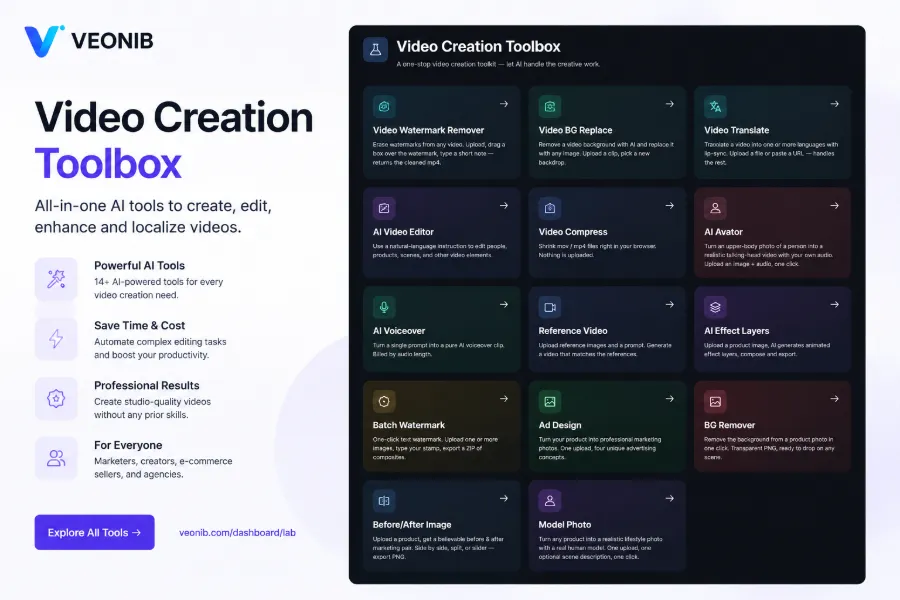
A practical habit to develop: first run a 5–10‑second low‑resolution clip to check for accidental deletions and quality loss before processing the entire video. Full‑video processing can take dozens of minutes or more; a test run exposes problems early and avoids wasting compute on wrong parameters. The capability boundaries of these video‑processing tools evolve in sync with mainstream generative AI video tools—stronger models yield better reconstructions, but the risk of accidental deletion always remains, requiring manual frame‑by‑frame checks. For e‑commerce teams, treating AI removal of burned‑in text as a pipeline step rather than a one‑off operation aligns better with real needs. After processing a batch, you can also explore AI video toolboxes with watermark‑removal features to chain together text removal, watermark removal, and background replacement.
Three‑Step Cleaning Process: Identify Targets, Remove Burned‑In Text, Add Editable Dynamic Text
Cleaning burned‑in text isn’t just about making the picture look clean. The real goal is to make the asset reusable, which requires three steps.
Determine which texts must be physically removed and which can stay. Fixed brand logos or packaging information that doesn’t conflict with the campaign can be left untouched. What needs removal are one‑off scripts—old Hooks, outdated promotional tags, voice‑over subtitles that don’t match the target market language. Misjudgment here leads to wasted effort or accidental deletions later.
Use AI region reconstruction to eliminate hard subtitles and fixed watermarks, exporting a clean, text‑free master footage. Keep a version without any text elements (master asset) for future multilingual reuse by simply overlaying copy. The quality of this output sets the upper limit for the entire asset library’s reusability.
On the clean master, re‑add Hooks, CTAs, promotional tags, etc., but this time as dynamic layers instead of burned‑in text. Dynamic text can be swapped at any time, keeping the asset “alive.” In cross‑border multi‑market campaigns, dynamic text facilitates A/B testing of different scripts: the same master clip can have an English Hook for North America, a Spanish CTA for Latin America, and multiple versions can be produced in minutes.
After cleaning, teams often encounter a new issue: the master footage is clean, but its structure is outdated. The original shot sequencing and voice‑over pacing may no longer fit current platform norms. At this point, rather than patching, you may need a style‑consistent, burn‑in‑free UGC asset—simply paste the product link, and VEONIB can generate scripts and shots without any burned‑in text, eliminating the problem at the source. Export a clean master first, then decide whether to overlay dynamic text for reuse or to generate a new asset based on product info; each path has its own suitable scenarios.
When to Abandon Manual Cleaning and Rebuild Assets Directly from the Product Link
Not every asset with hard subtitles is worth cleaning. The decision isn’t about technical feasibility but about the cost of repair versus the remaining value of the material.
A real‑world lesson: a team received an old ad with Chinese burned‑in promotional copy from an agency, decided to remove it frame‑by‑frame with AI, and then re‑target it for English markets. After full‑video processing, they discovered severe distortion on textured backgrounds and accidental deletion of a product label. They had to redo the work, delaying the campaign by a week. If they had run a short test clip first or assessed the texture complexity beforehand, they would have avoided full‑video processing only to discover the problem at the end.
Three types of assets are recommended to skip manual cleaning:
- Large‑area burned‑in text: High removal cost, reconstruction quality hard to guarantee.
- Very low‑resolution source material: AI reconstruction needs sufficient pixel information; low‑resolution assets become even poorer after repair.
- Complex textured backgrounds causing severe reconstruction artifacts: Grass, water, dense patterns often yield unusable inpainted results.
Another common scenario: the creative concept of the leftover asset no longer matches current campaign goals. Outdated scripts, mismatched selling points, or updated product versions make cleaning merely extend the life of a wrong idea. For e‑commerce teams, it’s often more cost‑effective to generate a fresh, burn‑in‑free asset directly from the product page—script, shots, and voice‑over all done in one go. Producing a video directly from a product link usually takes under 60 seconds, far more economical than frame‑by‑frame hard‑subtitle removal. This trade‑off is especially clear for independent sites, Amazon, and TikTok Shop placements: new assets can be designed to current platform specs, with all text as dynamic layers, eliminating burn‑in issues from the start.
To decide whether an asset is worth fixing, focus on three points: Is the master footage quality sufficient? Is the background complexity within AI reconstruction limits? Does the creative concept still align with the current campaign? If the first two fail or the third is false, rebuilding is cheaper. Cross‑border sellers can follow the AI workflow for generating ad videos from product URLs (https://veonib.com/s/guides/from-product-url-to-viral-video-ai-workflow-for-cross-border-sellers-veonib) to shift from “patching old clips” to “on‑demand generation.” Tools like VEONIB provide a low‑cost alternative path after deciding to discard old material, preventing endless cleaning loops.
FAQ
What’s the difference between hard subtitles and subtitle tracks (soft subtitles)?
Hard subtitles are rendered into the video’s pixels; after export they cannot be turned off or replaced individually. Subtitle tracks are separate text tracks (e.g., SRT) that can be toggled on or off with a single click in a player or platform. The simplest test: try to turn off subtitles in a player; if you can’t, it’s a hard subtitle.
Will AI removal of burned‑in text damage the video?
Yes, especially on complex textured backgrounds. AI uses content‑aware inpainting to reconstruct the region; solid or gradient backgrounds work well, while grass, fabric, or dense patterns often become blurry or distorted. It’s recommended to test with a 5–10‑second clip first, check for accidental deletions and quality loss, then proceed with the full video.
After removing hard subtitles, can I still switch languages on ad platforms?
Yes, provided you overlay the text as dynamic layers after removal, rather than re‑burning it. A clean master combined with dynamic text allows you to switch languages and scripts on the fly for TikTok, Reels, Meta, etc.
When is it not worth using AI to remove text and better to recreate the asset?
If the burned‑in text covers a large area, the source resolution is too low, the background texture is complex causing reconstruction artifacts, or the creative concept no longer fits the current campaign, cleaning isn’t worthwhile. Generating a new asset from product information usually takes seconds and costs far less than frame‑by‑frame removal.
Share Article