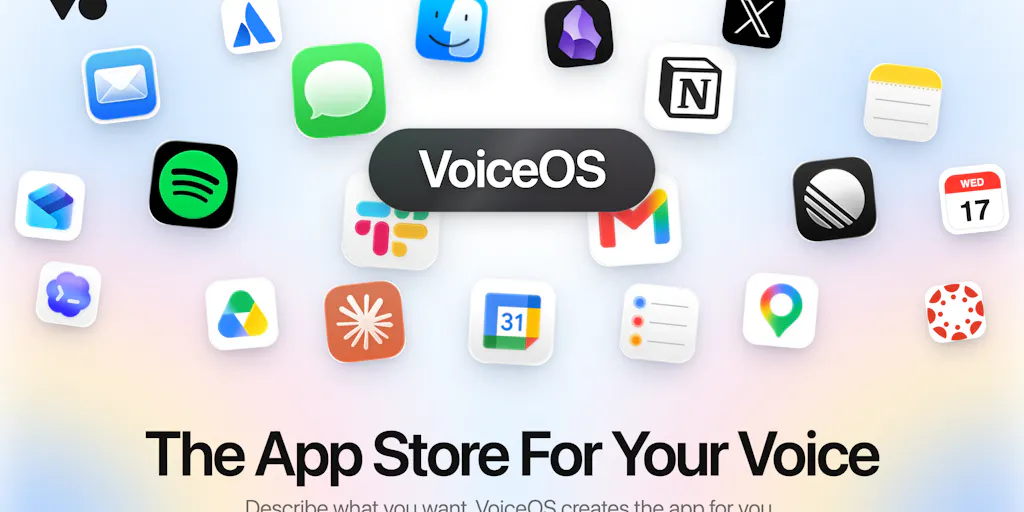
The tools you need are too small for anyone to build — that’s the opportunity
Every serious cross-border seller has a graveyard of half-built spreadsheets, abandoned automation flows, and bookmarked SaaS tools that almost did the job. The reason isn’t laziness; it’s that the workflow you actually need — flag every Buy Box loss within two hours, translate the newest complaint pattern from German returns, nag the VA who forgot to update the FBA replenishment sheet — is too small, too personal, and too specific for any software company to build for you. That’s the gap the latest VoiceOS launch is aiming at. The company, also called VoiceOS, has been through several Product Hunt cycles, and this time the pitch is a store: say what you want done, and the computer builds you a tiny app for it on the spot. If that works even half as well as the demo suggests, it changes what operators should expect from software. Instead of adapting your operation to a tool, the tool adapts to your operation.
The problem: you’re living inside the app-store ceiling
The most honest line on the launch thread is also the most damning one. Co-founder Jonah Daian says that when VoiceOS first launched, the most common reply was some version of “can it do [x]?” — and usually the answer was no. Not because it was hard, but because nobody had built that one yet. That, he says, is the ceiling on every app store: you can only use what someone else decided was worth building. The apps that would actually change your day are the ones nobody ships — “too small, too personal, too specific to you.”
That ceiling is the exact tax your operation pays every week. You open the Shopify app store or Amazon Seller Central and find a tool that does 80 percent of what you need. The other 20 percent is where the margin lives, and you either build it, pay a developer, or live without it. Most sellers live without it, and the cost shows up slowly: a few minutes lost per day per person, a decision delayed because the data lived in three different tabs, an SOP that only exists inside your own head.
VoiceOS removes the waiting period between identifying a workflow and using the tool. The maker’s demo is deliberately personal: you say “create an app to help me journal,” VoiceOS writes it, you try it by voice, and it’s yours — no code, no docs, no waiting on the vendor. Then you share it as a link, and anyone who opens it has the same app in a click. Substitute “journal” with “track the one number your team actually cares about,” and the cross-border use case writes itself: a daily replenishment check, a returns-category counter, a Buy Box alert that reads results at you while you pack.
The product tagline has sharpened across launches — from “Work 10x faster with your voice” on VoiceOS 3 to “JARVIS for your computer” on the newest launch. The real evolution, though, is the marketplace. The current launch isn’t another dictation upgrade; it’s the store: “every app anyone needs, built by the person who needs it.” To a cross-border operator, that’s either the beginning of a beautiful mess or a genuinely new distribution channel for internal tools.
What VoiceOS is actually competing with (and why it’s not “Siri for your spreadsheet”)
First, a point of order: this is not a Siri clone, and it’s not a dictation tool with extra steps. Siri, Alexa, and Google Assistant give you a fixed list of integrations — timers, weather, smart-home switches — and you can only go where the vendor built a path. One commenter put the contrast well: VoiceOS turned his laptop into a hands-free control center, and the difference is that you can connect your own custom apps, so you’re not locked to a fixed list of supported integrations. The same commenter compared the bundled dictation layer to Wispr Flow — and that’s the right mental model. Wispr Flow is excellent at turning speech into text; it doesn’t act on the text. VoiceOS bundles dictation and execution, and it adds a confirmation step before anything executes.
That confirmation step is easy to underestimate until you’ve watched a voice agent spend real money on the wrong item. Several commenters flagged it as the detail they like most, precisely because most voice agents “just fire and hope.” For a seller, a confirm-before-execute layer isn’t a nice-to-have; it’s the difference between a toy and a tool that can touch your P&L.
Compared with no-code automation, the difference is the blank canvas. Zapier and its cousins are built for connected workflows, but you still assemble them: triggers, steps, error handling, testing. VoiceOS compresses that entire loop into a sentence. Compared with AI code generators that assume a browser, a seat, and a deploy step, VoiceOS’s bet is distribution: the app lives on VoiceOS, and you share it as a link. That’s the piece the code-generation world keeps underestimating.
The edit path is worth attention too. When a commenter asked whether the generated app can be fine-tuned, Jonah’s answer was that you have full control over everything, and you can even ask an AI such as Claude to make edits. That tells you something important: the generated app is a text artifact underneath — inspectable, mutable, re-promptable. That’s a different trust model from a black-box SaaS, and for operators burned by rigid tools, it’s the most promising part of the design.
There’s also a human detail that says more than any feature: a commenter at the bottom of the thread wrote his entire review using VoiceOS, and signed it “Written using Voice OS.” That’s the kind of claim a founder can’t buy. It’s the product working in the wild, which is more than most launches on Product Hunt can show.
Why Amazon sellers should care more than Shopify ones
Shopify merchants live in an API-first ecosystem. If a workflow doesn’t exist, someone can assemble it from existing apps and custom fields. Amazon sellers live in the opposite world: Seller Central is a walled garden, the business reports are slow, and the meaningful integrations are a fraction of what Shopify users take for granted. A voice layer that can summarize a business report, read out a low-stock alert, or tally negative-review keywords without leaving the dashboard is disproportionately valuable on Amazon, precisely because Amazon sellers don’t have a dozen alternatives. Shopify stores have a dozen analytics apps; Amazon sellers have Seller Central and a prayer.
The caution follows from the opportunity. Voice execution on Amazon is dangerous precisely because it’s powerful. The right starting point is read-only: a morning briefing that reads sales, ad spend, and review counts aloud while you pack orders. That’s where I’d point any brand first — and I’d stop there until the security model matures.
What cross-border sellers should steal from this launch (even if you never install it)
The first thing to steal has nothing to do with voice. It’s the maker’s habit of collecting “too small to ship” problems. The launch post explicitly names the kind of app that never gets built: a journal that asks the right question at 10pm, a tracker for the one number your team actually cares about. Most sellers have a version of this list — it’s the graveyard of spreadsheets from the opening of this essay. The VoiceOS discipline worth copying is to write that list down, rank it by how much the missing tool costs you per month, and then build the top three in whatever tool you already use. The tool doesn’t matter; the backlog does.
The second thing is distribution. The “share it as a link” model — combined with automatic updates when the creator improves the app — turns an app into a living document. Seen from the DTC side, a VoiceOS app link is a productized SOP: one URL, always current, installed with one click. Whether or not your team adopts VoiceOS, the pattern is worth copying in your own onboarding. Package your return policy, your VA checklist, or your new-listing launch plan as a single link that updates itself. That’s already better than the fourteenth version of “FINAL_v5.docx” sitting in your Google Drive.
Third is the Japan lesson. The launch post touts a free 7-day Pro trial and full Japanese localization from day one, and the team shouts out their Japanese community for backing them since the beginning. Compare that with how most cross-border sellers approach Japan: an afterthought locale, a low priority, a market they’ll “get to later.” VoiceOS flipped that. Japan-first localization is a market commitment, not a translation task — and it’s the same commitment a DTC brand needs to win on Japanese Amazon or in a Shopify Japan rollout. Localize one market fully, not ten markets partially.
Where the math breaks
Beyond the free Pro trial, pricing is not disclosed. That’s fine for a launch, but it’s a real problem for a seller evaluating a team-wide rollout: we don’t know the per-seat number, whether a free tier exists, or whether API access will cost extra. And seven days is a short window to build a habit. A voice tool that doesn’t become a daily habit in week one will be uninstalled by week two. For an operator, the math only works if the app saves at least an hour a day, because speaking to your computer is itself a behavior change — and behavior change is the most expensive part of any tooling decision.
Where my judgment says the shine wears off
I would not yet build money-moving workflows on VoiceOS, and the biggest blocker is the installation wall. When a commenter asked whether a friend can test a shared app in-browser, the answer, from maker Kai Brokering, was that VoiceOS apps only run on VoiceOS — the other person would have to install VoiceOS first. That’s click-to-install, not click-to-run. It kills the viral magic of the link for anyone who isn’t already a user, and for a cross-border seller it means every VA, every ops hire, every manager has to install a new piece of software before your shared SOP app does anything. That’s an adoption tax, and adoption taxes are why most internal tools end up in the graveyard.
Second, the “no code, no docs” promise quietly becomes “there is code, but an AI can edit it.” When asked about fine-tuning a misread app, Jonah’s answer was that you have full control and can ask Claude to make edits. That is a developer’s answer. A non-technical seller who hits a misread instruction will retry the wording twice and then drop the tool. The most important question on the page is the commenter asking whether people retry with different wording or drop into an edit view — and the answer being “you can ask Claude” is not actually an answer for the normie market this store is aimed at.
Third, the page still shows no reviews yet. That’s normal for a launch, but it matters because the marketplace’s entire value model is network effects. A store where the apps are built by the people who need them is only worth opening if there are enough apps to feel like JARVIS. In the cold-start phase it inverts: the store is a ghost town, and the only apps are the ones you built yourself. That’s fine for the maker community, but it’s a hard sell for a busy operations lead who was promised “every app anyone needs.”
Fourth, the security model is unspoken, and that’s the biggest red flag for cross-border teams. A voice agent that can act — send messages, move data, trigger processes — is a risk vector. The confirmation step helps, but for a multi-user seller team you need role-based permissions, audit logs, and undo. None of that is disclosed. Until it is, the correct posture is read-only experiments, never live money.
Finally, automatic updates are a supply-chain risk, not just a convenience. If the original creator improves the app, every install updates automatically — great when the creator is active, dangerous when the creator is hacked, disgruntled, or just bored six months from now. For an operator, software you don’t control is a liability, and this marketplace model puts you at the mercy of anonymous app authors. That’s the same problem every app store eventually faced, and VoiceOS hasn’t shown its moderation or rollback mechanics yet.
What I’d watch / test next
Here’s what I’d do this week. First, install VoiceOS and spend the free trial building exactly one read-only app: a morning briefing that recites yesterday’s orders, ad spend, and any negative reviews. Use it for three consecutive days. If it becomes a habit, the product is real; if it doesn’t, the “10x faster” claims were marketing.
Second, keep a hard rule: no voice actions that touch money, listings, or customer messages until role-based permissions, audit logs, and a reliable undo exist. Third, watch the Japanese marketplace as the leading indicator — if Japanese sellers start sharing supply-chain apps there, the network-effect thesis is real. Fourth, steal the distribution pattern even if you never install the product: turn one repeatable SOP — a VA checklist, a returns flow, a launch roadmap — into a single link that always updates.
Finally, re-evaluate the moment VoiceOS apps run in a browser without an install. The entire objection wall collapses if the link runs anywhere. Until then, this is a promising experiment with one killer habit and a very long way to go.